This article is based on practical experience and summarizes the reading and parsing of local HTML files in a Python environment, especially focusing on encoding checks and error issues.
- Introduction
In a Python environment, the most commonly used method for reading local HTML files is the built-in file operation function open().The basic syntax of the open() function is as follows:
open(filename[,mode[,encoding]])Parameter descriptions:filename: Required parameter, the name or path of the file to be created or opened.mode: Optional parameter, used to specify the file opening mode. The default is ‘r’ – read mode, common modes include ‘w’ – write, ‘a’ – append, ‘b’ – binary, etc.encoding: Optional parameter, used to specify the encoding format.Key points to note: When using the open() function to open a file, if the encoding method is not explicitly specified, the default encoding format used depends on the operating system and Python version. This is one of the core reasons for subsequent encoding errors when reading local HTML files.
- Solutions for Reading Local HTML and Encoding Errors
After understanding the basic usage of the open() function, the following will demonstrate how to correctly read local HTML files using two example files.Example 1: test.html, known encoding is utf-8.Example 2: Document.html, known encoding is windows-1252.Note: There are many ways to check the encoding of local HTML files, such as using Notepad++ or directly opening the HTML file in PyCharm, which will display the encoding in the lower right corner.For example, for the files: test.html (utf-8) and Document.html (windows-1252), usingPyCharm to check the encoding results as shown in the image below: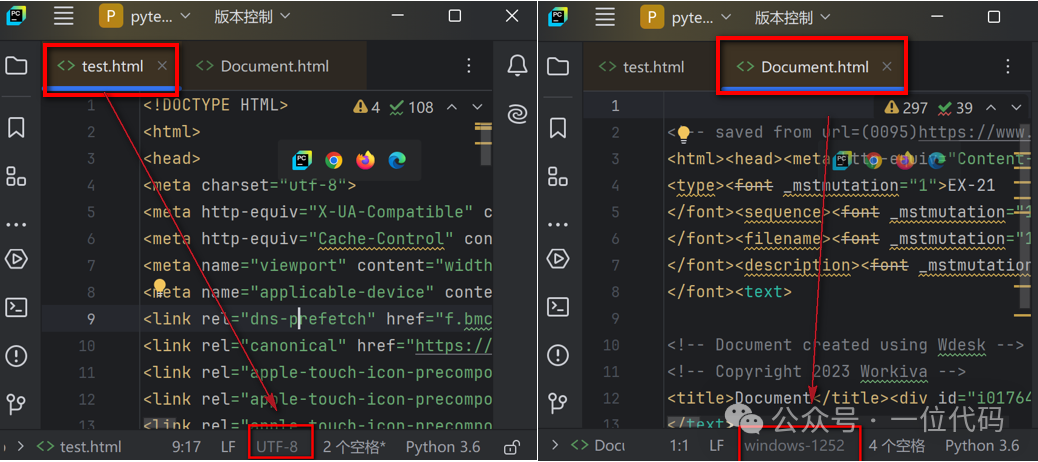 The following are methods for reading local HTML and common error solutions.Error Example 1: Not specifying encoding and directly reading the HTML file (test.html) leads to a read failure.
# Full path of the local HTML file
file_path = r'C:\Users\Administrator\Desktop\test.html'
# Read the HTML file without specifying encoding
with open(file_path) as f:
    res = f.read()
    print("Return result type:", type(res))
    print("Return result:", res)
After execution, the error is:UnicodeDecodeError: ‘gbk’ codec can’t decode byte 0xae in position 875: illegal multibyte sequence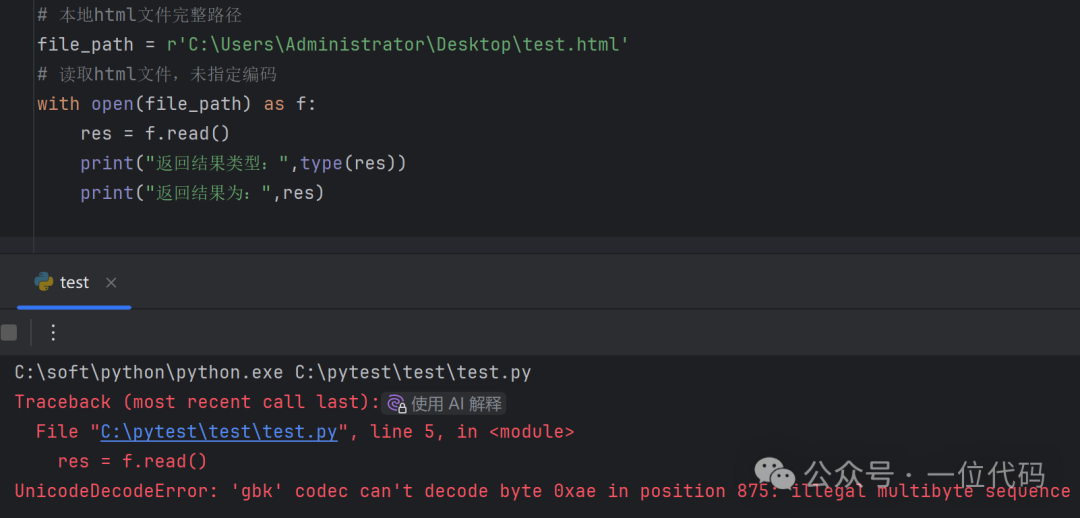 Reason: As mentioned earlier when briefly describing the usage of the open() function, if the encoding parameter is not specified, the default encoding format used depends on the operating system and Python version. From the error message, it can be seen that in the author’s environment, the default encoding is gbk, so when opening the utf-8 encoded test.html, an error occurs.There are two solutions (key points)One is: Specify the correct encoding, which is to use the utf-8 encoding of test.html to open it.
# Full path of the local HTML file
file_path = r'C:\Users\Administrator\Desktop\test.html'
# Read the HTML file
with open(file_path, encoding='utf-8') as f:
    res = f.read()
    print("Return result type:", type(res))
    print("Return result:", res)
After execution,test.html is successfully read, as shown in the image below: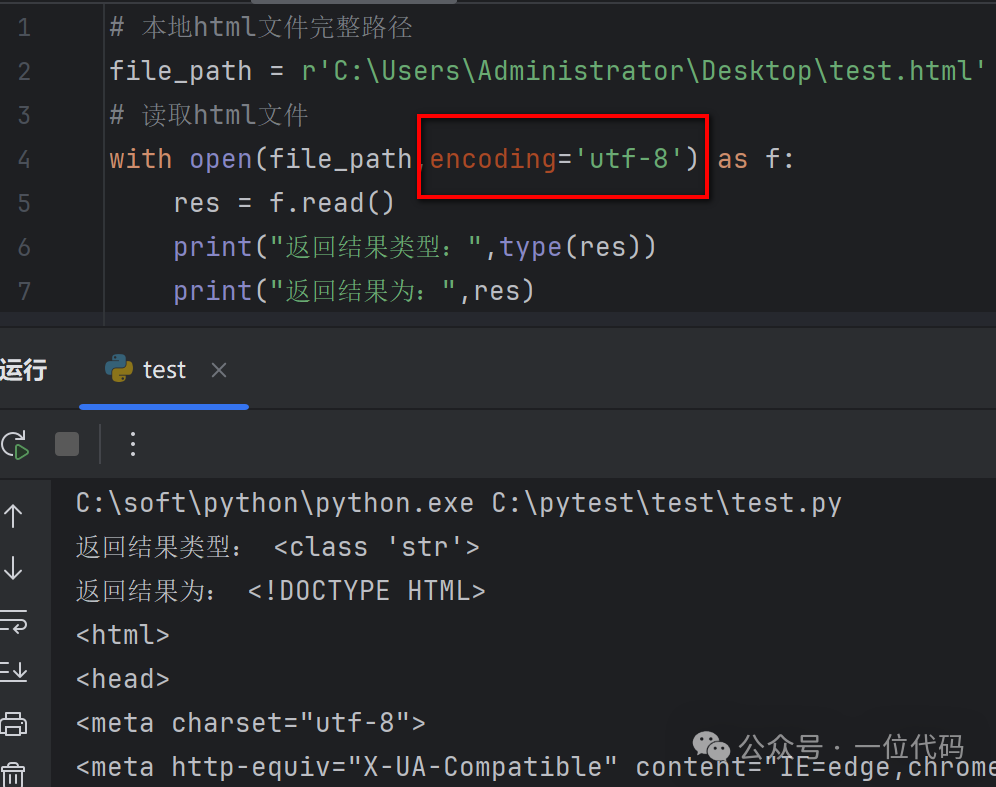 The second is: Regardless of the local HTML file encoding format, directly use the binary file reading mode ‘rb’ of the open() function to open the local HTML file.For example, directly open test.html (utf-8) in binary mode, and it reads successfully as shown in the image below:
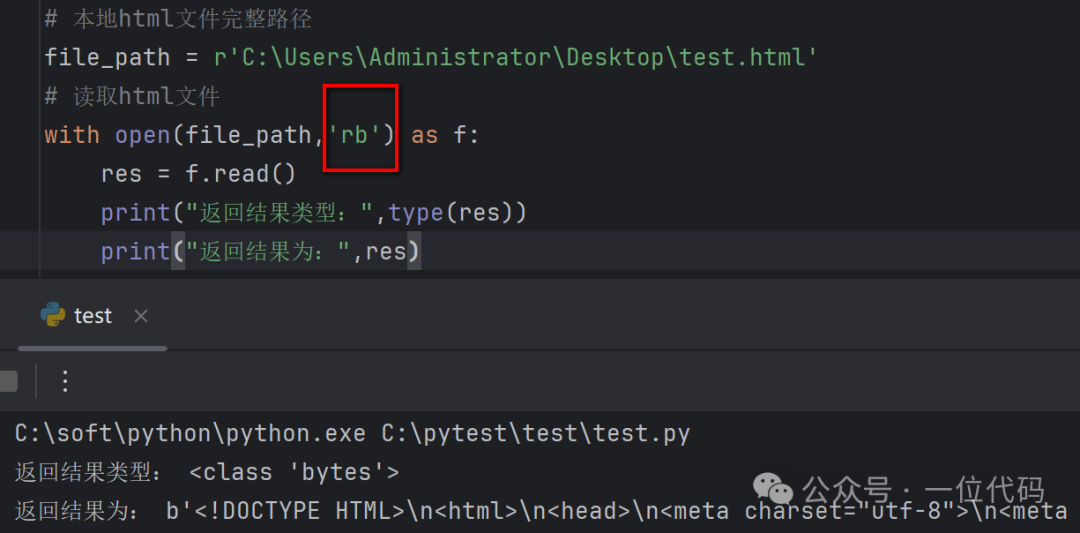 Similarly, directly open Document.html (windows-1252) in binary mode, and it reads successfully as shown in the image below.
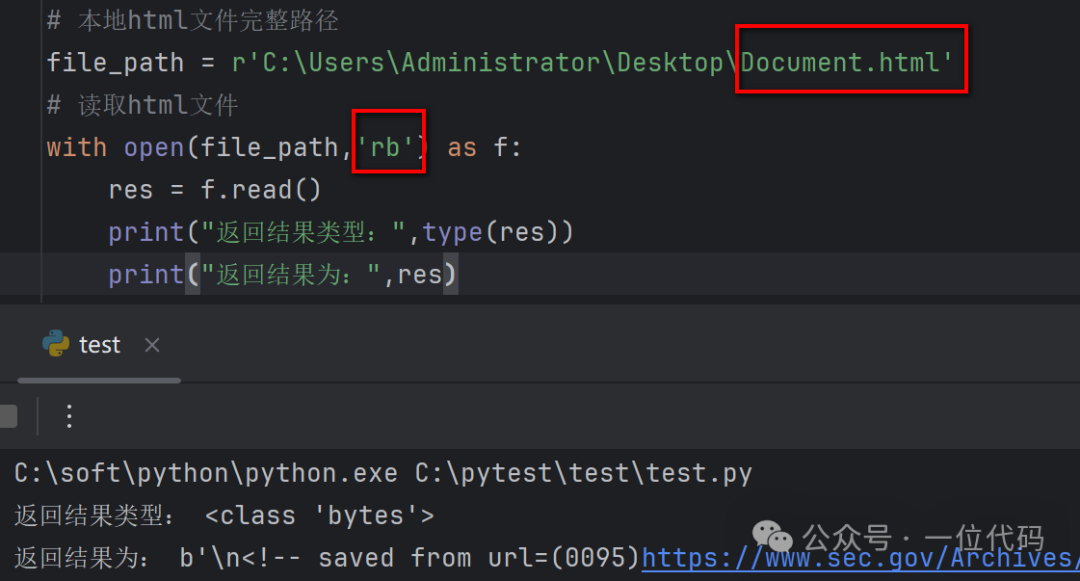 From the above two examples, it can be seen that regardless of the encoding format of the local HTML file, it can be opened directly in binary mode. The advantage is that when processing in bulk, there is no need to check the encoding of each HTML file; the disadvantage is that the return value is in binary format, which requires decoding during parsing and extraction.Note: The method to convert the returned binary format result to a string using decode() is as follows.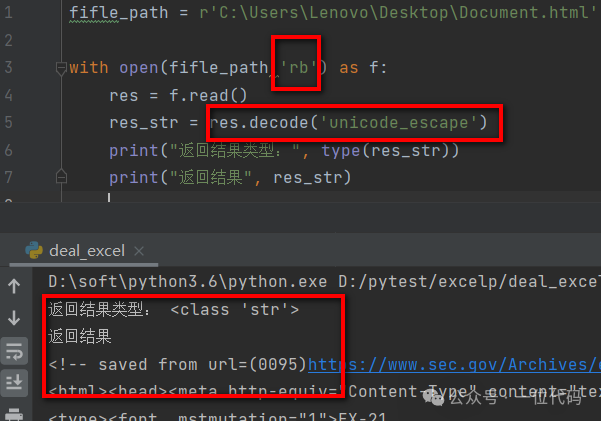
- HTML Parsing Methods After Reading
The parsing methods after reading HTML from local files are similar to those used in web scraping, which can use XPath, regular expressions, etc., to parse the required content.For details on using XPath, please refer to previous articles: XPath installation and import methodsThis concludes the methods for reading local HTML files in a Python environment, with a focus on encoding issues during reading for reference.-end-