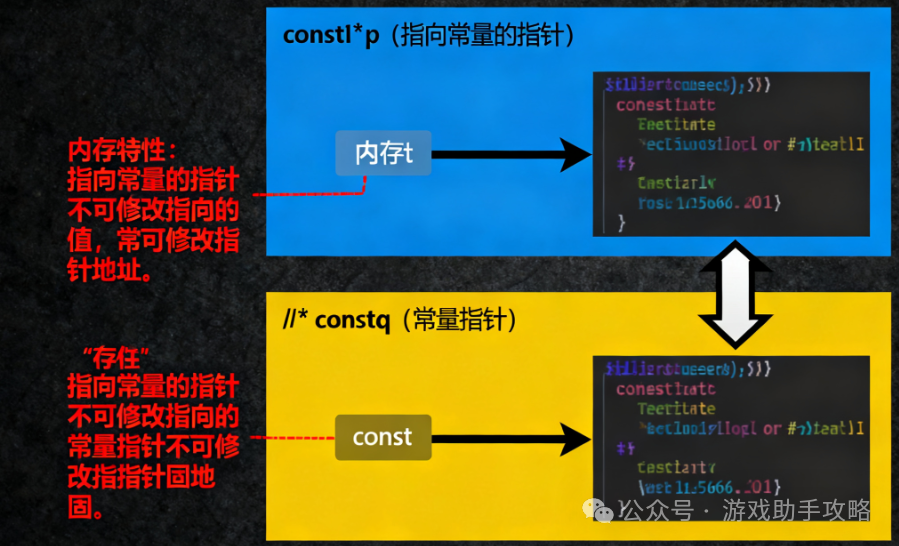
The Importance of Symbolic Constant Names
There are two main advantages to using symbolic constants instead of literal values (magic numbers) in programming:
- Improved Code Readability: Symbolic names can clearly express the meaning of the constant they represent.
- Ease of Maintenance: When a constant value needs to be modified, it can be changed in one place only.
The Evolution from <span>#define</span> to <span>const</span>
Traditional Preprocessor Method
#define MONTHS 12
#define PI 3.14159
#define MAX_SIZE 100
Disadvantages:
- No type checking
- Simple text replacement
- Does not follow scope rules
- Difficult to trace during debugging
Modern <span>const</span> Method
C++ recommends using the <span>const</span> keyword to define constants:
const int Months = 12;        // Months is a symbolic constant for 12
const double Pi = 3.14159;    // Pi
const int MaxBufferSize = 1024;
<span>const</span> Keyword Advantages
- Type Safety: The compiler performs type checking.
- Scope Rules: Follows C++ standard scoping rules.
- Debugging Friendly: Symbolic names can be seen in the debugger.
- Better Performance: The compiler can perform better optimizations.
Code Examples
Basic Usage Example
#include <iostream>
using namespace std;

int main() {
    // Define various types of constants
    const int MONTHS = 12;
    const double PI = 3.14159;
    const char NEWLINE = '\n';
    const string COMPANY_NAME = "Tech Corp";

    // Use constants for calculations
    double radius = 5.0;
    double area = PI * radius * radius;
    int weeks = 52;
    int days = weeks * 7;

    cout << "There are " << MONTHS << " months in a year" << NEWLINE;
    cout << "The area of a circle with radius " << radius << " is: " << area << NEWLINE;
    cout << "Company Name: " << COMPANY_NAME << NEWLINE;

    return 0;
}
Using Constants in Functions
#include <iostream>
using namespace std;

// Using constants in a function
void calculateCircle() {
    const double PI = 3.14159;
    const int MAX_RADIUS = 100;

    double radius;
    cout << "Please enter the radius (max " << MAX_RADIUS << "): ";
    cin >> radius;

    if (radius > MAX_RADIUS) {
        cout << "Radius exceeds maximum value!" << endl;
        return;
    }

    double circumference = 2 * PI * radius;
    double area = PI * radius * radius;

    cout << "Circumference: " << circumference << endl;
    cout << "Area: " << area << endl;
}

// Using constants as function parameters
void printTable(const int ROWS, const int COLS) {
    for (int i = 0; i < ROWS; i++) {
        for (int j = 0; j < COLS; j++) {
            cout << "(" << i << "," << j << ") ";
        }
        cout << endl;
    }
}

int main() {
    calculateCircle();

    const int TABLE_ROWS = 5;
    const int TABLE_COLS = 3;
    printTable(TABLE_ROWS, TABLE_COLS);

    return 0;
}
Application of Constants in Arrays
#include <iostream>
using namespace std;

int main() {
    // Use constants to define array size
    const int ARRAY_SIZE = 10;
    const int MAX_SCORE = 100;

    int scores[ARRAY_SIZE];

    // Initialize array
    for (int i = 0; i < ARRAY_SIZE; i++) {
        scores[i] = (i + 1) * 10;  // 10, 20, 30, ..., 100
    }

    // Count passing scores (assuming 60 is passing)
    const int PASSING_SCORE = 60;
    int passCount = 0;

    for (int i = 0; i < ARRAY_SIZE; i++) {
        if (scores[i] >= PASSING_SCORE) {
            passCount++;
        }
    }

    cout << "Total number of students: " << ARRAY_SIZE << endl;
    cout << "Number of passing students: " << passCount << endl;
    cout << "Passing rate: " << (passCount * 100.0 / ARRAY_SIZE) << "%" << endl;

    return 0;
}
Constant Members in Classes
#include <iostream>
using namespace std;

class BankAccount {
private:
    // Class constant
    static const double INTEREST_RATE;  // Declaration
    const int accountId;                // Constant member variable

public:
    BankAccount(int id) : accountId(id) {}  // Must initialize in initializer list

    void showInfo() const {  // const member function, does not modify object state
        cout << "Account ID: " << accountId << endl;
        cout << "Interest Rate: " << INTEREST_RATE << "%" << endl;
    }

    double calculateInterest(double balance) const {
        return balance * INTEREST_RATE / 100.0;
    }
};

// Definition of static constant member
const double BankAccount::INTEREST_RATE = 2.5;  // Definition

int main() {
    BankAccount account(12345);
    account.showInfo();

    double balance = 10000.0;
    double interest = account.calculateInterest(balance);
    cout << "Interest on deposit " << balance << ": " << interest << endl;

    return 0;
}
Constant Naming Conventions
There are various conventions for naming constants in the C++ community:
1. Capitalized First Letter
const int Months = 12;
const double Pi = 3.14159;
2. All Uppercase (Traditional, from C Language)
const int MONTHS = 12;
const double PI = 3.14159;
3. k Prefix (Used by companies like Google)
const int kMonths = 12;
const double kPi = 3.14159;
4. Mixed Style (Based on Usage)
const int bufferSize = 1024;        // Local constant, lowercase
const int MAX_BUFFER_SIZE = 65536;  // Global important constant, all uppercase
const double kConversionFactor = 1.8; // Class constant, k prefix
Error Example of Modifying Constants
#include <iostream>
using namespace std;

int main() {
    const int MAX_VALUE = 100;

    cout << "MAX_VALUE = " << MAX_VALUE << endl;

    // Attempt to modify constant - this will cause a compilation error
    // MAX_VALUE = 200;  // Error: cannot assign a value to a constant

    // Attempting to modify via pointer is also undefined behavior
    // int* ptr = (int*)&MAX_VALUE;
    // *ptr = 200;  // Undefined behavior!

    return 0;
}
Conclusion
- **Use
<span>const</span>instead of<span>#define</span>**:<span>const</span>provides type safety and scope control. - Improved Maintainability: Modifying constant values requires changes in only one place.
- Enhanced Readability: Meaningful names make the code easier to understand.
- Follow Naming Conventions: Choose a naming style and maintain consistency throughout the project.
- Compile-time Protection: The compiler prevents accidental modifications to constants.
In modern C++ development, using <span>const</span> to define constants is best practice, combining the efficiency of C with the type safety of C++, making it an essential tool for writing robust and maintainable code.