 The actual operating environment is based on Synology DSM 7.1-42661 Update 1 version system.Using its built-in Docker package (version 20.10.3-1306) for deployment. 2. SSH functionality needs to be enabled in the Synology system’s terminal. 3. Use SSH to log into the Synology system, then execute the following commands in sequence to prepare the network environment:
# Enable promiscuous mode on the network interface (eth0 is the currently used interface name)ip link set eth0 promisc on 4. Create a Docker image network.
# Add a macvlan mode network interface in Docker (set subnet and gateway according to the network information of eth0)docker network create -d macvlan --subnet=192.168.1.0/24 --gateway=192.168.1.1 -o parent=eth0 macnet# Pull the OpenWrt image (please choose the image tag according to your actual device)
docker pull sulinggg/openwrt:x86_64 # Run the OpenWrt container (set the IP according to the network of eth0, do not conflict with existing network devices) docker run -d \ --restart always \ --network macnet \ --ip 192.168.1.2 \ --privileged \ --name openwrt \ sulinggg/openwrt:x86_64 /sbin/init5. Enter the OpenWrt container to modify the default configuration.
# Enter the container docker exec -it openwrt bash # Edit network configurationvim /etc/config/networkModify the options under config interface ‘lan’ according to the network information of eth0.
option netmask '255.255.255.0' # Subnet maskoption ipaddr '192.168.1.2' # Set IP address for OpenWrt option gateway '192.168.1.1' # Gateway option dns '192.168.1.1' option dns '114.114.114.114' # DNSSave and exit, then restart the network in the container.
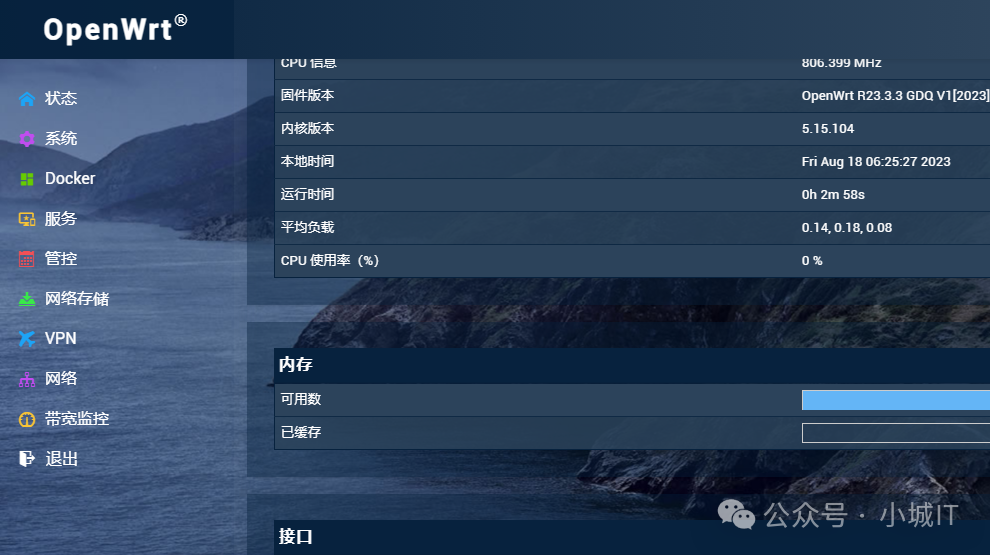
# Restart the network/etc/init.d/network restart6. At this point, OpenWrt has been successfully deployed and can be accessed via the IP address configured above (example: 192.168.1.2) to reach the OpenWrt web interface.
Default username: rootDefault password: password 7. The effect is as follows: