Summary
The D9 mobile application supports Bluetooth printers for printing. However, the system settings on the mobile side cannot adjust the style of printed documents. Where can the document style be set?Please refer to the specific operations below.
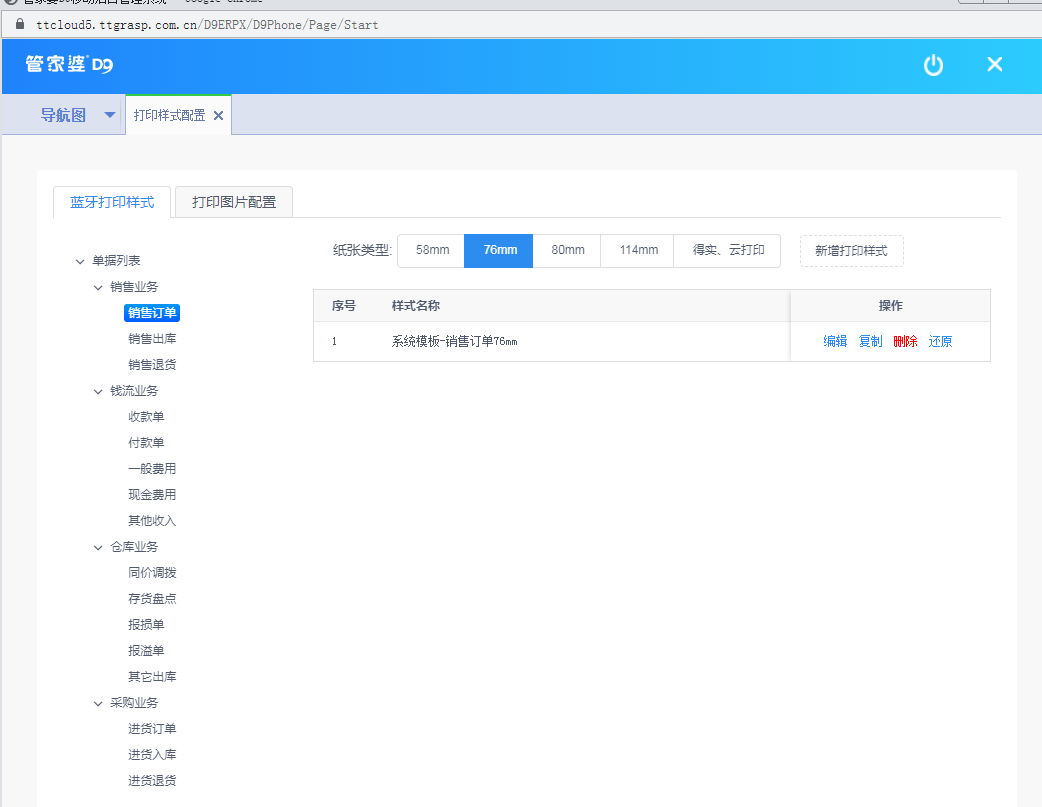
01Log into the D9 software– System Management – Mobile Version – Enter the D9 mobile backend 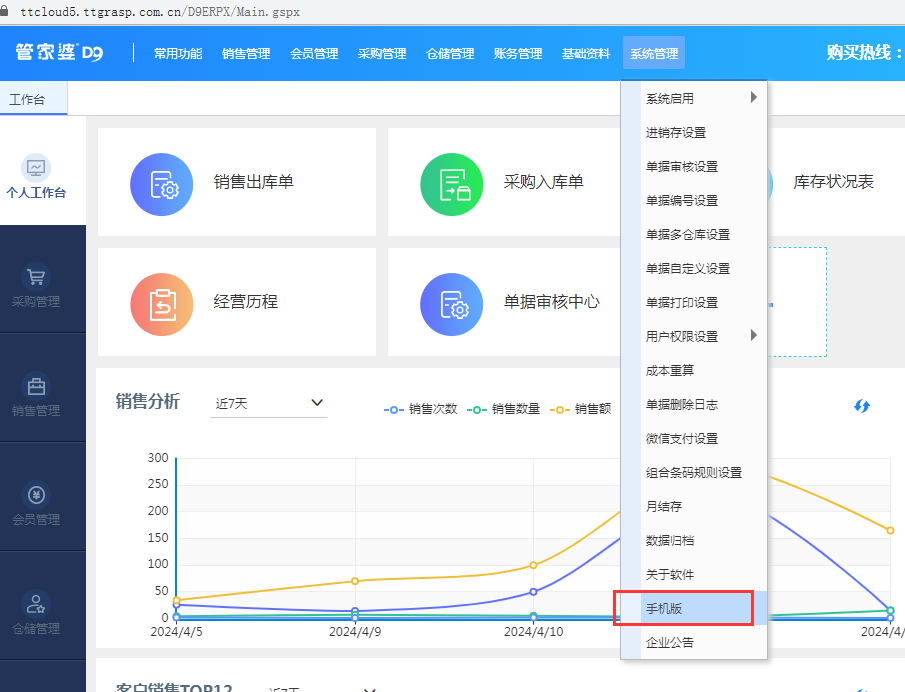 02Access Navigation Map– System Configuration – Print Style Configuration
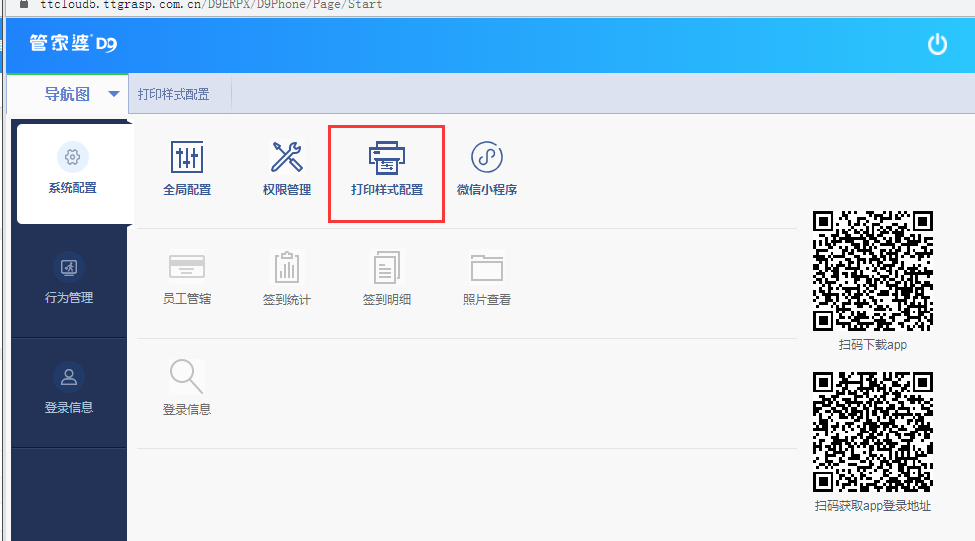
03Select the corresponding document type to set the print style
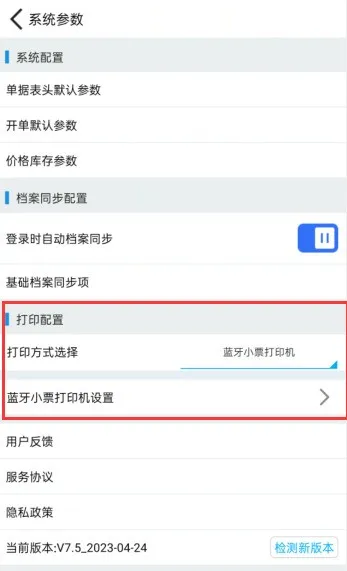
04For Bluetooth printing, you need to purchase IoT Connect‘s Bluetooth printer to connect. Mobile side – System Configuration – Print Configuration, set it here