| As usual, we will provide a systematic introduction from beginner to advanced levels to help everyone master this skill comprehensively. |
UDS is a high-level application protocol. The term “application protocol” refers to special transmission commands that are further encapsulated based on CAN message transmission.
The difference between it and the CAN message itself is somewhat akin to the difference between “being able to speak” and “music”; the latter is based on the former but involves a significant amount of subdivision work compared to the former.
A further explanation of UDS is not the focus of this article; there is a lot of information available online. You can search on Zhihu to learn more, or download the 14227 standard for a thorough read.
What we are concerned with today is UDS testing.
The Two Major Aspects of UDS Protocol Testing

It mainly includes UDS service testing and DTC fault code testing. DTC testing is generally conducted in HIL due to its close ties with functionality. The traditional UDS testing we refer to primarily concerns diagnostic service testing, which is what we will discuss today.
Service Layer
What is a diagnostic service?
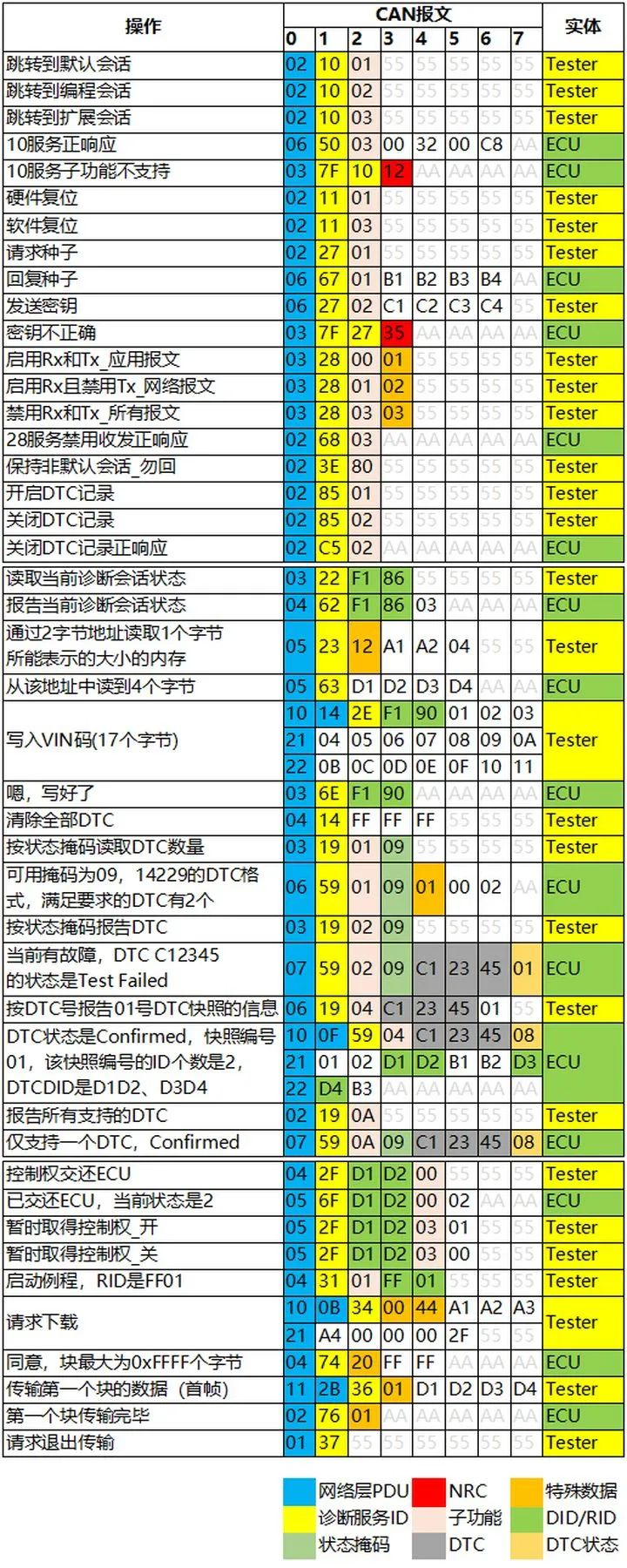
The yellow part of the CAN data area in the image above represents the diagnostic service code (of course, the definitions may vary among major automobile manufacturers, and there might be custom content). It indicates what “I” am currently doing or will do.
A very important aspect of UDS testing is to check whether these defined services can be realized and whether they can transition normally.
Transport Layer
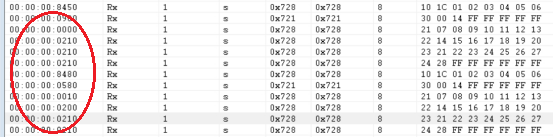
It is not enough to only test the service layer; we also need to check the performance of the transport layer.
For example, although the DTU can switch from “service 10” to “service 11”, if the switching is very slow, that is also unacceptable.
Additionally, while the DTU can report fault codes, if the time interval for multi-frame transmission of the fault codes is too long, that is also unacceptable.
We need to check the timing performance and response logic between every two frames.
Testing Methods
UDS testing is essentially testing the message interaction logic, which has relatively low hardware requirements. Theoretically, we can use any CAN box, call it with LabVIEW, and implement the testing logic within LabVIEW, which can be completely accomplished at a total software and hardware cost of just a few hundred dollars (the LabVIEW trial version is free, haha).
| Developing a UDS testing tool independently allows for flexible modifications and optimizations in the future, as well as the ability to customize more aesthetically pleasing Excel test reports, which is beneficial for the long-term development of the enterprise’s technical system.However, this method requires users to have strong R&D capabilities and a significant amount of development work, which is not feasible for everyone. If anyone is interested in this method, please contact us through the backend, and we can provide assistance. |
In practice, we usually use mature tools available on the market for UDS testing, primarily Vector’s CANdelaStudio and CANoe.DiVa suite (hereinafter referred to as CANdela and CANdiva).
Software and Hardware Preparation
CANdela and CANdiva are actually plugins for CANoe, but they can also be used as standalone software. After installing them, corresponding shortcut entries will appear in CANoe.
| Standaloneuse,mostfeaturesavailable, the plugin entry in CANoeis just aViewmode,withlimitedpermissions. |
-
CANdela is used to edit CDD files
-
CANdiva can convert CDD files into UDS test case files, with the extension: .diva
-
CANoe is used to run the test case files generated by CANdiva
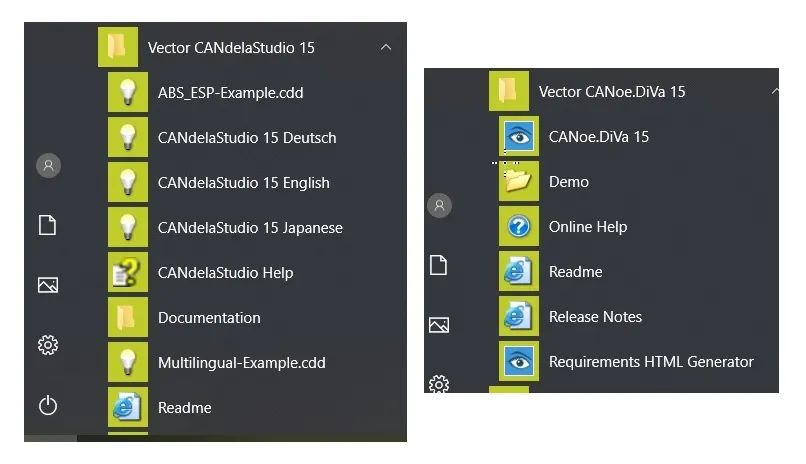
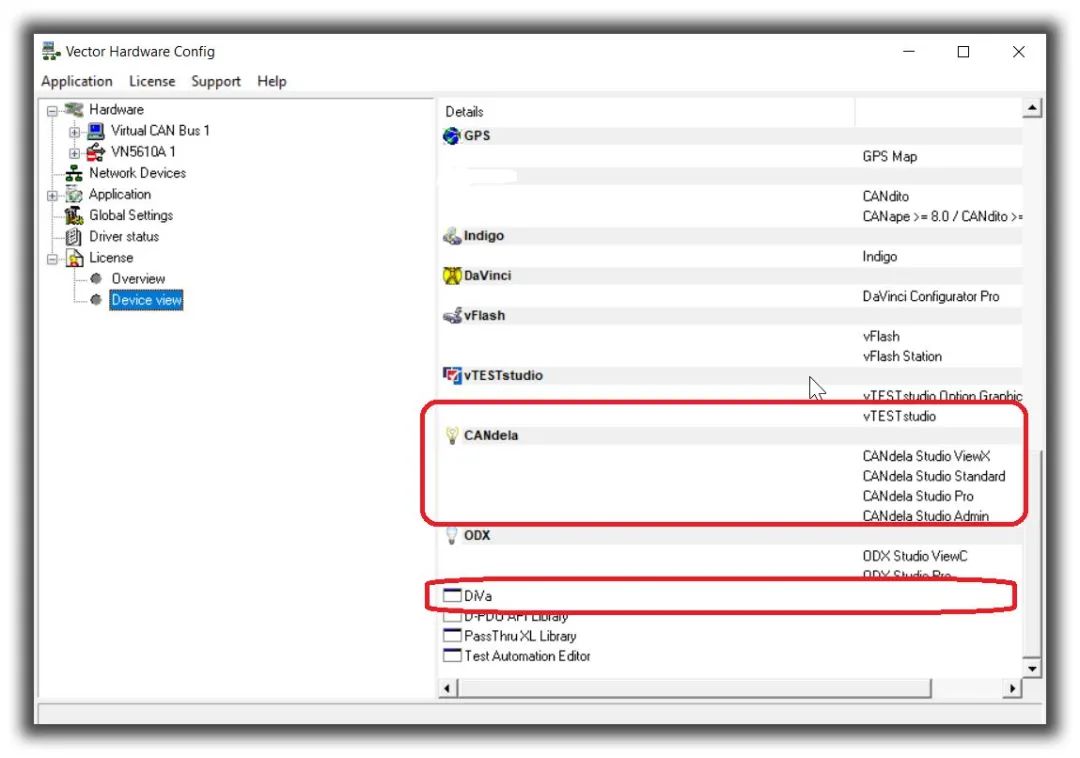
After you install CANoe, you can install CANdela and CANdiva, and then open CANoe to see the relevant entries. Additionally, both have their own independent entries, as shown in the image below:
Moreover, many domestic users store CANoe licenses on interface cards. Your CAN box must have licenses for CAN, dela, and diva in order to fully utilize the complete UDS testing functionalities. The license interface is shown below:
According to the current market situation, the complete software and hardware setup costs approximately 450,000 yuan.
Alright, the total software and hardware costs for the Vector route are as outlined above.
Editing CDD with CANdela
To edit CDD with CANdela, you need to obtain the diagnostic specifications, which are generally published by diagnostic engineers. Below is the interface related to CANdela:
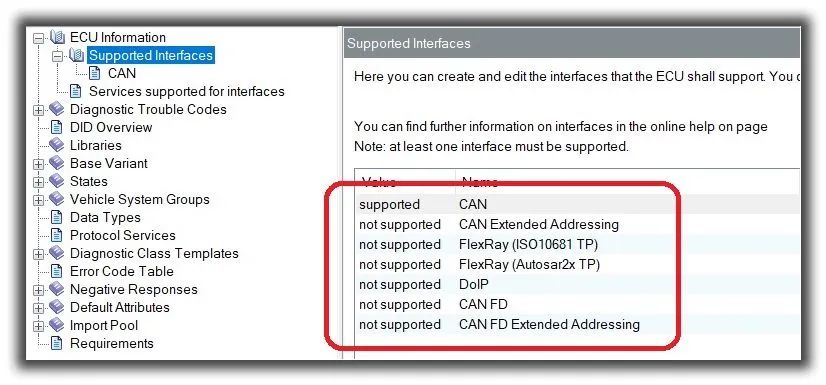
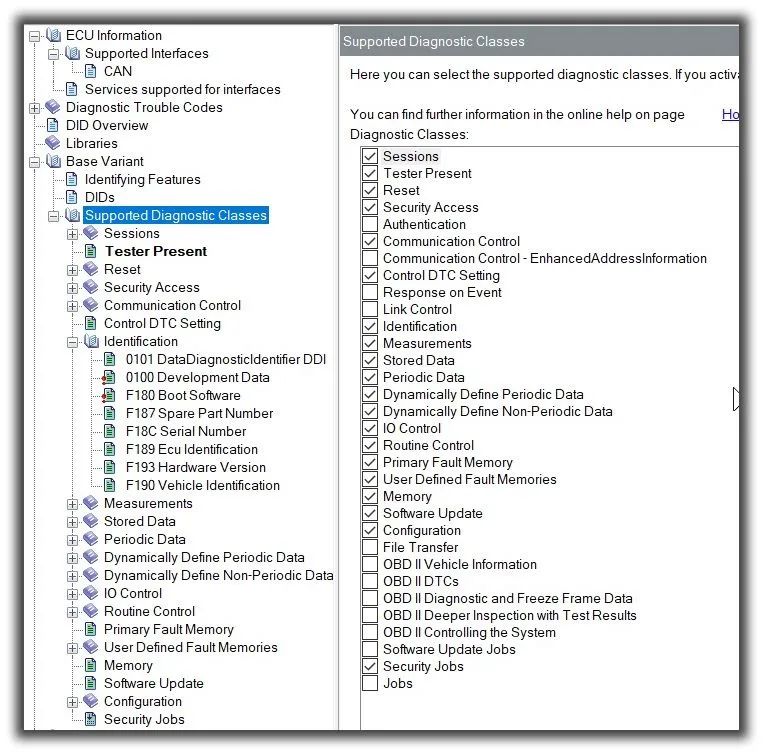
In the entire UDS testing process, CDD editing is the most troublesome part, and it is encrypted, making it impossible to develop a tool called “Excel2CDD”. This is something that everyone will have to work through slowly, as there aren’t many good solutions.
| However, the odx file is in plaintext, and we can use a tool called “Excel2odx” to convert Excel formatted diagnostic definitions into odx files, which can then be converted into CDD files in CANdela. This is also a good method. Friends with relevant needs can contact us through the backend. |
Generating Test Case Projects with CANdiva
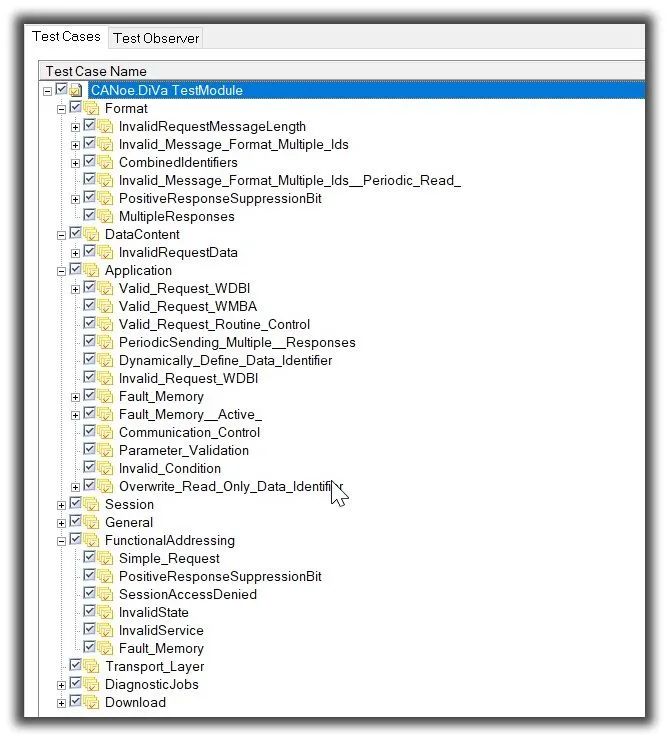
CANdiva can convert CDD files to generate test case project files. The conversion process is as follows:
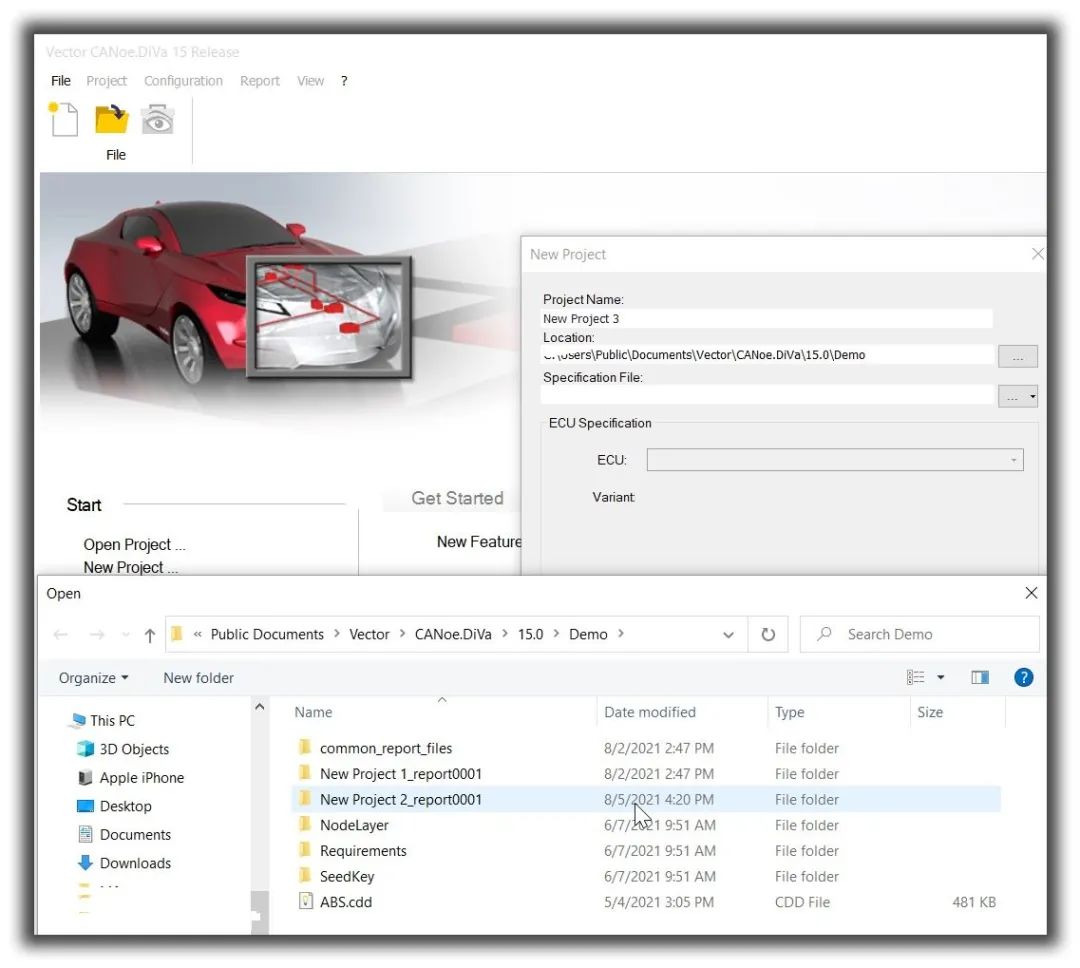
The list of test case projects after conversion is as follows:
Test Execution
In CANoe, there are three types of testing directions available:
- Load the diagnostic database for manual testing;
-
Write test scripts (CAPL) for semi-automated testing;
-
Load the test project generated by CANoe.DiVa for fully automated testing
Manual TestingUsing CANoe to load CDD, operate the mouse, double-click on each service one by one, and observe the results: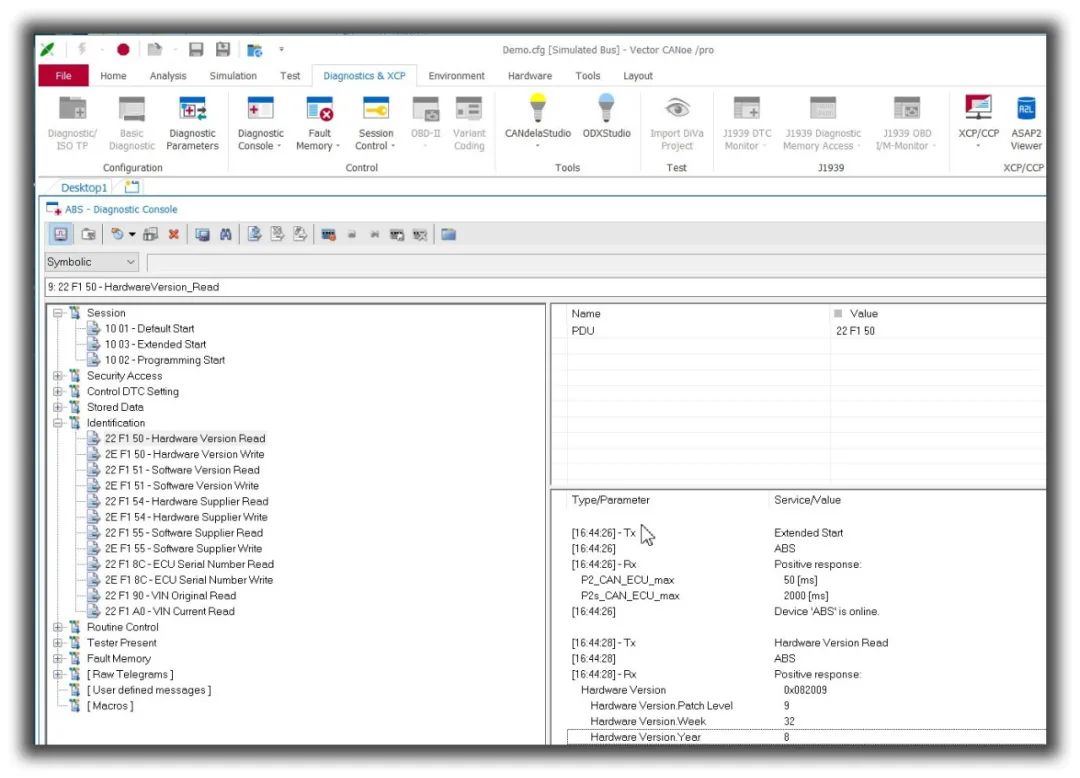
Semi-Automated Testing
Engineers write CAPL scripts to run automated operations in CANoe. This method is similar to manual testing, except that CAPL replaces mouse clicks and manual observations, as shown in the image below: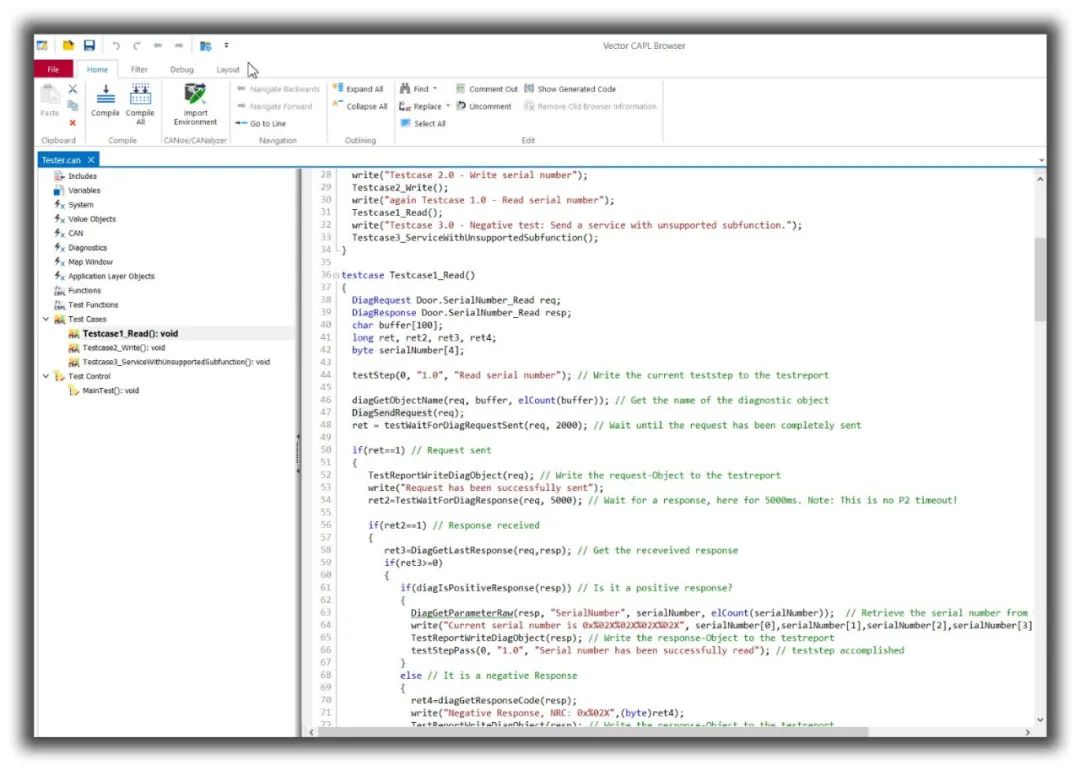
Fully Automated Testing
Load the testing project generated by CANdiva in CANoe and run it automatically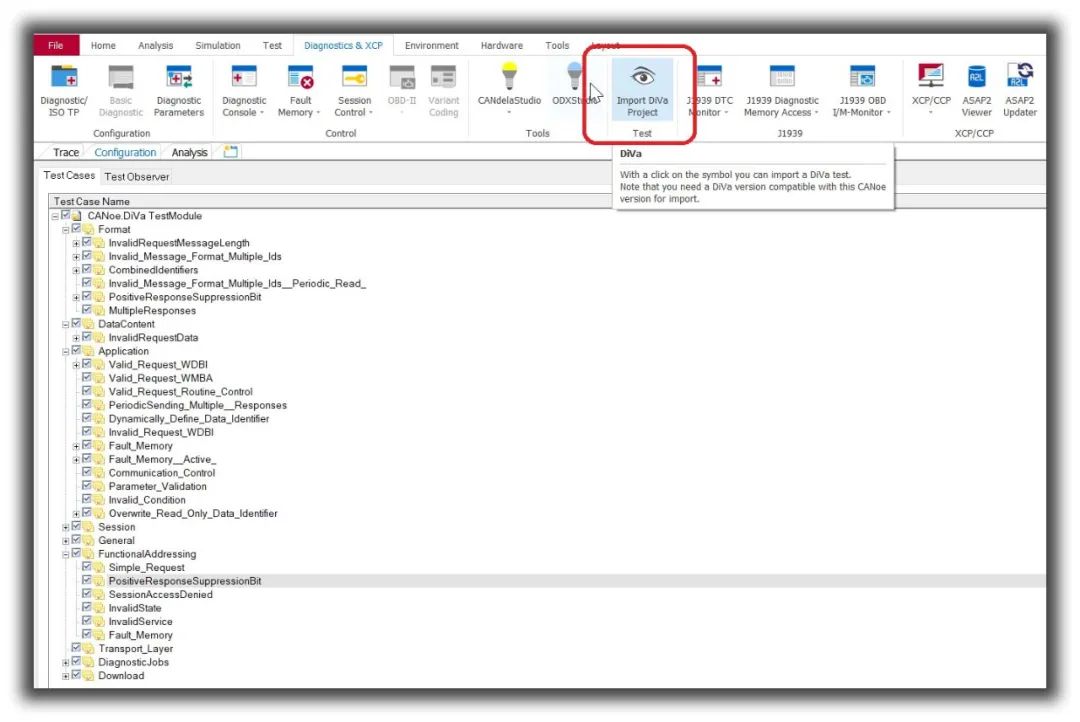
Demo Video
To completely eliminate everyone’s fear of UDS diagnostic testing and help everyone build confidence in overcoming and mastering it, we will demonstrate the entire testing process at the end.
Tutorial for Editing CDD Complete Testing Process (Process of converting CDD to test cases + fully automated test execution process + tutorial on viewing test reports)
 If after watching the video above, you still lack confidence, feel free to contact us; if your company needs related training, you can also reach out to us.
Let’s work together to promote the robust growth of the automotive R&D testing industry in our country.
[Recommendation]