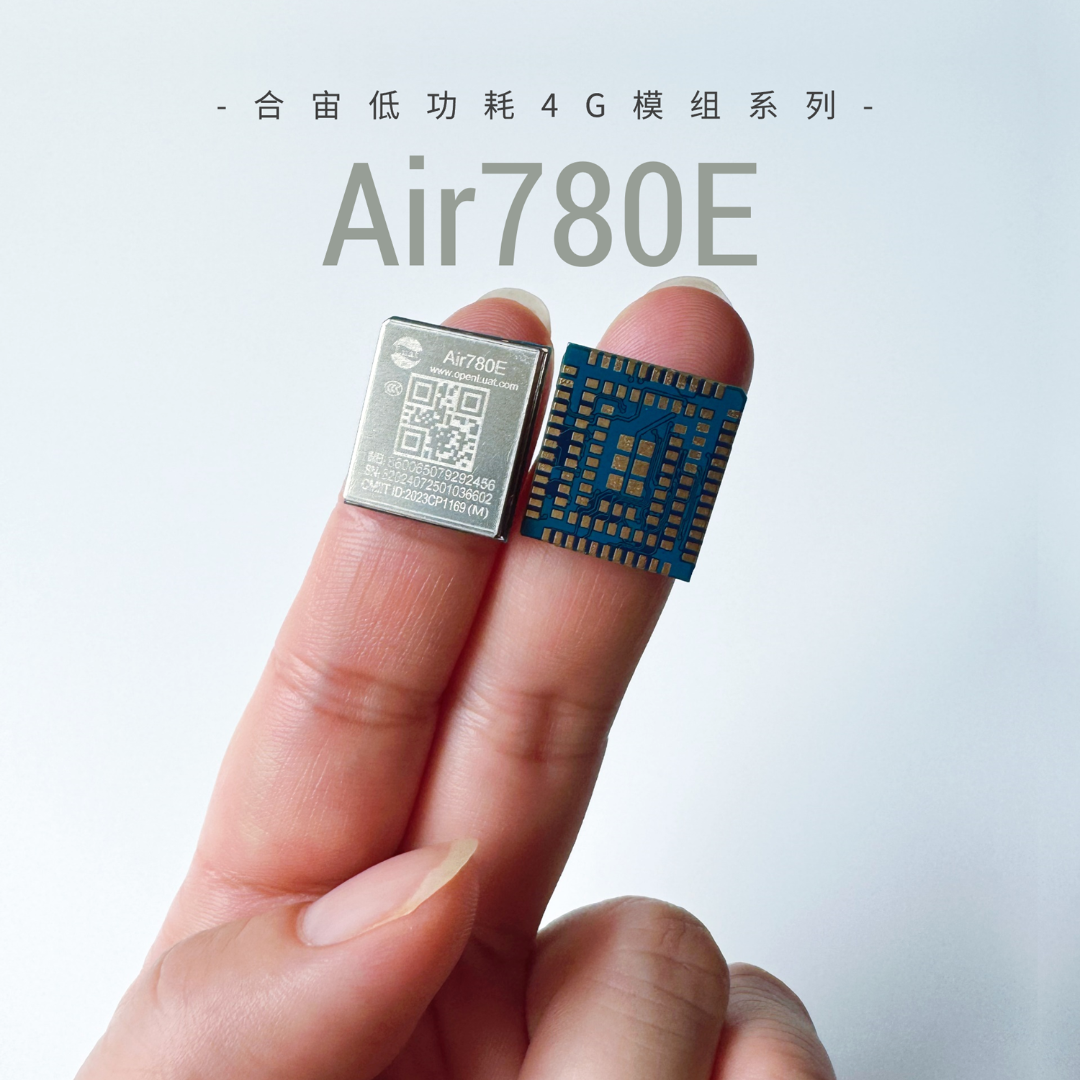
 The Hezhao low-power 4G module classic model Air780E,supports two software development methods:
one is the traditional AT command; the other is Open development based on the module.
The traditional AT command development method has little difference in software from other module brands in the industry, but has more advantages in hardware power consumption;
For module Open development, Hezhao adopts the LuatOS method, which is relatively easier to get started with than C-SDK, more convenient for development, and faster in development time.
In the last issue, we introducedGPIO design guidelines, and this issue continues to explain the design andprecautions for hardware interfaces such as ADC/LED/I2C/SPI/USB.
Latest information on Hezhao Air780Ehttps://docs.openluat.com/air780e/
1
ADC Interface Design Guidelines
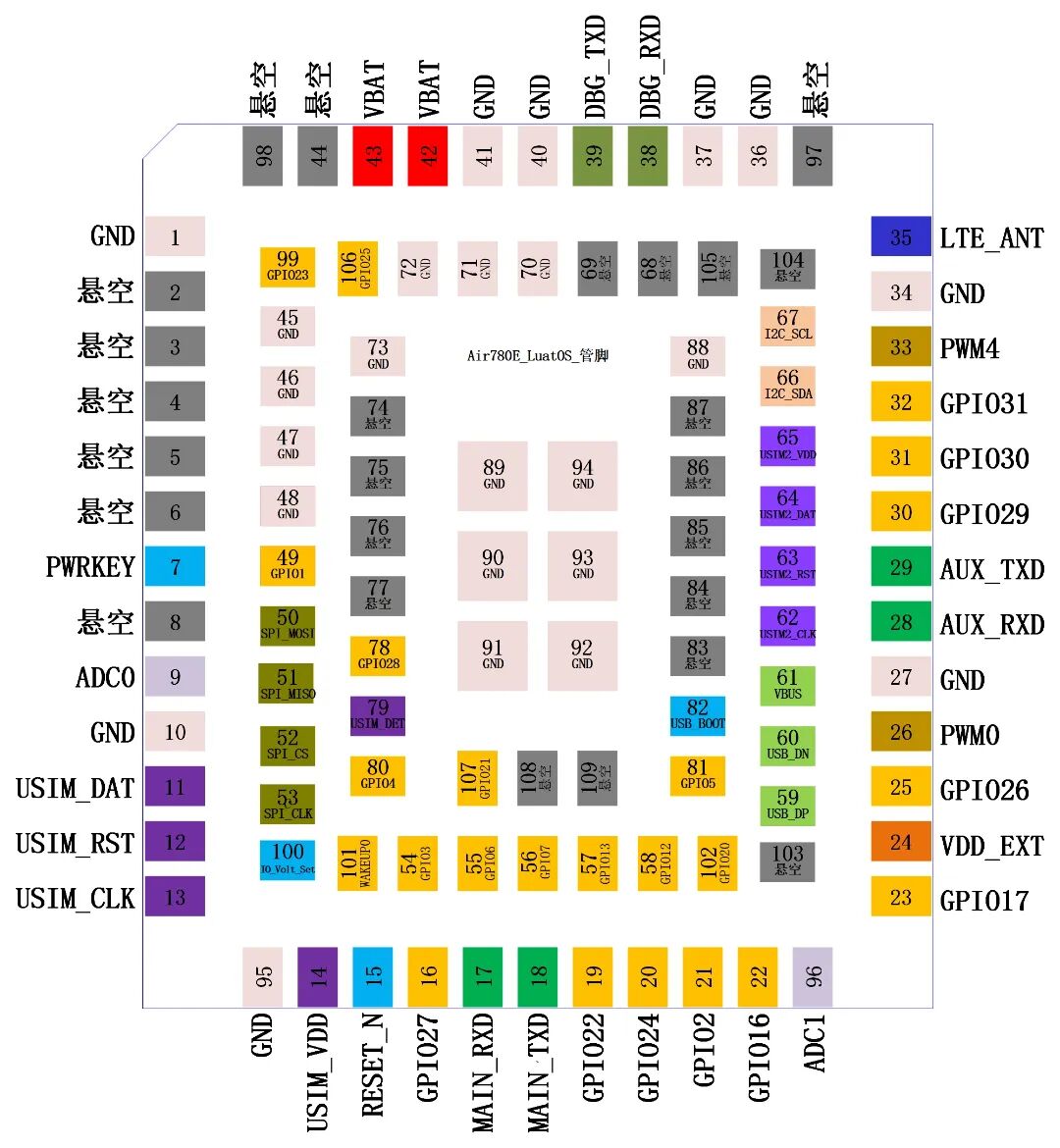
The Air780E module (LuatOS version) supports 2 general-purpose ADC interfaces, with pin distribution as follows:
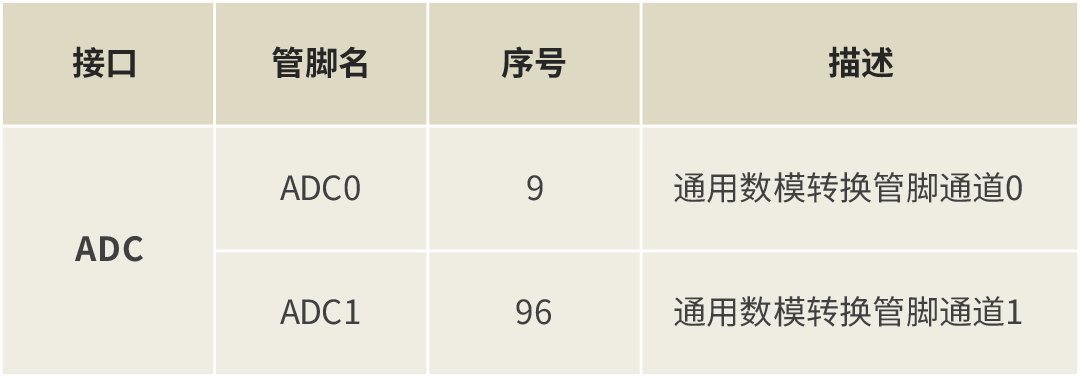
Main features of the ADC interface:
– Resolution: 12bit– Range: 0~1.1V– Clock frequency (fc): 1.625MHz~6.5MHz– Sampling frequency:fc / 16– Integral non-linearity:+-1.2mV– Differential non-linearity:+-0.3mV– Power consumption:400μA– ADC voltage divider mode:ADC pins can be set to external voltage divider mode or internal voltage divider mode.
▼ External Voltage Divider Mode ▼
In this mode, the ADC pin is in pass-through mode, with a range of 0~1.1V. If you want to increase the measurement range in this mode, you can use external resistors for voltage division.
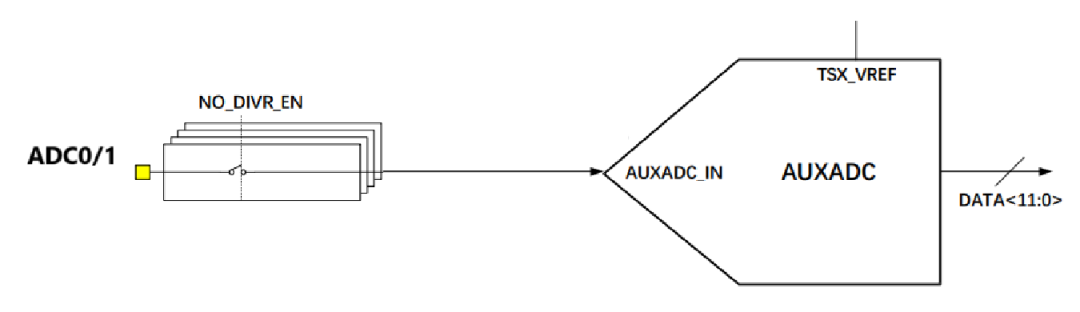
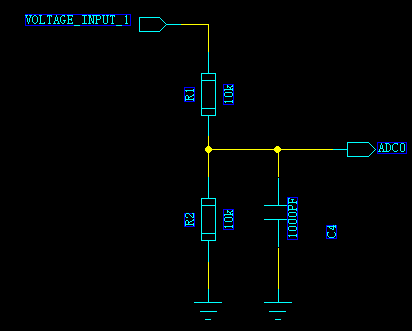
▼ Internal Voltage Divider Mode ▼
In this mode, internal voltage divider resistors can be configured, but the internal resistor voltage division only has a few fixed combinations.
Note: In internal voltage divider mode, it is not recommended to add external voltage division.
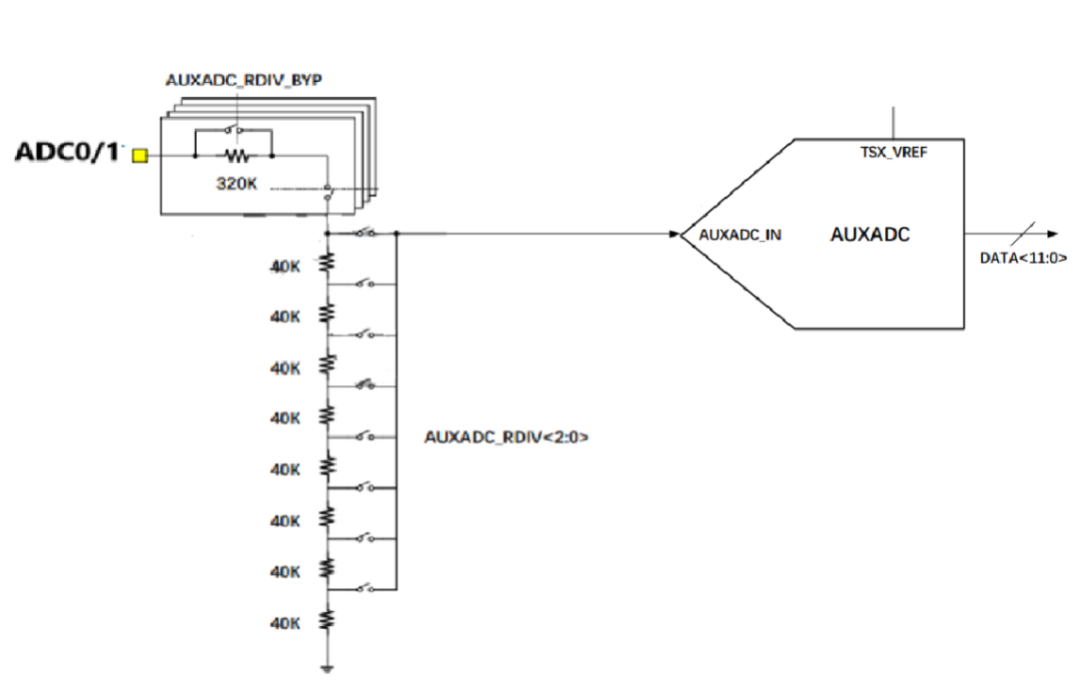
2
Indicator Light Design Guidelines
The status indicator light function is only supported in the Air780E AT version, used as a network status indicator; for the LuatOS version, this pin is only used as a general-purpose GPIO pin.
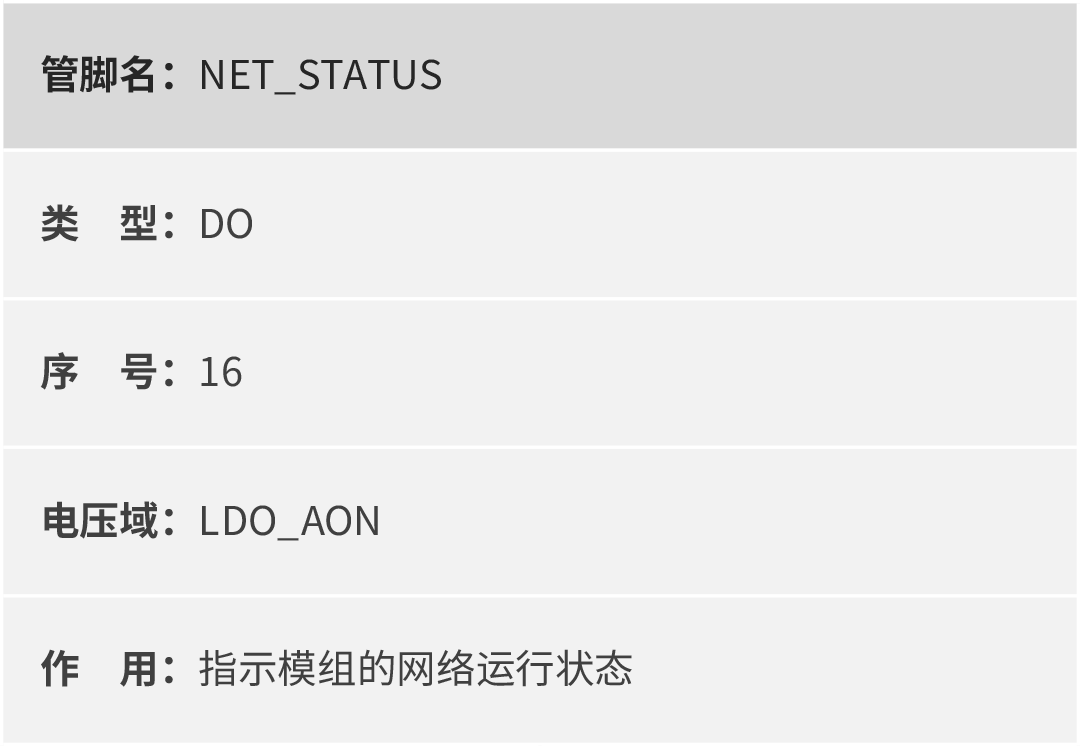
Network indicator light function logic:
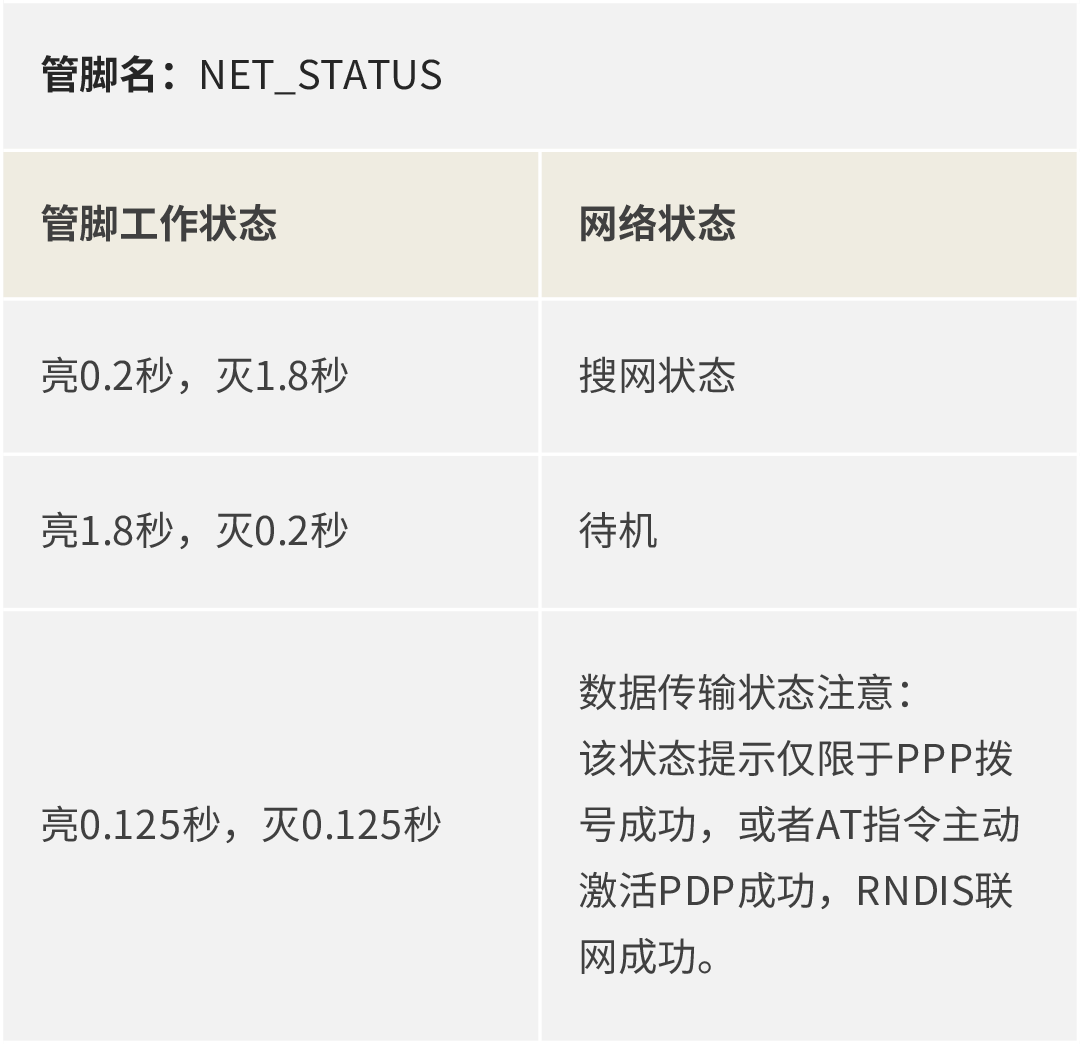
Note: The network indicator light is an AGPIO type pin, which can maintain the level during sleep.
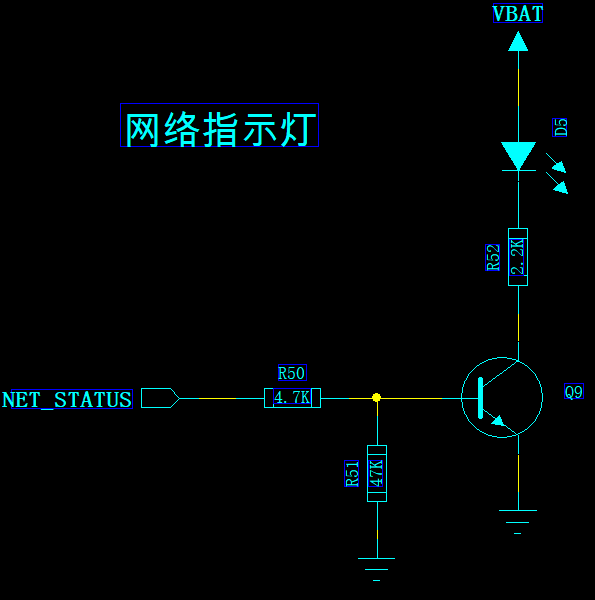
Network indicator light reference design:
3
I2C Interface Design Guidelines
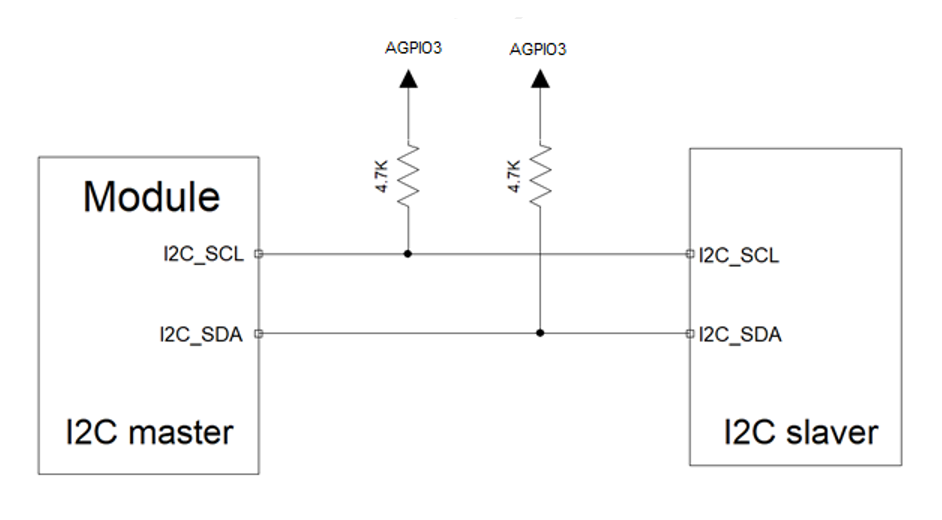
The Air780E module supports 1 general-purpose I2C interface (only supported in LuatOS version), which can connect various I2C peripherals.
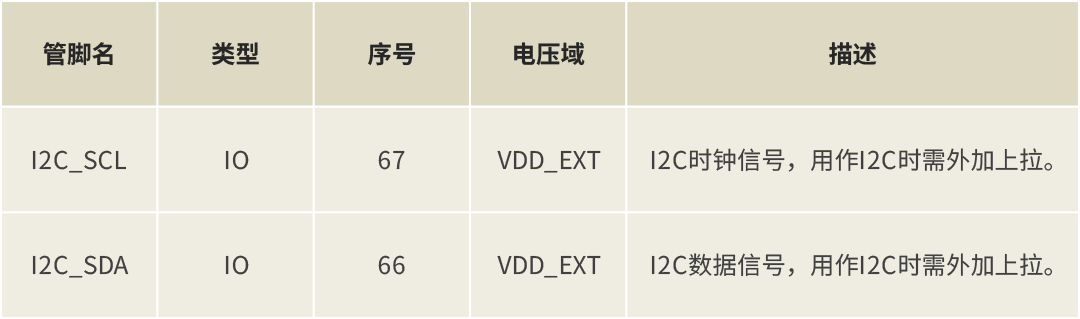
I2C interface features:
– Supports master/slave mode– Three speeds: 100KHz/ 400KHz/1MHz– Supports 16B FIFO– Supports DMA mode
Note: The I2C interface is a general IO type interface, which will lose power in the module sleep state.
I2C reference design:
4
SPI Interface Design Guidelines
The Air780E supports a standard 4-wire SPI interface:
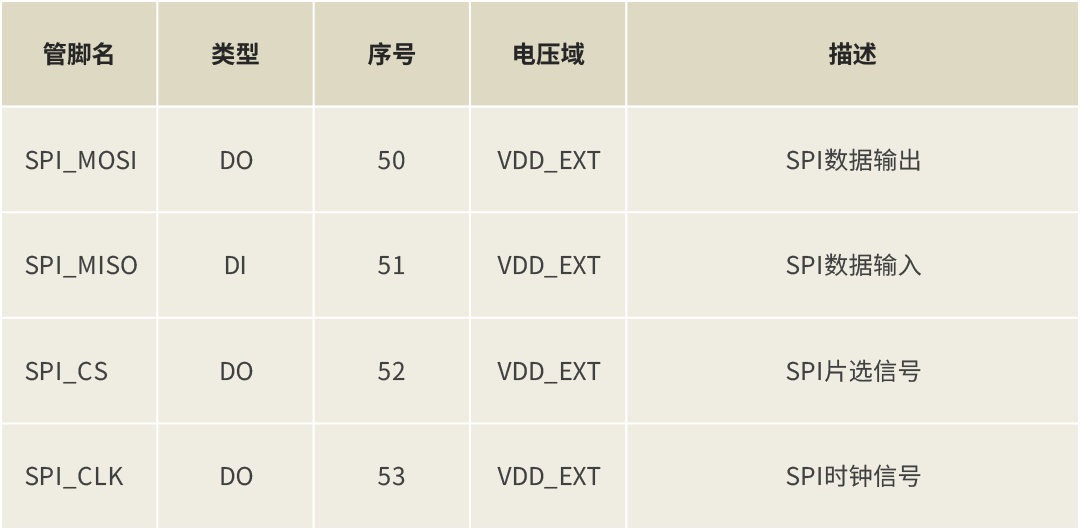
SPI interface features:
– Supports master/slave mode– Maximum clock frequency: 25.6MHz– Independent transmit and receive FIFO– Supports DMA mode
5
USB Interface Design Guidelines
The Air780E supports 1 USB2.0 interface, supporting downloading, debugging, and RNDIS data transmission.
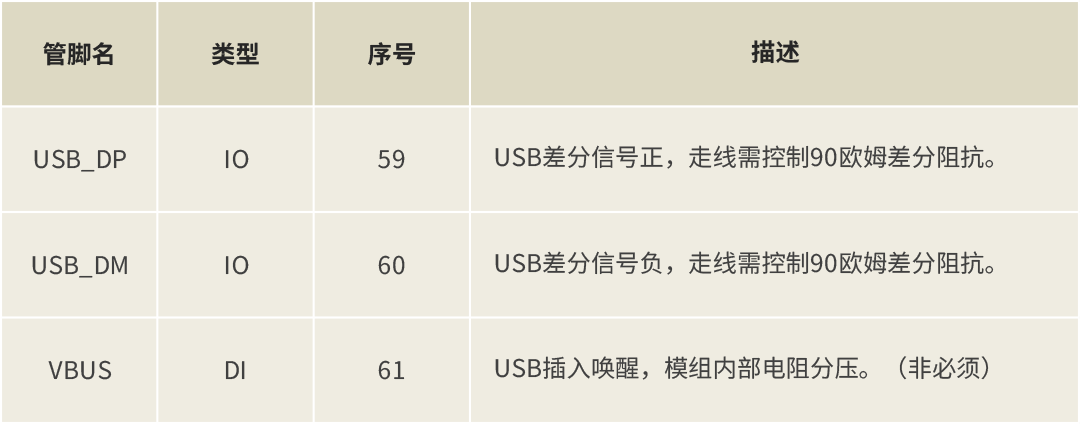
USB interface features:
– Supports USB2.0– Supports full-speed (12Mbps); high-speed (480Mbps) modes.
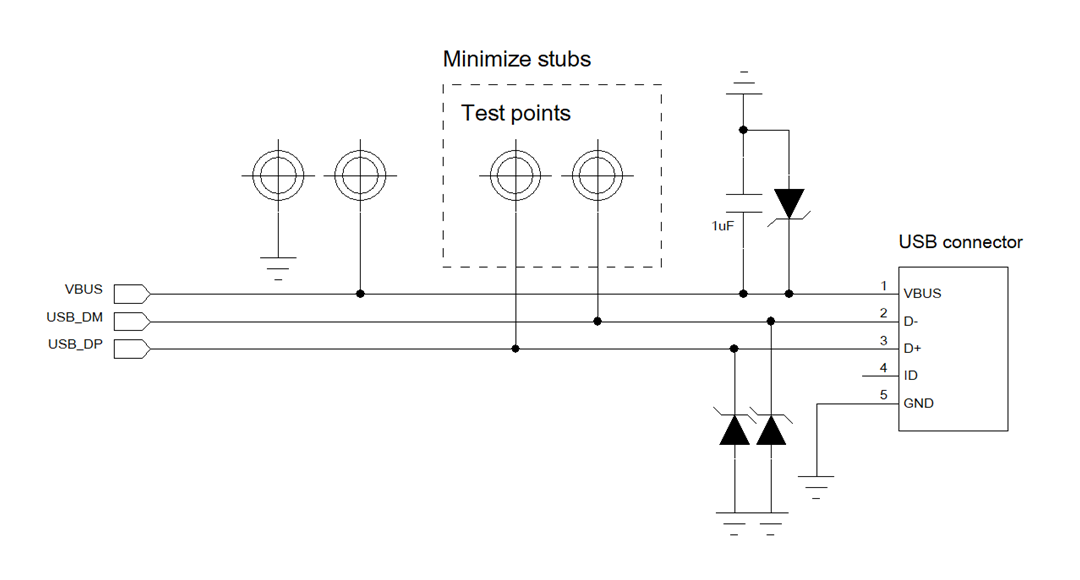
USB interface reference design:
Design Considerations:
-
USB routing needs to strictly follow differential line control, ensuring parallel and equal length;
-
USB routing impedance needs to be controlled to differential 90 ohms;
-
Minimize short stubs in USB routing to reduce signal reflection; USB signal test points should ideally be placed directly on the routing to minimize short stubs;
-
Minimize the number of vias in USB routing;
-
Add TVS protection tubes near the USB connector or test points; due to the high speed of USB, care should be taken in selecting TVS tubes to ensure the parasitic capacitance of the selected TVS protection tube is less than 1pF;
-
VBUS serves as a USB insertion wake-up function and does not directly participate in USB insertion detection; it is not necessary and can be left unconnected in scenarios where USB insertion wake-up is not required.
That’s all for today’s content~
If you have any questions regarding IoT development selection, feel free to contact Hezhao for further discussion!

▼ Contact Hezhao’s Marketing Department Head ▼

Scan the QR code to add friends on WeChat/Enterprise WeChat
▼ Learn more about Hezhao ▼
4G+ positioning + WiFi + Bluetooth, Air8000 complete development boardNew Air8101 core board + accessory board
Hezhao low-power 4G module, adding 4 more hardcore new products