Time flows like a white flame, breaking the color of the green mountains.
Hello everyone, I am from the Book House.In the previous article, C++ Mastery Diary – OpenCV Part (2): Label Recognition, I discussed how to recognize a 70*50 label through code. Today, with nothing else to do, I learned about the latter part, calculating the offset angles of the label on each axis.1: Definition of AnglesThe label offset is essentially the deviation caused by the label rotating around three mutually perpendicular axes (X/Y/Z axes).Roll (Roll Angle):X Axis (horizontal left-right direction)Pitch (Pitch Angle):Y Axis (horizontal front-back direction)Yaw (Yaw Angle):Z Axis (vertical up-down direction)Calculating the offset angles of the label is essentially the process of “inferring 3D posture from a 2D image”. In the previous article, the<span><span>detectTag</span></span> function captured the four corner points of the label. However, these four corner points are based on a 2D coordinate system, and we need to useOpenCV’s<span><span>solvePnP</span></span> function to convert them into 3D coordinates.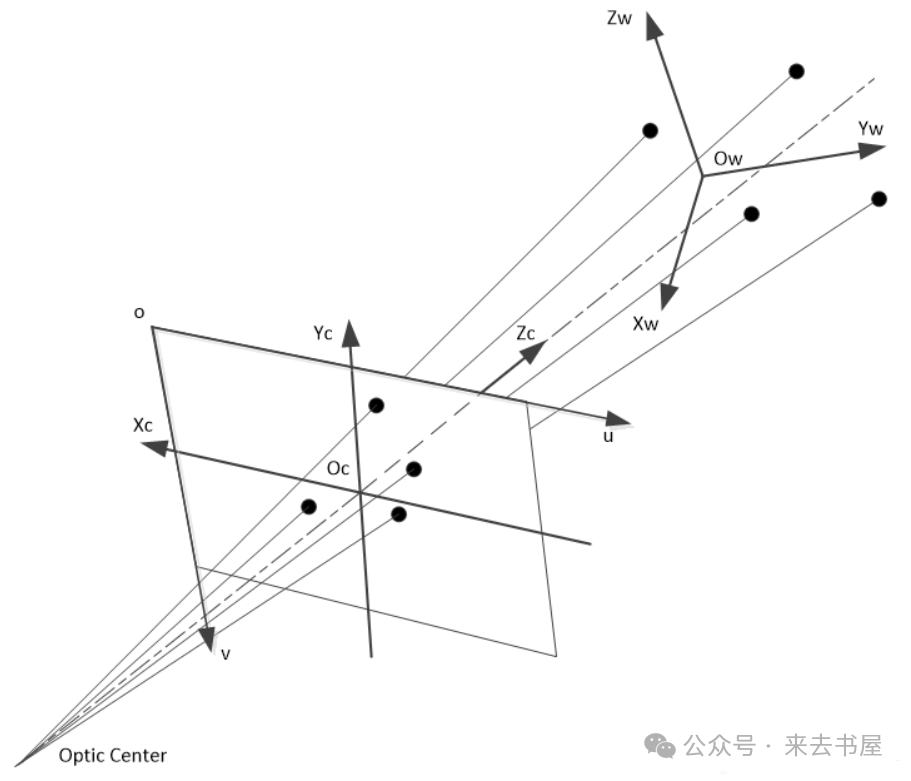
bool solvePnP( InputArray objectPoints, InputArray imagePoints, InputArray cameraMatrix, InputArray distCoeffs, OutputArray rvec, OutputArray tvec, bool useExtrinsicGuess = false, int flags = SOLVEPNP_ITERATIVE ); objectPoints: 3D point coordinate array in the world coordinate system (OwXwYwZw in the above image) imagePoints: Coordinates of the imaging points of the corresponding 3D points in the image (ouv in the above image) cameraMatrix: Camera intrinsic parameter matrix, 3×3 distCoeffs: Camera distortion coefficient array, can be NULL, which is considered as undistorted. rvec and tvec: Output of the calculation result, rvec is the rotation vector, tvec is the translation vector, and the combination of the two expresses the overall pose of the object (i.e., the world coordinate system) in the camera coordinate system.After converting the four corner points into acv::rotationVector (rotation vector) usingsolvePnP, we then use the following function to convert it into a rotation matrix for easier calculation of Euler angles.
cv::Mat rotationMatrix;cv::Rodrigues(rotationVector, rotationMatrix); // Rotation vector → Rotation matrixBefore calculating the angles, it is necessary to understand the corresponding mathematical formulas.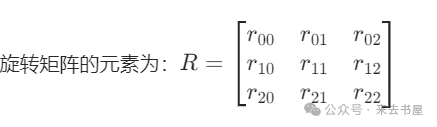
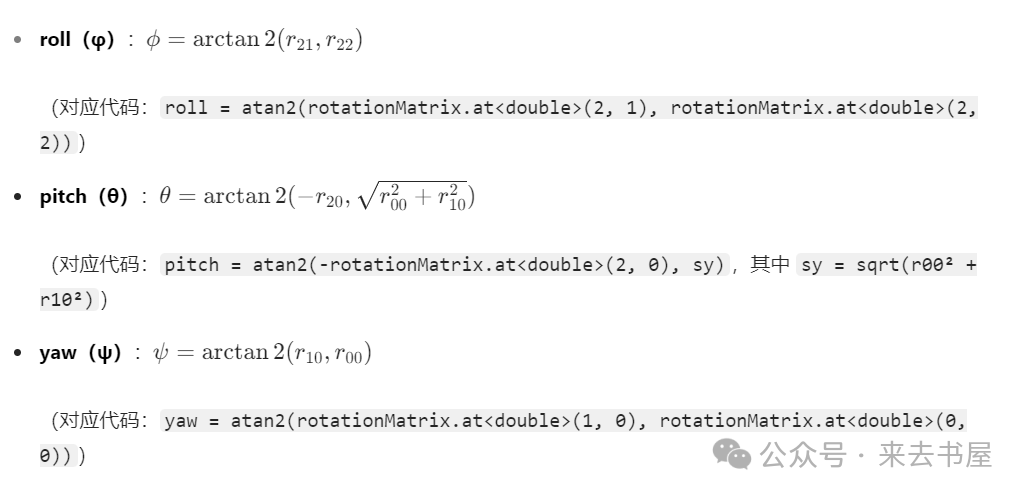 Finally, we calculate the corresponding angles:
// Calculate roll (around X-axis): Use the 3rd row 2nd column and 3rd row 3rd column elements of the rotation matrix roll = atan2(rotationMatrix.at<double>(2, 1), rotationMatrix.at<double>(2, 2));// Calculate pitch (around Y-axis): Use the 3rd row 1st column element and the square root of the sum of squares of the first two elements of the first column double sy = sqrt(rotationMatrix.at<double>(0,0)*rotationMatrix.at<double>(0,0) + rotationMatrix.at<double>(1,0)*rotationMatrix.at<double>(1,0));pitch = atan2(-rotationMatrix.at<double>(2, 0), sy);// Calculate yaw (around Z-axis): Use the 2nd row 1st column and 1st row 1st column elements yaw = atan2(rotationMatrix.at<double>(1, 0), rotationMatrix.at<double>(0, 0));// Finally convert radians to degrees (more intuitive) roll *= 180.0f / CV_PI;pitch *= 180.0f / CV_PI;yaw *= 180.0f / CV_PI;Thus, we have implemented a simple version of label recognition.Finally, here are the effect images and the code:Effect Image: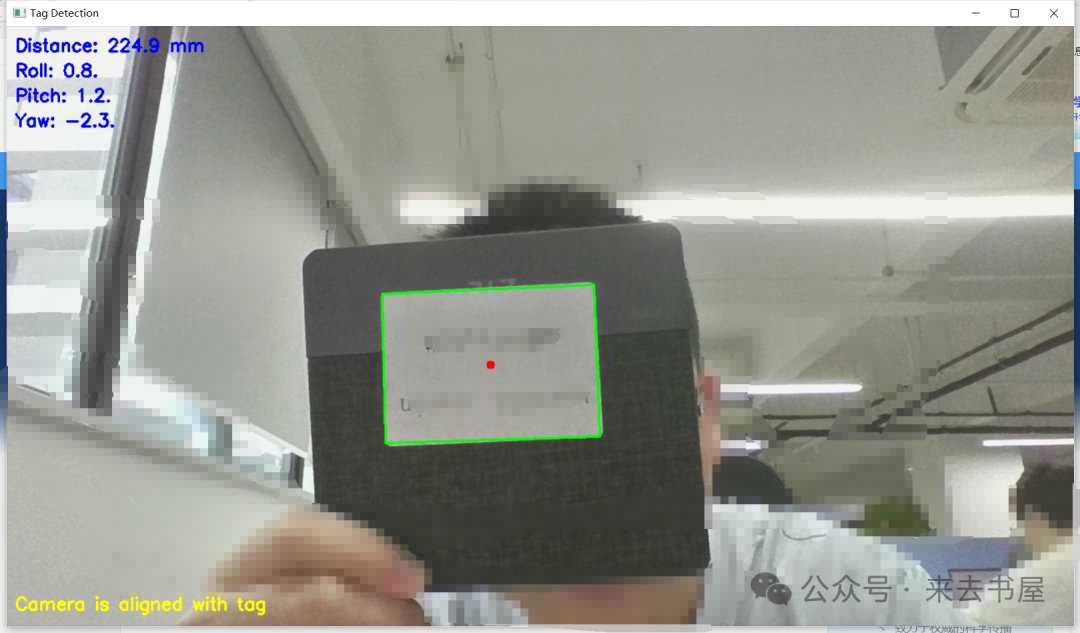 Code: Please contact me privately to obtain.#opencv #visual recognition #pose recognition #C++