Python is a powerful programming language that can not only handle data and algorithms but also create beautiful and practical graphical user interfaces (GUI). This article will introduce 6 commonly used Python GUI libraries, including their features, usage methods, and code examples, to help developers choose the most suitable tools for their projects.
Previous Python readings>>
Python Automation for Batch Setting Excel Formats
Python Automating Data Retrieval from Web Tables with Pandas
15 Efficient Python Coding Techniques: Boosting Development Efficiency
Automating Browser Window Control with Python Webbrowser
Using Python Pathlib
Automating Monitoring of Large Files with Python
90 Classic Python Usage Tips
Using Python Watchdog for File Monitoring
50 Common List Operations in Python
Common Use Cases for Python Callback Functions
Code Examples for 40 Common Scenarios in Python
Python SQLite Database: A Lightweight Data Storage Solution
50 Common Statistical Analysis Methods in Python
20 Data Cleaning Techniques in Python to Improve Data Quality
20 Common Standard Modules in Python
Detailed Usage of Python Requests Library
Deep Copy and Shallow Copy in Python
25 Development Techniques for Functions in Python
30 Tuple Operations in Python
20 Tools to Enhance Learning Efficiency in Python
Automating QR Code Generation with Python
30 Automation Scripts for Daily Tasks in Python: Tools for Workplace Efficiency
10 Methods for Data Visualization in Python
10 Templates for Automating File Management in Python
Comprehensive Analysis of 30 Built-in Functions in Python
3 Methods for Parsing Command Line Arguments in Python to Improve Script Efficiency
30 Operating System Commands in Python for Maximum Efficiency
30 Methods for Automating Image Processing in Python
25 Practical Automation Codes for Office Use in Python, Ready to Use
1. Tkinter – The Standard GUI Library for Python
Tkinter is the standard GUI library that comes with Python, requiring no additional installation, making it particularly suitable for beginners. It provides basic controls and layout managers to quickly create simple desktop application interfaces.
Advantages:
-
Easy to learn, with a gentle learning curve
-
No additional installation required, comes with Python
-
Cross-platform support (Windows, macOS, Linux)
Disadvantages:
-
Interface style is somewhat outdated
-
Complex interfaces can be difficult to implement
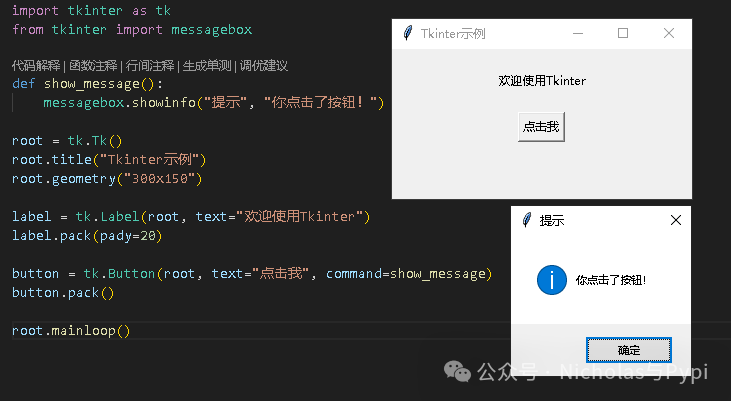
Code Example:
import tkinter as tk
from tkinter import messagebox

def show_message():
    messagebox.showinfo("Tip", "You clicked the button!")

root = tk.Tk()
root.title("Tkinter Example")
root.geometry("300x150")

label = tk.Label(root, text="Welcome to Tkinter")
label.pack(pady=20)

button = tk.Button(root, text="Click Me", command=show_message)
button.pack()

root.mainloop()
Output:
2. PyQt – A Powerful Professional Choice
PyQt is the Python binding for the Qt framework, providing a rich set of controls and powerful features, suitable for developing complex commercial applications.
Advantages:
-
Rich controls and powerful functionality
-
Beautiful interfaces, supporting modern UI
-
Supports signal and slot mechanism for event handling
Disadvantages:
-
Steeper learning curve
-
Requires separate installation
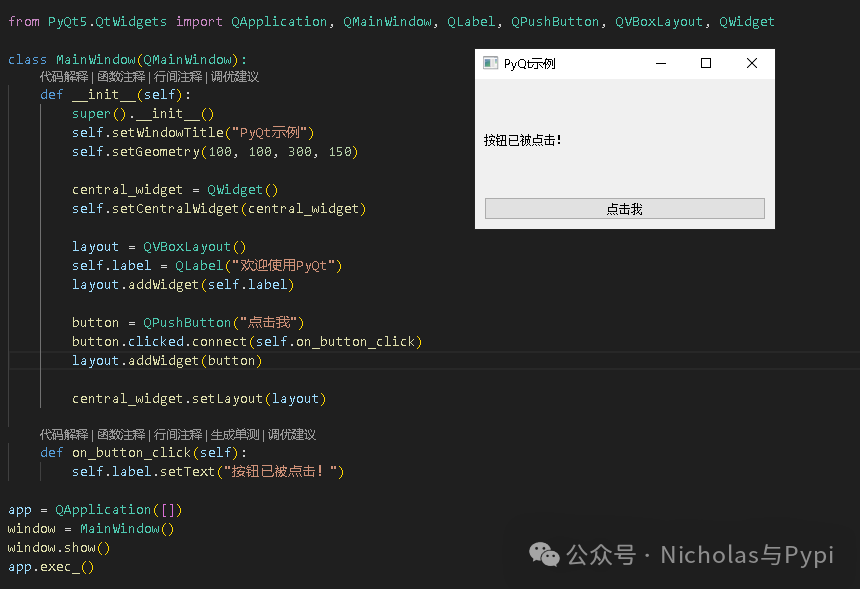
Code Example:
from PyQt5.QtWidgets import QApplication, QMainWindow, QLabel, QPushButton, QVBoxLayout, QWidget

class MainWindow(QMainWindow):
    def __init__(self):
        super().__init__()
        self.setWindowTitle("PyQt Example")
        self.setGeometry(100, 100, 300, 150)

        central_widget = QWidget()
        self.setCentralWidget(central_widget)

        layout = QVBoxLayout()
        self.label = QLabel("Welcome to PyQt")
        layout.addWidget(self.label)

        button = QPushButton("Click Me")
        button.clicked.connect(self.on_button_click)
        layout.addWidget(button)

        central_widget.setLayout(layout)

    def on_button_click(self):
        self.label.setText("Button has been clicked!")

app = QApplication([])
window = MainWindow()
window.show()
app.exec_()
Output:
3. wxPython – The Native Look Choice
wxPython is based on the wxWidgets C++ library, providing native-looking interface controls, making it a good choice for cross-platform development.
Advantages:
-
Provides a native system look
-
Good cross-platform support
-
Rich documentation and examples
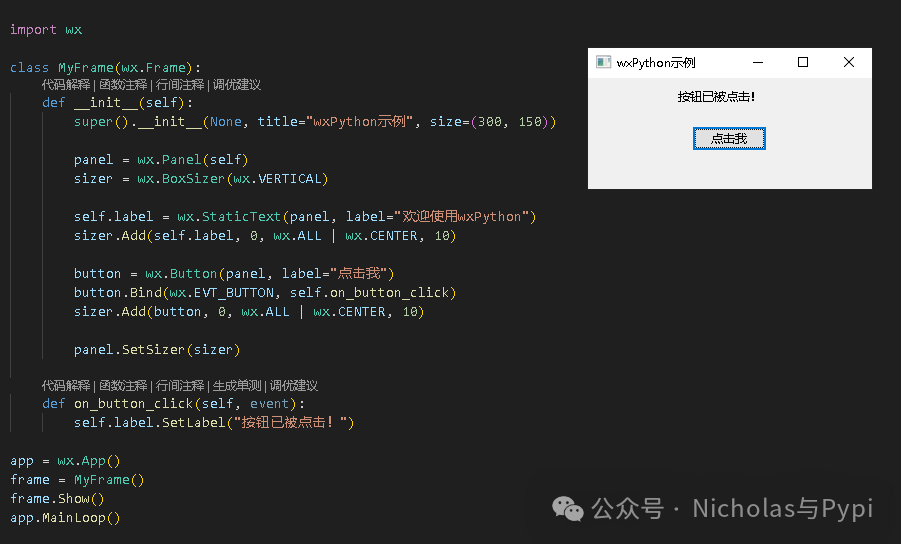
Code Example:
import wx

class MyFrame(wx.Frame):
    def __init__(self):
        super().__init__(None, title="wxPython Example", size=(300, 150))

        panel = wx.Panel(self)
        sizer = wx.BoxSizer(wx.VERTICAL)

        self.label = wx.StaticText(panel, label="Welcome to wxPython")
        sizer.Add(self.label, 0, wx.ALL | wx.CENTER, 10)

        button = wx.Button(panel, label="Click Me")
        button.Bind(wx.EVT_BUTTON, self.on_button_click)
        sizer.Add(button, 0, wx.ALL | wx.CENTER, 10)

        panel.SetSizer(sizer)

    def on_button_click(self, event):
        self.label.SetLabel("Button has been clicked!")

app = wx.App()
frame = MyFrame()
frame.Show()
app.MainLoop()
Output:
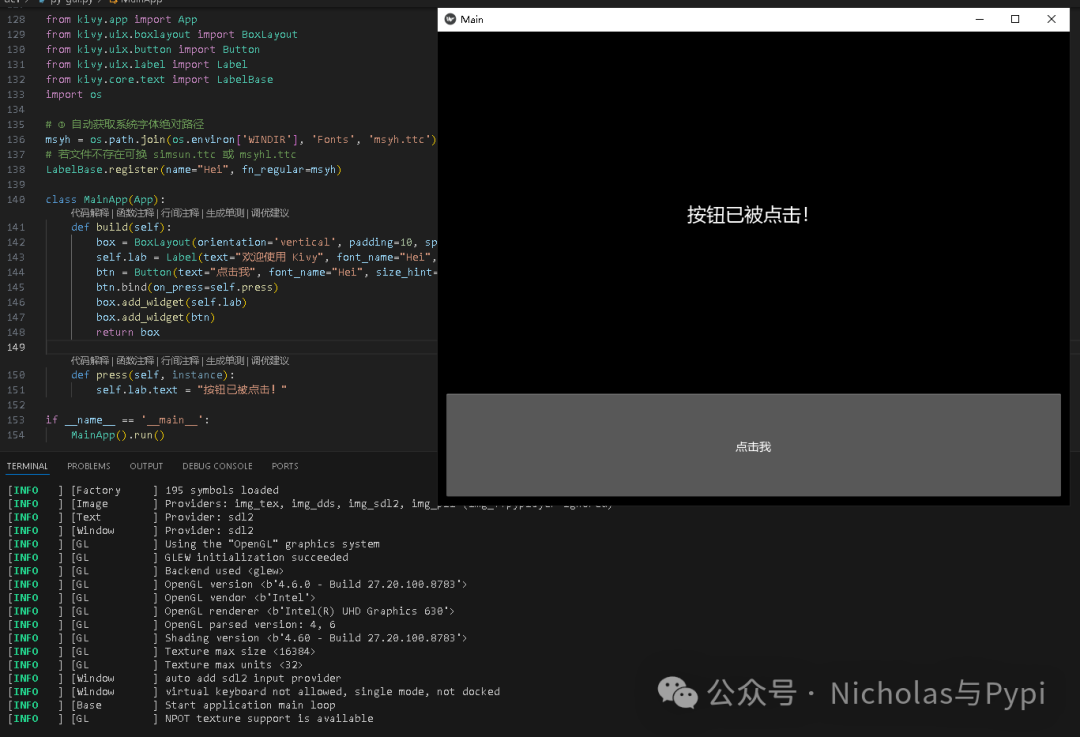
4. Kivy – The Preferred Choice for Mobile Application Development
Kivy focuses on multi-touch and modern user interfaces, suitable for developing mobile applications and game interfaces.
Advantages:
-
Supports multi-touch
-
Cross-platform (including Android and iOS)
-
Innovative user interface design
Code Example:
from kivy.app import App
from kivy.uix.label import Label
from kivy.uix.button import Button
from kivy.uix.boxlayout import BoxLayout

class MyApp(App):
    def build(self):
        layout = BoxLayout(orientation='vertical', spacing=10, padding=10)

        self.label = Label(text="Welcome to Kivy", font_size=24)
        layout.add_widget(self.label)

        button = Button(text="Click Me", size_hint=(1, 0.3))
        button.bind(on_press=self.on_button_press)
        layout.add_widget(button)

        return layout

    def on_button_press(self, instance):
        self.label.text = "Button has been clicked!"

if __name__ == '__main__':
    MyApp().run()
Output:
5. PySimpleGUI – A Simplified Version of Tkinter
PySimpleGUI wraps around Tkinter, Qt, and other frameworks, providing a simpler API, particularly suitable for rapid development.
Advantages:
-
Concise code, fast development speed
-
Gentle learning curve
-
Compatible with multiple underlying frameworks
Code Example:
import PySimpleGUI as sg

layout = [
    [sg.Text("Welcome to PySimpleGUI", font=('Helvetica', 14))],
    [sg.Button("Click Me"), sg.Button("Exit")]
]

window = sg.Window("PySimpleGUI Example", layout)

while True:
    event, values = window.read()
    if event == sg.WIN_CLOSED or event == "Exit":
        break
    if event == "Click Me":
        sg.popup("You clicked the button!")

window.close()
6. Dear PyGui – A Modern Lightweight GUI Library
Dear PyGui is a relatively new Python GUI library that adopts an immediate mode design, suitable for data visualization and lightweight applications.
Advantages:
-
Lightweight and high performance
-
Modern UI design
-
Built-in drawing and data visualization capabilities
Code Example:
import dearpygui.dearpygui as dpg

def button_callback():
    dpg.set_value("text_item", "Button has been clicked!")

dpg.create_context()
dpg.create_viewport(title="Dear PyGui Example", width=300, height=150)

with dpg.window(label="Main Window"):
    dpg.add_text("Welcome to Dear PyGui", tag="text_item")
    dpg.add_button(label="Click Me", callback=button_callback)

dpg.setup_dearpygui()
dpg.show_viewport()
dpg.start_dearpygui()
dpg.destroy_context()
Select the appropriate GUI library based on project requirements (recommended):
-
Simple tools: Tkinter or PySimpleGUI
-
Cross-platform commercial applications: PyQt or wxPython
-
Mobile applications: Kivy
-
Data visualization/lightweight applications: Dear PyGui
-
Scientific computing tools: magicgui
-
Command line to GUI: Gooey
Python offers a rich variety of GUI development options, from the easy-to-use Tkinter to the powerful PyQt, and the mobile-focused Kivy and modern Dear PyGui, catering to various interface development needs. You can start with Tkinter or PySimpleGUI and gradually master more complex frameworks. Choosing the right tools based on project requirements can greatly enhance development efficiency and user experience.
“There is no secret, just practice!” Use it when needed.If you find this article useful, feel free to like, share, bookmark, comment, and recommend❤! —— Join the Knowledge Community and Learn with More People ——
https://ima.qq.com/wiki/?shareId=f2628818f0874da17b71ffa0e5e8408114e7dbad46f1745bbd1cc1365277631c
https://ima.qq.com/wiki/?shareId=66042e013e5ccae8371b46359aa45b8714f435cc844ff0903e27a64e050b54b5