Installing Linux Subsystem on Windows

Installing Linux Subsystem on Windows

📢 Linux 1. Open PowerShell on Windows and enter wsl —install and press Enter 2. Wait until the panel shows operation successful 3. Open Microsoft Store and download Ubuntu The Windows Subsystem for Linux (WSL) allows you to run a Linux system environment on Windows. With WSL, you can install Redis just like on Linux. … Read more


Multi-Stage Word Attack Without Macros

Multi-Stage Word Attack Without Macros

Spam publishers are using a new technique to infect users with malware. Although this attack relies on users opening Word documents, it does not require users to allow macro script execution. This new non-macro technique is currently under active development, and researchers at Trustwave SpiderLabs are investigating malware activity. The company states that scammers are … Read more

Experience Linux Flavor on Windows: The Right Way to Make Your Terminal Soar

Experience Linux Flavor on Windows: The Right Way to Make Your Terminal Soar

People often ask: “Do you use zsh + oh-my-zsh on Linux every day? What about on Windows? You can’t just keep using the rigid cmd, right?” Actually, Windows PowerShell 7 + Windows Terminal can provide an experience comparable to zsh, with command completion, history search, fuzzy jumping, and cool themes all set up! Today, I … Read more

Removing Old Drivers to Free Up Space on Your Computer

Removing Old Drivers to Free Up Space on Your Computer

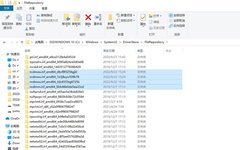
When installing or updating device drivers in Windows, old versions of drivers remain. Over time, the accumulation of these old drivers can take up a significant amount of system space. Below, I will introduce how to safely delete these old driver files. Author: Yu Mufa â—‹ Knowledge: Understanding Old Drivers Open the “C:\Windows\System32\DriverStore\FileRepository” folder, and … Read more