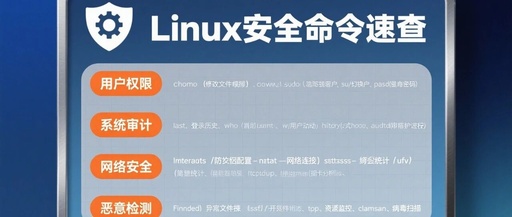
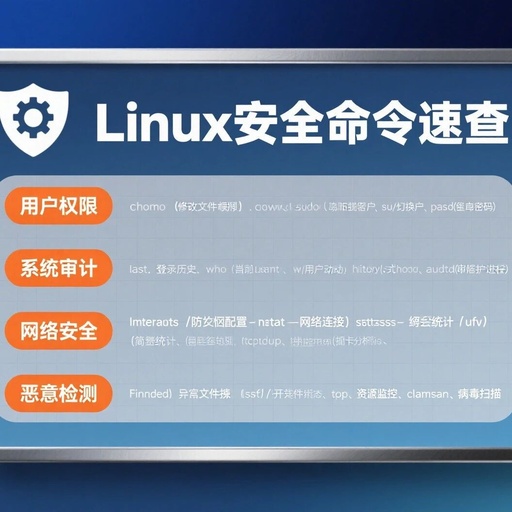
Common Linux Commands – Part 5
Common Linux Commands - Part 5

Common Linux Commands – Part 5 5. iptables Firewall: Four Tables and Five Chains: The default four rule tables: raw table: Determines whether to track the state of the packet, includes rule chains OUTPUT, PREROUTING mangle table: Modifies packet content, used for traffic shaping, sets packet marks, includes rule chains INPUT, OUTPUT, FORWARD, PREROUTING, POSTROUTING … Read more

Common Linux Commands – Part 6

Common Linux Commands - Part 6

Common Linux Commands – Part 6 6. Application Commands: -t filter: Indicates adding rules at the end of the chain (if no table name is specified, the default is the filter table) -I INPUT: Indicates adding an inbound rule at the first line of the filter table (-I INPUT 2 indicates adding an inbound rule … Read more

Linux Network Troubleshooting

Linux Network Troubleshooting

Click the blue text to follow us Network issues typically manifest as the following problems: ▪ Website inaccessible ▪ Application response is slow ▪ Intermittent connection drops ▪ Data transfer timeouts Focus: How to quickly locate the problem? Diagnostic Process Step 1: Basic Connectivity Check (ping command) # Check local loopback ping 127.0.0.1 # Check … Read more

Common Linux Commands – Part 2

Common Linux Commands - Part 2

Common Linux Commands – Part 2 2. Explanation of File Contents /etc/passwd # Directory storing user filesroot:x:0:0:root:/root:/bin/bashgdm:x:42:42::/var/lib/gdm:/sbin/nologin# Explanation:1 root=Username2 x=Placeholder for user password stored in /etc/shadow file3 0=UID User account, 0 is root, 1-499(999) are system accounts, 500(1000)-65535 are regular accounts4 0=GID User group5 root=Account description for notes6 /root=User home directory7 /bin/bash=Default shell script for … Read more

Common Linux Commands – Part 3

Common Linux Commands - Part 3

Common Linux Commands – Part 3 3. Common Permission Descriptions /etc/passwd # Default 644, minimum permission 444, allows other users to access/etc/shadow # Default 600, minimum permission 400, does not allow other users to accessb rwx r-x -w- # d indicates device file, numeric permissions are represented as 752# indicates device file, file owner can: … Read more

Commonly Used Linux Commands

Commonly Used Linux Commands

Commonly Used Linux Commands Learn the basic Linux commands There is no secret, just practice. 1. cd Change Directory # Switch to E drive cd e:/ # Switch to MySQL directory on E drive cd e:/MySQL # Switch to /dev directory mint@DESKTOP-04APDLN:/$ cd /dev mint@DESKTOP-04APDLN:/dev$ 2. cd .. Go back to the previous directory, directly … Read more

Learning Linux Commands: make, make install, modprobe, lsmod

Learning Linux Commands: make, make install, modprobe, lsmod

Due to changes in the public account’s push rules, please click ‘View’ and add ‘Star’ to follow. Get exciting technical shares at the first time. Hello, how are you? I am Lei Gong! As the saying goes: live and learn. Especially in today’s society, where new things emerge every day, not learning really means not … Read more

The Power of the nc Command in Linux!

The Power of the nc Command in Linux!

Follow the aboveHaodao Linux, reply with materials, to obtain a wealth of learning resources on Linux, Python, network communication, network security, and more! Introduction Hello everyone, this is Haodao Linux, mainly sharingLinux, Python, network communication, network security, and other related IT knowledge platforms. Today, Haodao will share a very practical and powerful Linux command, nc, … Read more

What Does the ‘->’ Symbol Mean After Files When Using the ‘ll’ Command in Linux? How to View the Actual File?

What Does the '->' Symbol Mean After Files When Using the 'll' Command in Linux? How to View the Actual File?

When viewing files in Linux, we often use the <span>ll</span> command (which is actually an alias for <span>ls -l</span>). You may have noticed that sometimes a file or directory is followed by an arrow and a path, for example: lrwxrwxrwx 1 root root 11 Jun 15 14:32 lib64 -> usr/lib64 What does the -> mean … Read more