ECLIC Core Configuration: Vector Table, Interrupt Enablement, and Priority

Chapter 4: Interrupts and Exceptions: Enhanced Interrupt Controller (ECLIC) 4.2 ECLIC Core Configuration: Vector Table, Interrupt Enablement, and Priority 4.2.1 Overall Configuration Process of ECLIC Configuration Architecture Overview The complete configuration of ECLIC is a systematic project that requires configuring various functional modules in a specific order. The correct configuration sequence ensures system stability and … Read more

ARMv7 Reset Vector and Boot Process

ARMv7 Reset Vector and Boot Process

The initialization of the stack pointer and PC pointer through the reset vector after power-on reset on ARMv7, followed by a jump to the assembly entry to begin system initialization and other operations, is crucial for embedded system software development. Although different SoCs may have variations in the address allocation of BootROM and Flash, the … Read more

Understanding the Power-On Sequence of MCUs

Understanding the Power-On Sequence of MCUs

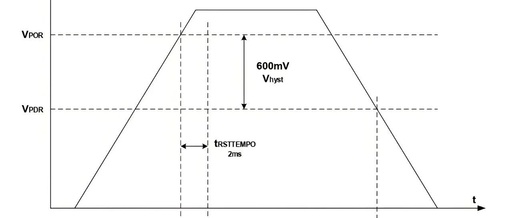
The power-on sequence of an MCU (Microcontroller Unit) is a carefully designed sequence that ensures the chip reliably transitions from a completely powered-off state to normal operating conditions. 1. Power-on Reset When power is applied to the MCU, the supply voltage rises from 0V to the rated operating voltage (e.g., 3.3V). The internal reset circuit … Read more

System Initialization in Embedded Development

System Initialization in Embedded Development

12.2.5 SystemInit() List 5: 12-5: SystemInit() Swipe left or right to view the full content void SystemInit(void) {#if __FPU_USED /* Enable the FPU only when it is used. * Code taken from Section 7.1, Cortex-M4 TRM (DDI0439C) */ /* Set bits 20-23 (CP10 and CP11) to enable FPU. */ SCB->CPACR = (uint32_t) CP_MASK; #endif #if … Read more

Unveiling ARM Cortex-M Startup: From Power-On to Your main() Function

Unveiling ARM Cortex-M Startup: From Power-On to Your main() Function

Today, let’s delve into a seemingly basic yet often overlooked topic — what exactly happens from the moment you press the reset button until your <span>main()</span> function begins execution? Overview of the Startup Process: The Journey of System Awakening Imagine your MCU as a robot just awakened. It needs to get dressed (load the stack), … Read more

Unveiling ARM Cortex-M Startup: From Power-On to Your main() Function

Unveiling ARM Cortex-M Startup: From Power-On to Your main() Function

Today, let’s delve into a seemingly basic yet often overlooked topic — what exactly happens from the moment you press the reset button until your <span>main()</span> function begins execution? Startup Process Overview: The Journey of System Awakening Imagine your MCU as a robot just awakened. It needs to get dressed (load the stack), understand its … Read more

Unveiling ARM Cortex-M Startup: From Power-On to Your main() Function

Unveiling ARM Cortex-M Startup: From Power-On to Your main() Function

Today, let’s delve into a seemingly basic yet often overlooked topic — what exactly happens from the moment you press the reset button until your <span>main()</span> function begins execution? Startup Process Overview: The Journey of System Awakening Imagine your MCU as a robot just awakened. It needs to get dressed (load the stack), understand its … Read more

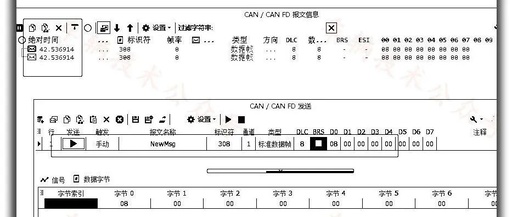
LabVIEW Tutorial: Calling CANoe for Automotive Applications

LabVIEW Tutorial: Calling CANoe for Automotive Applications

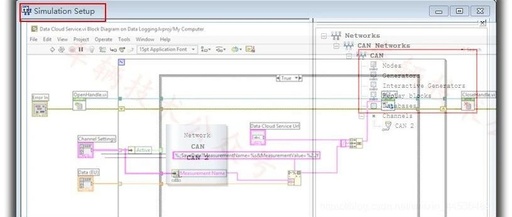
Each has its strengths, knowing how to assign roles, dedicated to the application and promotion of LabVIEW in the automotive industry. Currently, Vector remains the strongest player in the global automotive bus communication field, with powerful product performance, a complete range of products, comprehensive functions, rich documentation, and standardized APIs… it is undoubtedly the industry … Read more

Exploring Time Synchronization in CAN Tools

Exploring Time Synchronization in CAN Tools

This matter really shocked me. Once upon a time, when I opened CANoe, I really thought the following prompt was nonsense; Vector was just being overly cautious. Until one day, I felt that this matter might not be so simple and worth pondering. A very simple example is our country’s BeiDou system, which has put … Read more

Understanding The Colon Operator In MATLAB

Understanding The Colon Operator In MATLAB

In MATLAB, the “:” operator can be used to create vectors, subscript arrays, and specify iterations, making it one of the most useful MATLAB operators. The following example creates a row vector that includes numbers from 1 to 10: 1:10 When MATLAB executes this statement, it returns a row vector containing integers from 1 to … Read more