The core and foundation of the Internet of Things (IoT) is the Internet itself. The IoT is an extension and expansion of networks based on the Internet. Among the IoT, the wireless sensor network based on massive data is one of the most representative networks, where the user end extends and expands to any item, facilitating information exchange and communication.
Hardware Devices and Connections:
(1) M0 IoT platform as the terminal node.
(2) Zigbee module as the coordinator.
(3) Ulink2 programmer responsible for device program burning.
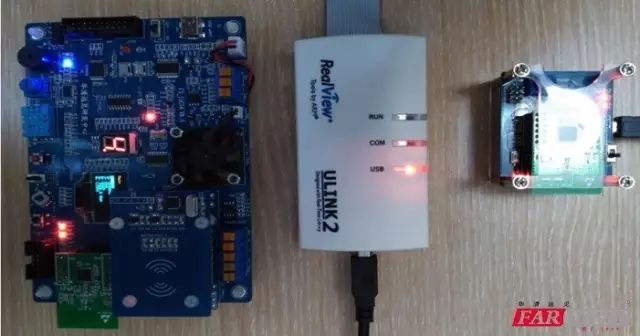
1. Setting Up the IoT IDE Development Environment
Keil5 development environment, ulink2 driver, serial port driver, IAR Zigbee development environment.
2. Introduction and Use of IoT Platform M0
Peripheral resources of the M0 platform
• Processor LPC11C14;
• Maximum frequency 50MHz, external 12M Hz crystal, actual working frequency 48MHz;
• 32KB Flash, 8KB SRAM;
• 1 I2C interface with 256KB EEPROM, 1 SPI interface with 256KB Flash;
• 1 MCU chip with UART interface, which can connect to PC or other devices via the board’s USB conversion.
• 2 extended UART interfaces
• 1 I2C bus interface, 2 SPI bus interfaces
• 1 CAN bus interface
• 1 optional dual-function RS-485/RS-422 interface
• 2 ADC inputs
• 1 128×64 dot matrix OLED display (yellow and blue)
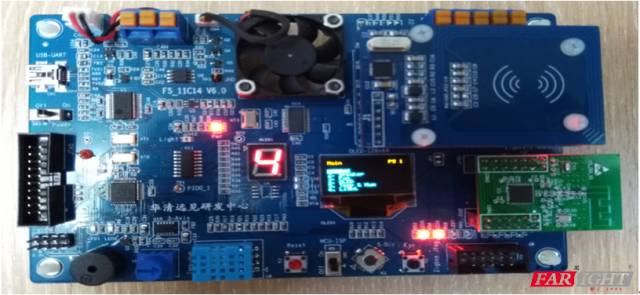
3. Programming for the IoT Platform M0
Write test program:
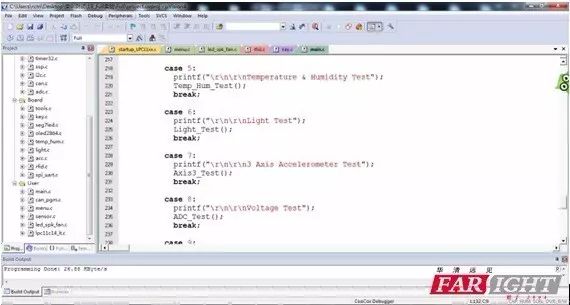
Program source code snippet:
case KEY_SEL:
// Trigger key branch judgment for Zigbee sending data
switch(menu.numb)
// Menu trigger branch judgment to select Zigbee control menu
{
case 1:
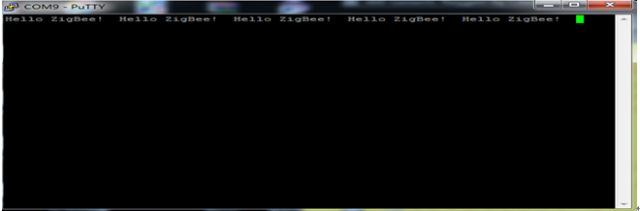
// Switch statement 1 responsible for sending data to Zigbee coordinator “Hello ZigBee! ” via Zigbee node
ZigBee_PutString(“Hello ZigBee! “);
// Call ZigBee_PutString() Zigbee communication interface to implement data sending
printf(“\r\nSend Hello ZigBee! “);
// Low-level debugging print
break;
case 2:
// Switch statement 2 responsible for sending data to Zigbee coordinator “FAN On ” via Zigbee node
ZigBee_PutString(“FAN On “);
// Call ZigBee_PutString() Zigbee communication interface to implement data sending
printf(“\r\nSend Turn on FAN “);
// Low-level debugging print
break;
case 3:
// Switch statement 3 responsible for sending data to Zigbee coordinator “FAN Off ” via Zigbee node
ZigBee_PutString(“FAN Off “);
// Call ZigBee_PutString() Zigbee communication interface to implement data sending
printf(“\r\nSend Turn off FAN “);
// Low-level debugging print
break;
default:
break;
}
delay_ms(250);
break;
4. Implementation of Zigbee Networking Experiment on IoT Platform M0
Networking and implementation combined
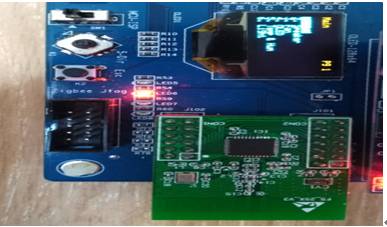
IoT coordinator networking effect: Single board D8 Led lights up
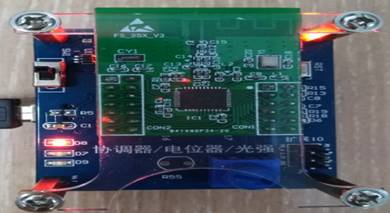
IoT terminal node networking effect: Single board Led6 lights up
The data communication of IoT Zigbee networking shows that the terminal’s serial port has data appearing, indicating successful communication!
Click to read the original text: Sign up for any IT course now to save 1599 yuan per person! Seize the opportunity! The event countdown is only 7 days left!!!
【Recommended Recent Articles】
1.Is there still a future for the IT industry in 2017?
2.What are the career development directions in the embedded field?
3.How should programmers judge the quality of their work?
4.Interview shares from Sohu, LeTV, Didi, NetEase, etc. in 2017
5.New Year plans worth referring to for programmers in 2017
6.What should an excellent programmer’s resume look like?
Reply with “0-71” any number to view selected past articles~
Hold the QR code for 3 seconds
Make friends with 100,000 programming experts
Daily content to keep you fed
(Remember to scan the QR code)

Or search WeChat for Huaqing Yanjian to follow us
Free lectures | Content sharing | Programmer life | Employment recruitment
High-endITemployment training experts
m.embedu.org