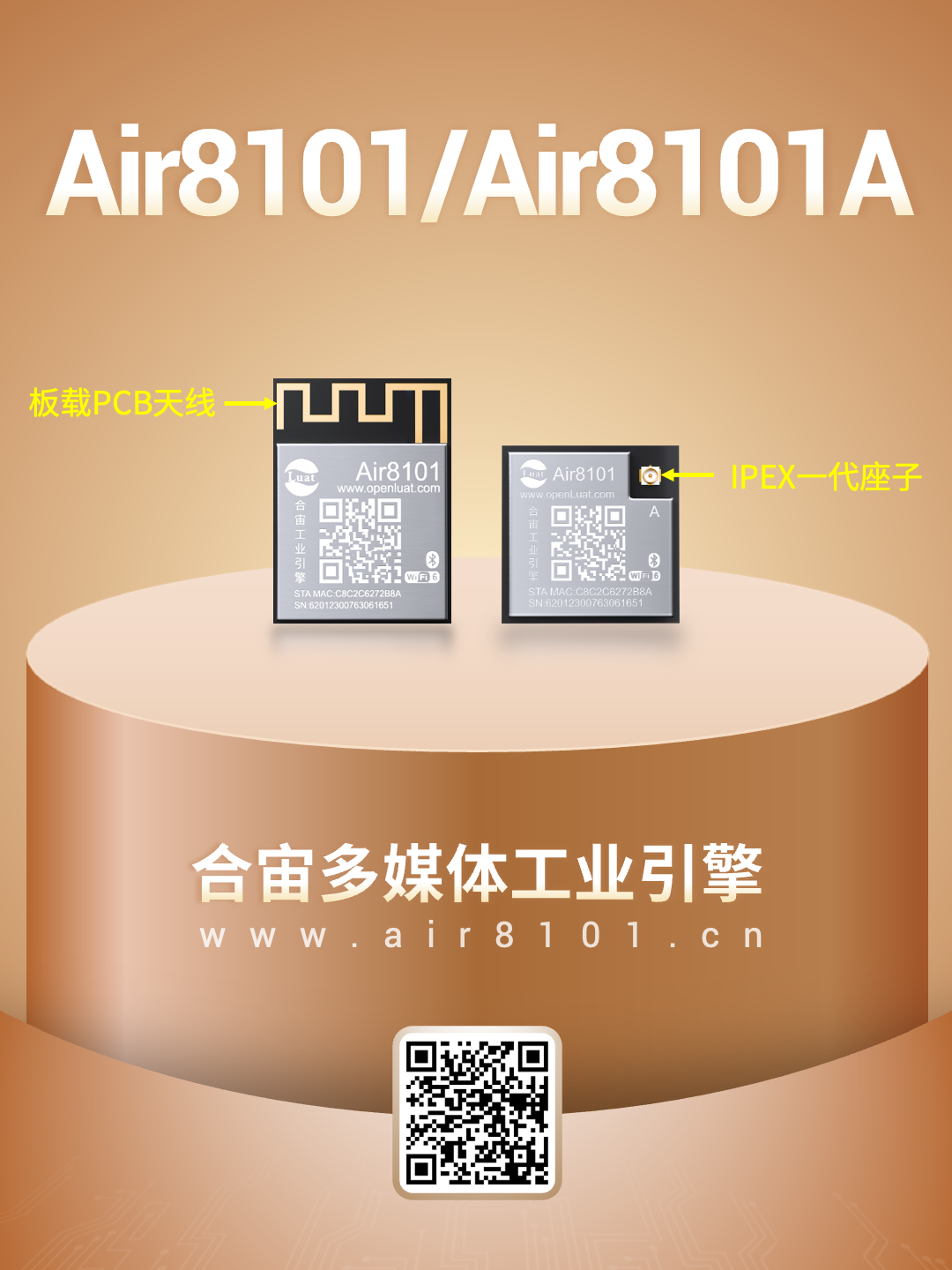
The Air8101 series is a multimedia industrial engine product promoted by Hezhao, supporting rich multimedia application capabilities such as video, audio, and graphical display. It features Wi-Fi/Ethernet/Bluetooth/external 4G connectivity capabilities and can be widely used in AIoT field smart terminals.
New friends have asked: How to configure Wi-Fi?
The Air8101 series is based on the LuatOS secondary development framework, supporting quick Wi-Fi device configuration through SoftAP (Soft Access Point) mode. Users can easily manage and control Wi-Fi hotspots efficiently through the configuration webpage.
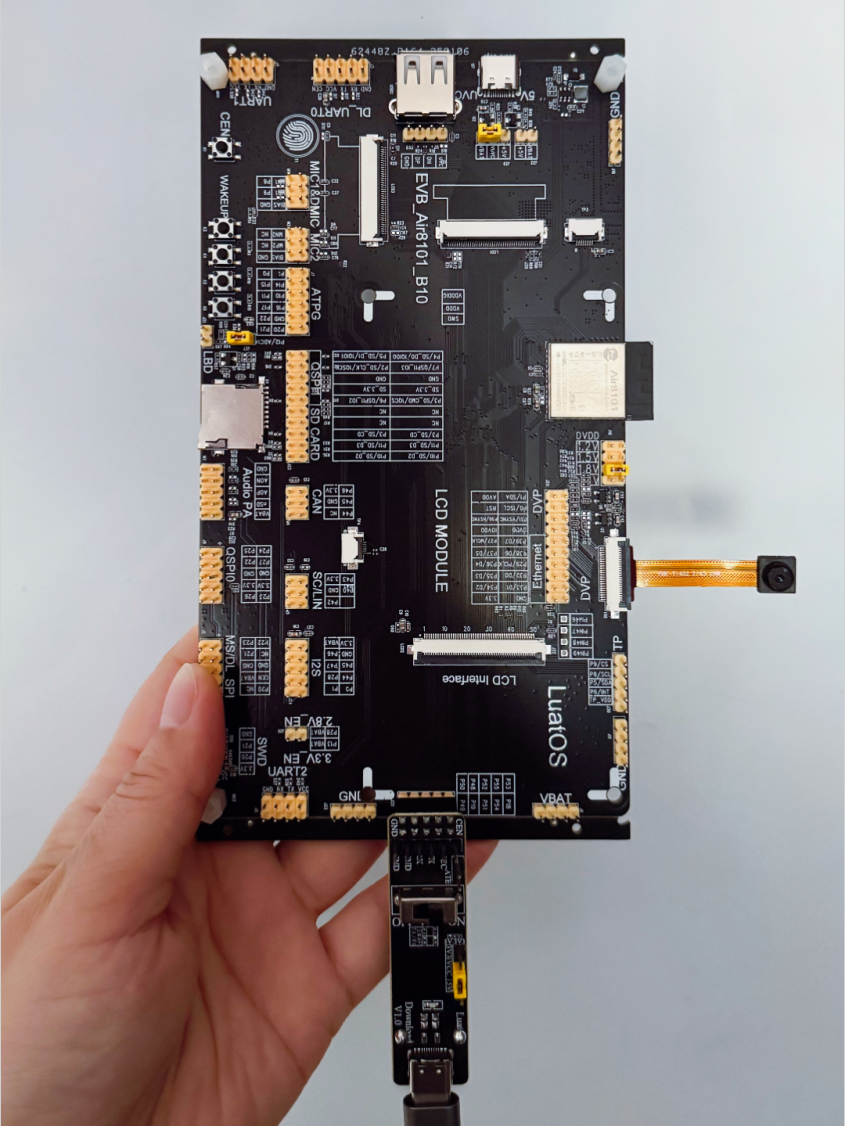
This article takes the Air8101 development board as an example to demonstrate the key points of the SoftAP configuration.
For the latest source code and practical tutorials, see:
https://docs.openluat.com/air8101/luatos/app/wifi/softap/
1. Main Example Code Analysis
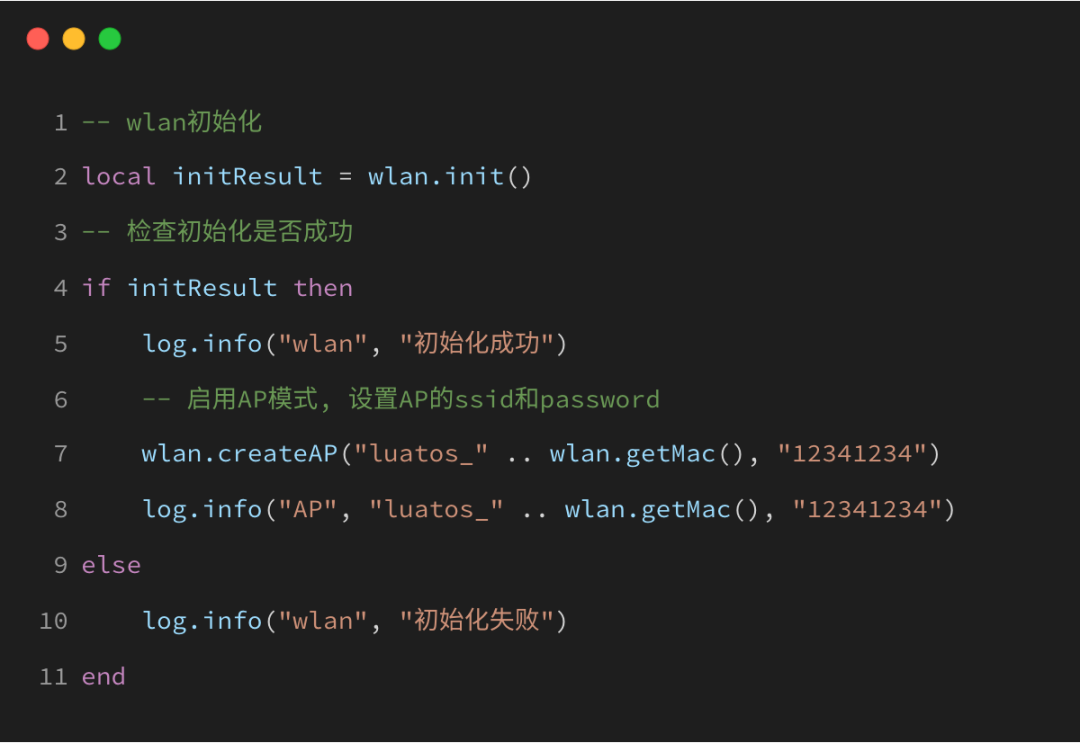
1.1 Enable AP Mode:
Enable the AP mode of the Air8101 development board. AP stands for Access Point, which is the central node of a wireless network and can be considered as a server.
SoftAP configuration means making the Air8101 work in AP mode, creating a Wi-Fi hotspot. Users can connect their mobile phones or computers to this hotspot and send the Wi-Fi information to the Air8101 through the configuration webpage, thus achieving configuration.
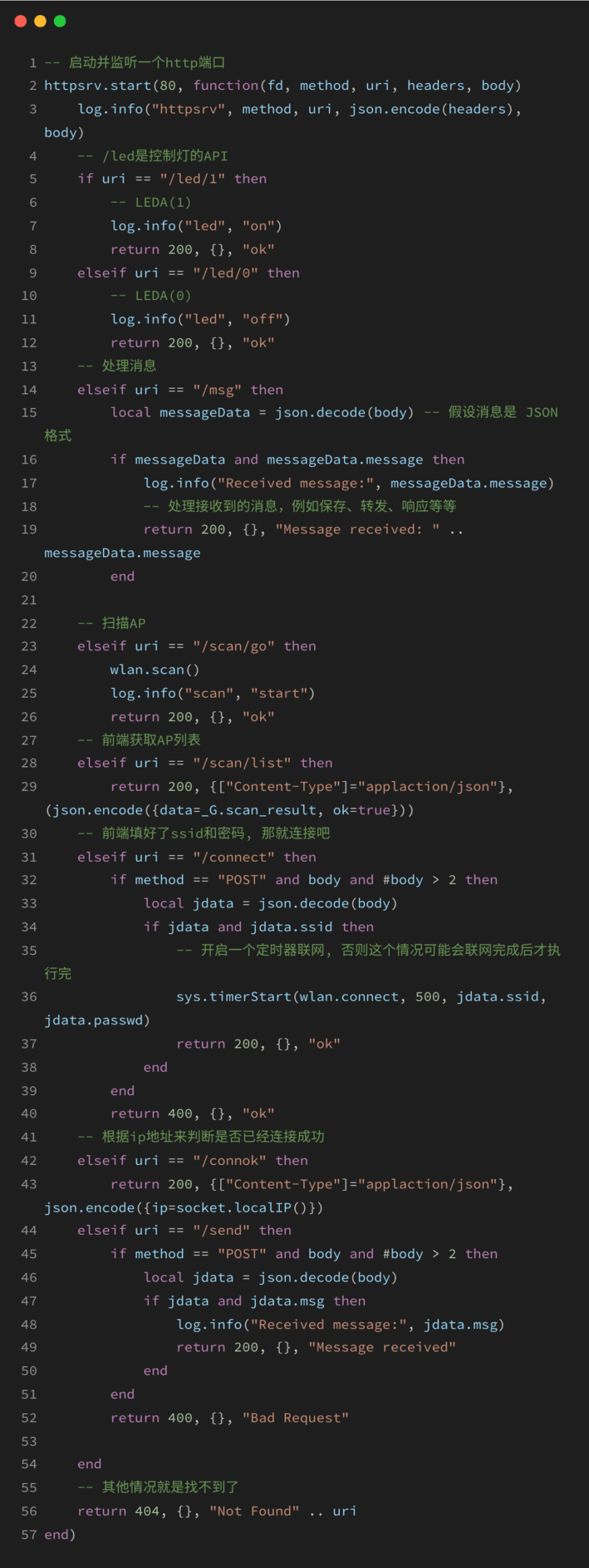
1.2 Start an HTTP Server to Manage Wi-Fi Access Point Configuration and Connection:
Manage and control the Wi-Fi hotspot through the HTTP server.
It can control the LED switch, send any messages, scan available Wi-Fi networks, obtain the AP list, and connect to new Wi-Fi networks through HTTP requests on the webpage.
2. Air8101 Configuration System Practical Operation
2.1 Configuration System Display
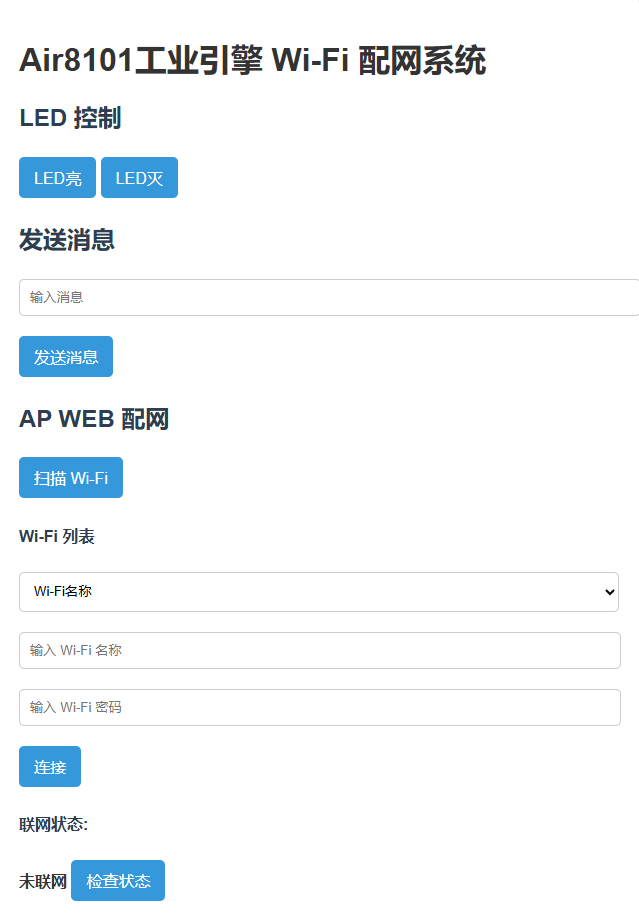
Log in to the configuration webpage (IP address: 192.168.4.1) using a mobile phone or computer, displaying the following content:
2.2 Configuration System Example
Log in to the network IP address of the Air8101 development board using a mobile phone or computer. At this point, the mobile phone or computer acts as a client, while the development board serves as the server, allowing for simple communication between the two.
The following will uniformly refer to the server and client as the development board and the login device, respectively.
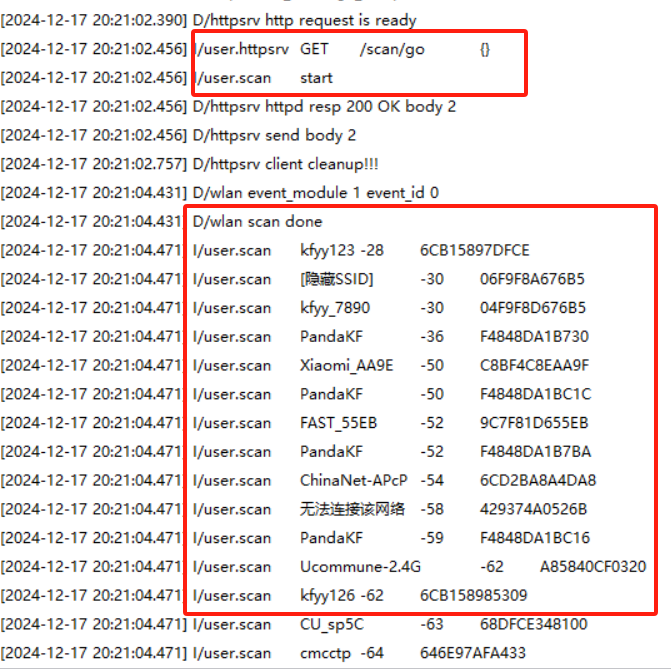
1) The client clicks the Wi-Fi scan button on the configuration webpage
This can achieve the WiFiScan function, displayed on the configuration system page and in the LuaTools log.
As shown below:
2) The server sends a message to the configuration webpage
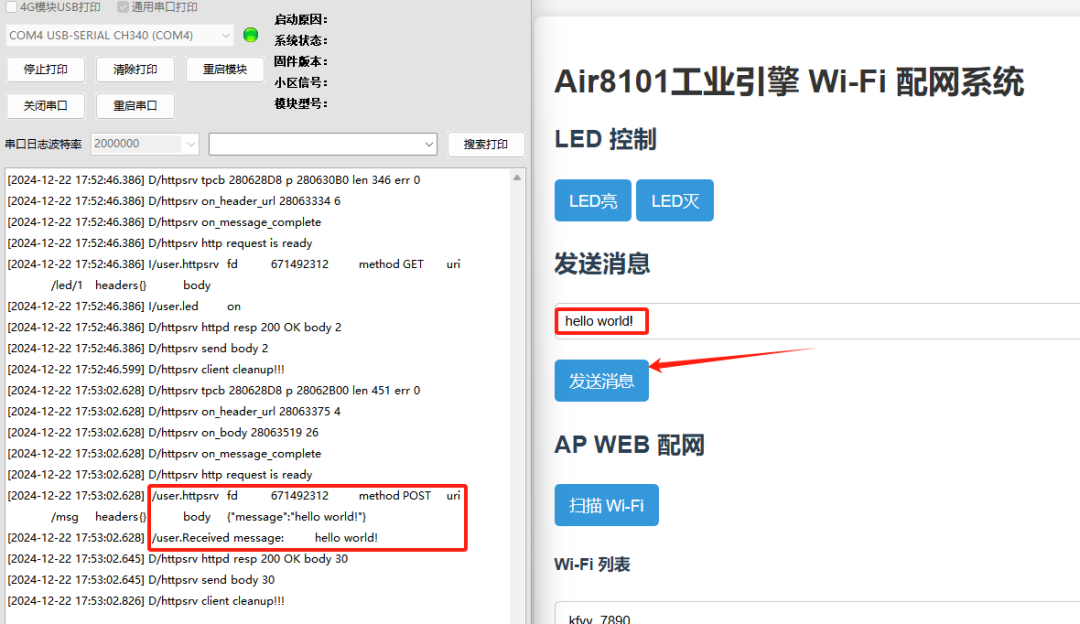
The user types a message in the input box on the client webpage, then sends this message to the server’s /msg path in JSON format via a POST request. The server listens for the request, parses the received message, and prints it through the log.
3) The client sends a command through the configuration webpage to let the server connect to a new Wi-Fi network.
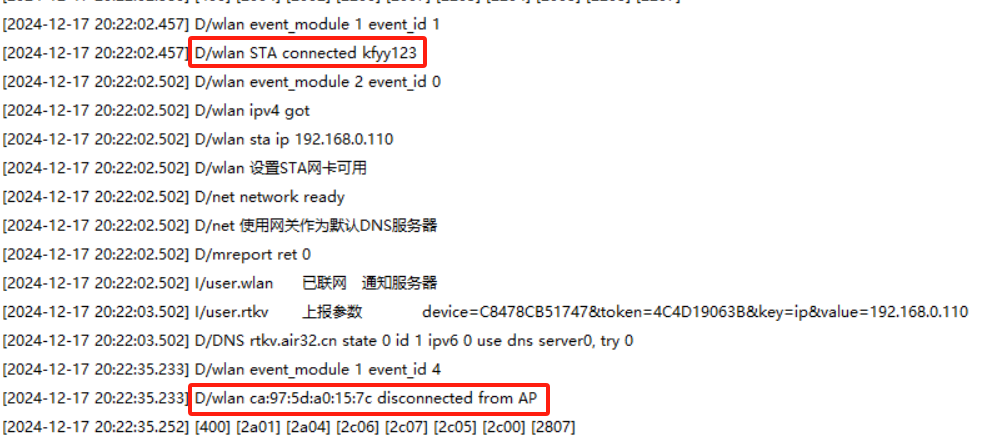
As shown in the figure below, the server connects to the Wi-Fi hotspot: kfyy123. After a successful connection, it will publish an “IP_READY” message.Subsequent business logic can be implemented by subscribing to this message after connecting to the network.
3. Common Issues in Configuration
3.1 Unable to open the configuration webpage IP address on mobile or computer?
Note that the development board needs to be configured in AP mode to create a Wi-Fi hotspot. Before opening the configuration webpage, the mobile phone or computer must first connect to the previously created hotspot.
3.2 How to obtain the MAC address of the development board?
You can use the wlan.getMac() interface, which returns the value in hexadecimal format.
3.3 Advantages and Disadvantages of SoftAP Configuration
–Advantages: The SoftAP configuration method is very reliable, with a success rate of nearly 100%, and the code on the device side is simple.
–Disadvantages: It requires manually switching the mobile Wi-Fi connection to first connect to the Air8101’s AP network, and after configuration, switch back to the normal Wi-Fi network, which adds a certain complexity to the operation.
If you want a simpler configuration method, you can refer to the link below for the AirKiss configuration method:

That’s all for today’s content~If you have any questions regarding IoT development selection, feel free to leave a message at the end of the article or contact the product manager for further discussion.
-
One-to-four, USB multi-camera data collection and processing
-
Two HMI development frameworks for Air8101: LVGL and AirUI
-
How to design and place antennas? Three common layout points
For more latest development materials, see:www.air8101.cn

▼ Learn more about Hezhao ▼
4G + positioning + WiFi + Bluetooth, Air8000 complete development boardNew products of Air8101 core board + accessory board
Hezhao low-power 4G module, adding four more hardcore new products