This article is authorized by the original author DinoHaw. The original text is published at: https://gitee.com/DinoHaw/keil-autopiler. For reprinting, please contact the author directly.

1 Source of Demand
Some companies with restrictions on the development process separate development from compilation (the code version after submission) and require minimal human involvement in the compilation process, necessitating the implementation of automated code compilation in the program. This script was developed based on this requirement. 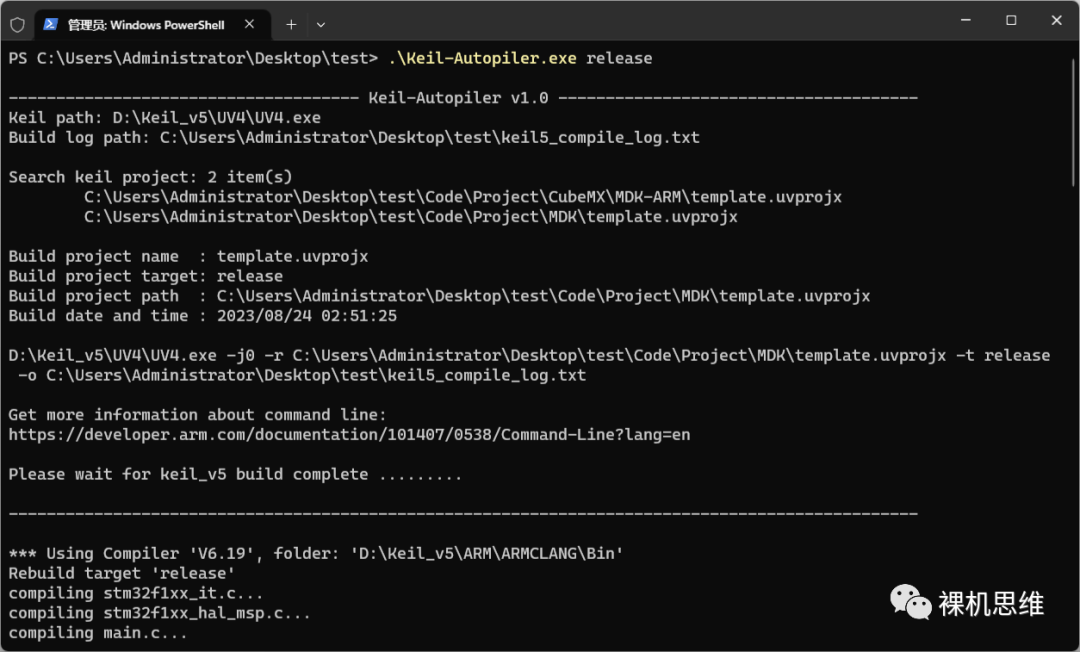
2 Introduction
This is an automated compilation script for KEIL, which can be called by other scripts or programs, receiving parameters and compiling KEIL projects according to those parameters without needing to open the KEIL software, achieving automation in the program. The main functionalities include:
-
Automatically search for all KEIL projects in the directory where the script is located
-
If multiple KEIL projects are found and none is specified, the last found KEIL project is selected by default
-
Relative and absolute paths are supported when specifying the KEIL project
Choose Keil_v4 or Keil_v5 for compilation
-
If empty,
Keil_v5is used by default; to specifyKeil_v4, input4 -
Fuzzy input is supported, such as:
K4,Keil4,Keilv4,Keil_4, etc. -
Support specifying the path of different KEIL software, such as:
C:\Keil_v5\UV4\UV4.exe -
If the installation path of KEIL differs from
D:\Keil_v5\UV4\UV4.exeas in this example, the path of the KEIL software must be specified unless the code is modified and recompiled into a new.exe
Select project target
-
If empty, the last selected
project targetof the KEIL project is used by default -
Supports illegal character recognition and error reporting
After compilation, automatically copy .bin and .hex files to the same directory as the script
-
Only copy the
.binand.hexfiles generated by the selected KEIL project
3 Parameters
| Index | Description | Typical Values | Required |
|---|---|---|---|
| 1 | KEIL version or absolute path of KEIL UV4.exe |
1. KEIL path matches this script: 4 or 5 2. KEIL path does not match this script: C:\Keil_v5\UV4\UV4.exe (example) |
No |
| 2 | KEIL project target | release (example) | No |
| 3 | Specify the relative or absolute path of the KEIL project | Starts with .\ |