Note: For the code in this material, please follow our public account and reply with “C Language Source Code” to obtain the complete code.
1.2 Programming Languages and Programs
1.2.1 What is a Programming Language?
The Essence of Language: A Bridge for Communication
In our daily lives, language is a tool for communication between people. Natural languages like Chinese, English, and French allow us to express thoughts, convey information, and share emotions. Similarly, programming languages serve as a tool for communication between humans and computers. Just as we tell a friend in Chinese, “Please buy me a cup of coffee,” we use programming languages to instruct the computer, “Please calculate what 1 plus 1 equals.” However, computers are different from humans. The human brain is highly intelligent; even if we speak imprecisely or ambiguously, friends can still understand our meaning. For example, if you say, “Buy something,” your friend can guess what you want to buy based on context and your expression. But a computer is like a “literal-minded” entity; it can only operate based on very precise and clear instructions. You must tell it exactly how to perform each step without any ambiguity.
Levels of Programming Language Development
If we classify programming languages by their level of abstraction, we can divide them into three levels:
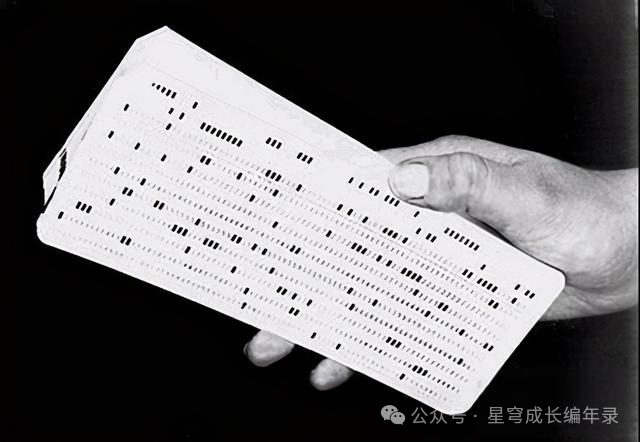
Machine Language (First Generation): This is the language that computers can truly understand, consisting entirely of 0 and 1. It’s like speaking a “dialect” to the computer; each different CPU has its own machine language. For example, a simple addition operation in machine language might look like this: 10110000 01000001, which is completely incomprehensible to humans. Imagine if you had to write a calculator program using such code for thousands of lines; it would be a nightmare.
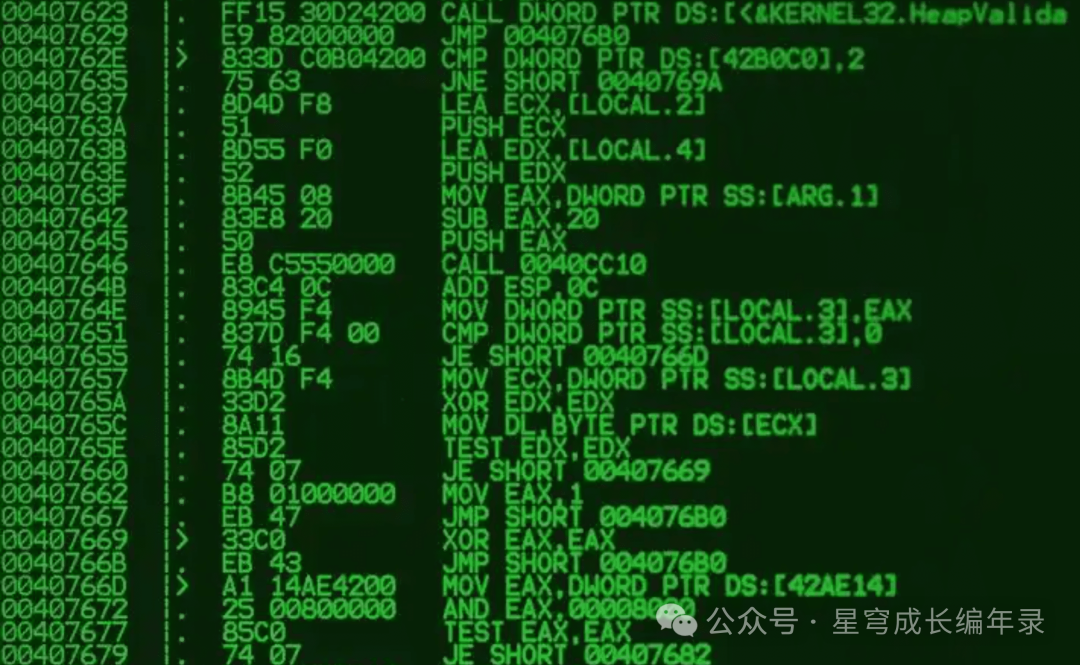
Assembly Language (Second Generation): To prevent programmers from having to deal directly with 0 and 1, assembly language was invented. It uses some English abbreviations to replace machine code, such as using MOV to represent moving data and ADD to represent addition. This is like putting some “labels” on top of the 0 and 1, which is somewhat easier to understand than machine language, but programming is still very complex and requires the programmer to have a deep understanding of computer hardware.
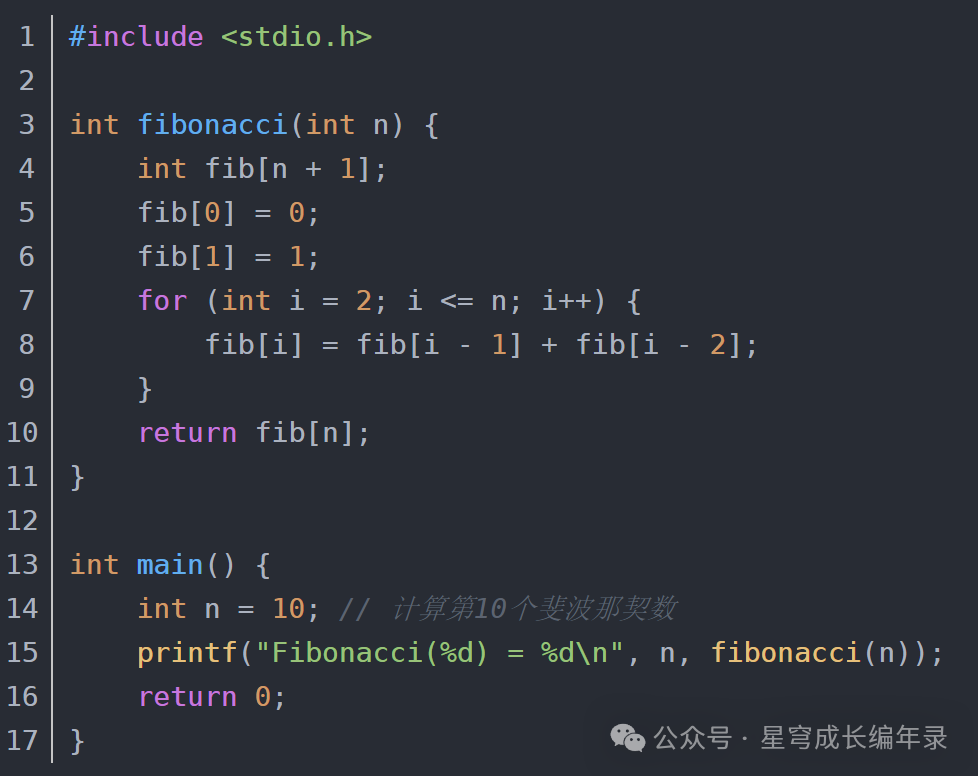
High-Level Languages (Third Generation and Above): This is the category that includes the C language and other modern programming languages. High-level languages are closer to human natural languages and mathematical expressions. For example, if we want the computer to calculate the sum of two numbers, in C language, we only need to write: c = a + b;, which is almost identical to our usual mathematical expression.
Classification by Execution Method: Compiled Languages vs. Interpreted Languages
Programming languages can also be classified by their execution methods, similar to how there are two ways to read a book:
-
Compiled Languages: This is like translating a complete Chinese book into an English book and then showing the English version to foreigners. Compiled languages require a compiler to translate the entire program into machine language, generating an executable file that the computer runs directly. C language is a typical compiled language.
The advantage of compiled languages is that they run very quickly because the computer executes machine language directly without the need for an intermediate translation process. However, the downside is that every time the program is modified, it needs to be recompiled, and the compiled program can only run on specific operating systems; porting it to other systems requires recompilation.
-
Interpreted Languages: This is like having a translator sitting next to you, translating a Chinese book for foreigners as you read. Interpreted languages require an interpreter to translate and execute the program line by line. Python and JavaScript are typical interpreted languages.
The advantage of interpreted languages is that they are convenient for writing and debugging; after modifying the program, it can be run immediately, and the program can run on any system that has the interpreter installed. However, the downside is that they run relatively slowly because they need to translate and execute simultaneously, and the corresponding interpreter must be installed at runtime.
Classification by Programming Paradigm: Procedural vs. Object-Oriented
Programming languages can also be classified by their programming paradigms:
-
Procedural Languages: This programming paradigm views a program as a combination of a series of functions, like an assembly line in a factory. Raw materials enter from one end, go through various processes, and finally come out as finished products from the other end. Each process is a function responsible for completing a specific task. C language is a typical procedural language.

The procedural way of thinking is quite intuitive and suitable for solving problems with clear processes. For example, in a calculator program: input data → perform calculations → output results, this is a clear process. For us learning embedded development, the procedural way of thinking is closer to how hardware works and makes it easier to understand the execution process of programs.
-
Object-Oriented Languages: This programming paradigm views a program as a group of interacting objects, like a society composed of different people, each with their own characteristics and abilities. For example, in a game program, there may be player objects, enemy objects, item objects, etc., each with its own attributes (like health points, attack power) and behaviors (like moving, attacking).
C++, Java, and Python all support object-oriented programming.
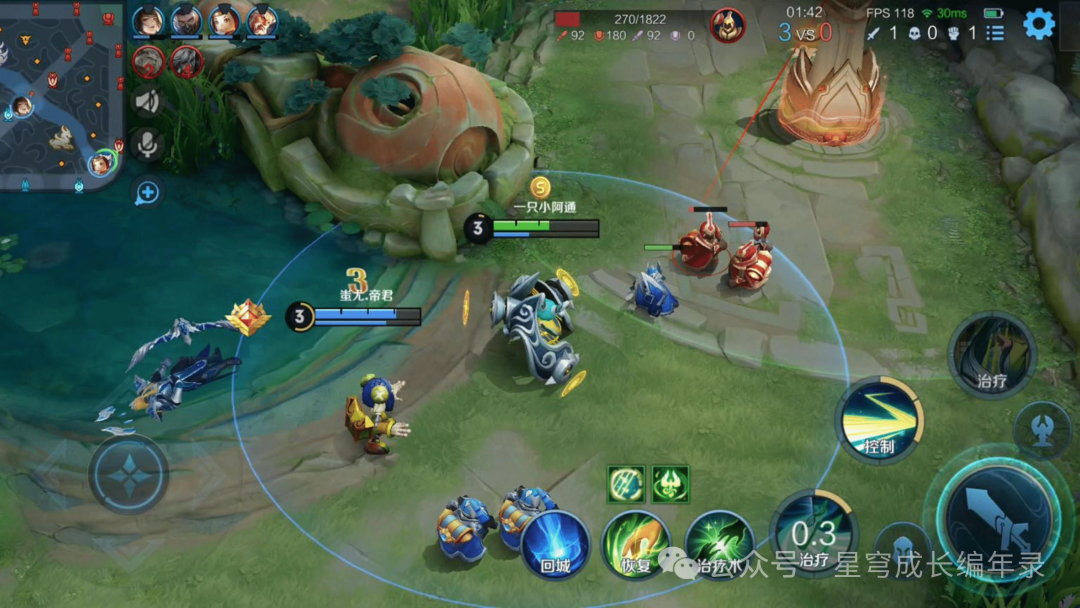
The object-oriented way of thinking is more suitable for building complex large software systems because it can better organize and manage code, making programs easier to maintain and extend.
1.2.2 What is a Program?
The Essence of a Program: A Sequence of Instructions
A program, simply put, is an ordered collection of instructions that tells the computer what to do and how to do it. It’s like a recipe that details every step for the chef: first wash the vegetables, then chop them, then heat the pan, add oil, and finally stir-fry. A program does the same; it tells the computer step by step: first read the data, then perform calculations, then judge the results, and finally output the answer.
Let’s use a real-life example to understand a program. Suppose you want to teach a girlfriend who has never cooked before how to make fried rice; you need to provide very detailed steps:
1. Open the refrigerator and take out 2 eggs.
2. Take a bowl and beat the eggs.
3. Heat the pan and add an appropriate amount of oil.
4. Pour the egg mixture into the pan and stir quickly.
5. When the eggs are half-cooked, add the rice.
6. Stir-fry for 3 minutes.
7. Add an appropriate amount of salt and soy sauce.
8. Continue to stir-fry for 1 minute.
9. Turn off the heat and plate.
This cooking process is a “program,” where each step is an “instruction.” The program must be detailed and accurate enough, with no omissions or ambiguities; otherwise, the executor (whether it’s the girlfriend or the computer) won’t know what to do.
From Program to Process: The Running State of a Program
Many students easily confuse the concepts of “program” and “process.” Let me explain with a simple analogy:
-
A program is like a recipe that quietly sits on the shelf, recording the steps and methods for cooking. The recipe itself does not cook; it is merely a collection of instructions.
-
A process is like the act of cooking based on the recipe. When the chef picks up the recipe and starts cooking, this “cooking process” is a process. The process includes the chef, the recipe, the ingredients, the utensils, and the actions being performed.
Similarly, when we double-click a program icon, the operating system creates a process to execute that program. The process includes the program’s code, the memory space required for the program to run, the CPU‘s execution state, and so on.
Tasks and Multitasking
In modern computers, we often hear the term “task.” A task is essentially another term for a process, especially in embedded systems, where we are more accustomed to using the term “task.”
-
Single-Task System: This is like a chef in a kitchen who can only cook one dish at a time. Early computer systems operated this way, running only one program at a time. If a new program needed to run, the current program had to be closed first.
-
Multi-Task System: This is like an experienced chef who can handle multiple dishes at once: stir-frying, boiling soup, and preparing ingredients for the next dish simultaneously. Modern operating systems are multi-task systems that can run multiple programs at the same time.
In reality, the computer’s CPU can only execute one instruction at any given time, but it does so very quickly, allowing it to switch between different tasks rapidly. For example, it might spend 0.01 seconds processing the music player, then switch to the browser for another 0.01 seconds, and then to the word processor for another 0.01 seconds. Because the switching happens so quickly, users feel as if multiple programs are running simultaneously.
Different Types of Programs
Based on their functions and purposes, programs can be divided into many types:
-
System Programs: These are the foundational software of the computer system, such as operating systems, drivers, and compilers. They are like the foundation and framework of a house; although users cannot see them most of the time, without them, other programs cannot run.
-
Application Programs: These are the software that users interact with directly, such as WeChat, QQ Music, browsers, games, etc. They are like the furniture and decorations in a house, the parts that users can directly experience.
-
Embedded Programs: These programs run in embedded systems, such as control programs for washing machines, engine management programs for cars, and baseband programs for smartphones. They typically control hardware devices directly and have high requirements for real-time performance and reliability.
1.2.3 The Relationship Between Programs and Algorithms
Classic Formula: Program = Data Structure + Algorithm
In the field of computer science, there is a very famous formula: Program = Data Structure + Algorithm. This formula was proposed by Swiss computer scientist Niklaus Wirth, and it accurately summarizes the essence of a program.
Let’s use a real-life example to understand this formula. Imagine you are organizing a class reunion:
-
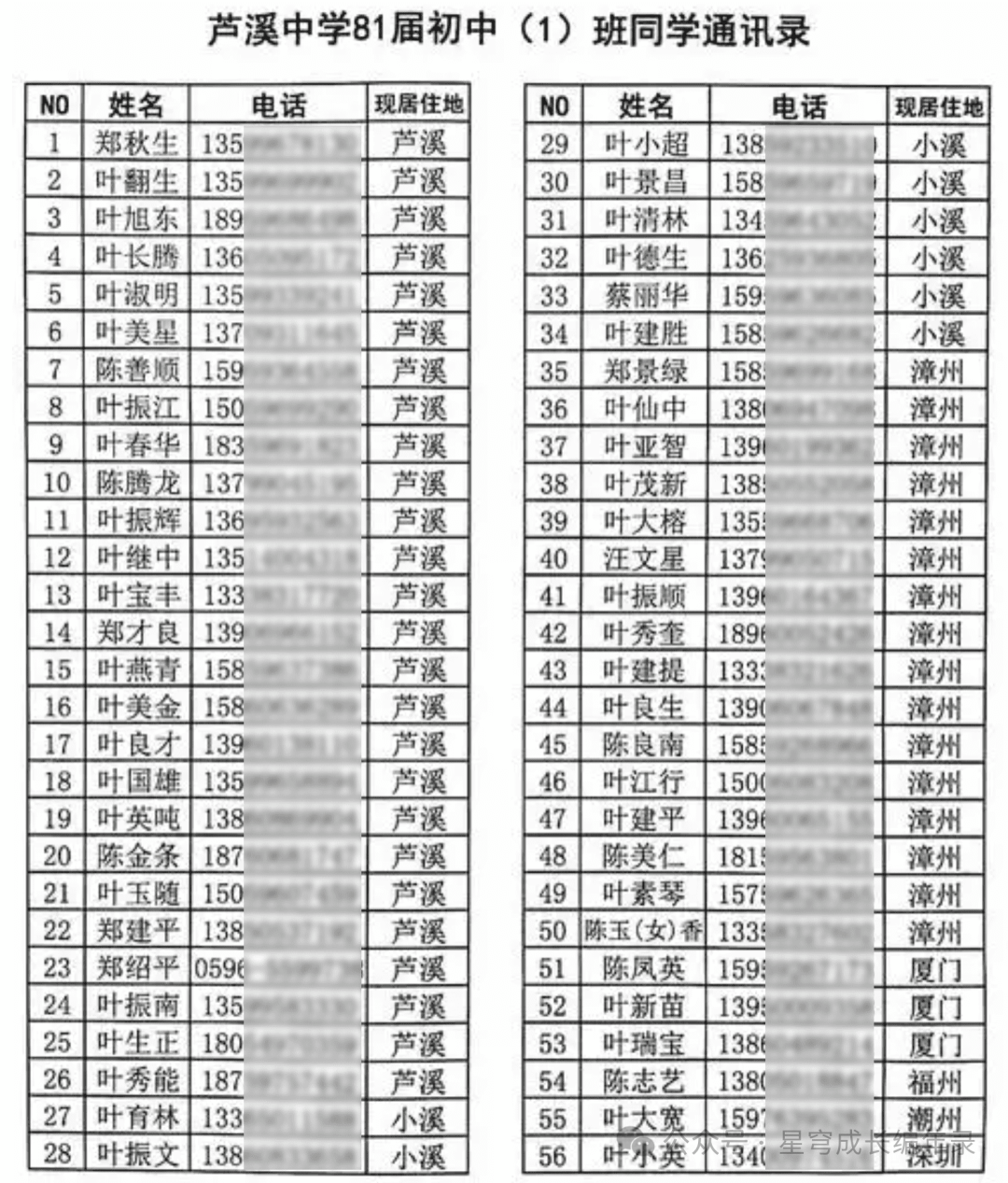
Data Structure is like your contact list, which records each classmate’s name, phone number, address, etc., and how this information is organized and stored.
-
Algorithm is like the steps and methods you use to organize the reunion: how to contact classmates, how to choose a venue, how to arrange activities, etc.
-
Program is the process of combining the contact list and the organization methods to actually execute the work of organizing the reunion.
Without a contact list (data structure), you wouldn’t know who to contact; without an organization method (algorithm), you wouldn’t know how to organize the reunion; only by combining the two can you successfully organize a reunion (achieve the program’s functionality).
What is a Data Structure?
Definition of Data Structure: A data structure refers to the relationships between data elements and the methods for operating on this data. Simply put, it is about how data is stored and organized.
Let’s use a few real-life examples to understand different data structures:
-
Array – Like a row of lockers: Imagine the lockers in a school, each locker has a number (1, 2, 3, …), and each locker can hold one item. An array is like this; it is an ordered collection of data of the same type, where each data element has a position number (index).
For example, if you want to store the grades of all students in a class, you can use an array: grades[1] = 85, grades[2] = 92, grades[3] = 78…. The characteristic of an array is that finding data at a specific position is very fast (you can directly find the locker by its number), but inserting or deleting data in the middle can be cumbersome (you need to move all subsequent data).
-
Linked List – Like a string of candied haws: Candied haws are strung together, with each piece connected to the next by a bamboo stick. A linked list is similar; each data element contains the data itself and a pointer to the next element.
The characteristic of a linked list is that inserting and deleting data is very convenient (you only need to change the pointer’s direction), but finding a specific data element requires starting from the head and searching one by one, just like if you want to eat a specific piece of candied haw, you have to count from the first piece.
-
Stack – Like a stack of plates: Imagine a stack of clean plates in a restaurant, where you can only take the top plate and also only place plates on top. A stack is a data structure that follows the