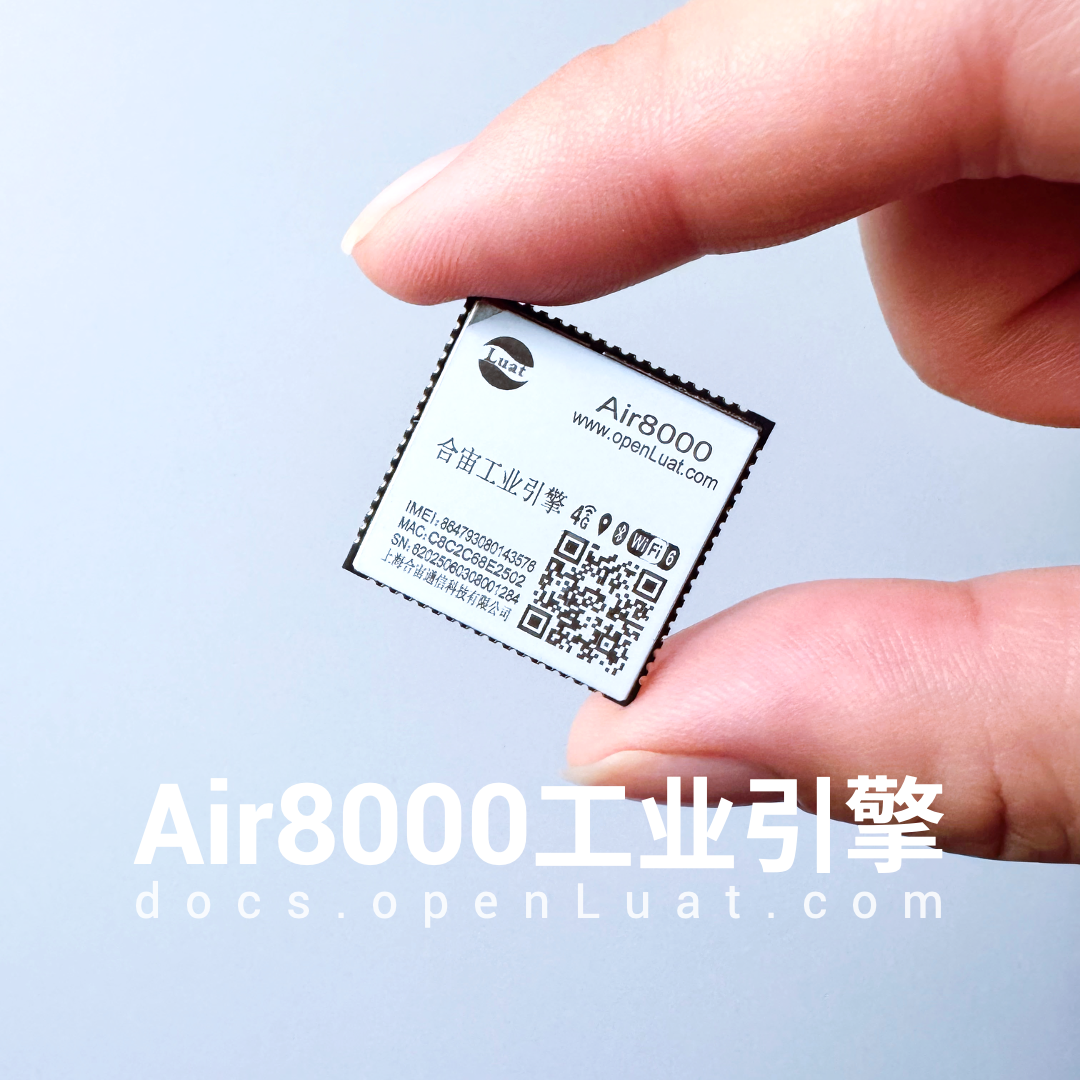
Hezhuo Air8000—— is a high-performance industrial engine that integrates multiple functions including 4G, Wi-Fi, BLE, and GNSS (Global Navigation Satellite System)..
It supports 485/232/Ethernet drivers/multi-network integration/VoLTE calls, providing over 50 programmable I/O ports to meet the continuous communication capabilities and complex peripheral expansion needs of IoT devices in complex industrial scenarios.
Air8000 supports LuatOS secondary development, with a wealth of open-source examples.
This article specifically shares the Bluetooth networking solution:
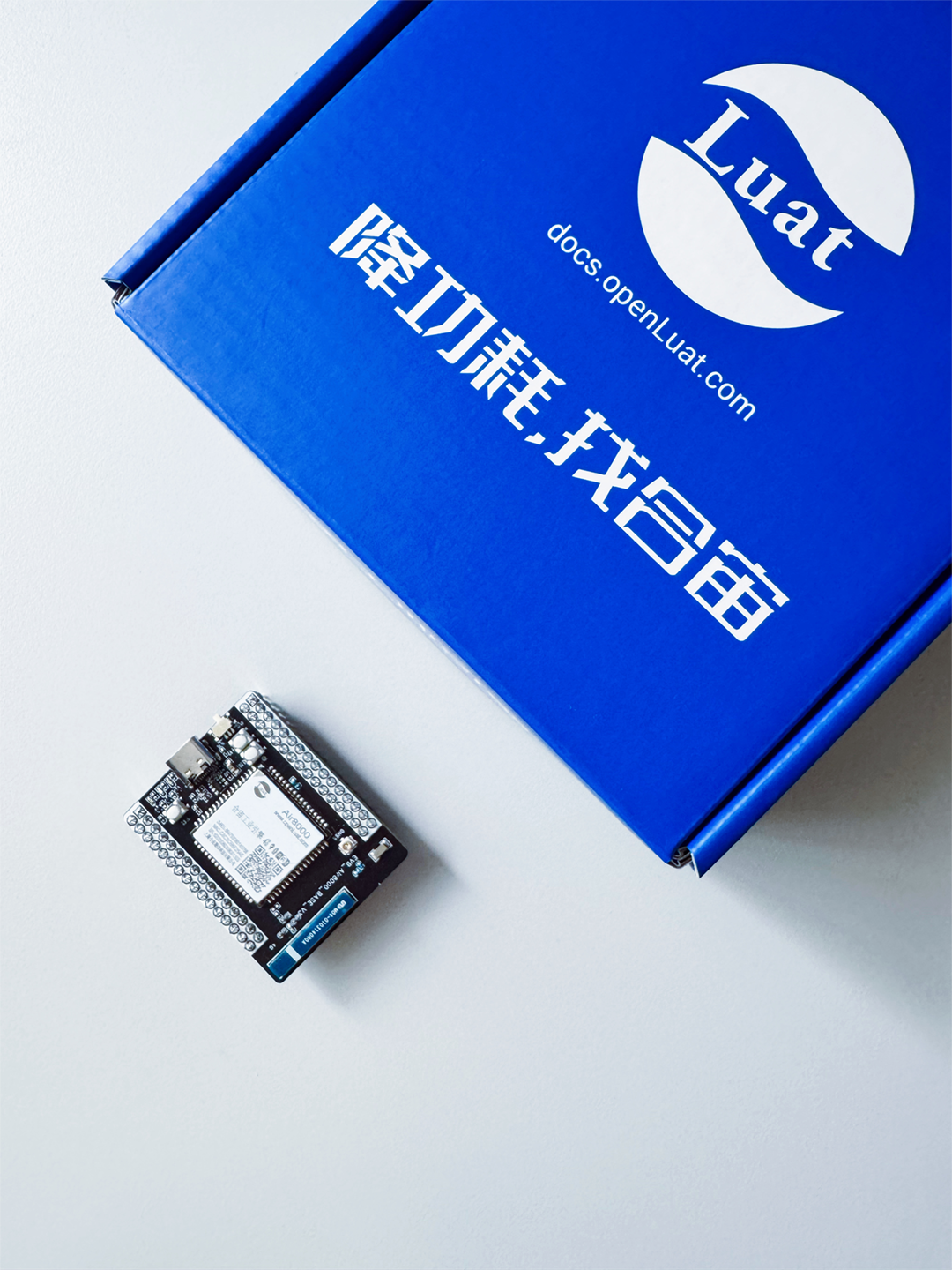
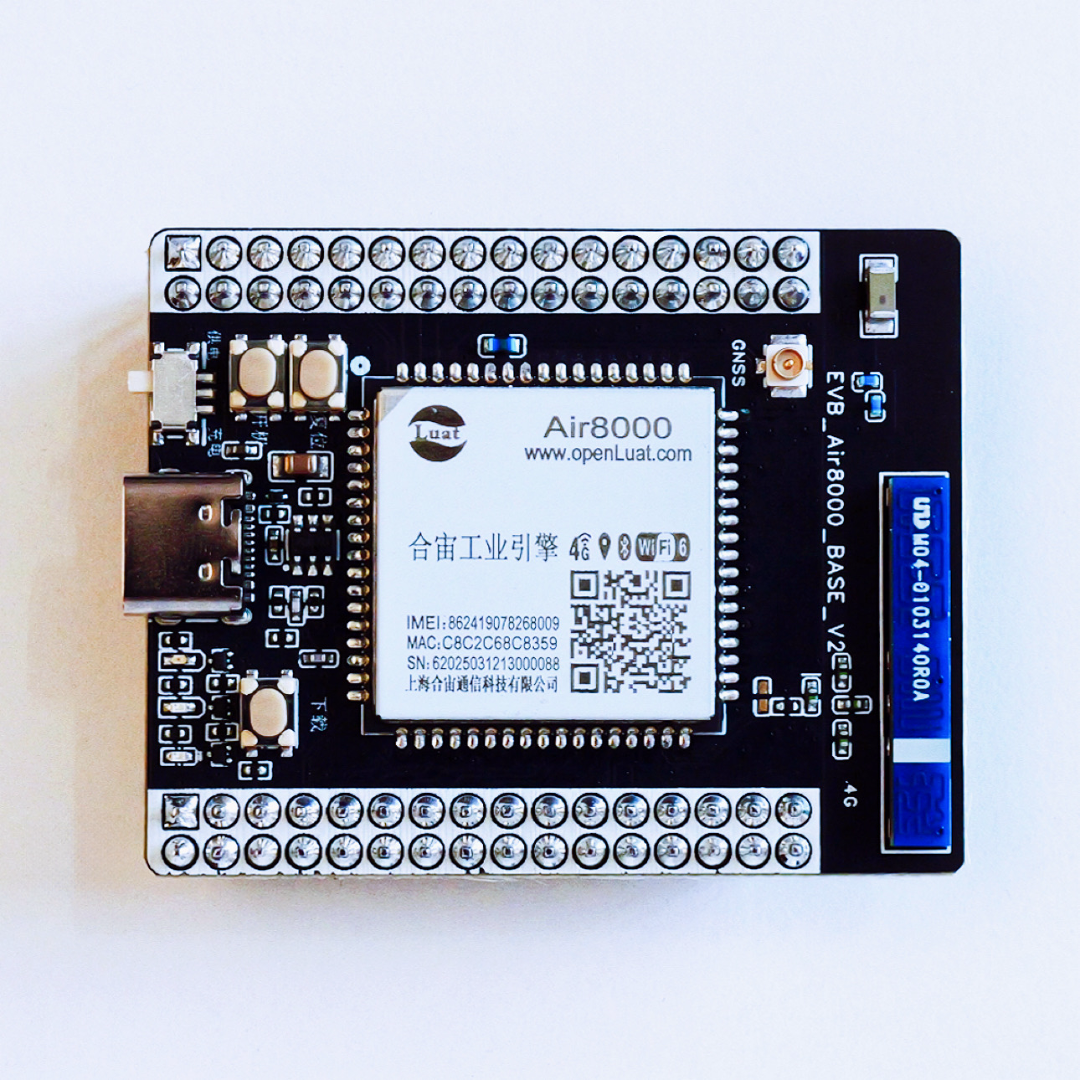
Taking the Air8000 core board as an example, we implement the “STA+SoftAP dual mode BLE networking” function—where the mobile phone sends Wi-Fi account/password or hotspot parameters via BLE, and the Air8000 automatically completes the Station connection or SoftAP creation, verifying network availability.

1
Basic Knowledge of Bluetooth Networking
In simple terms, Bluetooth networking allows the Air8000 to operate in Bluetooth networking mode, where the mobile app connects to the Air8000 via Bluetooth to achieve networking functionality through the app interface.
1.1 What is Bluetooth Networking
Bluetooth networking is a technology that establishes a local secure channel between an unconnected device and a mobile phone using Bluetooth Low Energy (BLE) links, transmitting the Wi-Fi SSID, password, and other network parameters to the device, enabling it to independently completeSTAorSoftAPnetworking.
1.2 Principle of Bluetooth Networking
After powering on, the device enters networking mode, broadcasting a custom networking service UUID as a BLE Peripheral;
The mobile app acts as Central, scanning and establishing a GATT connection, then sending network parameters to the device via encrypted characteristic values.
Upon receiving the parameters, the device enables Wi-Fi and executes the networking process.
1.3 Bluetooth Networking Process
After powering on, the device enters networking mode, broadcasting a custom networking service UUID as a BLE Peripheral;
1) Broadcasting:
The device broadcasts the networking service at fixed intervals, waiting for the mobile phone to connect.
2) Connection:
The mobile app scans → selects the target device → establishes a BLE connection.
3) Select Networking Mode:
In the mobile app interface, select the desired mode; the main differences between the two modes are as follows:
Station Mode:
The device connects directly to the router as a Station, often abbreviated as STA mode in applications.
SoftAP Mode:
The device opens an AP hotspot via 4G for other devices to connect.
2
Example Demo of Bluetooth Networking
The Air8000 application example is continuously updated; this section only displays some key code points. For the complete demo, please refer to the latest files in the source code repository.
-
Latest Source Code/App Download:https://gitee.com/openLuat/LuatOS/tree/master/module/Air8000/demo/config_wifi_network/ble_config_wifi
-
For practical tutorials, see:https://docs.openluat.com/air8000/luatos/app/wifi/ble/
2.1 Initialize Bluetooth and Related Functions
To use Bluetooth networking, you first need to initialize the Bluetooth device and start the espblufi networking function.
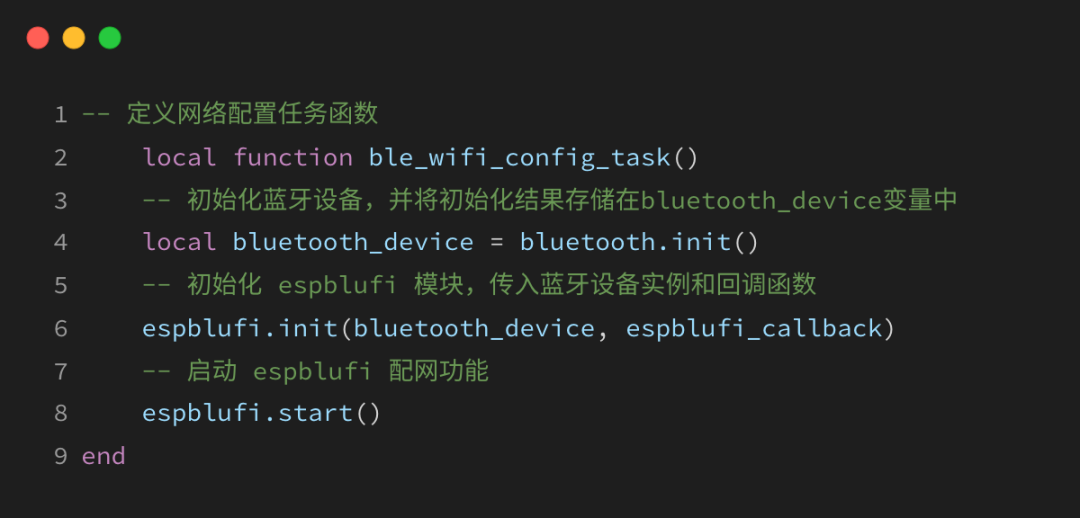
2.2 Define espblufi Callback Functions
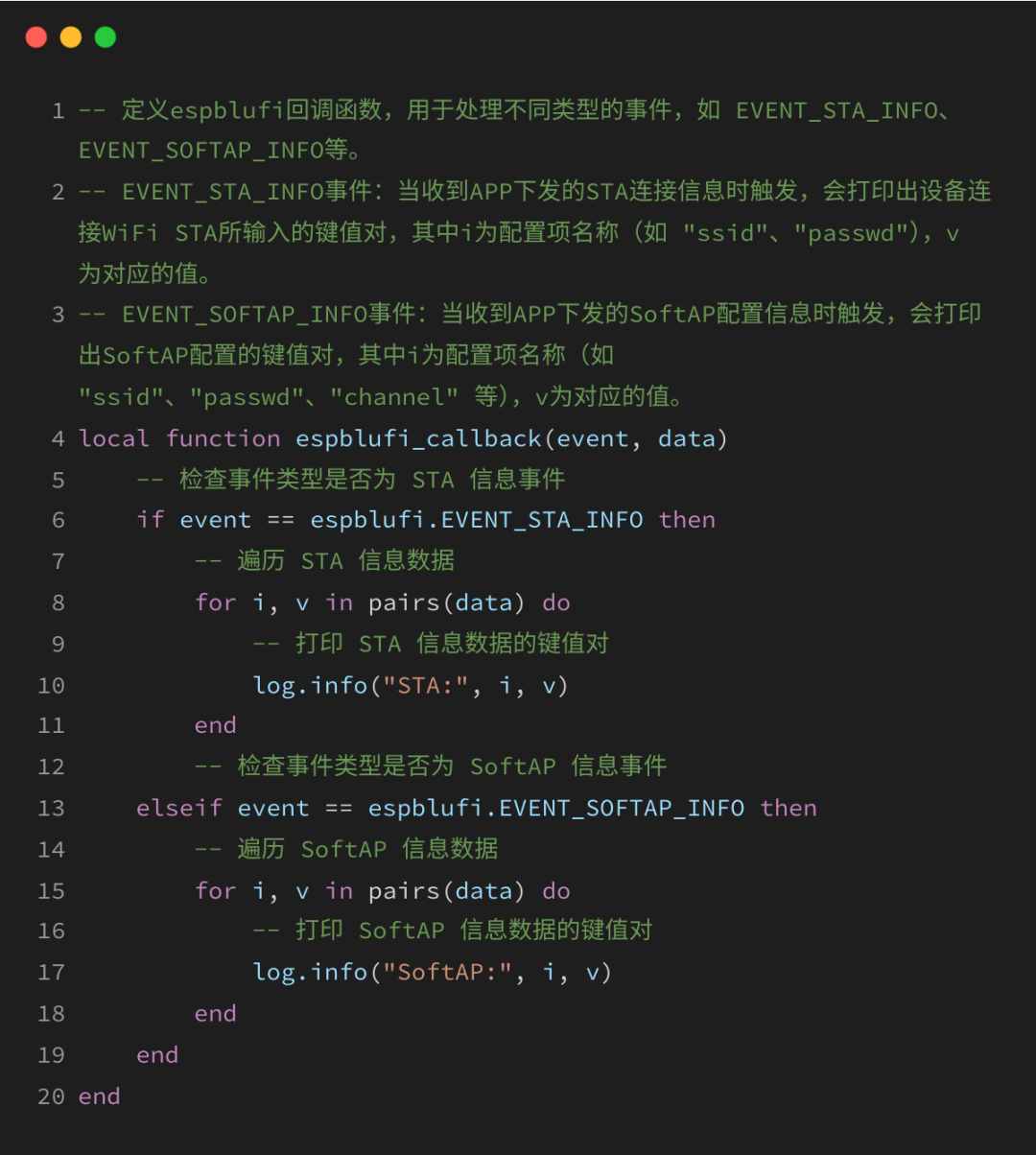
Define espblufi callback functions to handle different types of events.
For example:
EVENT_STA_INFO, EVENT_SOFTAP_INFO, etc.
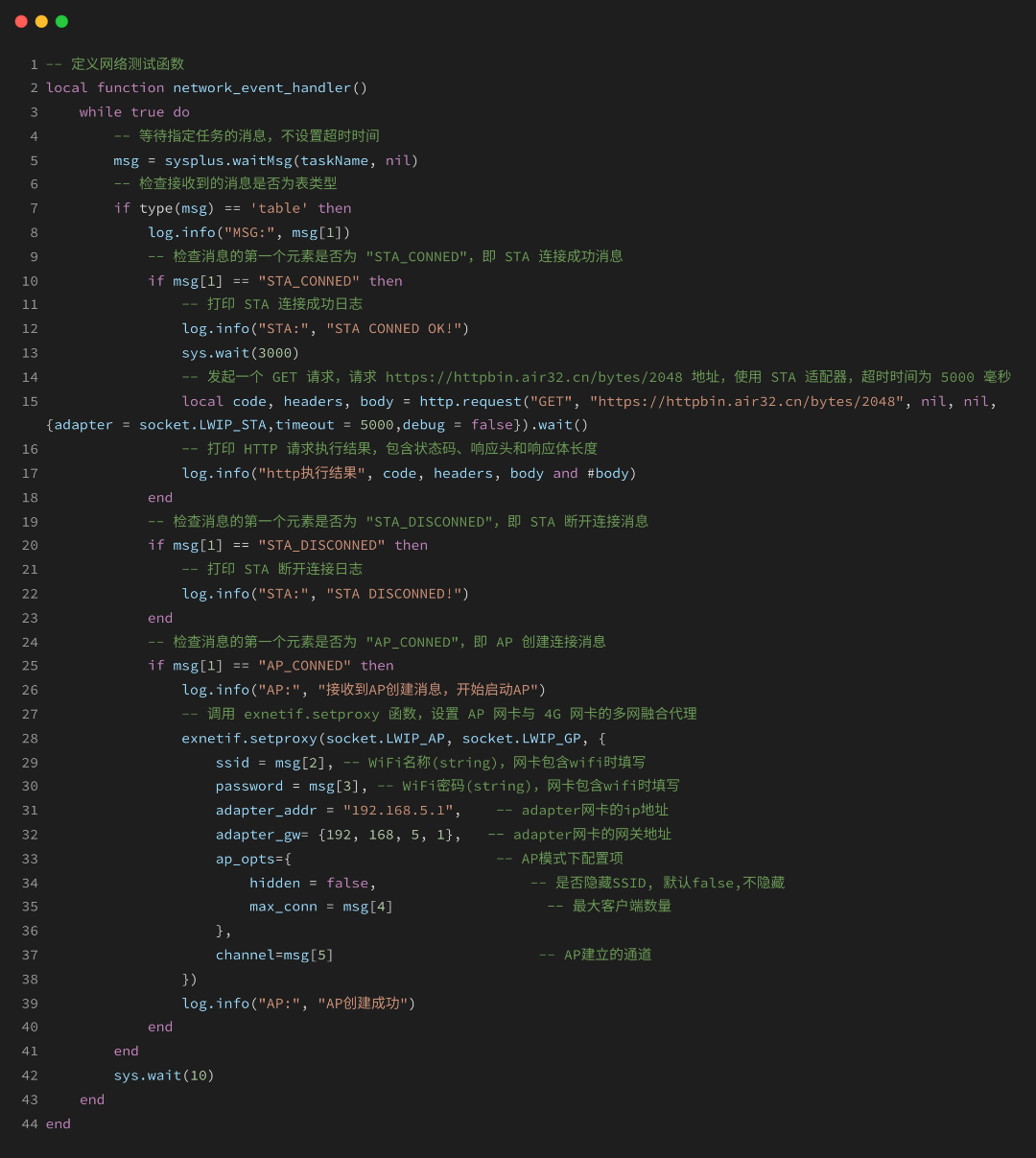
2.3 Define Network Testing Function
This function is used to receive messages such as: “STA_CONNED”, “STA_DISCONNED”, “AP_CONNED” for corresponding logical processing.
3
Key Points of Bluetooth Networking Practice
The following is a demonstration of the networking functions in Station mode and SoftAP mode. New users can refer to the detailed tutorials in the Hezhuo Resource Center:
https://docs.openluat.com/air8000/luatos/app/wifi/ble/
– Station Mode Networking –
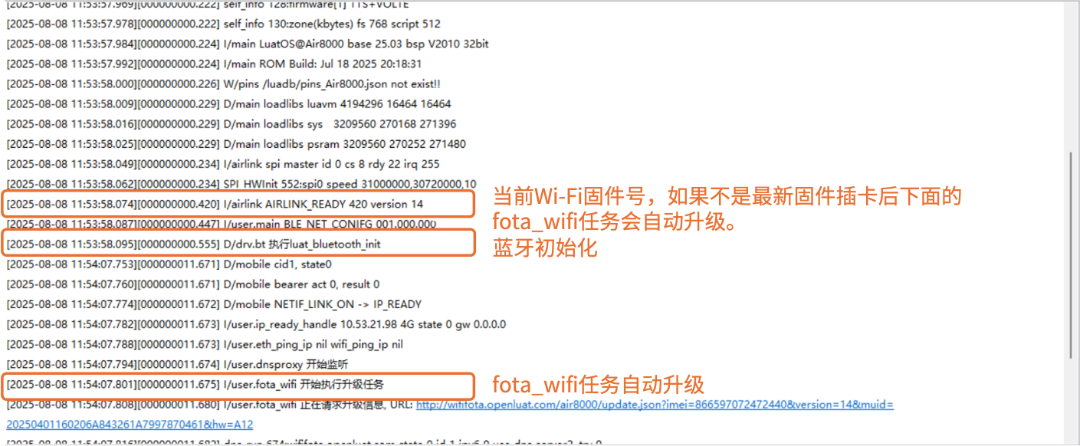
1) First, useLuaTools to flash the firmware and scripts to the core board, power on and check the logs:
2) At this point, open the mobile app, and you should see our device has been scanned (if not, restart the device and refresh the app).
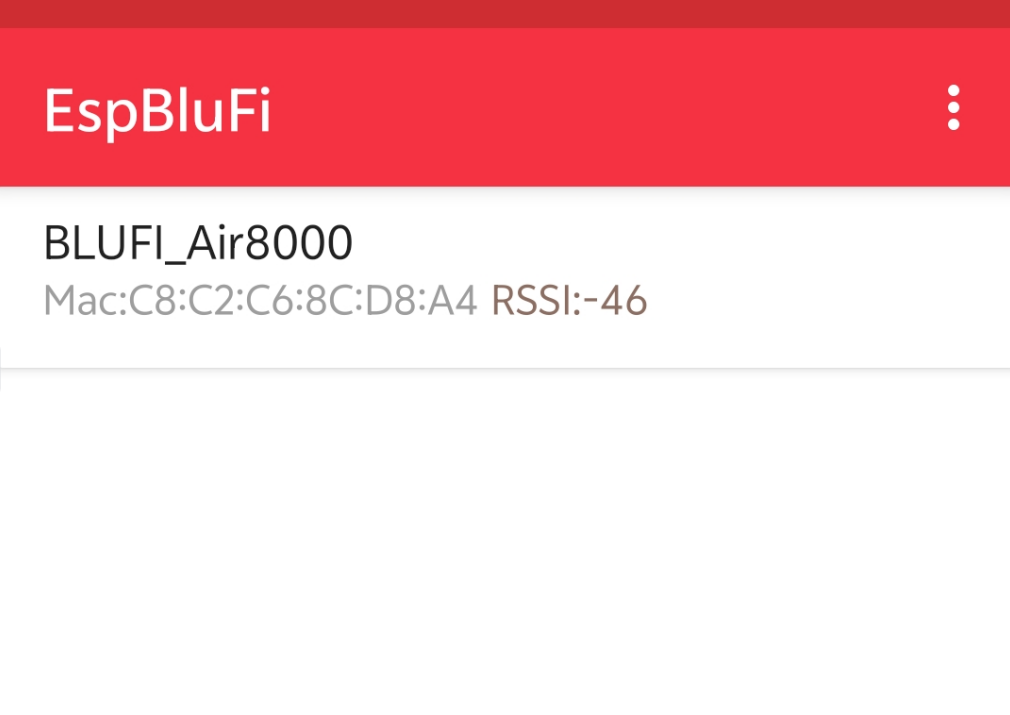
3) Click on our device, enter the networking interface, and click connect to perform the networking operation:
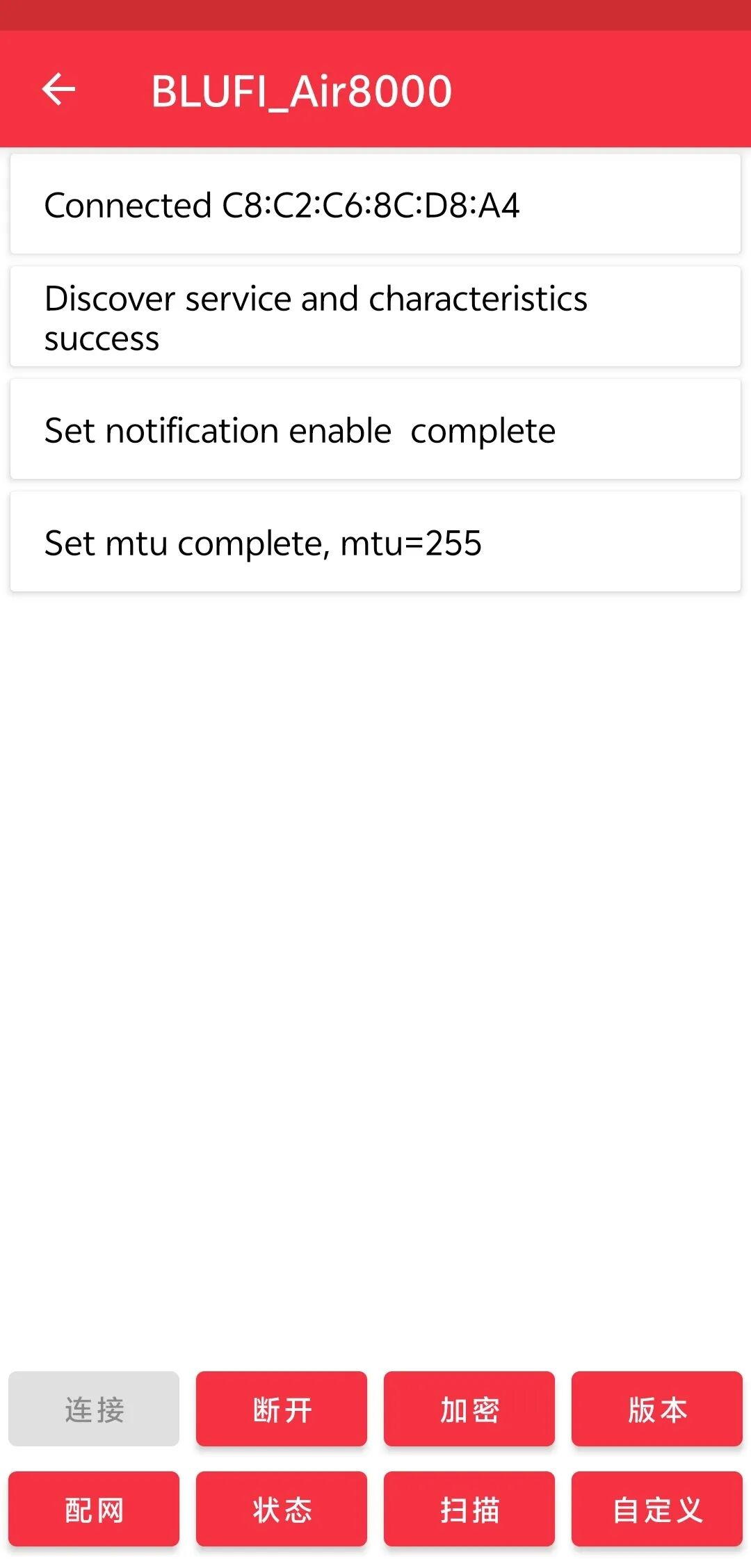
4) Click on networking to perform Station networking mode, select the Wi-Fi to connect, and enter the corresponding password to start the connection.
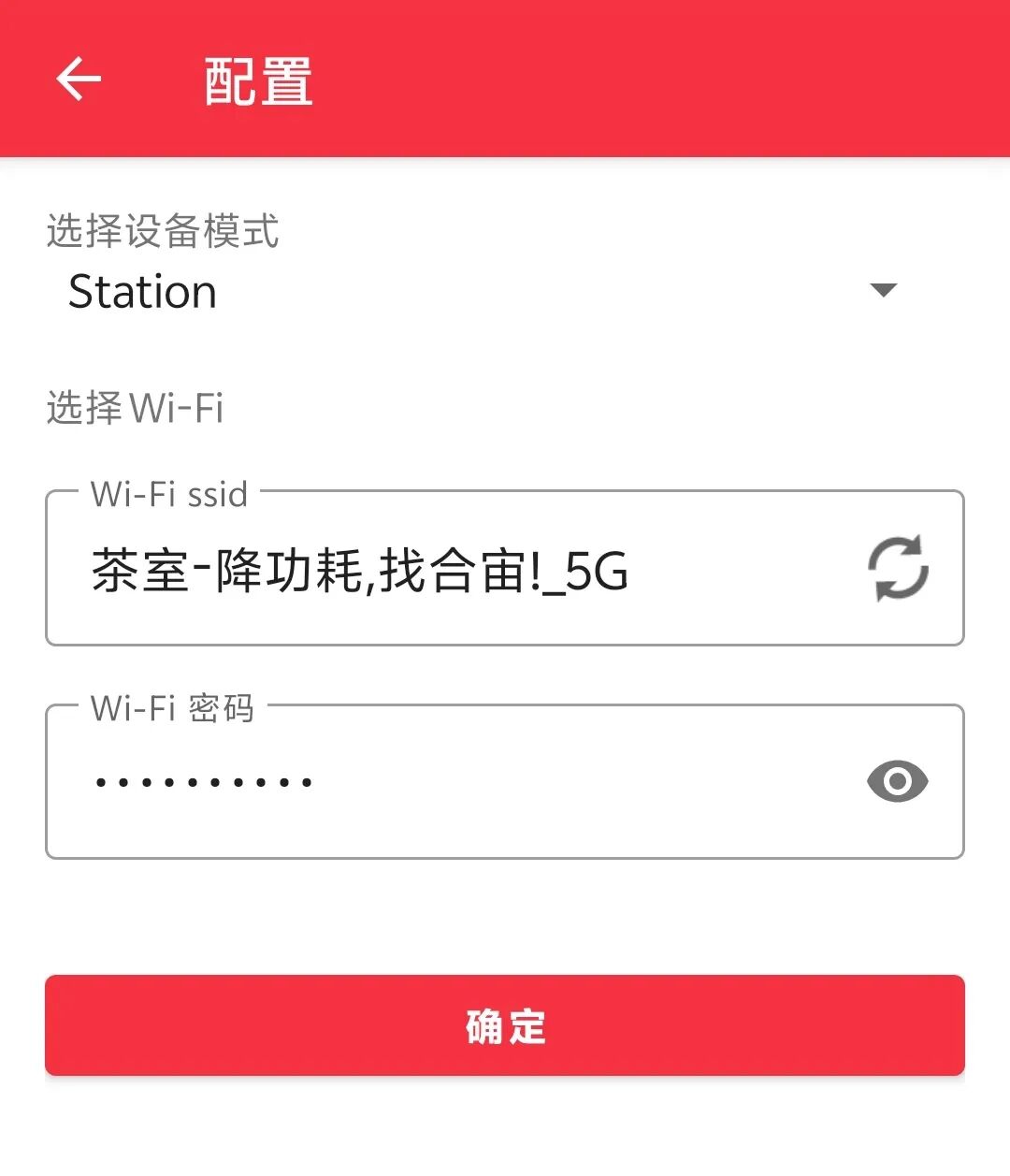
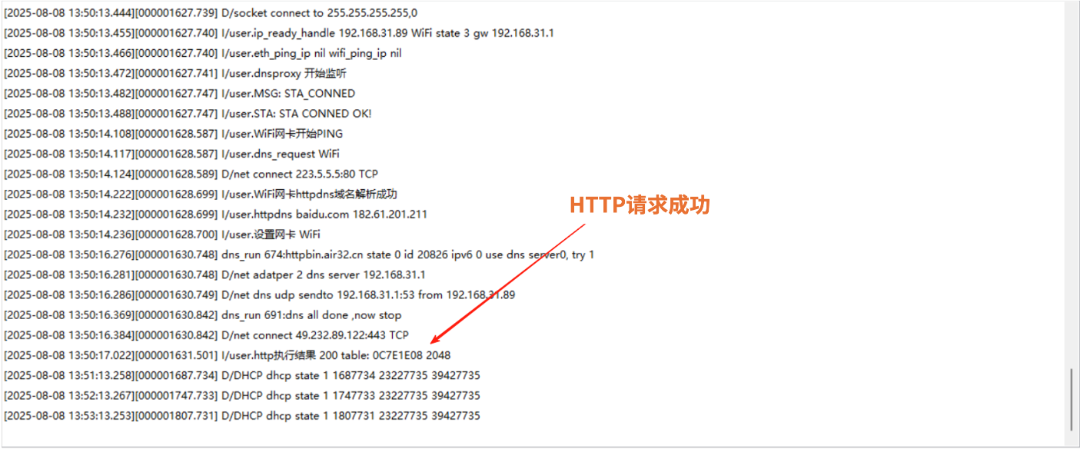
5) At this point, check the logs to see that the STA has successfully connected and performed the HTTP request successfully.

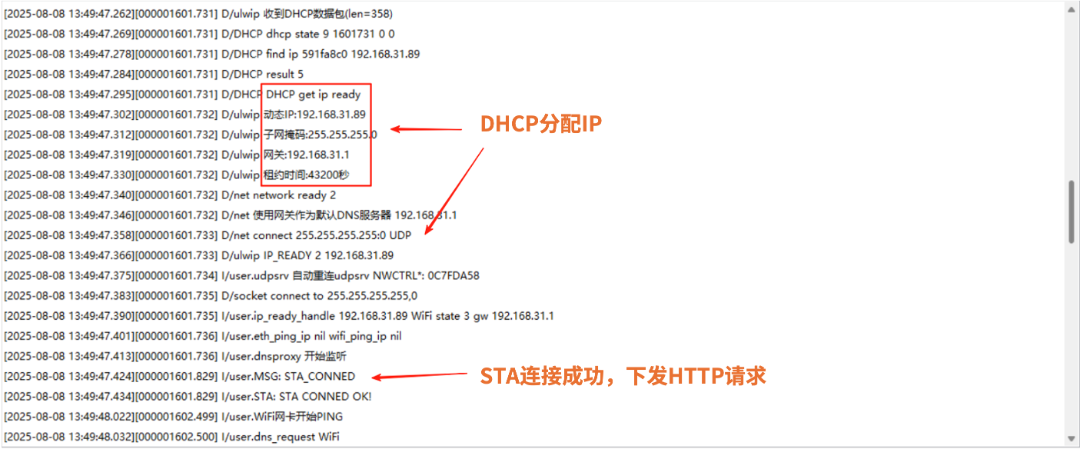
– SoftAP Mode Networking –
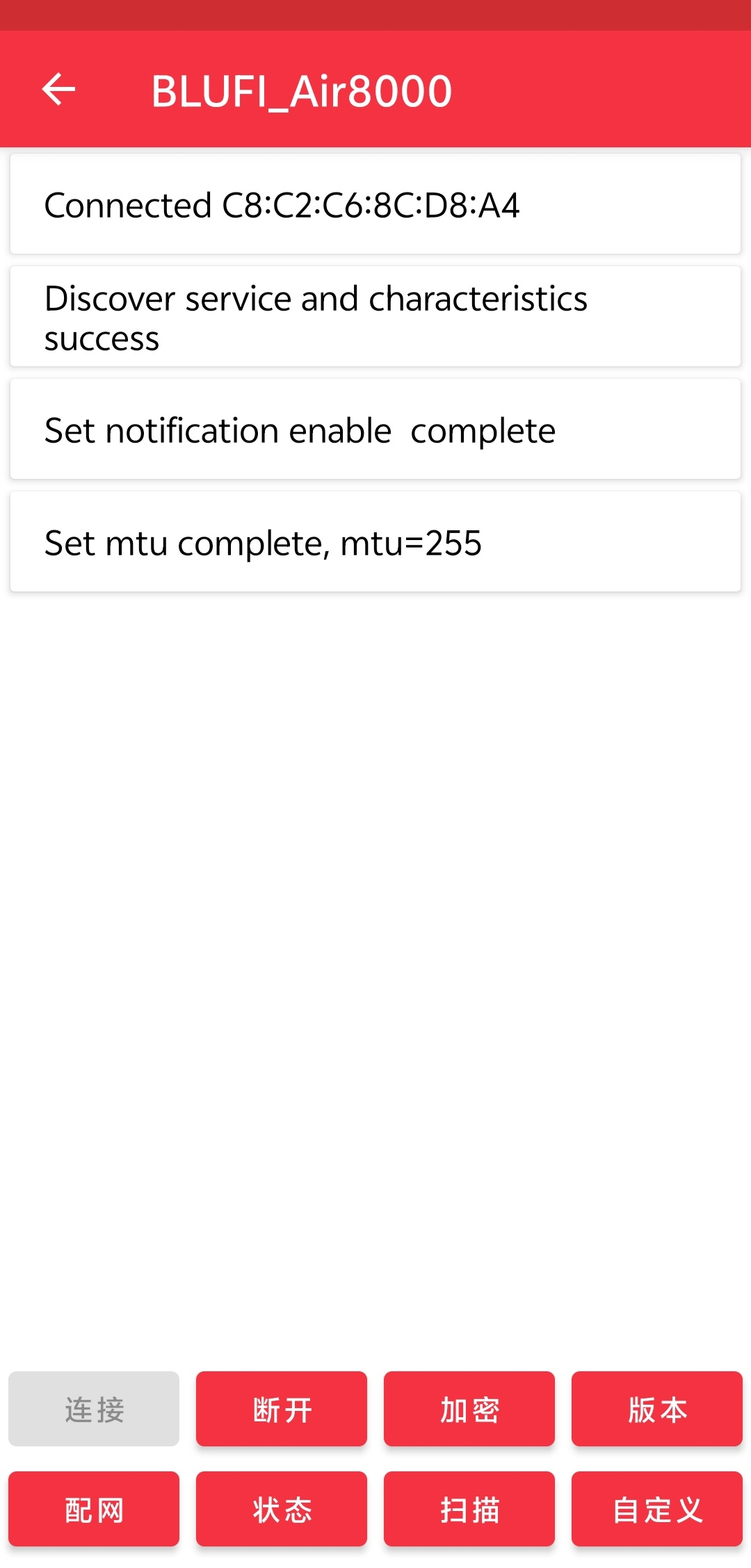
1) First, follow the method ofStation mode to flash, power on, open the app to connect, and enter the networking interface:
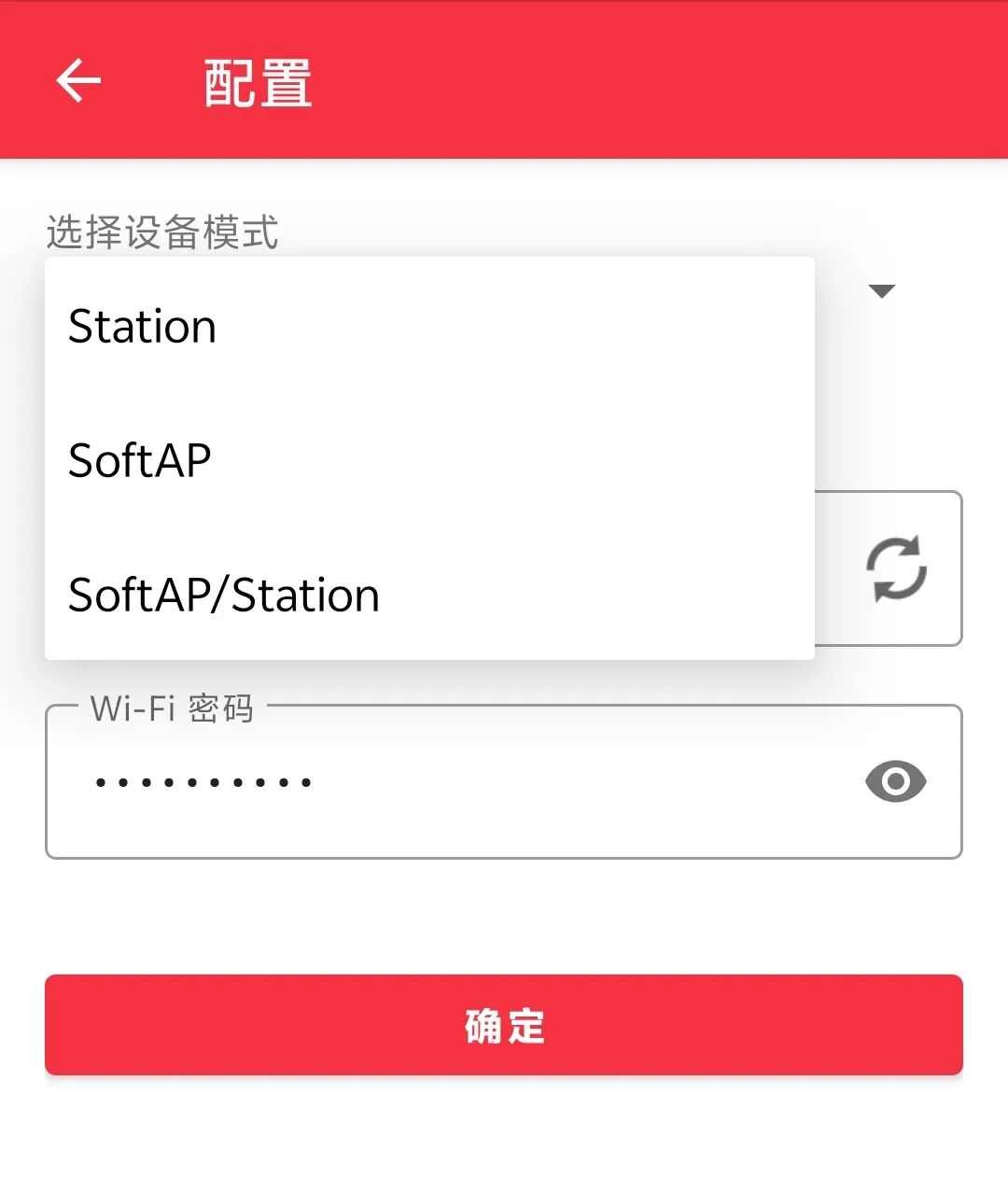
2) At this point, click on networking, select SoftAP mode, and configure the AP hotspot:
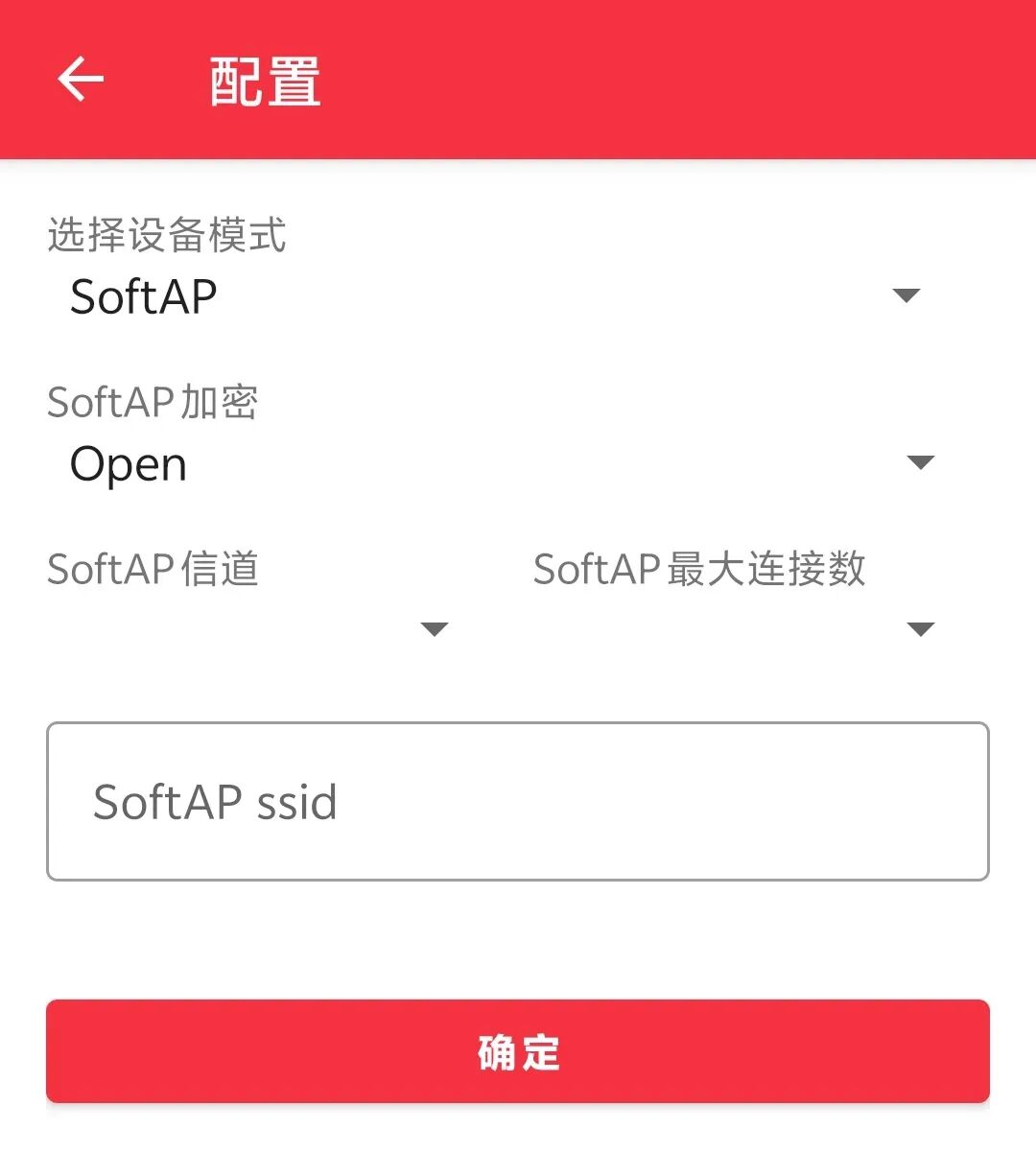
3) Here you can choose the encryption method, channel number, and maximum number of connections, filling in according to your needs:
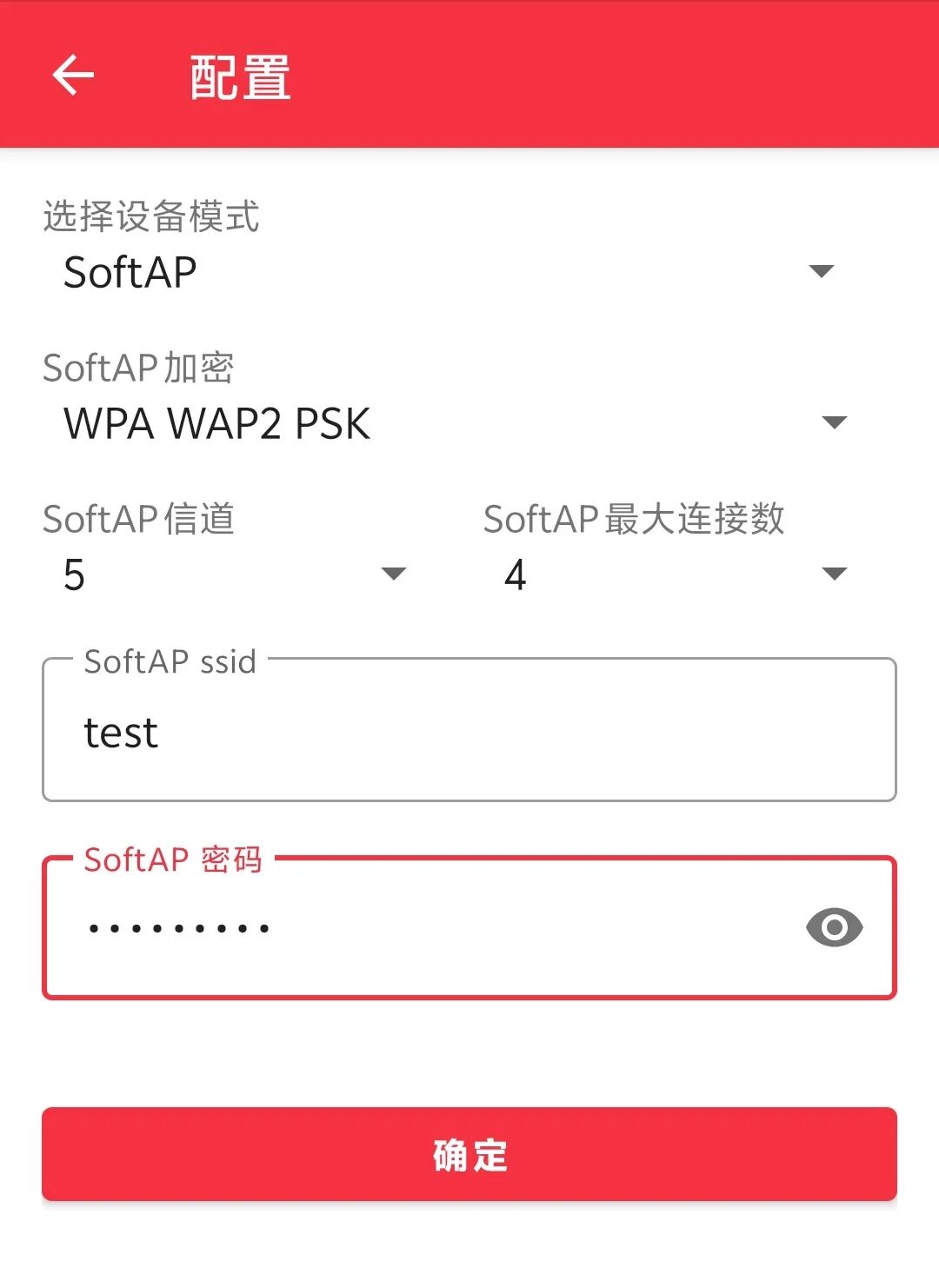
4) After clicking confirm, the AP hotspot will start to be established:
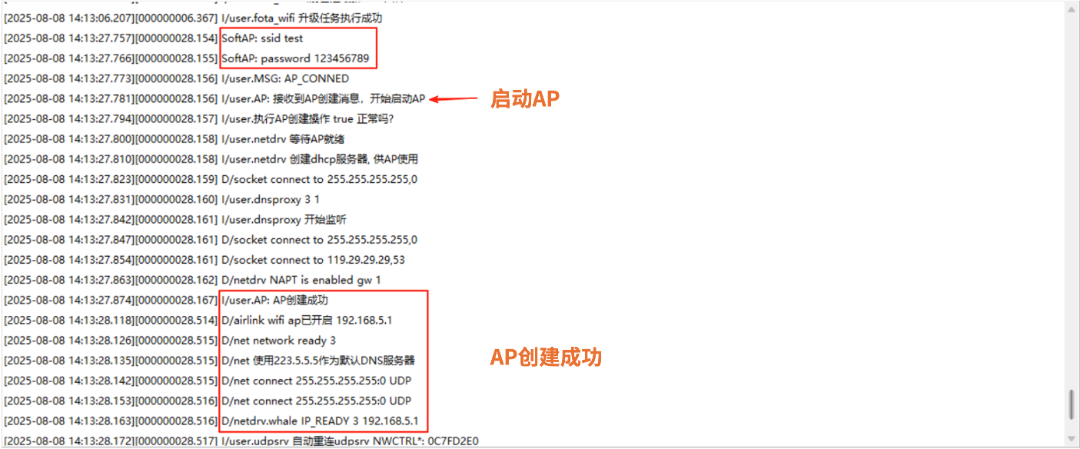
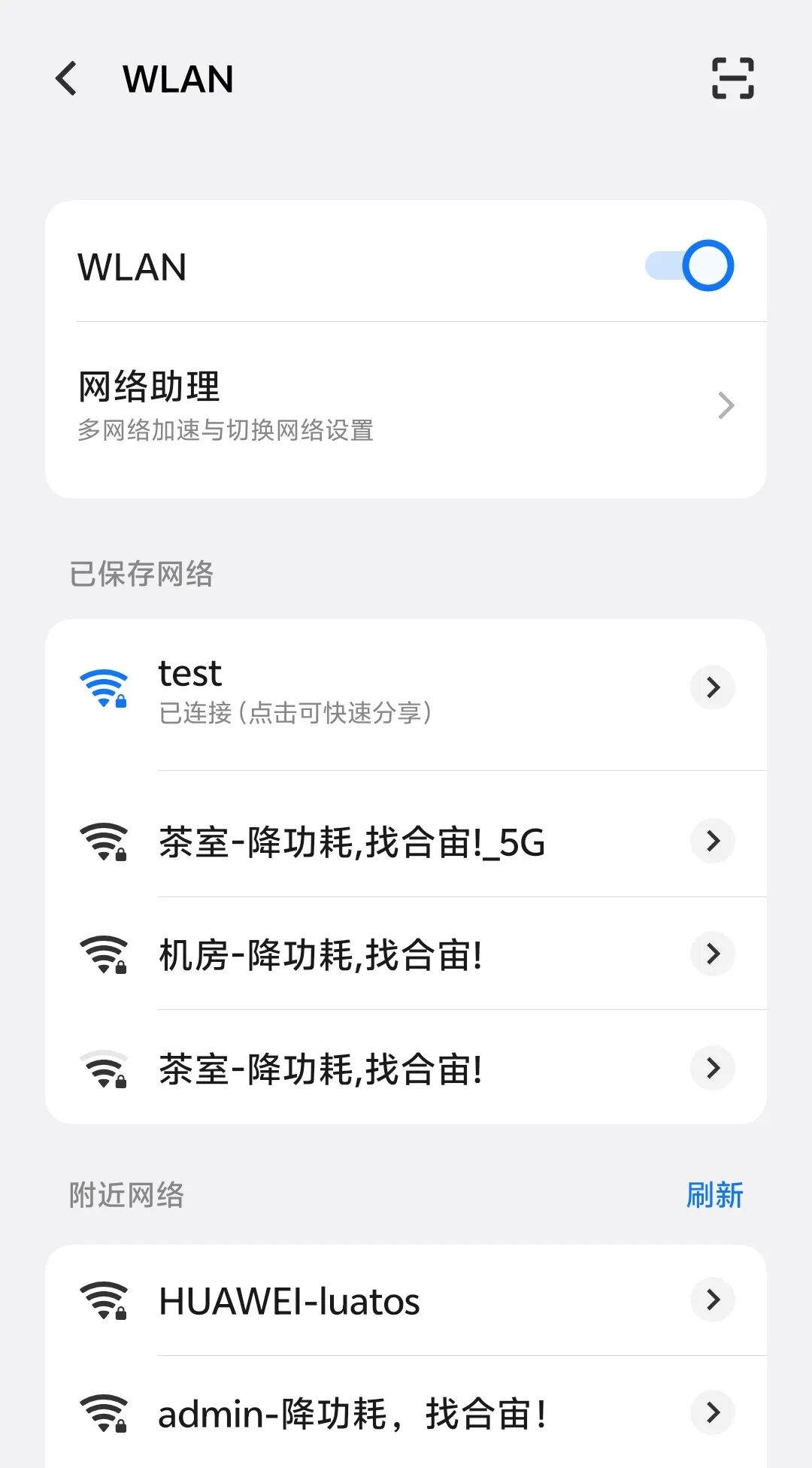
5) At this point, use the device to connect, and once connected successfully, it can be used normally.

That’s all for today’s content~If you have any questions regarding IoT development selection, feel free to join the technical exchange group or contact the person in charge for discussion.

Air8000 has many functions, continuously unlocking:
Bluetooth functionality is open, supporting the latest BLE 5.4 version
Real-time call functionality allows IoT devices to “hear and speak”
Smart power management solutions based on Air8000
G-sensor motion detection function, open-source
SMS functionality: a lifeboat that never sinks in the digital flood
Modbus functionality: supports Modbus RTU/TCP/ASCII
Multi-network integration: [Wi-Fi supply] function example
Multi-network integration: [Ethernet supply] function example
3-second rapid positioning, AGPS function open-source
For more latest development materials, see the Hezhuo Resource Center:
—— docs.openluat.com