↑ Follow + Star, learn new Python skills every day


Reply with "Big Gift" to get your Python self-learning package
In the programming world, Python has become a well-known language. Once, a graduate student majoring in Chinese asked me how to learn Python because they needed to use text analysis in their course paper. I told him that if he studied the syntax for two days, he could get started right away and look up information for anything he didn’t understand. Later, this student managed to process the data for his paper using Python within two weeks.
Thus, the greatest advantage of Python is its ease of learning, with a much lower barrier compared to Java or C++. It provides non-programmers the possibility to work with code. Of course, Python’s popularity as a programming tool is not only due to its ease of learning but also because it has thousands of libraries that span various industries.
Here are over ten common scenarios in office automation where Python can be efficiently applied.
1. Python for Handling Excel Data
You can use packages like pandas, xlwings, and openpyxl to perform CRUD operations and format adjustments on Excel files. You can even use Python functions to analyze Excel data.
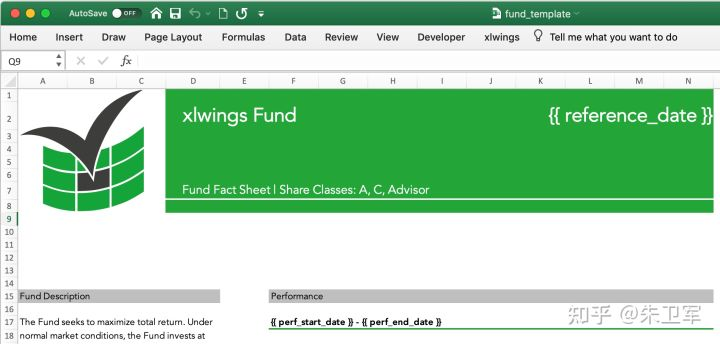
Reading an Excel table
import xlwings as xw
wb = xw.Book()  # this will create a new workbook
wb = xw.Book('FileName.xlsx')  # connect to a file that is open or in the current working directory
wb = xw.Book(r'C:\path\to\file.xlsx')  # on Windows: use raw strings to escape backslashes
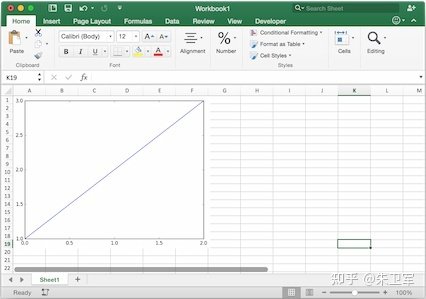
Writing matplotlib plots to an Excel table
import matplotlib.pyplot as plt
import xlwings as xw

fig = plt.figure()
plt.plot([1, 2, 3])

sheet = xw.Book().sheets[0]
sheet.pictures.add(fig, name='MyPlot', update=True)
2. Python for Handling PDF Text
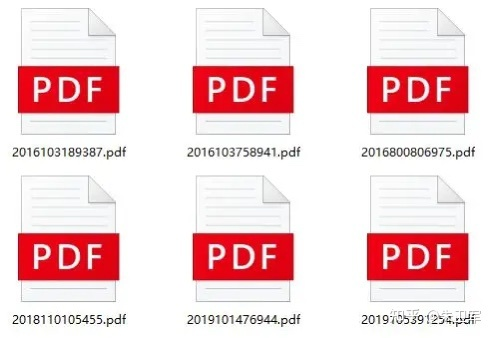
PDF is one of the most common text formats, and many people have various needs for processing PDFs, such as creating PDFs, extracting text, images, and tables. In Python, packages like PyPDF, pdfplumber, ReportLab, and PyMuPDF can easily fulfill these needs.
Extracting text from a PDF
import PyPDF2

pdfFile = open('example.pdf','rb')
pdfReader = PyPDF2.PdfFileReader(pdfFile)
print(pdfReader.numPages)
page = pdfReader.getPage(0)
print(page.extractText())
pdfFile.close()
Extracting tables from a PDF
# Extracting tables from a PDF
import pdfplumber
with pdfplumber.open("example.pdf") as pdf:
    page01 = pdf.pages[0] # specify the page number
    table1 = page01.extract_table() # extract a single table
    # table2 = page01.extract_tables() # extract multiple tables
    print(table1)
3. Python for Handling Emails
In Python, you can use the smtplib along with the email library to automate email transmission, which is very convenient.
import smtplib
import email

# Responsible for assembling multiple objects
from email.mime.multipart import MIMEMultipart
from email.mime.text import MIMEText
from email.header import Header

# SMTP server, using 163 email here
mail_host = "smtp.163.com"
# Sender's email
mail_sender = "******@163.com"
# Email authorization code, note this is not the email password, see the end of this article for how to obtain it
mail_license = "********"
# Recipient's email, can be multiple recipients
mail_receivers = ["******@qq.com","******@outlook.com"]

mm = MIMEMultipart('related')
# Email body content
body_content = "Hello, this is a test email!"
# Construct text, parameter 1: body content, parameter 2: text format, parameter 3: encoding method
message_text = MIMEText(body_content,"plain","utf-8")
# Attach the text object to the MIMEMultipart object
mm.attach(message_text)

# Create SMTP object
stp = smtplib.SMTP()
# Set the sender's email domain and port, port address is 25
stp.connect(mail_host, 25)
# set_debuglevel(1) can print all information exchanged with the SMTP server
stp.set_debuglevel(1)
# Log in to the email, passing parameter 1: email address, parameter 2: email authorization code
stp.login(mail_sender,mail_license)
# Send email, passing parameter 1: sender's email address, parameter 2: recipient's email address, parameter 3: change email content format to str
stp.sendmail(mail_sender, mail_receivers, mm.as_string())
print("Email sent successfully")
# Close SMTP object
stp.quit()
4. Python for Handling Databases
Databases are commonly used in office applications. Python has various database driver interface packages that support CRUD operations and maintenance management tasks for databases. For example, the pymysql package corresponds to MySQL, psycopg2 corresponds to PostgreSQL, pymssql corresponds to SQL Server, cx_Oracle corresponds to Oracle, and PyMongo corresponds to MongoDB.
Connecting and querying MySQL
import pymysql

# Open database connection
db = pymysql.connect(host='localhost',
                     user='testuser',
                     password='test123',
                     database='TESTDB')
# Create a cursor object using cursor() method
cursor = db.cursor()
# Execute SQL query using execute() method
cursor.execute("SELECT VERSION()")
# Fetch a single data entry using fetchone() method.
data = cursor.fetchone()
print ("Database version : %s " % data)
# Close database connection
db.close()
5. Python for Batch File Processing
For many office scenarios, batch processing files has always been a dirty and tiring job, but Python can help you escape this plight. Python has many packages for handling system files, such as sys, os, shutil, glob, and path.py.
Batch delete folders with the same name in different directories
import os,shutil
import sys
import numpy as np

def arrange_file(dir_path0):
  for dirpath,dirnames,filenames in os.walk(dir_path0):
    if 'my_result' in dirpath:
      # print(dirpath)
      shutil.rmtree(dirpath)
Batch rename file extensions
import os

def file_rename():
    path = input("Please enter the directory you want to modify (format like 'F:\\test'): ")
    old_suffix = input('Please enter the suffix you want to change (include a dot):')
    new_suffix = input('Please enter the suffix you want to change to (include a dot):')
    file_list = os.listdir(path)
    for file in file_list:
        old_dir = os.path.join(path, file)
        print('Current file:', file)
        if os.path.isdir(old_dir):
            continue
        if old_suffix != os.path.splitext(file)[1]:
            continue
        filename = os.path.splitext(file)[0]
        new_dir = os.path.join(path, filename + new_suffix)
        os.rename(old_dir, new_dir)

if __name__ == '__main__':
    file_rename()
6. Python for Mouse Control
This is a common need for many people, to achieve automated control of the mouse for tasks like software testing.
Python has a pyautogui library that allows you to control your mouse arbitrarily.
Functions for left/right/double clicks and test source code
# Get mouse position
import pyautogui as pg

try:
    while True:
        x, y = pg.position()
        print(str(x) + " " + str(y))  # Output mouse position

        if 1746 < x < 1800 and 2 < y < 33:
            pg.click() # Left click
        if 1200 < x < 1270 and 600 < y < 620:
            pg.click(button='right') # Right click
        if 1646 < x < 1700 and 2 < y < 33:
            pg.doubleClick() # Left double click

except KeyboardInterrupt:
    print("\n")
7. Python for Keyboard Control
Similarly, Python can also control the keyboard using pyautogui.
Typing text
import pyautogui
# typewrite() cannot input Chinese characters, mixed Chinese and English can only input English
# interval sets the text input speed, default value is 0
pyautogui.typewrite('Hello, world!', interval=0.5)
8. Python for File Compression
File compression is a common operation in the office, usually requiring manual operation with compression software.
Python has many packages that support file compression, allowing you to automate the compression or decompression of local files, or package analysis results in memory. For example, zipfile, zlib, and tarfile can operate on .zip, .rar, .7z, and other compressed file formats.
Compressing files
import zipfile
try:
  with zipfile.ZipFile("c://test.zip", mode="w") as f:
    f.write("c://test.txt")          # Write to the compressed file, will overwrite the original in the compressed file
except Exception as e:
    print("The type of the exception object is:%s" % type(e))
    print("The content of the exception object is:%s" % e)
finally:
    f.close()
Decompressing files
import zipfile
try:
  with zipfile.ZipFile("c://test.zip", mode="a") as f:
     f.extractall("c://", pwd=b"root") ## Extract files to the specified directory, password for extraction is root
except Exception as e:
     print("The type of the exception object is:%s" % type(e))
     print("The content of the exception object is:%s" % e)
finally:
     f.close()
9. Python for Web Scraping
Python web scraping is probably the most popular feature and the main reason many Python enthusiasts get started.
Python has many packages that support web scraping, which can be divided into two types: fetching and parsing.
For example, requests and urllib are data-fetching tools, known as fetching packages; while xpath, re, and bs4 are used for parsing the fetched webpage content, known as parsing packages.
Scraping the logo image from the Baidu homepage and saving it locally
# Import urlopen
from urllib.request import urlopen
# Import BeautifulSoup
from bs4 import BeautifulSoup as bf
# Import urlretrieve function for downloading images
from urllib.request import urlretrieve
# Request to get HTML
html = urlopen("http://www.baidu.com/")
# Parse html using BeautifulSoup
obj = bf(html.read(),'html.parser')
# Extract title from the head and title tags
title = obj.head.title
# Only extract logo image information
logo_pic_info = obj.find_all('img', class_="index-logo-src")
# Extract logo image link
logo_url = "https:" + logo_pic_info[0]['src']
# Use urlretrieve to download the image
urlretrieve(logo_url, 'logo.png')
10. Python for Image and Chart Processing
Image processing and chart visualization involve image processing, which is also a strong point of Python. Nowadays, cutting-edge fields like image recognition and computer vision also use Python.
In Python, packages for image processing include scikit-image, PIL, and OpenCV, while packages for chart processing include matplotlib, plotly, and seaborn.
Converting an image to black and white
from PIL import Image
from PIL import ImageEnhance

img_main = Image.open(u'E:/login1.png')
img_main = img_main.convert('L')
threshold1 = 138
table1 = []
for i in range(256):
  if i < threshold1:
    table1.append(0)
  else:
    table1.append(1)
img_main = img_main.point(table1, "1")
img_main.save(u'E:/login3.png')
Generating statistical charts
import numpy as np
import matplotlib.pyplot as plt

N = 5
menMeans = (20, 35, 30, 35, 27)
womenMeans = (25, 32, 34, 20, 25)
menStd = (2, 3, 4, 1, 2)
womenStd = (3, 5, 2, 3, 3)
ind = np.arange(N)    # the x locations for the groups
width = 0.35       # the width of the bars: can also be len(x) sequence

p1 = plt.bar(ind, menMeans, width, yerr=menStd)
p2 = plt.bar(ind, womenMeans, width,
             bottom=menMeans, yerr=womenStd)

plt.ylabel('Scores')
plt.title('Scores by group and gender')
plt.xticks(ind, ('G1', 'G2', 'G3', 'G4', 'G5'))
plt.yticks(np.arange(0, 81, 10))
plt.legend((p1[0], p2[0]), ('Men', 'Women'))

plt.show()
Conclusion
In conclusion, Python is set to become a widely used programming language, helping more people who need it.
Will computer science become the next civil engineering?
Why can't we produce products like JetBrains in China?