Many readers I encounter are increasingly tired of Windows or MacOS: the annoying ad pop-ups and privacy tracking in Windows, and the exorbitant costs of hardware upgrades in MacOS. Switching to Linux seems like a wise choice. However, Linux sounds sophisticated but often feels like it has a high barrier to entry, especially for beginners. Don’t worry! By 2025, the Linux ecosystem has matured to an impressive level, with many distributions tailored for “switchers” like you.
Today, I will discuss in depth the five Linux distributions most suitable for beginners: Linux Mint, Zorin OS, Ubuntu, Pop!_OS, and MX Linux. These distributions are not only stable and easy to use but also allow for a nearly seamless transition, making the installation and daily operation feel as comfortable as being at home.
Let’s get started!
First, let’s talk about the broader context. In 2025, Windows 10 will officially end support, and the hardware requirements for Windows 11 will block many users. Meanwhile, MacOS updates increasingly rely on the Apple ecosystem, which is costly. At the same time, thanks to the push from the open-source community, Linux has seen a significant leap in hardware compatibility, with many distributions built-in optimizations for NVIDIA and AMD graphics cards, even supporting Steam games and Microsoft Office compatibility tools. The core advantages of Linux are that it is free, secure, and highly customizable—no forced ads, no secret data collection, and it can breathe new life into old computers. According to reports from media like ZDNet, the number of Linux users in 2025 has exceeded 100 million, with beginners accounting for as much as 40%. If you are an office worker, student, or light gamer, these distributions can help you adapt within days, saving you money on a new computer. More importantly, most of them are based on Debian or Ubuntu kernels, ensuring high stability and almost no viruses. Switching to Linux is not a hassle but a liberation of productivity.
Linux Mint
A classic choice, the top pick for Windows users
Linux Mint can be considered the “big brother” of the Linux world. Since its inception in 2006, it has become one of the most downloaded distributions globally. Its founder, French developer Clement Lefebvre, initially aimed to address some pain points of Ubuntu, such as multimedia support and user interface friendliness. By 2025, Linux Mint version 22.1 (based on Ubuntu 24.04 LTS) has been updated to extreme stability, supporting security patches for up to 5 years.
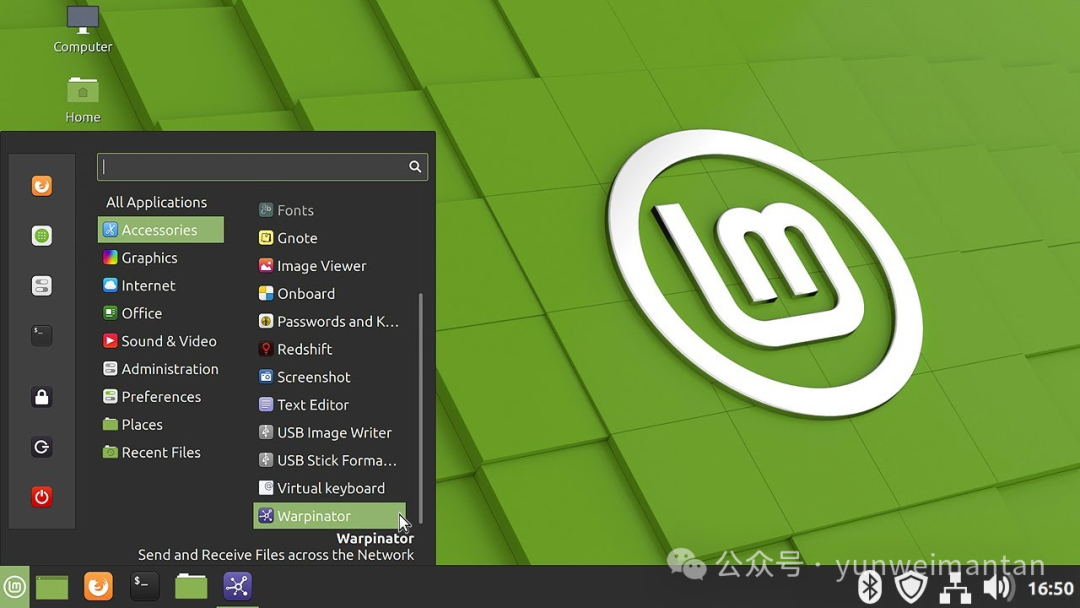
Why is it suitable for beginners? Mint’s design philosophy is “KISS” (Keep It Simple, Stupid), ready to use out of the box without requiring you to fiddle with configurations. The interface uses the Cinnamon desktop environment, resembling a hybrid of Windows 7 and 10: complete with a bottom taskbar, start menu, and system tray. If you switch from Windows, it feels like just changing the skin. Mac users can also simulate a Dock and global menu through custom themes. Hardware support is excellent, automatically recognizing most printers, WiFi, and Bluetooth devices, and even old laptops from 15 years ago can run smoothly.
The installation process is super simple: first, go to the official website (linuxmint.com) to download the ISO file, then use Rufus or Etcher to create a USB boot disk. Insert the USB drive, restart the computer, press F12 or Del to enter BIOS, and select USB boot. Mint supports Live mode, allowing you to try it out without installation, confirming compatibility before clicking the “Install” icon on the desktop. The entire process takes 15-30 minutes and supports dual-booting (keeping Windows), with a GRUB menu at startup for selection. The system requirements are low: 2GB RAM, 20GB hard disk space, and a 1GHz CPU, far below Windows 11.
Software management is a strong point of Mint. It has a built-in Software Manager, similar to an App Store, allowing one-click search and installation of thousands of applications, including the Firefox browser, LibreOffice (perfectly compatible with Word/Excel), GIMP image editor, and VLC player. Are you a gaming enthusiast? Steam and Lutris are pre-installed, supporting over 7000 games. The update mechanism is intelligent, allowing one-click upgrades through the Update Manager, avoiding work interruptions.
The community support is enthusiastic, with the official forum (forums.linuxmint.com) having millions of users, and questions are usually resolved within hours. There are also official tutorial videos and documentation, suitable for beginners. Switching tips: if coming from Windows, remember to back up your data; Mac users should get used to running some exclusive software with Wine. In short, Mint is a “safety net” for switching, and users often say, “Finally free from the bloat of Windows!”
Zorin OS
The master of simulation, zero learning curve for Mac/Windows users
Zorin OS was founded in 2010 by Irish brothers Artyom and Kyrill Zorin, inspired by their desire to make Linux more accessible. By 2025, Zorin OS version 17 has been optimized to support hardware from 15 years ago, with downloads exceeding ten million. Its selling point is “making computers easier to use,” especially targeting users who are transitioning from Windows 10 as support ends.
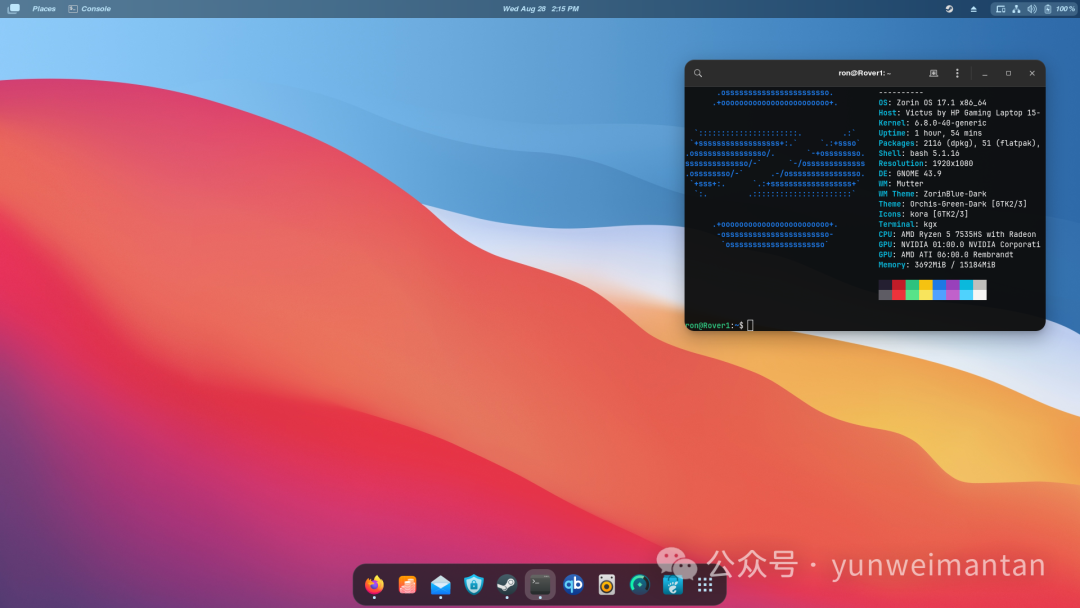
The feature lies in its high customizability: the Zorin Appearance tool allows one-click switching of desktop layouts, simulating Windows 11, macOS Ventura, or classic Ubuntu. Windows users can select the “Windows layout,” while Mac users can choose the “Touch layout” with a Dock, making it instantly familiar. Performance is strong, based on the Ubuntu kernel, immune to viruses, and with strict privacy protection—no data tracking, and it even includes Zorin Connect, which can sync notifications and file transfers with Android phones, making it as convenient as AirDrop.
System requirements: 1GB RAM, 10GB hard disk, modern CPU, suitable for reviving old machines. Installation guide: download the free version from the official website (zorin.com/os) (the Pro version has more themes, about 40 euros), create a USB drive, try it live, then install. It supports dual-booting, and the process takes 10-20 minutes, with automatic partitioning to avoid data loss.
The software ecosystem is rich: it has a built-in Software Store with thousands of apps, including LibreOffice, Spotify, and Netflix support. Windows software? Use the built-in Wine or PlayOnLinux to run .exe files. Game compatibility includes Steam and Epic Games. Updates are supported until 2027, with timely security patches.
The community is active, with help documents and forums on the official website, and user feedback is positive, such as “I switched from Mac and got the hang of it in a day.” Switching tips: Mac users should customize gestures; Windows users should pay attention to file system compatibility (NTFS support). Zorin is the “disguise master,” making your switch seamless.
Ubuntu
The open-source king, balancing stability and innovation
Ubuntu was launched by Canonical in 2004, with a name derived from the African philosophy of “humanity to others.” By 2025, Ubuntu 24.04 LTS (Noble Numbat) is the enterprise standard, supporting multi-cloud environments and AI/ML, but it is also friendly to beginners. With over 50 million users, it is the “people’s favorite” of Linux.
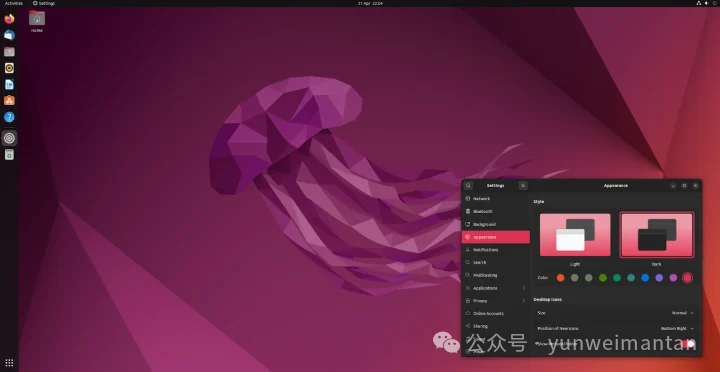
The interface uses the GNOME desktop, which is simple and modern, resembling a mix of MacOS: a top bar, activity overview, and gesture operations. Windows users can install extensions to simulate the taskbar. Hardware support is top-notch, with optimized NVIDIA drivers, suitable for gaming and development.
System requirements: 2GB RAM, 25GB hard disk, 2GHz CPU. Installation: download from the official website (ubuntu.com), boot from USB, and follow the graphical interface step by step, supporting encryption and dual-booting.
Software management uses Snap/Flatpak, allowing one-click installation of Chrome, VS Code, and more. The community is large, with experts answering questions on the Ask Ubuntu forum. Updates last for up to 10 years (Pro version).
Switching tips: if coming from Windows, learn basic terminal commands; Mac users can enjoy similar multi-desktop features. Ubuntu is the “all-rounder,” steadily making its mark.
Pop!_OS
Tech-savvy, suitable for creatives and gamers
Pop!_OS was launched by System76 in 2017, targeting STEM professionals. By 2025, it has introduced the COSMIC desktop, enhancing performance.
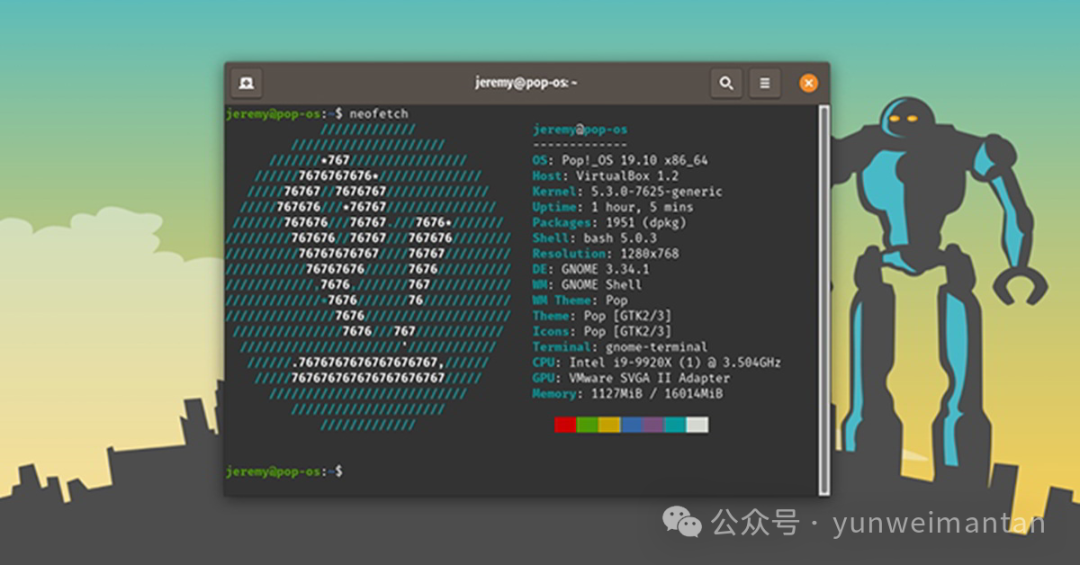
The interface is smooth, with window tiling and Super key navigation similar to Mac’s Spotlight. It supports hybrid graphics switching and game optimization for Steam/Lutris.
System requirements: 4GB RAM, 20GB hard disk. Installation: download from the official website, install via USB, and supports recovery mode.
Software uses APT/Flatpak, with strong customization. The community has Pop! Chat and documentation.
Switching tips: the first choice for Windows gamers; Mac creators enjoy privacy protection. Pop!_OS is the “trendsetter.”
MX Linux
Lightweight and stable, a savior for old machines
MX Linux was born in 2016 from a collaboration between the antiX and MEPIS communities, and by 2025, the MX-23 version is a top choice for mid-range systems.
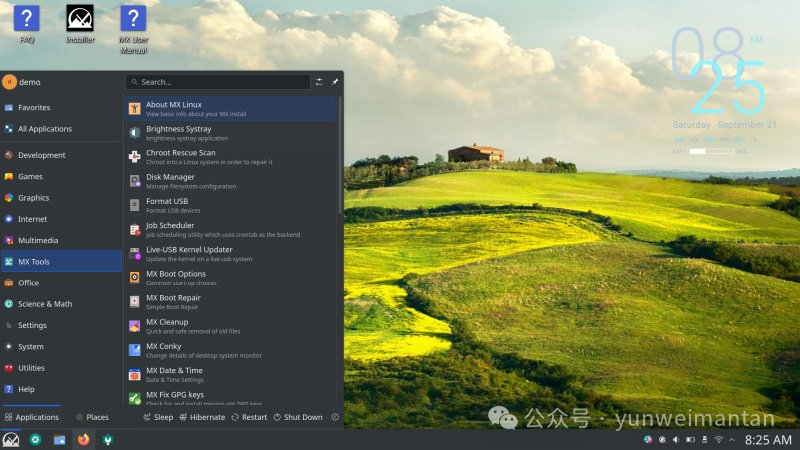
The interface offers options for XFCE/KDE/Fluxbox, resembling classic Windows. MX Tools simplify tasks.
System requirements: 1GB RAM, 15GB hard disk. Installation: Live USB, graphical interface.
Software uses Package Installer, with Flatpak support. The community forum is friendly.
Switching tips: use it on old Windows machines; Mac users will find it lightweight and smooth. MX is a “reliable partner.”
Comparison of the Five Distributions
| Distribution | Interface Similarity (Win/Mac) | System Requirements | Installation Difficulty | Software Ecosystem | Community Support | Suitable Users |
|---|---|---|---|---|---|---|
| Linux Mint | High (Win) | Low | Low | Rich | Strong | Office/Daily |
| Zorin OS | High (Win/Mac) | Low | Low | Rich | Medium | Simulated Switching |
| Ubuntu | Medium (Mac) | Medium | Medium | Most Rich | Strongest | Development/Enterprise |
| Pop!_OS | Medium (Mac) | Medium | Medium | Professional | Medium | Gaming/Creative |
| MX Linux | High (Win) | Lowest | Low | Rich | Strong | Old Machine Users |

Important! Operations and Maintenance Discussion Group is Open to the Public!Scan the code to add the editor’s WeChat,apply to join thegroup ▲ Long press to join the group