1. Before development, it is necessary to set up the development environment for the ST17H36, which requires the installation of four software packages.1.1. Install the compilation tool Nuclei Studio.Download link:https://www.nucleisys.com/download.phpDownload the Nuclei Studio IDE, preferably version 2024.06. After downloading, it will be a compressed file; extract it, ensuring that the extraction path does not contain Chinese characters, spaces, or other special characters, and that the path depth is not too deep.1.2. Install Python.Download link:https://www.python.org/downloads/Install version 3.8 or 3.9. During installation, ensure that the environment variable is added.For detailed installation steps, refer to:https://cloud.tencent.com/developer/article/2107439After installing Python, press win+R, type cmd, and press Enter to open the command prompt. In the terminal, type python –version to check if the installation was successful;In the terminal, type pip install pyyaml and wait for the installation to complete; In the terminal, type pip install GitPython and wait for the installation to complete;
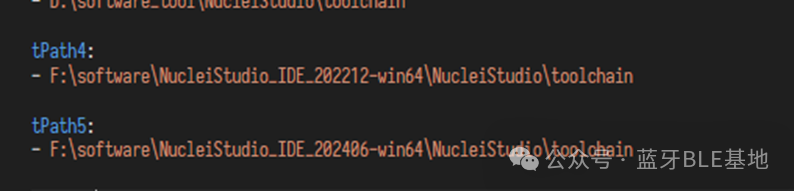
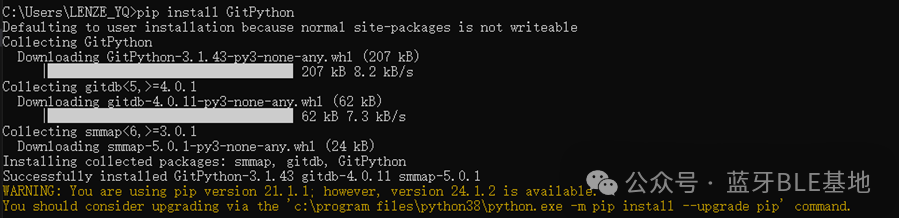 Both of these steps require the computer to be connected to the internet.1.3. Install VS-Code.Download link:https://code.visualstudio.com/DownloadDuring development, use VS Code to edit programs and compile them using commands.1.4. Install Git.Download link:https://git-scm.com/For detailed installation steps:https://zhuanlan.zhihu.com/p/4435275491.5. Modify the configuration file.In the SDK’s _bld_script folder, modify the riscv_make.yml file to set the path for the compilation toolchain according to the actual path;
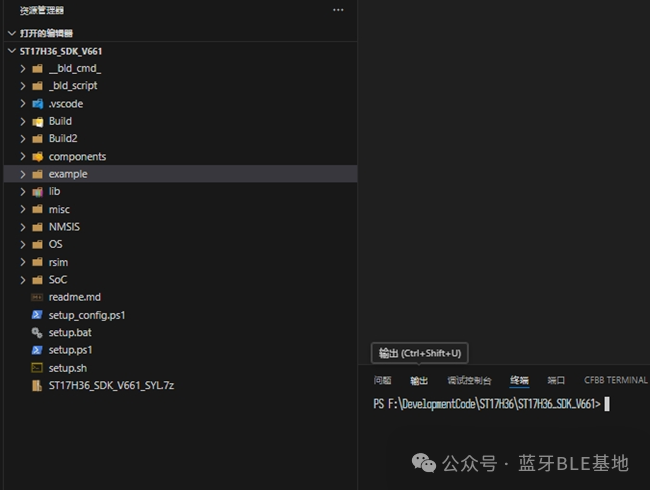
 After completing the above steps, restart the computer.1.6. Download the debugging tool.Download link:https://doc.lenze.club/homeIn ST17H36_ST17H78S-> [04] Development Debugging, download the Lekit tool.2. Project Compilation2.1. Open the SDK folder in VS Code and press Ctrl+~ to open the terminal window;
 2.2. In the terminal, type cd __bld_cmd_ to switch directories.
 2.3. In the terminal, type python .\sdk_build.py -l sdk_build -b and press Enter. This will display the project numbers, project names, and pre-compilation settings.
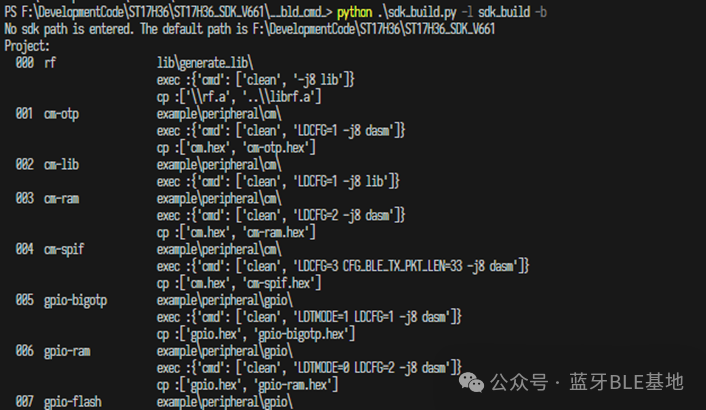 2.4. At the input id: prompt, enter the project number and press Enter to compile the corresponding project. For example, enter 017 to compile the sbp project. After successful compilation, the output file will be in the project folder, named project_name.hex.3. SDK Introduction
- Taking the simple_ble_peripheral project as an example, the project compilation depends on the Makefile file in the current folder, which includes dependency macro definitions and the required source and header file paths;
- The folder contains .ld files for compilation linking, which correspond to three compilation conditions: flash, OTP, and uartrun. Depending on different requirements, select in the Makefile;For example: first use the H36 debugging program, then burn the H78S. Modify the Makefile to disable COMMON_FLAGS += -DDEF_HAS_FLASH, and select the OTP .ld file for LINKER_SCRIPT, then recompile to generate the target file;
- • Errors and Warnings during the compilation process can be located in the _bld.txt file based on the prompts.