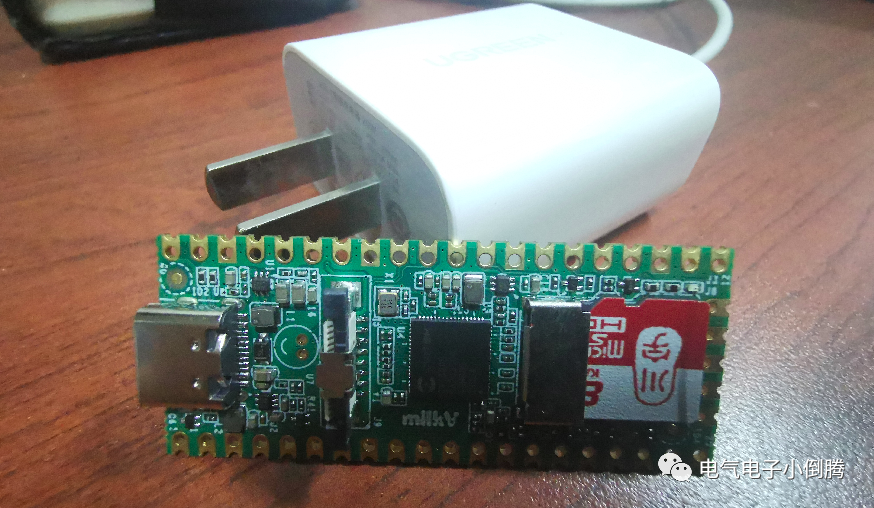
Previously, I ran a ResNet18-based model inference using the classification program provided by Milk-V Duo, but I haven’t delved deeply into how the specific C++ program runs. Here, I found the source code and will briefly analyze the TPU program’s execution process, mainly referencing the official “CVITECK TPU SDK User Guide”.
1. Basic Development Process of RuntimeAccording to the user guide, the main process can be summarized as follows:
- Load Model. Here, it is generally the CV180x corresponding cvimodel model file.
- Preprocessing. Process input data to meet model input requirements.
- Get Input and Output Tensors. The API function used here: CVI_NN_GetInputOutputTensors, to get the input and output tensor arrays and their counts.
- Execute Inference. Use CVI_NN_Forward function.
- Postprocessing. Further process the model inference results to obtain the required information.
2. Source Code Analysis of Runtime Library Usage DetailsHere, I will mainly analyze how to utilize the TPU SDK to implement inference functionality using the official classification source code, which can be downloaded from the computing power FTP server.2.1 First, the header files include the libraries used in the program, focusing on OpenCV and the runtime library, where image processing relies on OpenCV, while inference-related APIs depend on the runtime library.
#include <stdio.h>#include <fstream> // File stream#include <string> #include <numeric>#include <cviruntime.h> // Runtime for CV18 series TPU#include <opencv2/opencv.hpp> // OpenCV library2.2 Definition of Normalization ParametersFor the normalization processing of input image data, parameters such as size, mean, and scale are defined in advance, with specific values related to the adopted model.
#define IMG_RESIZE_DIMS 256,256#define BGR_MEAN 103.94,116.78,123.68#define INPUT_SCALE 0.0172.3 Key Code Analysis of the Main ProgramNext is the content of the main function, where I will extract key code snippets to analyze the usage process of the model file.2.3.1 Create Model Handle and Register Load Model.
CVI_MODEL_HANDLE model = nullptr; // Define model handleint ret = CVI_NN_RegisterModel(model_file, &model);// Register (load) model file to model handleif (CVI_RC_SUCCESS != ret) {printf("CVI_NN_RegisterModel failed, err %d\n", ret);exit(1); } // Check if loading is normal; exit if loading fails.2.3.2 Get Model Input and Output TensorsBefore explaining the code, let’s look at the definitions of CVI_TENSOR and CVI_SHAPE.
CVI_TENSOR contains the tensor’s name, shape (dimensions), format, count, memory size, memory pointer, physical address, input memory type, and quantization conversion scale.
// Definition of tensor is as follows:typedef struct {char *name; // Tensor's nameCVI_SHAPE shape; // Dimension informationCVI_FMT fmt; // Formatsize_t count;size_t mem_size;uint8_t *sys_mem;uint64_t paddr;CVI_MEM_TYPE_E mem_type;float qscale;...} CVI_TENSOR;And the definition of CVI_SHAPE is as follows:
// Definition of tensor dimensions is as follows:#define CVI_DIM_MAX (6)typedef struct {int32_t dim[CVI_DIM_MAX];size_t dim_size;} CVI_SHAPE; // dim[] is sorted in n/channel/h/w orderNow let’s look at the specific code processing process:
// Define input and output tensor pointersCVI_TENSOR *input_tensors;CVI_TENSOR *output_tensors; // Define input and output tensor counts int32_t input_num;int32_t output_num; // Get tensor input and output, mapping the model's input tensors, output tensors, and their sizes to the previously defined variables.CVI_NN_GetInputOutputTensors(model, &input_tensors, &input_num, &output_tensors,&output_num); // Use the default tensor name to get the specific input and output tensors CVI_TENSOR *input = CVI_NN_GetTensorByName(CVI_NN_DEFAULT_TENSOR, input_tensors, input_num); CVI_TENSOR *output = CVI_NN_GetTensorByName(CVI_NN_DEFAULT_TENSOR, output_tensors, output_num); // Get the quantization conversion scale of the input tensorfloat qscale = CVI_NN_TensorQuantScale(input);printf("qscale:%f\n", qscale); // Get the dimensions of the input tensorCVI_SHAPE shape = CVI_NN_TensorShape(input); // nchw; refer to the above definition of CVI_SHAPEint32_t height = shape.dim[2]; // here is heightint32_t width = shape.dim[3]; // here is widthThe above code obtains the input and output of the algorithm model, mainly including the dimensions and quantization coefficients of the input tensor, and defines height and width according to the model requirements for subsequent OpenCV processing.2.3.3 Use OpenCV to Process Input Image DataThe input image for the ResNet network is a 3-channel image of size 244*244. Therefore, it needs to be processed using OpenCV.Read image data:
// Read the image, here is the third parameter input from the command line, i.e., the image file to be inferred. cv::Mat image; image = cv::imread(argv[2]);if (!image.data) {printf("Could not open or find the image\n");return -1; }Image resize and crop processing:
// Resize the image, here default to linear mode. cv::resize(image, image, cv::Size(IMG_RESIZE_DIMS));// According to the model's input size definition, take the local image. cv::Size size = cv::Size(height, width);// Take local image information based on point position and size cv::Rect crop(cv::Point(0.5 * (image.cols - size.width),0.5 * (image.rows - size.height)), size); image = image(crop);Split the image into 3 channels:
// Split the image into 3 single channels according to the model size requirements cv::Mat channels[3]; // Define 3 matrix channelsfor (int i = 0; i < 3; i++) { channels[i] = cv::Mat(height, width, CV_8SC1);// Assign values according to model requirements }// CV_8SC1 8-bit unsigned single-channel matrix// Copy the image data into the input tensor in the order of B G R three channels. cv::split(image, channels);// normalize // Define the mean parameters for the 3 channelsfloat mean[] = {BGR_MEAN}; // Normalize each of the 3 channelsfor (int i = 0; i < 3; ++i) { channels[i].convertTo(channels[i], CV_8SC1, INPUT_SCALE * qscale,-1 * mean[i] * INPUT_SCALE * qscale); // What does the formula represent?? }2.3.4 Load Image Data into the Model and Start Inference Run.
// Fill the image data into the input tensor // Pointer type corresponds to CV_8SC1 int8_t *ptr = (int8_t *)CVI_NN_TensorPtr(input);int channel_size = height * width;for (int i = 0; i < 3; ++i) {// Here, memory copy is used to copy the data into the input tensor in the order of B G R.memcpy(ptr + i * channel_size, channels[i].data, channel_size); }// Run inference CVI_NN_Forward(model, input_tensors, input_num, output_tensors, output_num);printf("CVI_NN_Forward succeeded\n");2.3.5 Process the Results of Inference Run.
The processing includes:
-
Define a labels vector, read the dictionary file, and map each line of data in the dictionary to labels.
-
Obtain the pointer and count of the output tensor.
-
Define an idx index to sort the classification values output by the model.
-
Filter results based on the defined top_num and print the corresponding parameters, indices, and contents.
Specific code comments are as follows:
// Output resultstd::vector<std::string> labels; // Define a labels vectorstd::ifstream file(argv[3]); // Define the dictionary locationif (!file) {printf("Didn't find synset_words file\n");exit(1); } else {std::string line;while (std::getline(file, line)) { // Look for corresponding lines in the file and fill them into the label vector labels.push_back(std::string(line)); } }int32_t top_num = 5; // Get the pointer of the model outputfloat *prob = (float *)CVI_NN_TensorPtr(output);// Get the number of model outputsint32_t count = CVI_NN_TensorCount(output);// Find top-k prob and clsstd::vector<size_t> idx(count); // Define an indexstd::iota(idx.begin(), idx.end(), 0); // Fill the index with 0??// Sort the contents pointed by prob? Stored in idx?std::sort(idx.begin(), idx.end(), [&prob](size_t idx_0, size_t idx_1) {return prob[idx_0] > prob[idx_1];});// Show results.printf("------\n");// Get the top 5 idx one by onefor (size_t i = 0; i < top_num; i++) {int top_k_idx = idx[i]; // Read the index stored in idxprintf(" %f, idx %d", prob[top_k_idx], top_k_idx); // Print related information and indexif (!labels.empty())printf(", %s", labels[top_k_idx].c_str()); // Print the information in the label corresponding to the txtprintf("\n"); }printf("------\n"); CVI_NN_CleanupModel(model); // Close the model and clean up memory...printf("CVI_NN_CleanupModel succeeded\n");return 0;The above code uses the C++ vector to process the matrix data output from the model inference.
Thus, the code analysis is complete. This is a simple classification model code analysis, and the output results only show the top 5 classifications with the highest probability. In contrast, recognition algorithms like YOLO involve more complex output processing, including bounding boxes, so interested friends can analyze them patiently.
3. Usage of Runtime and Program Compilation
3.1 Through the above analysis, we have a general understanding of the algorithm model usage process on CV1800x. In fact, we can completely train our own model, modify the input and output related code, process the images appropriately, and then copy the image data to the model for inference, thus completing the programming of our personal model.
For example, a personally trained waste classification model, and then compile the C++ program to try to run.
3.2 TPU Runtime program compilation can refer to the official compilation tutorial, noting that the environment variables for TPU_SDK and cross-compilation tools need to be set, and also pay attention to the version number of cmake to ensure successful compilation. The main compilation commands are as follows:
cd cvitek_tpu_samplesmkdir build_soccd build_soccmake -G Ninja \ -DCMAKE_BUILD_TYPE=RELEASE \ -DCMAKE_C_FLAGS_RELEASE=-O3 \ -DCMAKE_CXX_FLAGS_RELEASE=-O3 \ -DCMAKE_TOOLCHAIN_FILE=$TPU_SDK_PATH/cmake/toolchain-riscv64-linux-musl-x86_64.cmake \ -DTPU_SDK_PATH=$TPU_SDK_PATH \ -DOPENCV_PATH=$TPU_SDK_PATH/opencv \ -DCMAKE_INSTALL_PREFIX=../install_samples \ ..cmake --build . --target installThat’s all for today’s sharing. If there are any mistakes, please point them out. Thank you! Feel free to like and bookmark!