This design includes Proteus simulation + program + design report + explanatory video.
1. Development Environment



Simulation Diagram: Proteus 8.17 (lower versions available)
Compiler: Keil 4/Keil 5
Programming Language: C
Design Number: P24
2. Main Functions



Design of the Snake Game based on the 51 microcontroller.
1. An 8×8 dot matrix is used as the display device for the Snake game;
2. The snake will grow longer after eating food;
3. The game will restart if the snake hits a wall or collides with itself;
4. Independent keys are used to control the direction of the snake’s movement;
5. Function verification needs to be implemented in Proteus software and the Puzhong 51 development board.
Main Hardware: 51 Microcontroller, 8×8 Dot Matrix, Independent Keys
(Currently fully compatible only with Puzhong 51 Experiment Board 234; other Puzhong development board models require wiring)
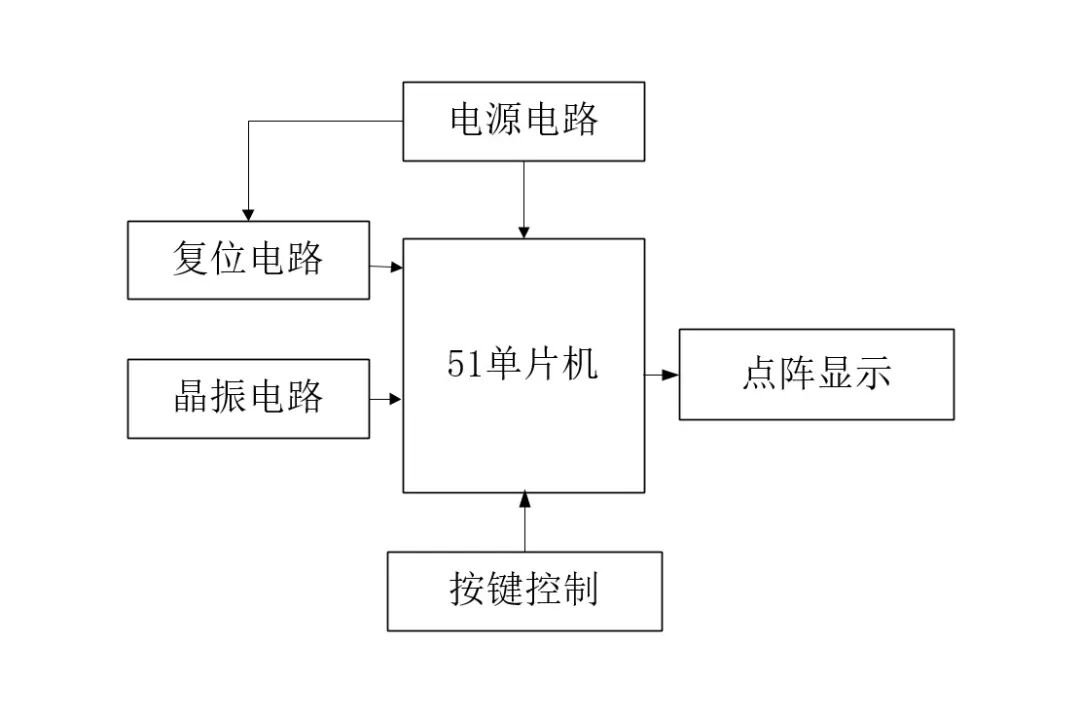
Note that the microcontroller chip in the simulation is compatible; AT89C51 and AT89C52 are specific models of the 51 microcontroller, with the same core. In the same schematic, whether STC or AT, the pin functions are the same, and the programs are compatible. Chips can be replaced with STC89C52/STC89C51/AT89C52/AT89C51 and other 51 microcontroller chips.
Download Link for Materials:
Download link for P series microcontroller design (copy to browser to open)
https://docs.qq.com/doc/DS2pPenNRaHB6SlR1

The following are the design material display images:
3. Physical Images:



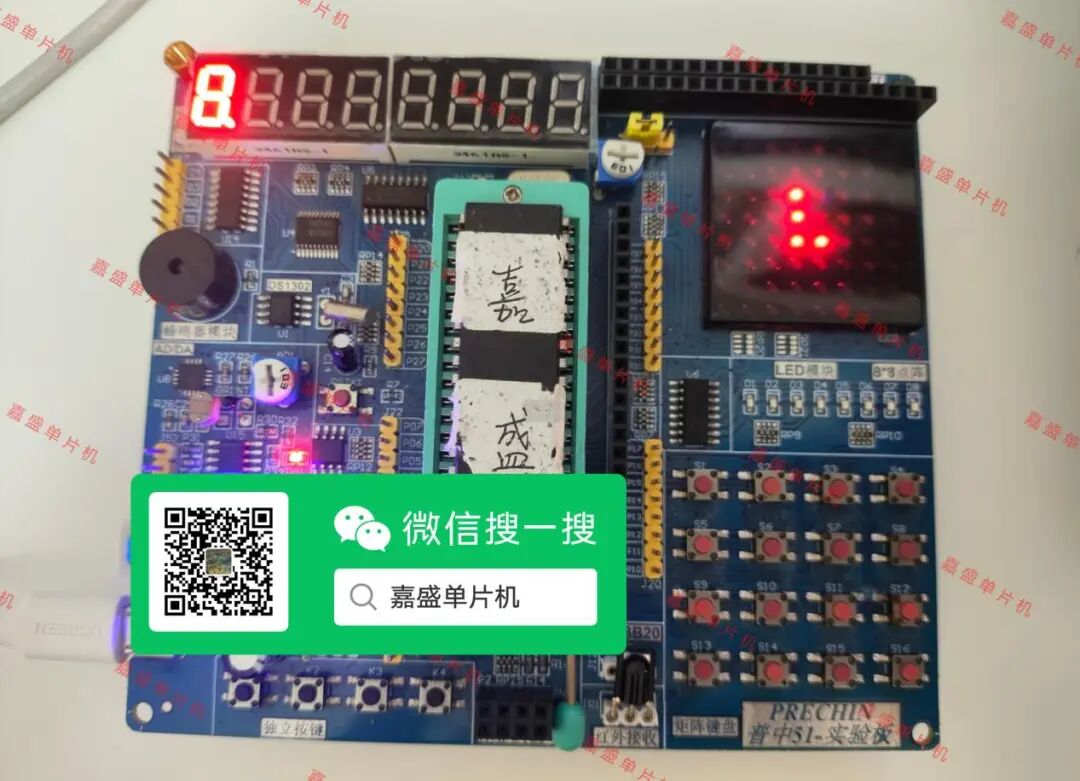
4. Simulation Design



Open the simulation project, double-click the microcontroller in Proteus, select the hex file path, and then start the simulation. After starting the simulation, the snake will remain still and needs any key pressed to start.
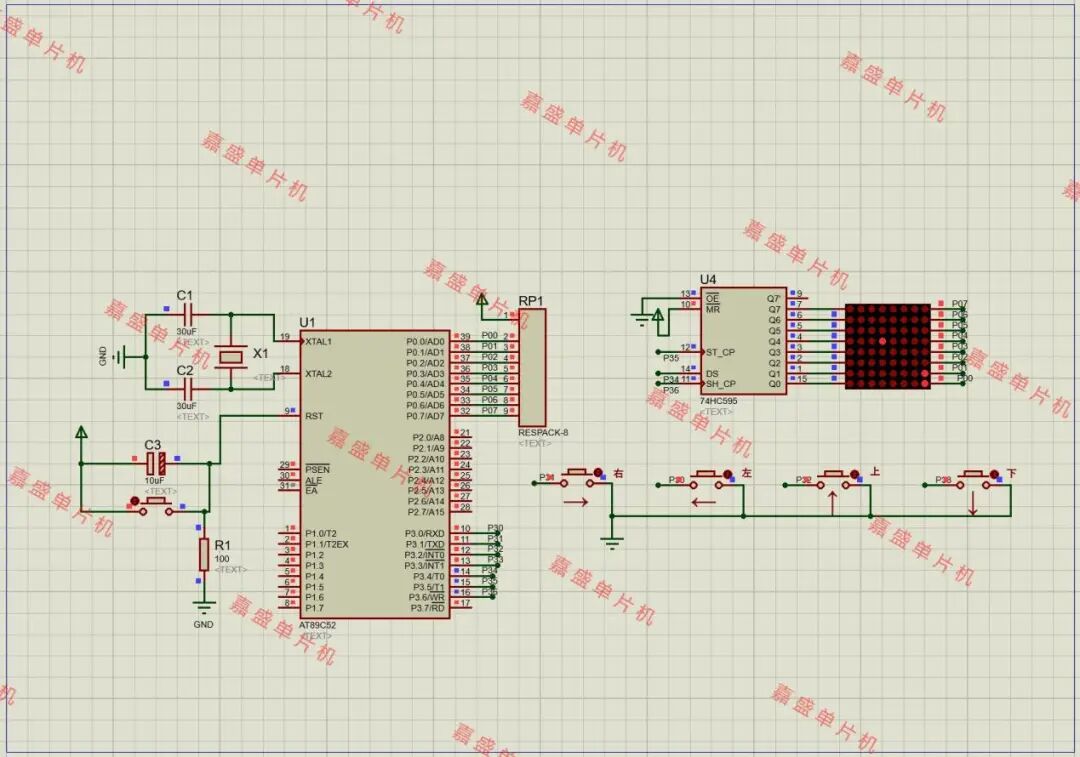
Independent keys control the direction of the snake’s movement, and the snake will grow longer after eating food.
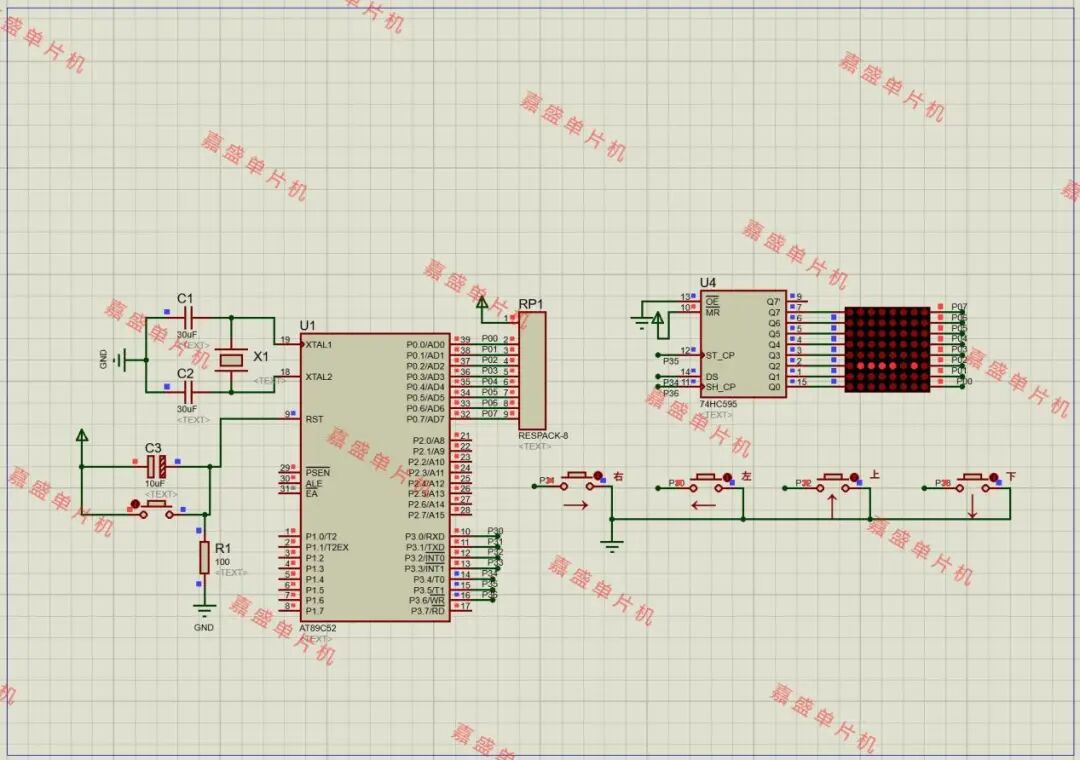
The snake will restart the game if it hits a wall or collides with itself.
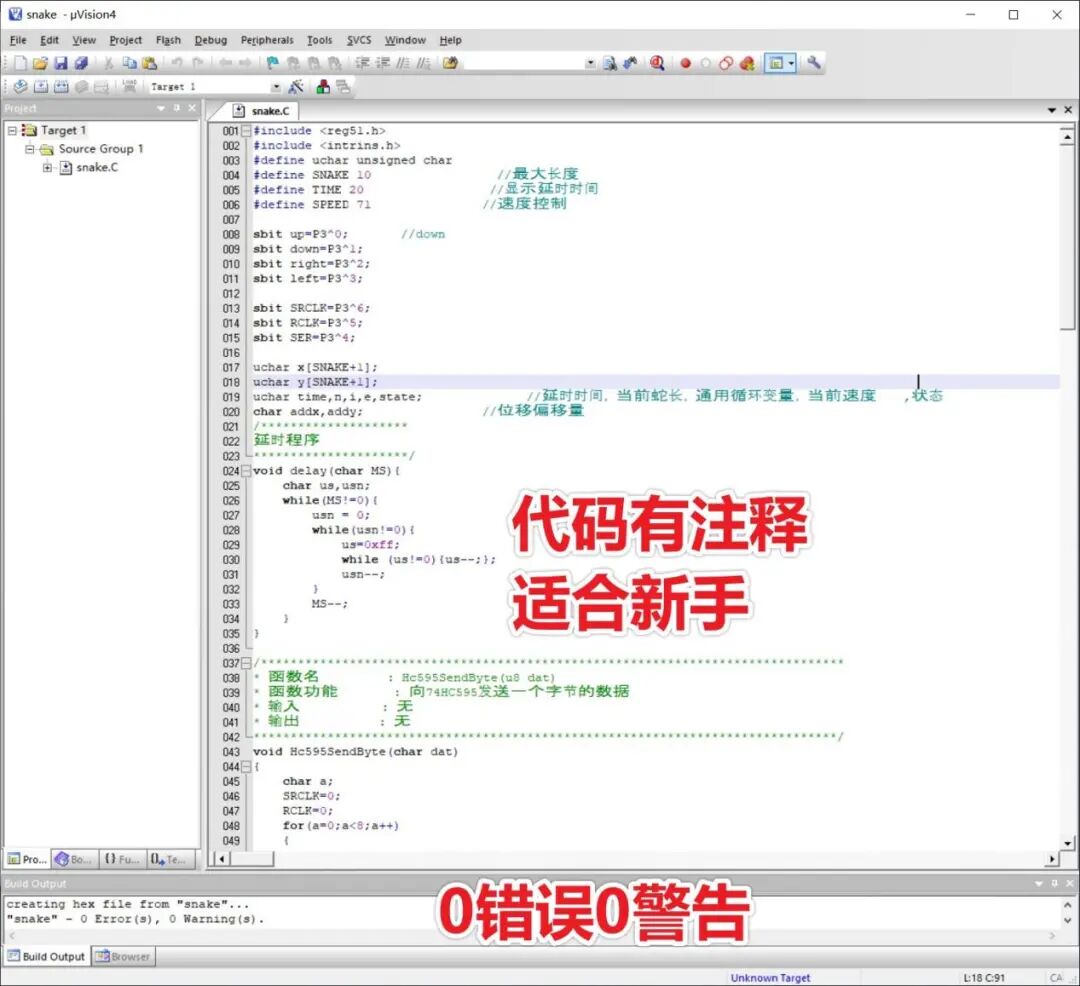
5. Program Code



Use Keil 4 or Keil 5 to compile; the code is commented, and you can understand the meaning of the code in conjunction with the video.
6. Design Report



8261-word design report, including hardware design, software design, soft and hardware block diagrams, debugging, conclusions, etc.

7. List of Design Materials & Download Links



The design materials include simulation, program code, explanatory video, functional requirements, design report, soft and hardware design block diagrams, etc.
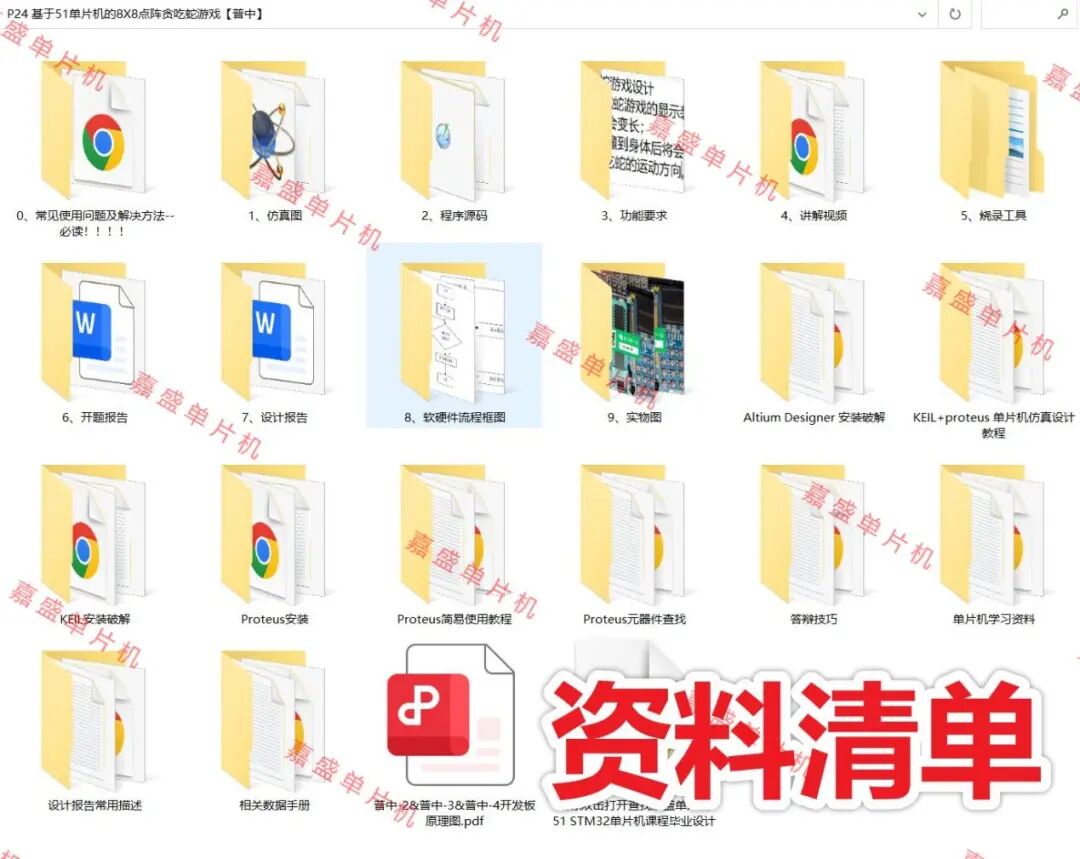
0. Common usage issues and solutions – must read!!!!
1. Program
2. Proteus simulation
3. Functional requirements
4. Soft and hardware flowcharts
5. Project proposal
6. Design report
7. Programming tools
8. Explanatory video
9. Physical images
Altium Designer installation and cracking
KEIL + Proteus microcontroller simulation design tutorial
KEIL installation and cracking
Proteus component search
Proteus installation
Proteus simple usage tutorial
Microcontroller learning materials
Related data sheets
Defense skills
Common descriptions in design reports
Double-click to open and find the Jiasheng microcontroller 51 STM32 microcontroller course graduation design.url
Download link for materials (clickable):
https://docs.qq.com/doc/DS2pPenNRaHB6SlR1
More resources click the link below:
https://docs.qq.com/sheet/DS0xIa0llTmtNakRW


WeChat Official Account
Jiasheng Microcontroller
Website|www.eemcu.cn