1. Download the installation package
curl -s https://assets.emqx.com/scripts/install-emqx-rpm.sh | sudo bash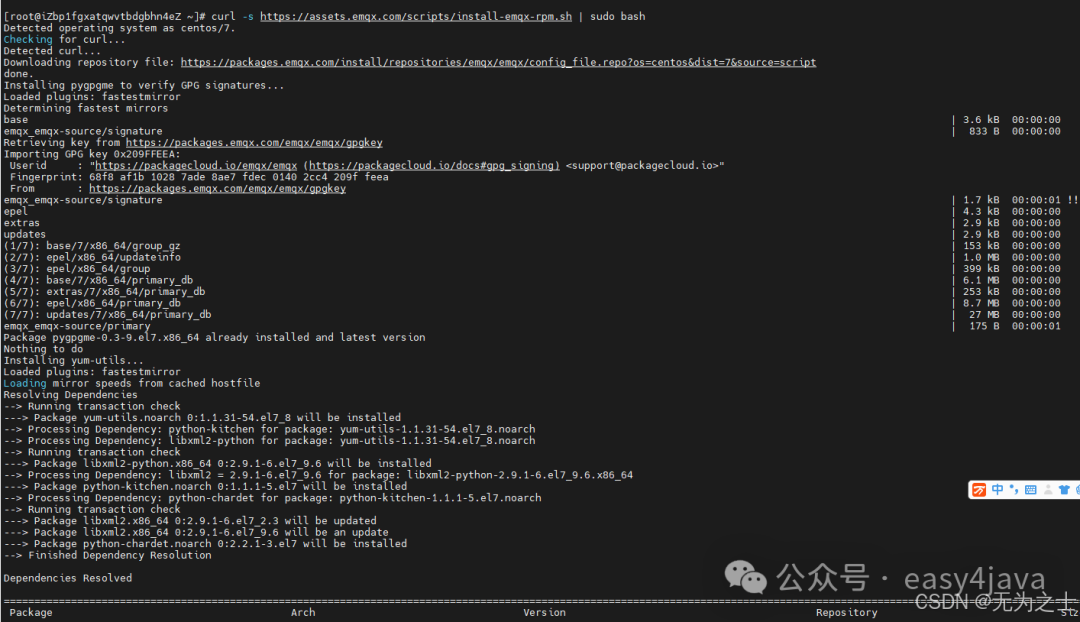 Edit
Edit
2. Install
yum install emqx -y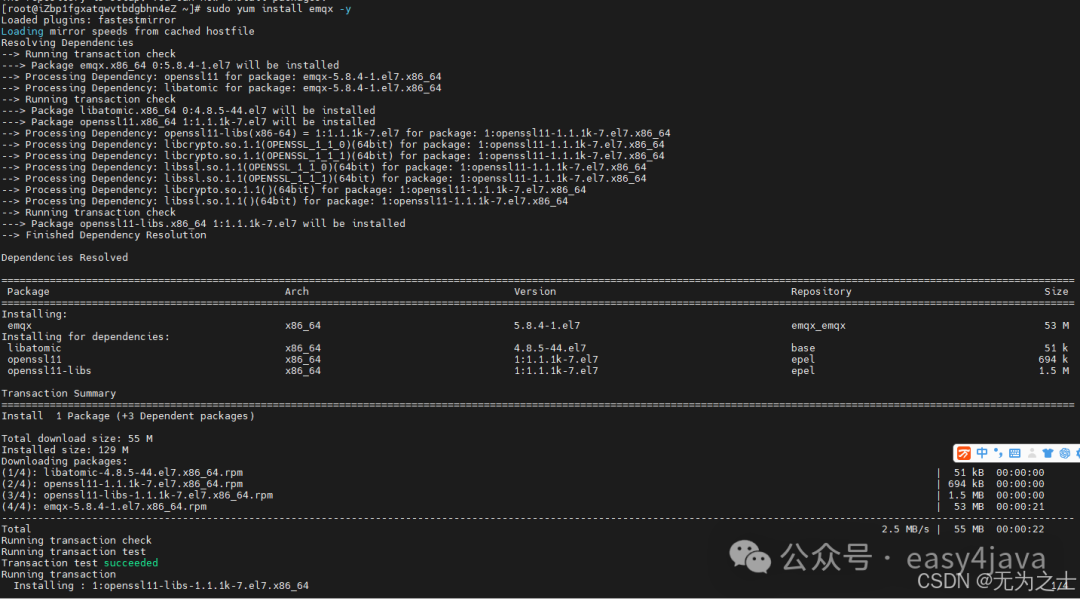 Edit
Edit
3. Start the service
systemctl start emqx Edit
Edit
4. Access the console
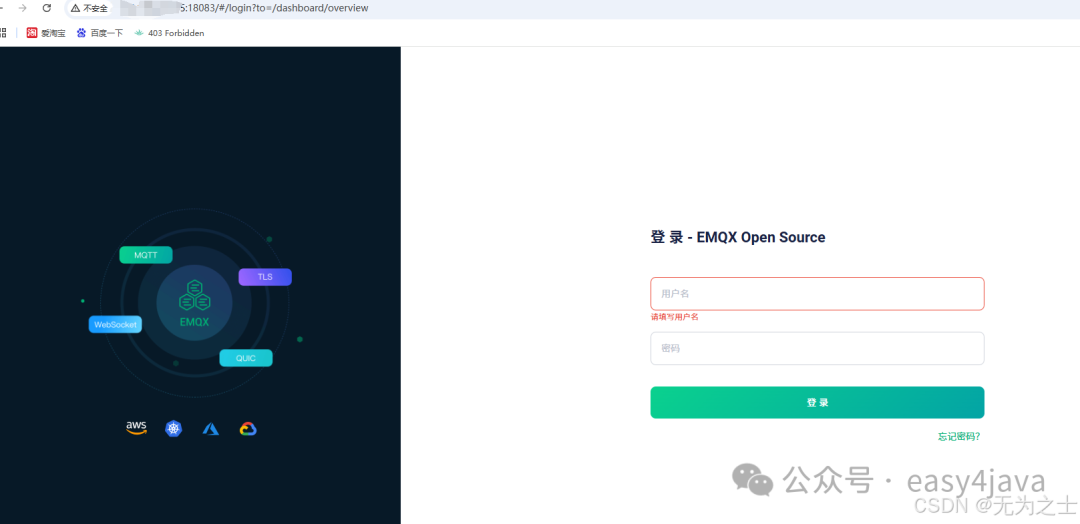 Edit
Edit
The default username and password are: admin/public
After logging in, be sure to change the default password
5. Test
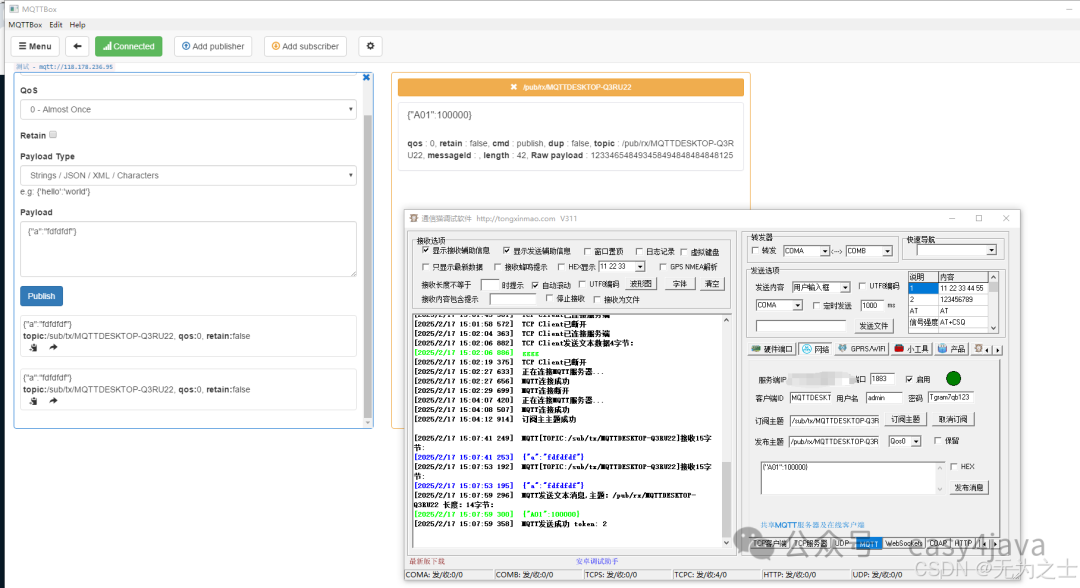 Edit
Edit
The above image simulates two clients. The installation packages for these two clients can be obtained by following the easy4java WeChat account and replying with mqtt.
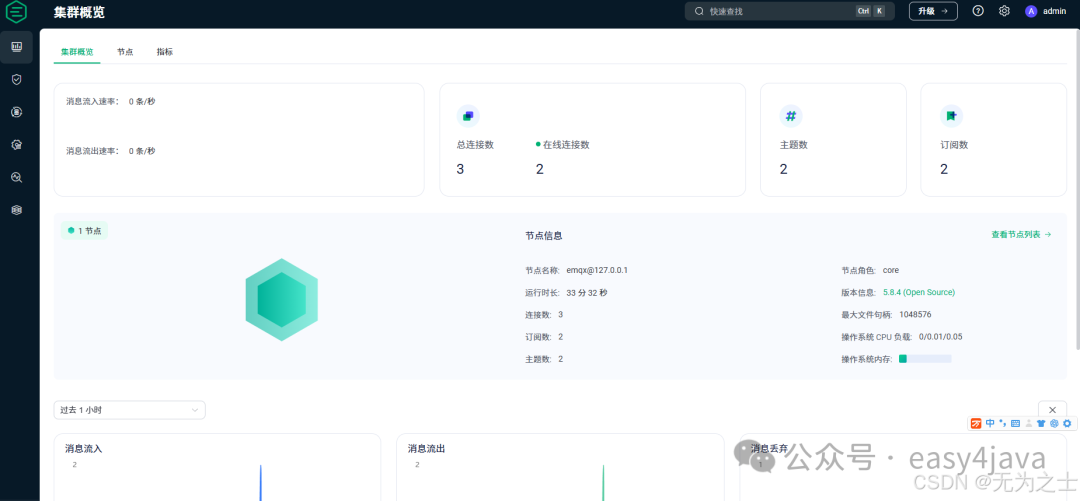
Console overview page
 Edit
Edit