Setting Up a Modbus Simulation Testing Environment
If you like this, please click the little red heart, share it, and if you want to reward me, I will continue to work hard.
1.Simulating Modbus Communication in Modbus_TCP Mode:
1.Set up a Modbus virtual master station.
Use the modsim32 program to set up the Modbus_TCP virtual master station service.
ØStart the modsim32 program;
ØClick the menu “File” -> “New” to create a new Modbus communication point table.
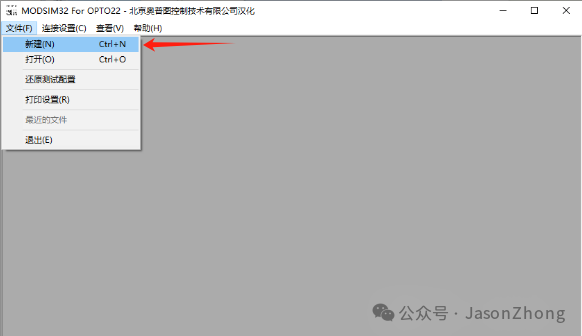
ØEnable the simulation Modbus_TCP master station program.
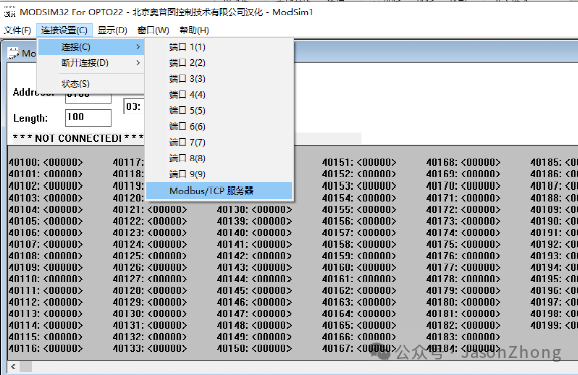
ØClick the menu “Connection Settings” -> “Connect” -> “Modbus/TCP Service Area”
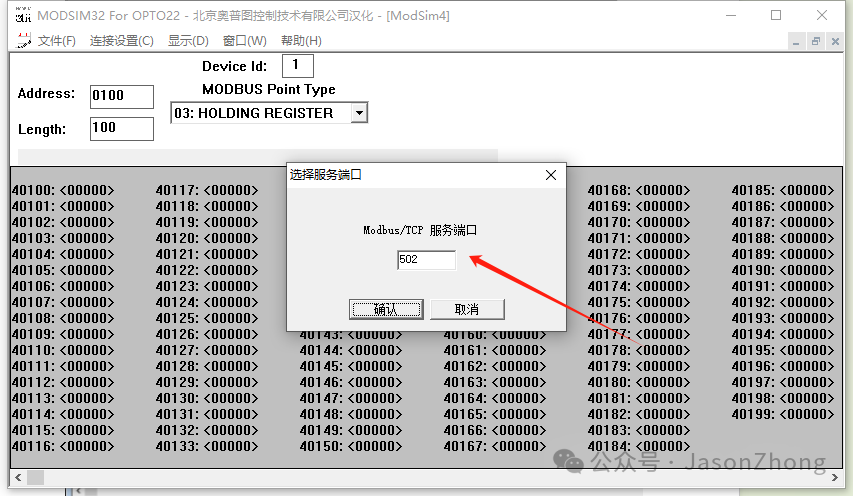
ØSelect the service port, the default Modbus port is 502, and click OK.
The simulated Modbus master station information is as follows:
Port: 502 IP: 192.168.0.80
IP: The IP of the machine where the modsim32 program is located. For local testing, the IP can be 127.0.0.1. If connecting to this service from a different machine, select the IP of the machine running the modsim32 program, e.g., 192.168.0.80.
2.Connect to the Modbus service.
Use the modscan32 program to connect to the Modbus service.
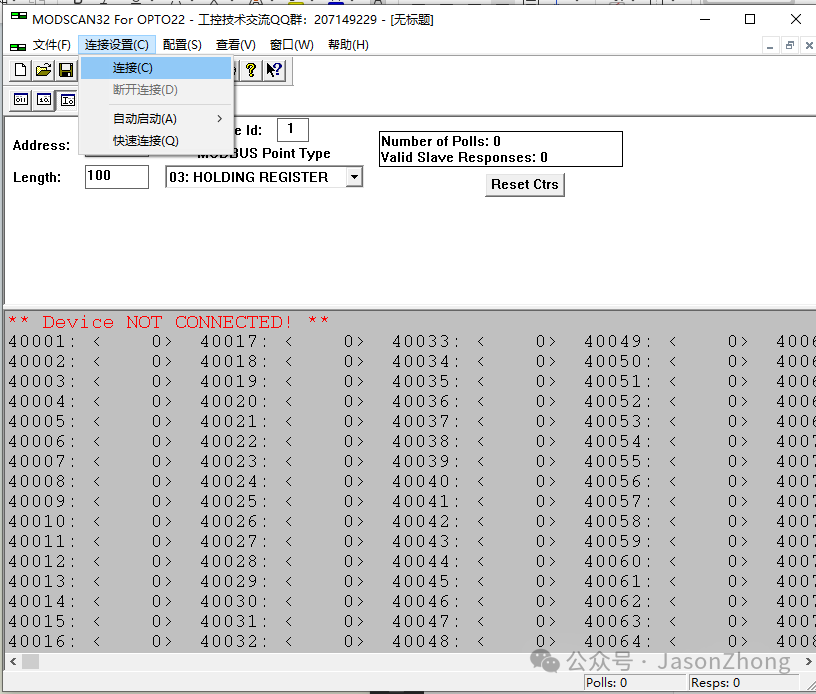
ØStart the modscan32 program.
ØClick the menu “Connection Settings” -> “Connect”
Use connection: remote Modbus TCP Server
IP address: 192.168.0.80
Service port: 502
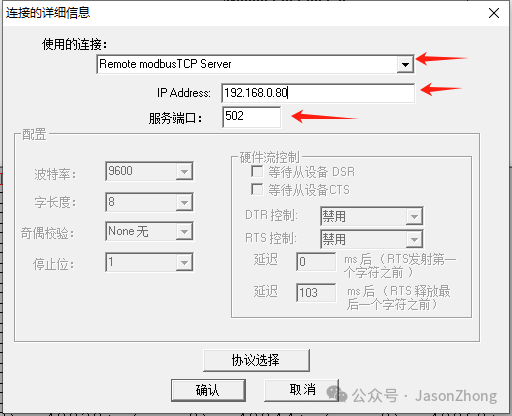
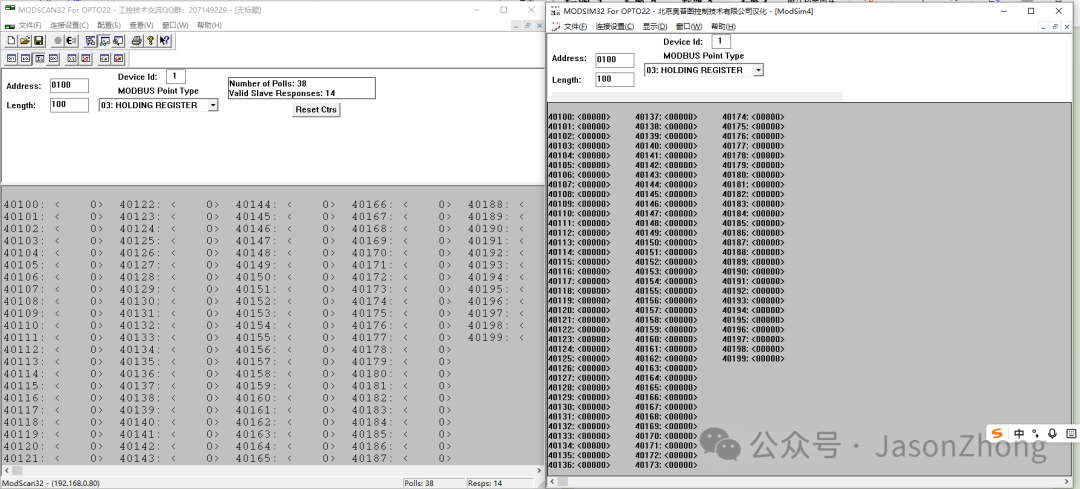
Modify the modscan to read information and addresses to match those in modsim.
For example: address: 0100
Device Id: 1
Length: 100
Modbus Point Type: 03: Holding Register
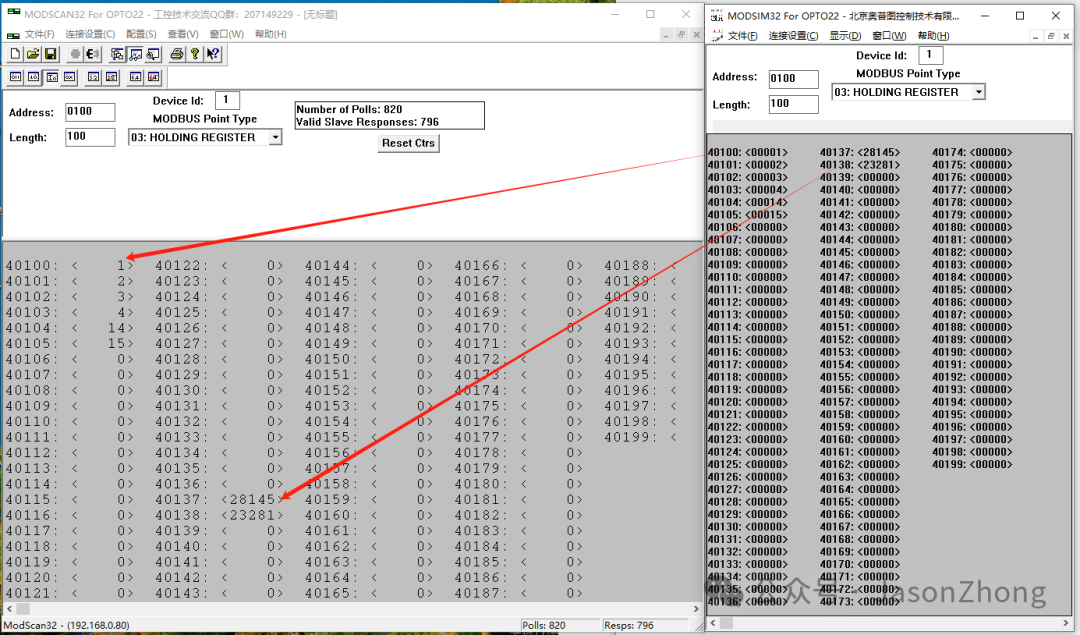
The communication is normal as shown below.
3.Simulated Data Transmission
Use the modsim32 program to simulate sending data values.
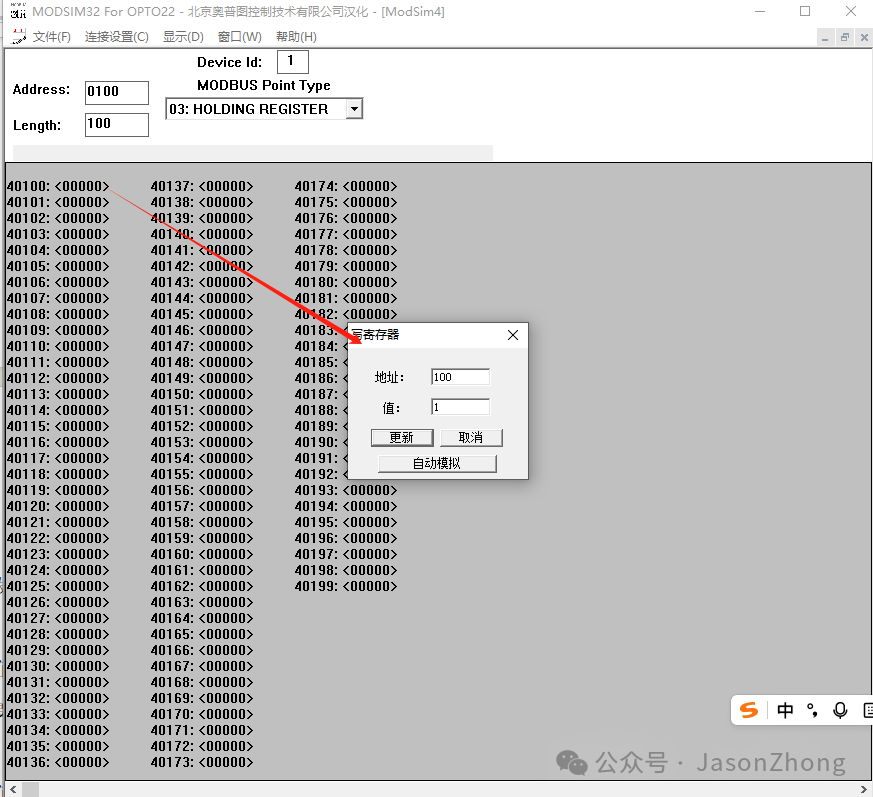
ØFixed value transmission
Modify the communication measurement point to a fixed data value.
In the modsim32 program, double-click the measurement point to modify, in the pop-up “Write Register” window, change the value and click update.
ØRandom value transmission
Modify the communication measurement point to random data values.
In the modsim32 program, double-click the measurement point to modify, in the pop-up “Write Register” window, check the “Auto Simulate” checkbox, modify the data value to be simulated, and click confirm.
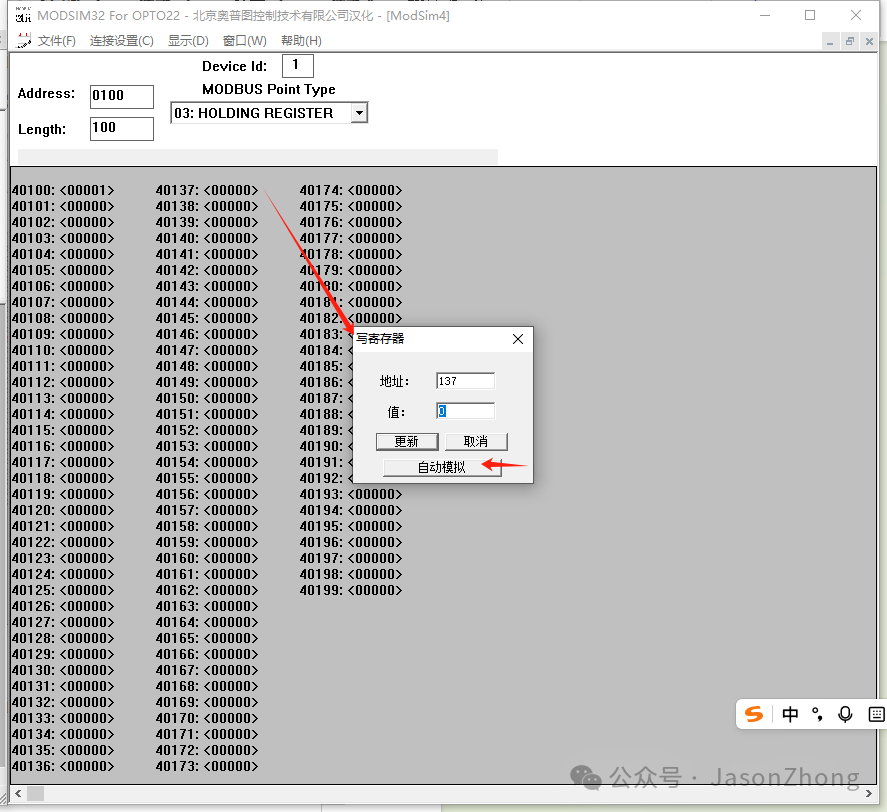
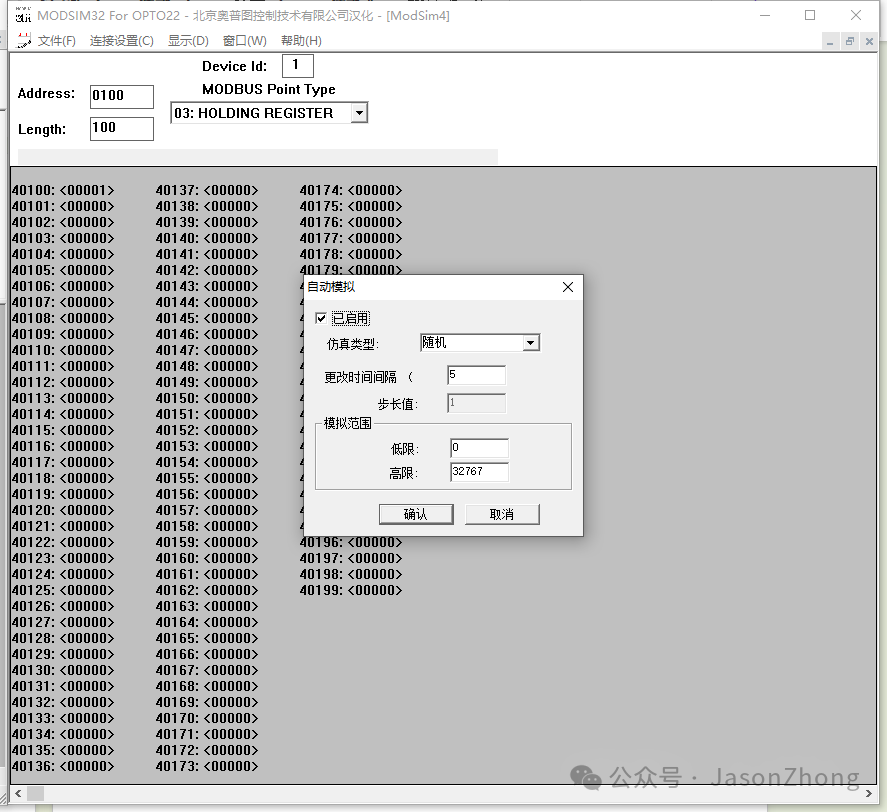
As shown in the figure, the Modbus_TCP simulation environment and data simulation are completed.
2.Simulating Modbus Communication in Modbus_RTU Mode:
Refer to Modbus_TCP