1. Check If MySQL Is Case-Sensitive
show variables like '%case_table%';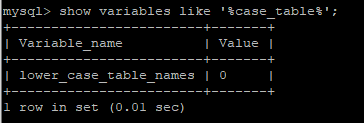
lower_case_table_names=1 (indicates it is case-insensitive)
lower_case_table_names=0 (as shown in the image, 0 indicates case-sensitive)
2. Change lower_case_table_names Value to 1
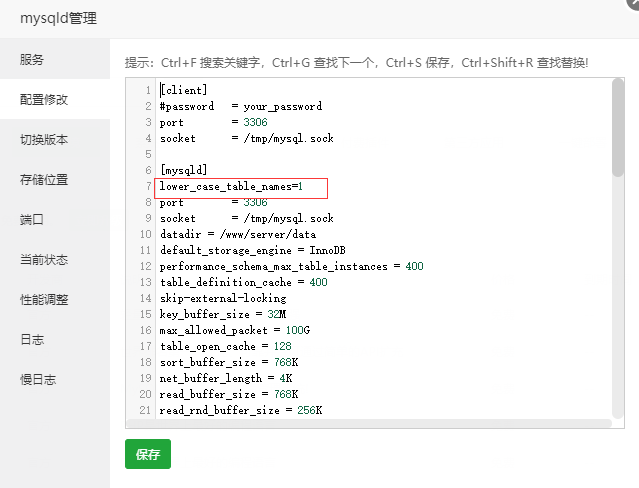
(1) Since I am using the Baota panel, I can directly modify the configuration information
Add lower_case_table_names=1 under [mysqld] (as shown below)
(2) Modify /etc/my.cnf file using vim editor
Add lower_case_table_names=1 under [mysqld] (as shown below)
1. Enter the my.cnf file
|
1 |
|
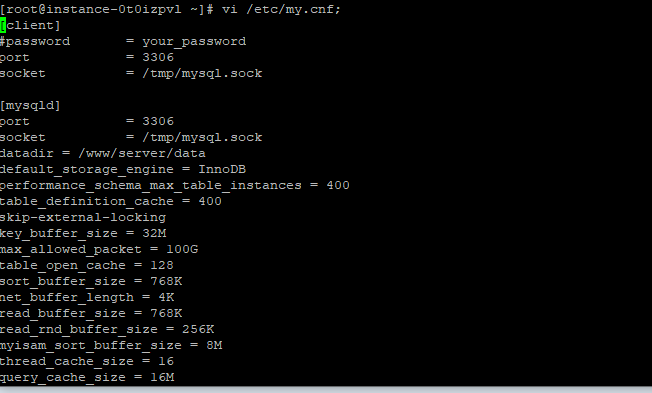
2. Once inside, it cannot be edited; you need to press the A key on the keyboard to start editing
Then it will be like Windows operation, add lower_case_table_names=1 under [mysqld] (as shown below)
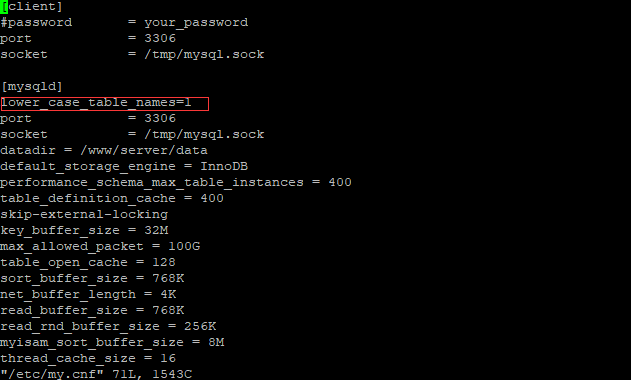
To exit and save, press ESC —> press : —> type wq and hit enter
3. Restart the MySQL service
service mysqld restart;4. Successfully resolved the MySQL case sensitivity issue
All current efforts are to meet a better you in the future!

Currently, over 100,000 people have followed us.


