To match the latest Raspberry Pi 5 hardware, the Raspberry Pi OS is ready, incorporating Debian 12 along with other significant updates.
This new version of Raspberry Pi OS is designed to fully support the newly released Raspberry Pi 5.
To achieve this, developers have invested a great deal of effort and energy. The new system brings numerous improvements and marks a transition to a more modern windowing system.
Let’s take a look at their specific achievements.

What are the new changes in Raspberry Pi OS?
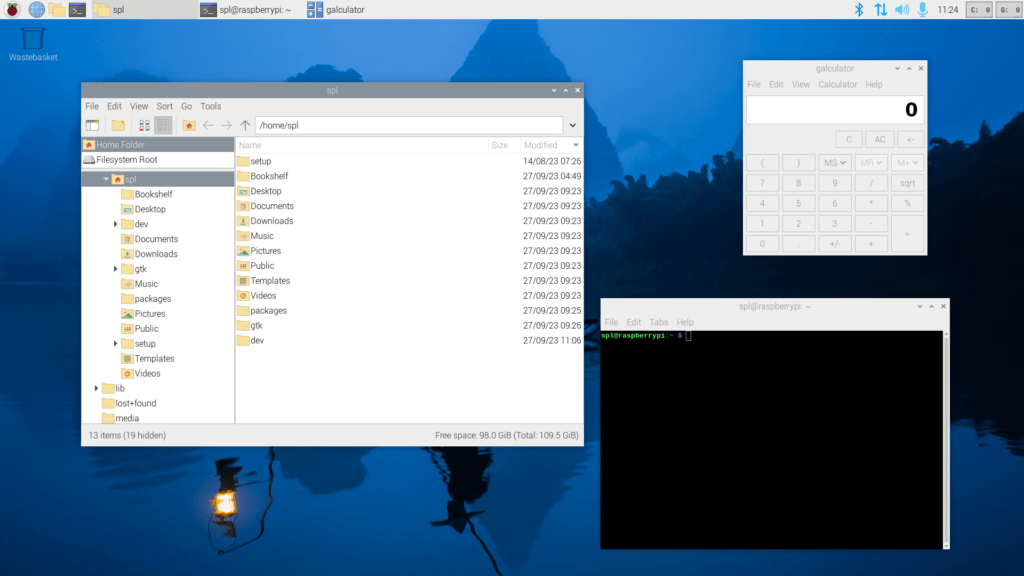
Developers have made significant architectural updates to the Raspberry Pi desktop based on the latest Debian 12 “Bookworm” version.
Some notable new features include:
◈ Comprehensive adoption of Wayland◈ Significant improvements in network performance◈ Default use of PipeWire◈ Firefox optimized for Raspberry Pi
Clearly, you will enjoy the core advantages of Debian “Bookworm” while also experiencing some of the new changes mentioned above.

Comprehensive Adoption of Wayland
No, you are not mistaken.
The Raspberry Pi desktop has now defaulted to the Wayland windowing system, officially phasing out the X11 windowing system, which is no longer used due to various limitations. The main advantage of Wayland is its superior performance on modern hardware.
This achievement is made possible by the support of the Wayfire compositor, which allows developers to maintain a familiar user experience in the update.
Here is a quote from the developers in the release announcement:
If you boot the Raspberry Pi OS on a Raspberry Pi 4 or 5, what you will see is a Wayfire desktop. It looks almost identical to the desktop you used before on Bullseye, but behind the consistent appearance, we have done a lot of work to make the two desktop environments look the same!
We are not surprised by this.
Recently, we have noticed that many desktops are transitioning from old windowing systems like X11 and Openbox to Wayland.
For example, recent updates to GNOME have initiated a shift towards a future of comprehensive Wayland adoption. Even Fedora Linux 40 is preparing to phase out X11 sessions in favor of using Plasma 6 with XWayland.
It is indeed very interesting to see that the Raspberry Pi OS has taken the lead in such changes 😄
📋 However, don’t worry, for users who still wish to use the X11/Openbox display system, they can re-enable it in the “Advanced Settings” menu in
raspi-config.

Significant Improvements in Network Performance
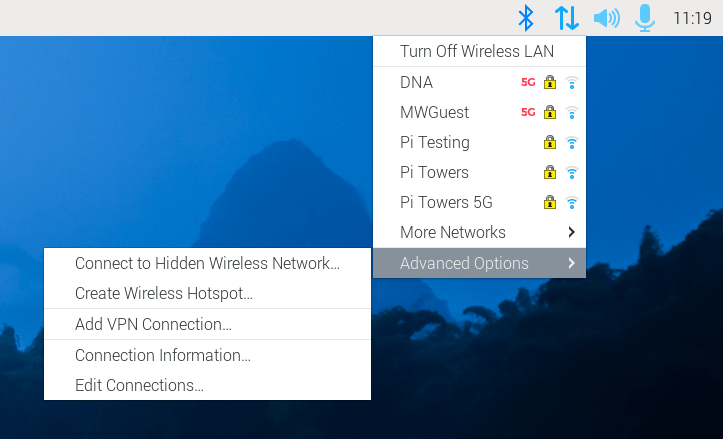
Developers have optimized the previously implemented NetworkManager network controller, adding a network plugin to the taskbar.
Although the new version of the plugin looks similar to the old version, it has added an “Advanced Options” option, allowing users to access more features provided by NetworkManager.

Default Use of PipeWire
Now, the Raspberry Pi Desktop uses PipeWire to handle all audio/video-related tasks. It replaces PulseAudio, making audio/video processing more modern and flexible.
On the user side, you can expect optimized Bluetooth audio device management, lower latency, and better interoperability with Wayland, among other benefits.
Users can also choose to revert to using PulseAudio through similar steps as switching window systems.

Firefox Optimized for Raspberry Pi
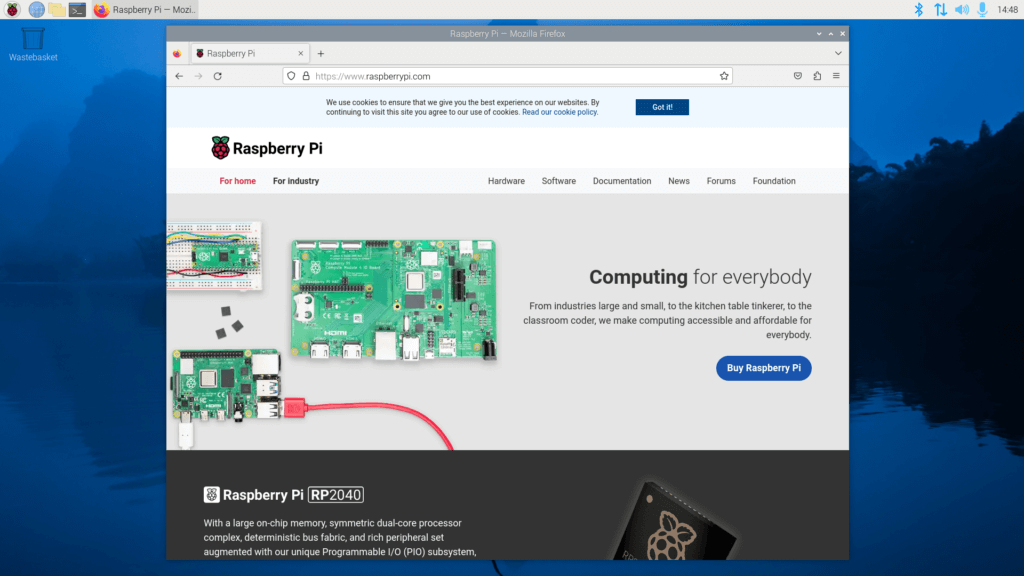
This time, we have seen a Mozilla Firefox version officially supported and specifically optimized for Raspberry Pi, which has been introduced for the first time in this release of the Raspberry Pi OS.
Now, users can enable hardware h.264 decoding on their Raspberry Pi using V4L2 encoding support, which will help achieve better HD video playback.
Additionally, they have enabled Widevine DRM to provide seamless streaming experiences on mainstream video streaming platforms.
There are also some other subtle changes in this release version. For more information, please refer to the official blog.

📥 Download Raspberry Pi OS
Due to the numerous changes in the operating system details, developers recommend that you start with a fresh installation (re-flash your SD card).
Of course, you can also choose to upgrade yourself, but do so at your own risk.
You can visit the official website to download.
Raspberry Pi OS
💬 Are you excited about the new Raspberry Pi OS upgrade? Feel free to let us know in the comments.
(Cover image: MJ/2fe701cd-5ced-41e2-b00e-1454c6f3fa4a)
Recently, many friends have asked me for essential materials for programmers, so I dug out some treasures and am sharing them for free!
Scan the QR code on the poster to get it for free.