Introduction
An Integrated Development Environment (IDE) is an application that provides a programming development environment, typically including tools such as a code editor, compiler, debugger, and graphical user interface.It integrates functionalities for code writing, analysis, compilation, debugging, and other software services.Any software or software suite that possesses these features can be called an Integrated Development Environment.Examples include Microsoft’s Visual Studio series, Borland’s C++ Builder, Delphi series, etc.The program can run independently or in conjunction with other programs.IDE is often used for developing HTML applications.For instance, the well-known Rstudio is actually an IDE for the R language, and today we will introduce a commonly used IDE for Python – Pycharm.
1. Installation
Download:
https://www.jetbrains.com/zh-cn/pycharm/download/download-thanks.html?platform=windows&code=PCC
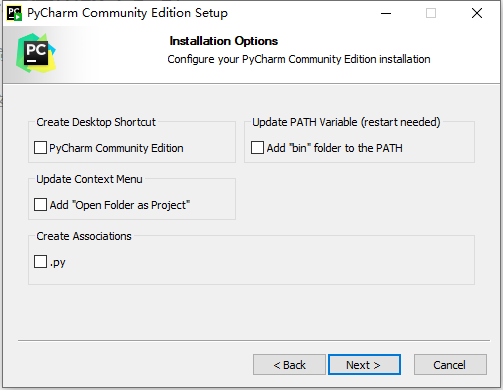
On this page, simply click next:
2. Create a Simple Project & Script and Execute
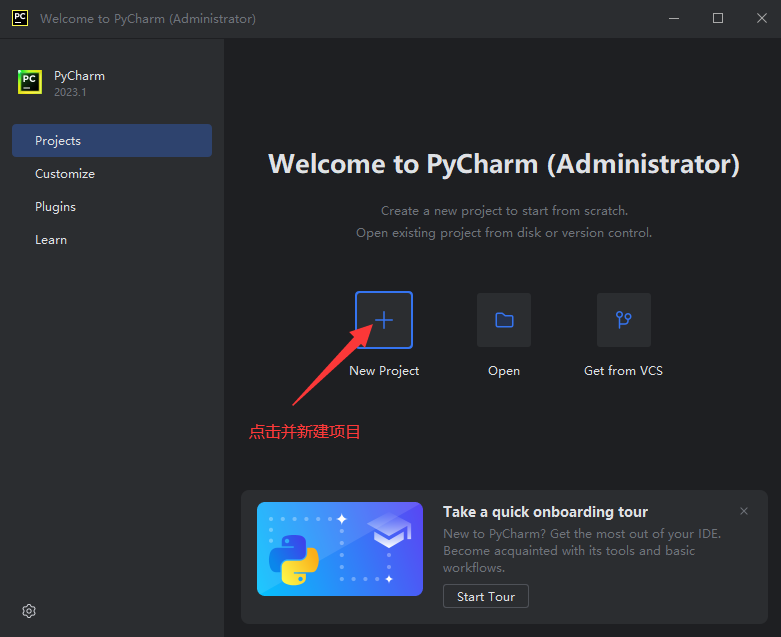
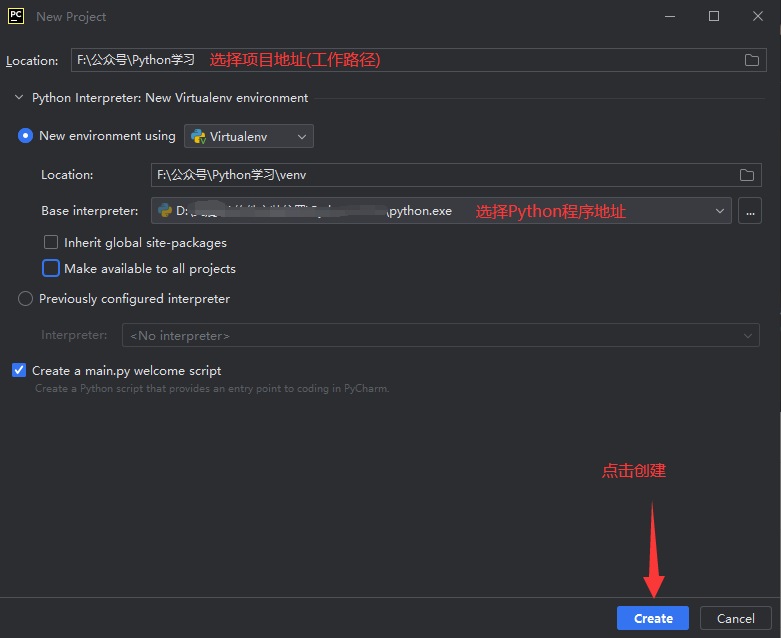
Create a new script named Test.py
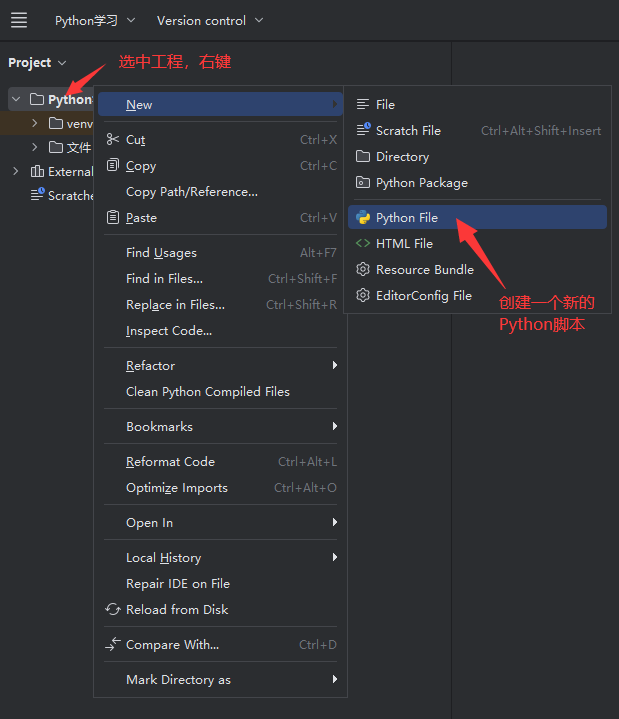
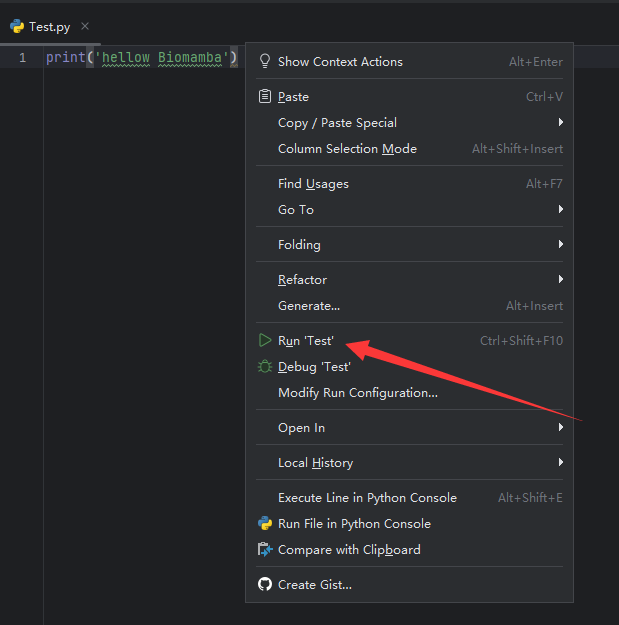
Right-click in the script editor and select Run to execute the script
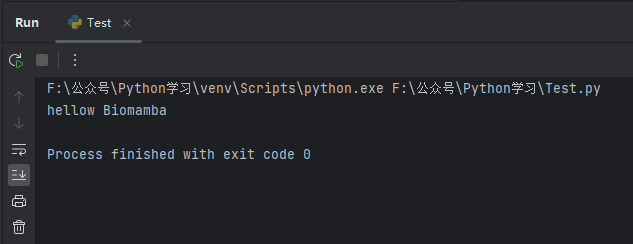
The output panel will return the execution result:
3. Basic Settings
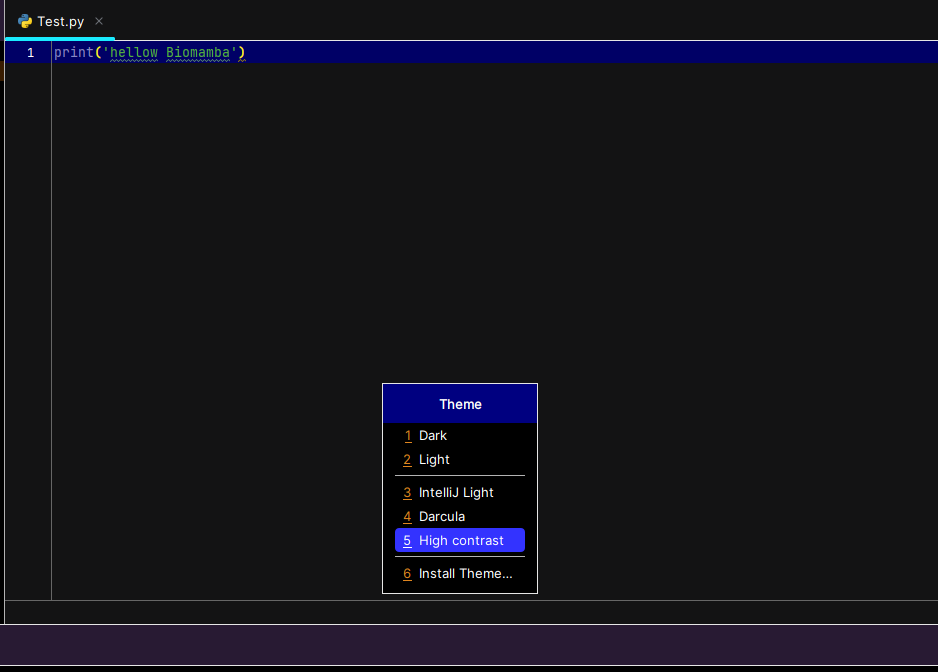
1. Change the interface theme color:
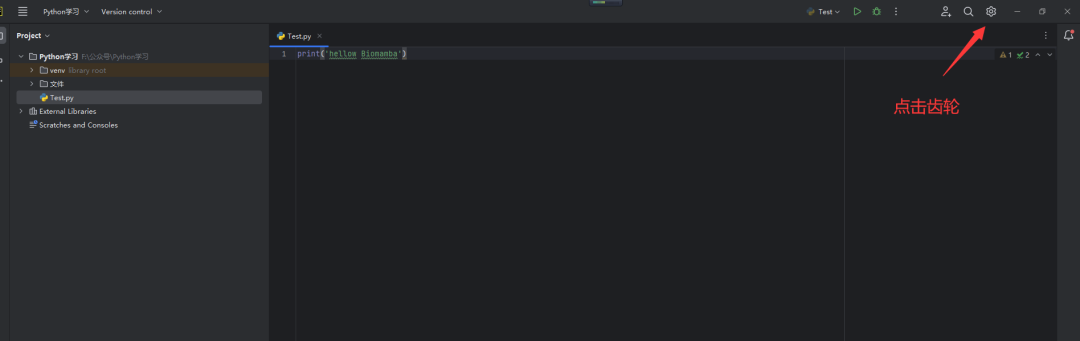
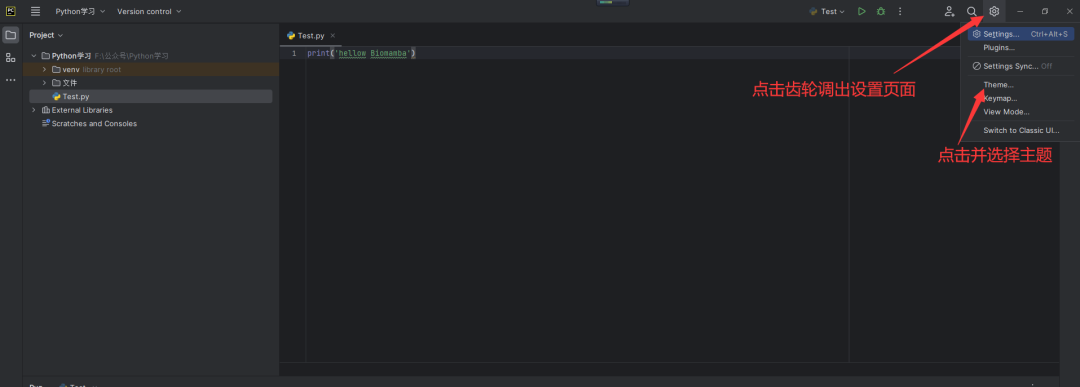 I personally prefer darker themes with high contrast, clear and eye-friendly~ Of course, more colors can be selected from the 6 Install Theme here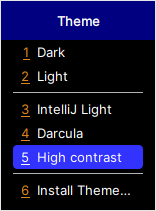
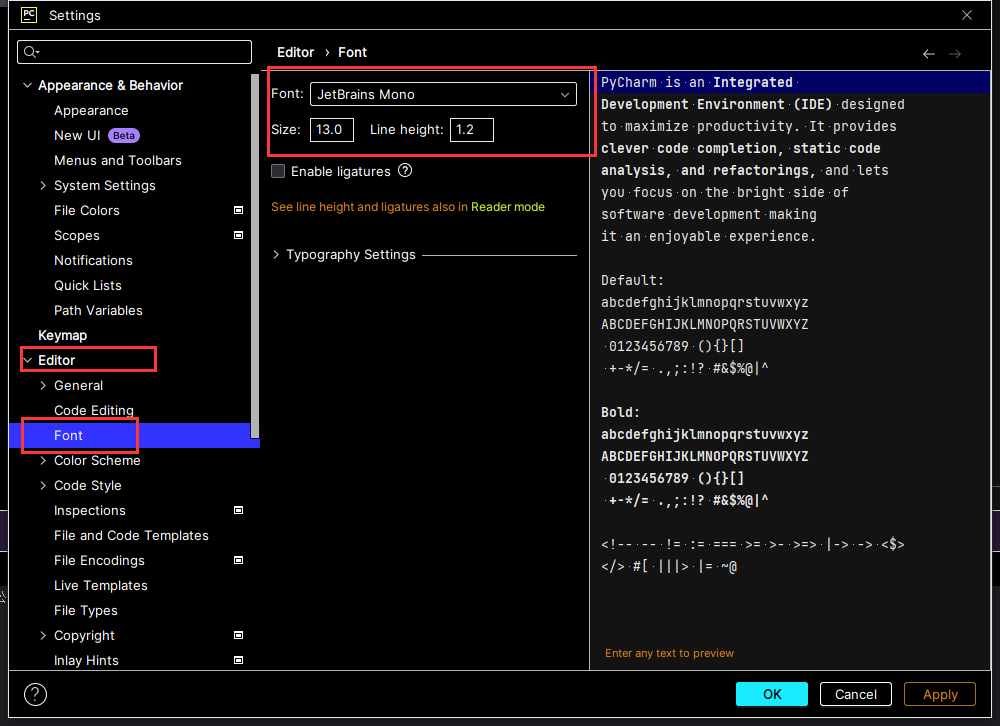
 2. Set font sizeClearly, the default font is too small for my screen, so let’s adjust it: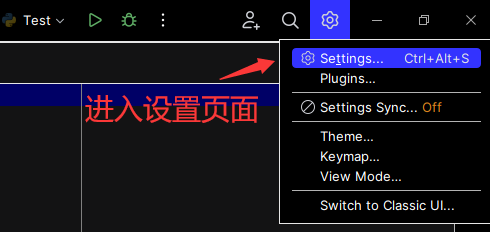
You can adjust the font and size in the Editor’s Font page, and click Apply in the bottom right corner to take effect:
4. Shortcut Key Settings
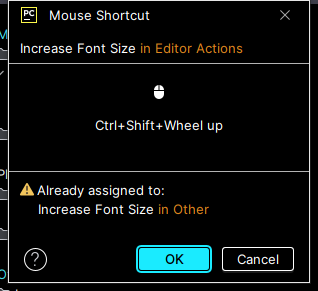
1. Set shortcut keysFor example, the font adjustment mentioned above may require different sizes in different scenarios, and repeatedly setting it can be cumbersome. You can simplify the process by setting shortcut keys. In the Settings search bar, search for “increase Font Size”, and select “Add Mouse Shortcut”: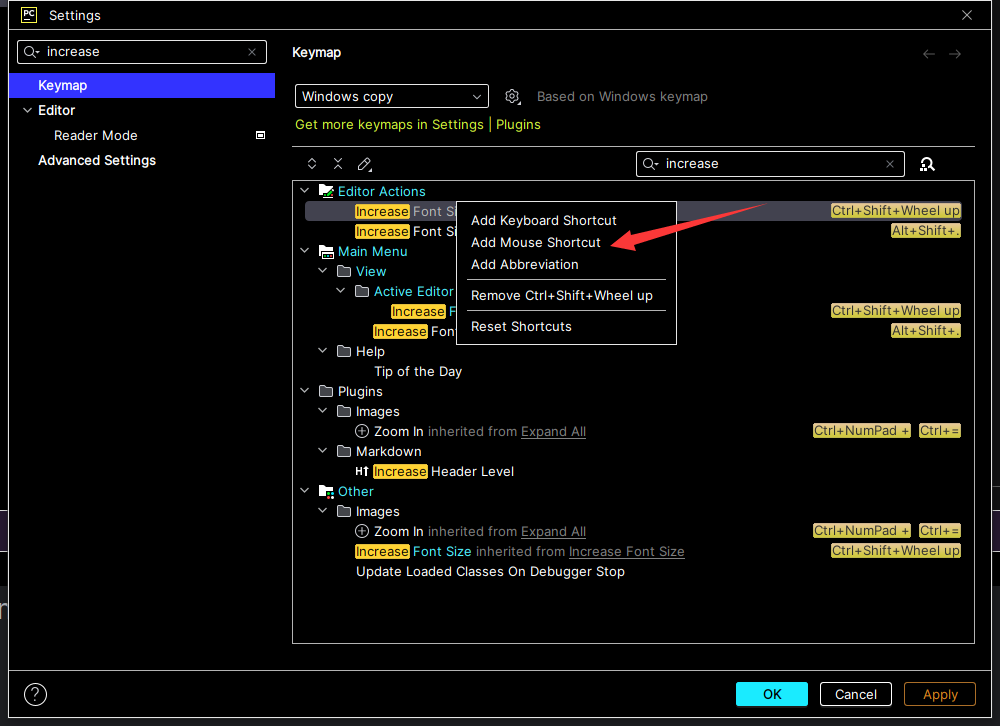 Hold down Ctrl+Shift+Wheel and scroll up with the mouse wheel, and when the shortcut key appears in the middle, click OK to take effect. Search for “decrease Font Size” and set it similarly, so you can quickly adjust the interface font size using the set shortcut keys.
 2. Common shortcut keys:Ctrl+alt+S: Open settings pageCtrl+d: Copy the current line of codeshift+alt+↑/↓: Move the current line of code up/downshift+F10: Run the current code fileshift+F6: Rename the current code fileOf course, other Windows shortcuts like “Ctrl+C”, “Ctrl+V” also work in Pycharm.
Previous Reviews
Python Installation (Windows+Linux)

Contact Us

 Leave a message to receive materials andan out-of-the-box single-cell analysis image atWeChat ID[Biomamba_zhushou], making it convenient for everyone to communicate at any time. We have also built a group chat matrix, and everyone is welcome to join the discussion.After reading these articles, you can addtips for beginners in bioinformaticsNo search, no voice
Students who already have contact information for the bioinformatics basedo not need to add again

 Your likes and views are taken seriously as appreciation