Slow internet speed has become one of the most frequent complaints received by broadband service providers. Research shows that most consumers currently experience Wi-Fi speeds that are only about 50% of their router’s bandwidth limit.

Six Factors Affecting Wi-Fi Signal
The reason Wi-Fi speeds do not meet expectations is related to these six factors.

1. Wi-Fi Signal Congestion
When users connect to the internet via Wi-Fi, it is similar to tuning into a radio station, using a fixed frequency wireless band. Therefore, the number of similar signal transmitting and receiving devices in the surrounding area significantly impacts the Wi-Fi experience. “If you live in a central apartment building in the city, and there are hundreds of wireless networks in that building, the Wi-Fi experience will be quite poor.”

Even if your phone shows full Wi-Fi signal bars, the actual Wi-Fi signal may still be very slow, as devices like mobile phones, cordless phones, microwaves, and Bluetooth devices can all affect Wi-Fi signal quality.
2. Wi-Fi Data Latency
Wi-Fi as a network access method tends to produce more data latency than other methods. Additionally, many users simultaneously using the same Wi-Fi channel can greatly affect the signal strength.
Moreover, if you are in an area with strong network signals, your router will continuously search for the best network channel, which can also cause network latency.

3. Inherent Limitations
Regardless of how much Wi-Fi technology improves in the future, wireless connections will still struggle to surpass existing wired internet access models. Wi-Fi will not completely replace wired internet connections; it is merely a more convenient networking solution.
4. Background Processes
If your Wi-Fi speed does not improve after ruling out all the above factors, check if your software is automatically syncing data and photos, as this can affect your Wi-Fi speed. Many users may not even remember the existence of these applications since they often run silently in the background.
5. Router Placement
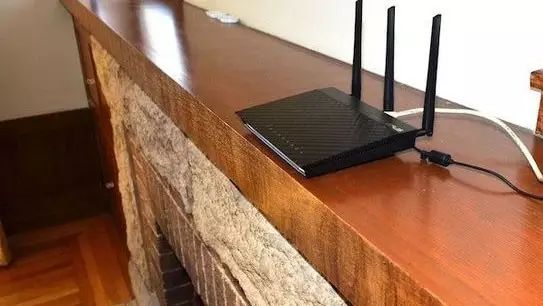
The placement of your wireless router also affects signal strength. For example, if you place the router next to a concrete wall, its signal strength will be significantly reduced. Ideally, the best placement for the router is in the center of the room on the ceiling (though many consumers may not have such conditions).
6. Differences in Connected Devices
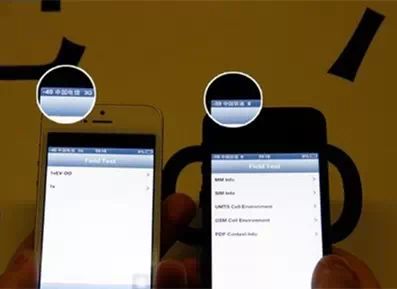
If your iPhone 4’s Wi-Fi connection speed is slower than that of an iPhone 7, do not be surprised, as the Wi-Fi connection speed is also greatly influenced by the processing speed of the connected device.
Four Tips to Strengthen Your Wi-Fi Signal
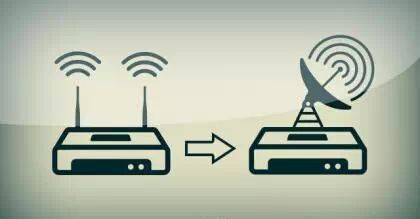
1. Upgrade your router to a dual-band router that supports both 2.4GHz and 5GHz frequencies. However, it should be noted that the 5GHz frequency has poorer wall penetration capabilities than 2.4GHz, and many older devices do not support this Wi-Fi frequency.
2. Use a channel scanner to check the Wi-Fi channel usage in your area, and then select a less congested channel for use.
3. If you have an idle wireless router, consider using it to extend or amplify the indoor Wi-Fi signal strength.
4. If your router has different power usage options such as high power and low power, typically the low power option will provide better Wi-Fi signal strength.
(Source: CCTV Finance ID: cctvyscj, Practical Life Tips ID: jueqiao88)
What Others Are Reading
【Headline】 Focus on “Two Sessions” | The 16th People’s Congress of Zhuoer Banner Concludes
【Focus】 Spectacular! Zhuoer Banner Experiences the Strongest Snowfall, Stunning Snow Scenes Captivate Your Eyes!
【Attention】 Two Engineering Vehicles Stolen from a Coal Mine Construction Site in Zhuoer Banner, Who is So Bold?
【Traffic Conditions】 Latest Traffic Conditions in and around Ordos as of February 22, 11:00 (Updated in real-time…)
【Attention】 The 2017 Inner Mongolia Civil Service and Public Institution Examination is Coming Soon, Please Save This Schedule~
This Issue’s Editor: Wang Peng