- Function of YUM RepositoriesPackage manager, similar to software managers like 360.
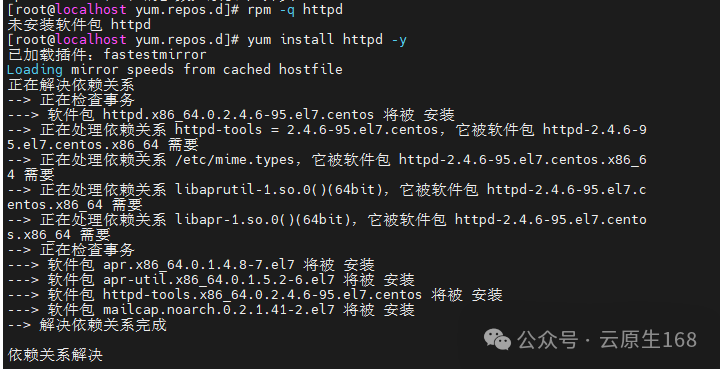
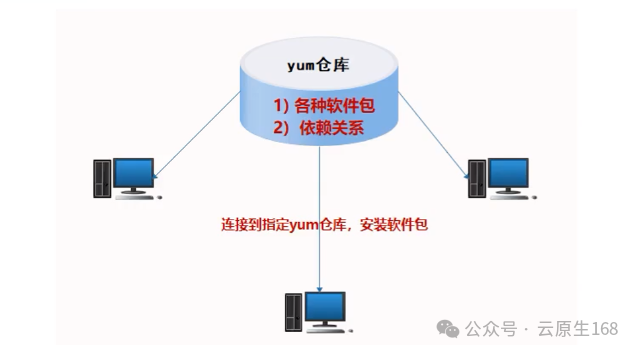 YUM can download (from repositories, while also downloading dependencies), install, update, and uninstall software.It operates at a lower level through RPM for software installation, so after installing software with YUM, you can query it using rpm.
rpm -qa | grep SoftwareName2. Advantages of YUM Repositories:
- RPM installation (download software, install separately, needs to resolve dependencies)
- Source installation (download source package -> extract, enter directory -> configure + compile + install + resolve dependencies)
- YUM repositories: an upgraded version of RPM package management that can automatically resolve dependencies between packages, improving the efficiency of operations personnel. Installed packages can be queried using rpm -q.
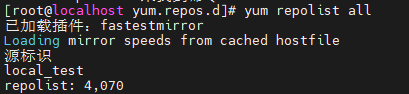
2. Classification of YUM Repositories: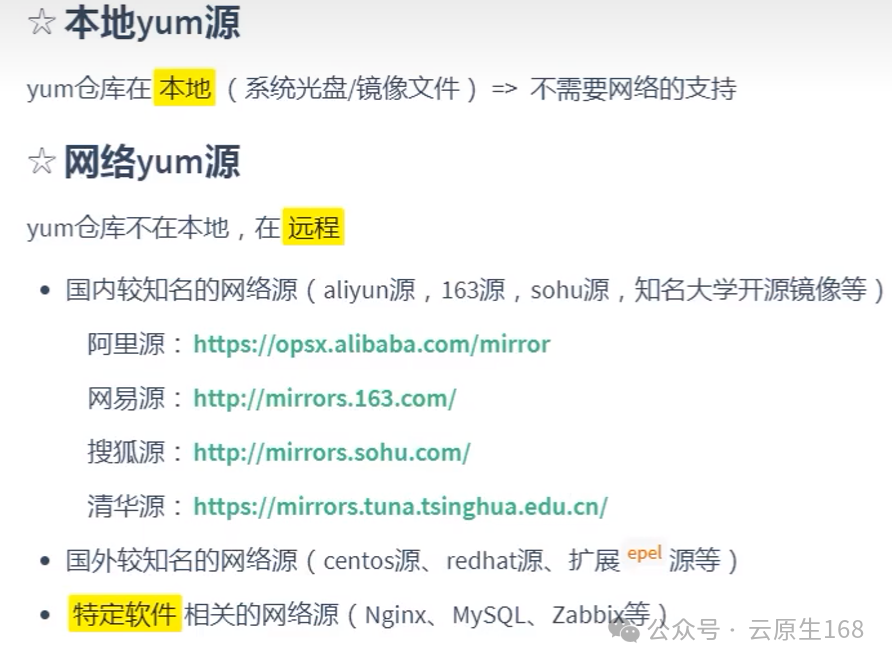 View local repositories
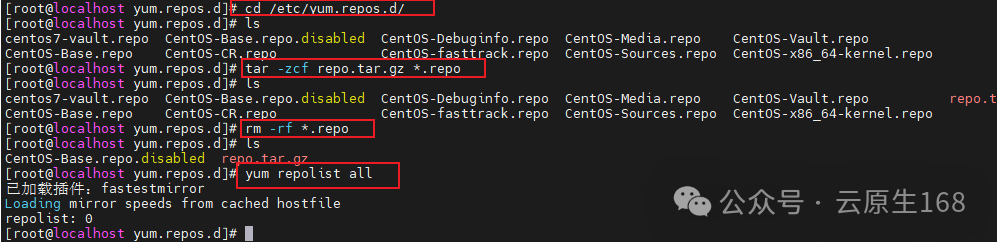
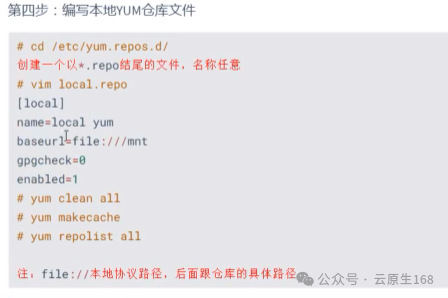
yum repolist all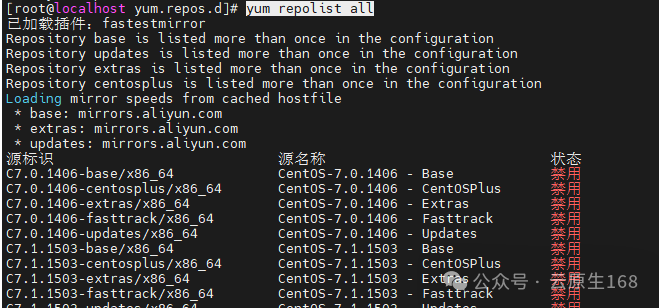 3. Backup of Local YUM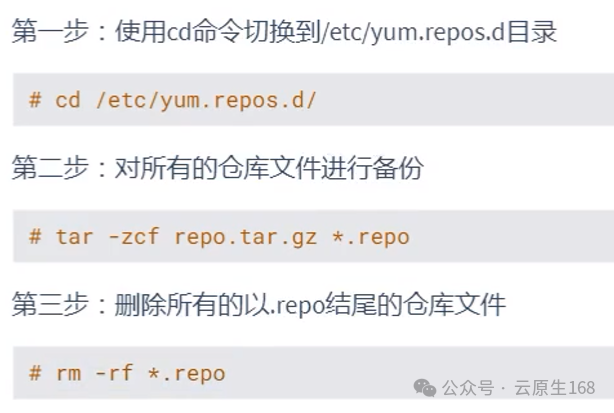
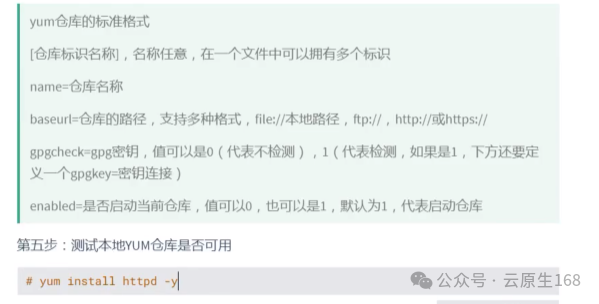
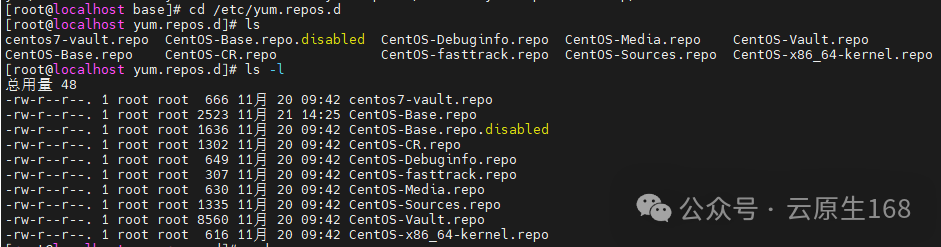 5. Creating a Local Repository
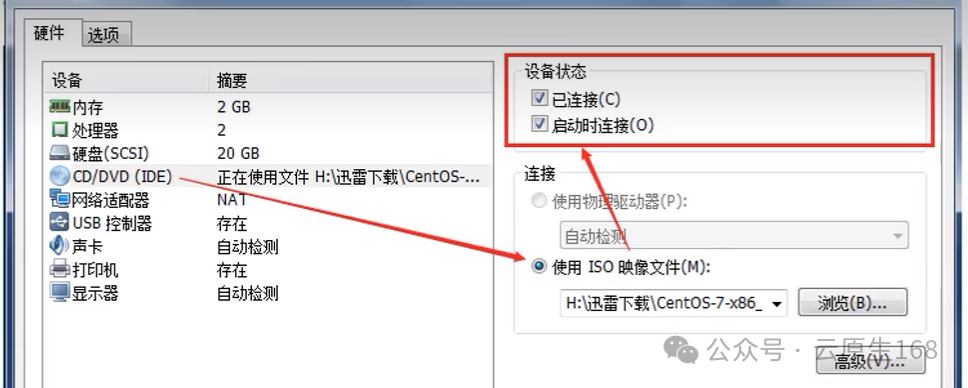
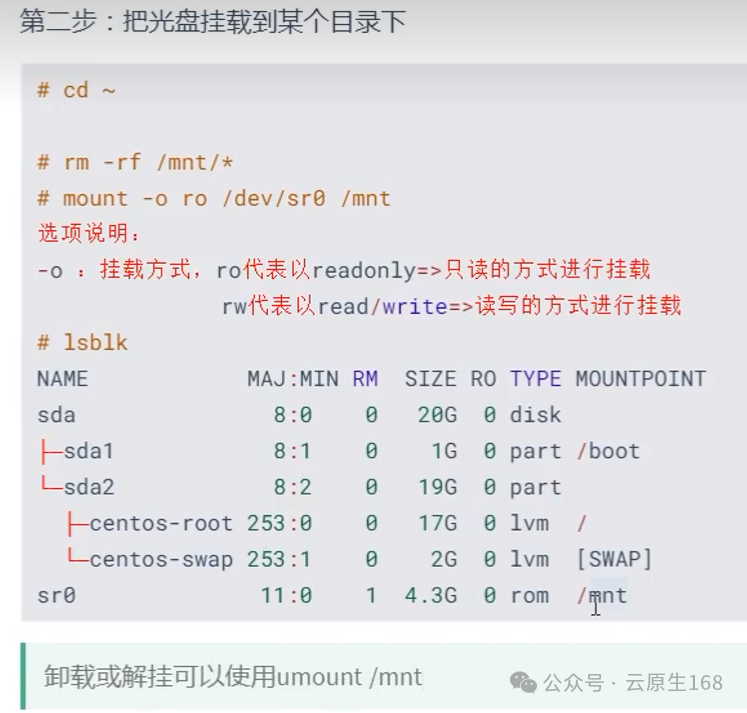
 sr0 is the CD-ROM drive, which is not mounted by default.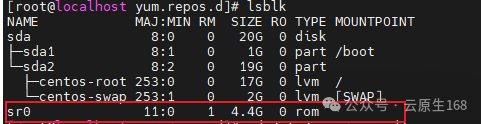

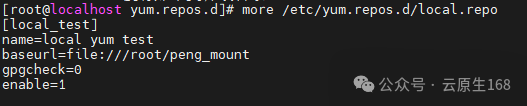

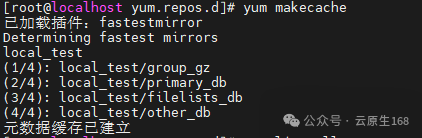
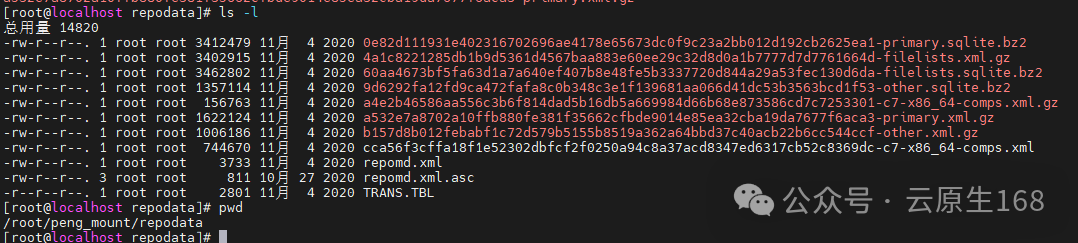
Package Files
# Repository metadata files (in the mounted CD's repodata/ directory)
repomd.xml          # Repository metadata index
primary.xml.gz      # Main package information (name, version, dependencies)
filelists.xml.gz    # Package file list
other.xml.gz        # Other package information
comps.xml           # Component grouping information
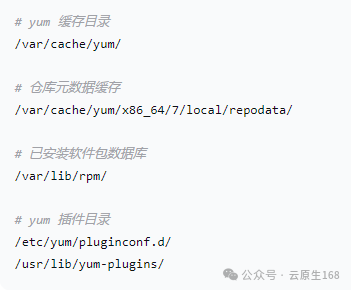
# YUM cache files
/var/cache/yum/x86_64/7/local/repodata/repomd.xml
/var/cache/yum/x86_64/7/local/repodata/primary.xml.gz