Introduction
Today, the ESP32-S3 development board I ordered online has arrived, and I can’t wait to open it and give it a try.
What is a Development Board:
Typically, the programs we write run on servers, personal computers, or mobile devices. Whether it’s a server, personal computer, tablet, smartphone, Raspberry Pi, ESP32, STM32, etc., they can all be considered computers, differing only in size, purpose, cost, and performance.
Selecting a Computer Based on Needs:
If you want to run large models, it’s generally suitable to use a high-performance server equipped with a high-end graphics card.
If you’re using a browser, coding environment, video production environment, or AAA games, a personal computer is usually appropriate.
If you’re watching movies, binge-watching series, scrolling through short videos, or chatting, a smartphone is generally suitable.
ESP32:
We all know that a computer consists of a CPU, memory, hard drive, network, display, etc.
The ESP32-S3 I received today is a higher-performance model in the ESP32 series: S3.
This computer looks like this after unpacking the delivery:
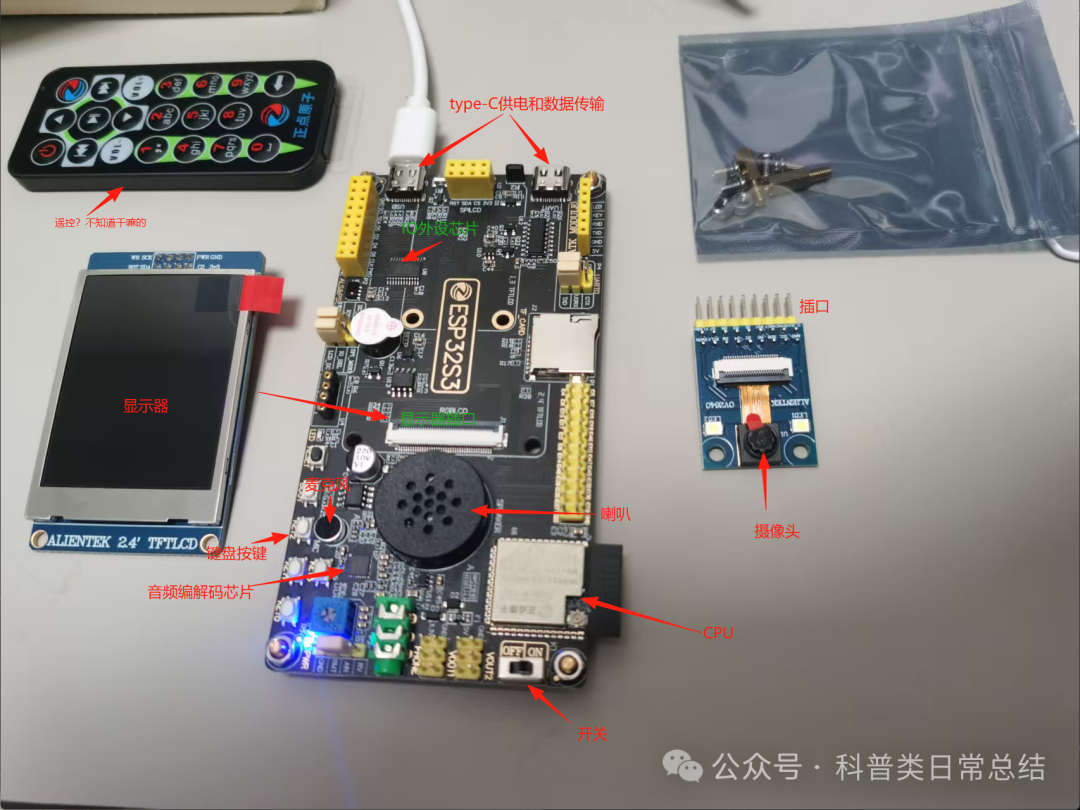
As you can see, it is quite similar to a regular computer, just smaller and without a keyboard or mouse. So how do we use it?
I plan to use it to create a chatbot. It has a microphone, audio codec, speaker, and Wi-Fi, so it can convert my spoken words into audio data, transmit it to my computer via Wi-Fi, process it with a large model, and then send the response back through Wi-Fi to play the sound through its speaker or display text on a monitor.
Getting Started:
1. Connect the development board to my computer using a Type-C cable, which provides power while also allowing data transfer.
2. Install the ESP development environment on my computer. I directly downloaded the ESP-IDF extension in VSCode on Windows:
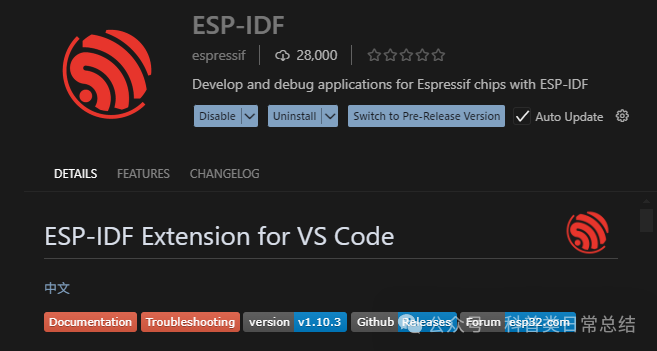 After downloading the extension, it prompted me to install the ESP development package:
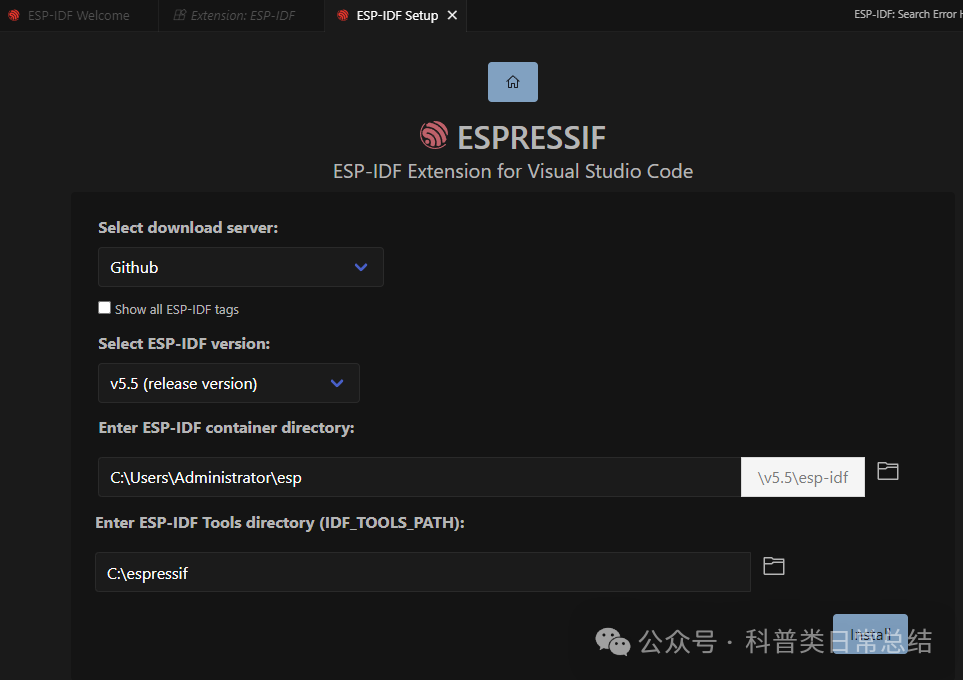 Once installed, I can see a list of tools as shown in the image below. Each function is actually a Python script that can be run by simply clicking on it, making it very easy: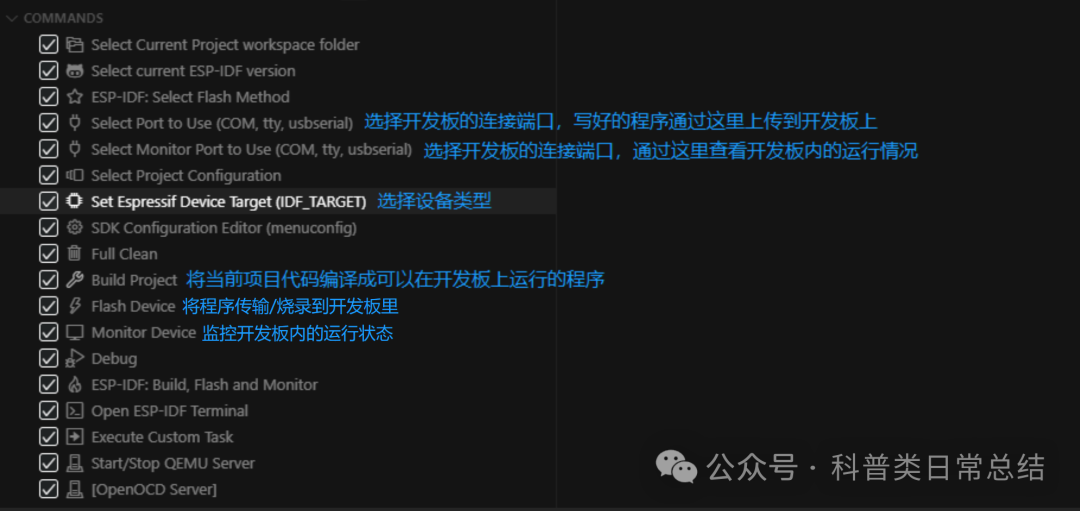
3. Download open-source projects to my development board and try running them. The ESP development package comes with some small demos. I just opened the demo directory in VSCode and clicked on the tools, and the demo successfully ran on my development board.
Advanced:
Currently, I haven’t utilized the screen, speaker, microphone, Wi-Fi, Bluetooth, and other functions yet. I need to find some more complex open-source projects to run and experiment with.
Once I become proficient, I can start writing my own code to run on it.
Conclusion
There are many types of computers. Nowadays, large-scale computing and storage tasks are concentrated in high-performance servers in data centers. Meanwhile, microcomputers like the ESP32 can serve as network terminals connecting to cloud data center services.