
In-Depth Analysis: How to Use the API to Query Detailed Information on Texas Instruments (TI) Chip Products?
YiSquare – Gathering Insights and Solutions
Introduction
The electronics manufacturing industry is generally facing challenges in semiconductor supply chain management. To address this demand, manufacturers are actively optimizing their procurement systems and striving to build more efficient supply chain collaboration models. In this context, global semiconductor giant Texas Instruments (TI) has taken the lead in launching an industry-innovative API solution, helping customers grasp supply dynamics in real-time through direct system connections, enabling smart procurement. This groundbreaking solution employs standardized industry protocols, simplifying manual operations in the procurement process while effectively preventing errors and providing customers with accurate genuine inventory data.
What Does the TI API Suite Include?
The TI API suite is a comprehensive set of data interaction tools that achieves seamless integration between external systems and TI’s backend through standardized interfaces. This solution covers core procurement functions such as order management, inventory inquiries, and price retrieval, while also supporting corresponding services like shipment notifications and invoice requests. Additionally, it provides a comprehensive product database interface, including key product information query services such as technical parameters, quality, and reliability.
Today, we will delve into how to use the API to query detailed information on Texas Instruments (TI) chip products.
1
Product Information TI API Overview
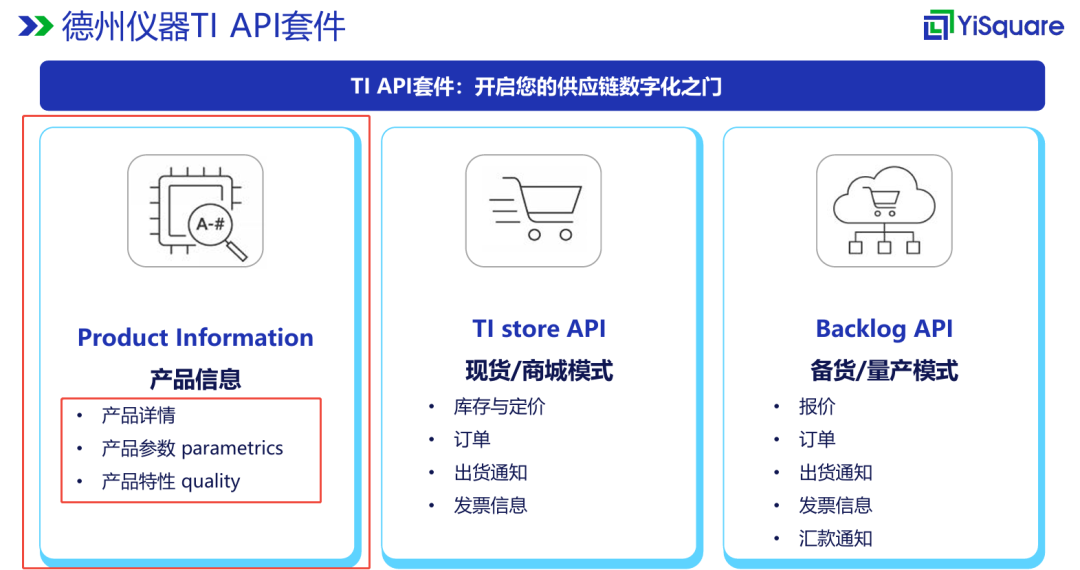
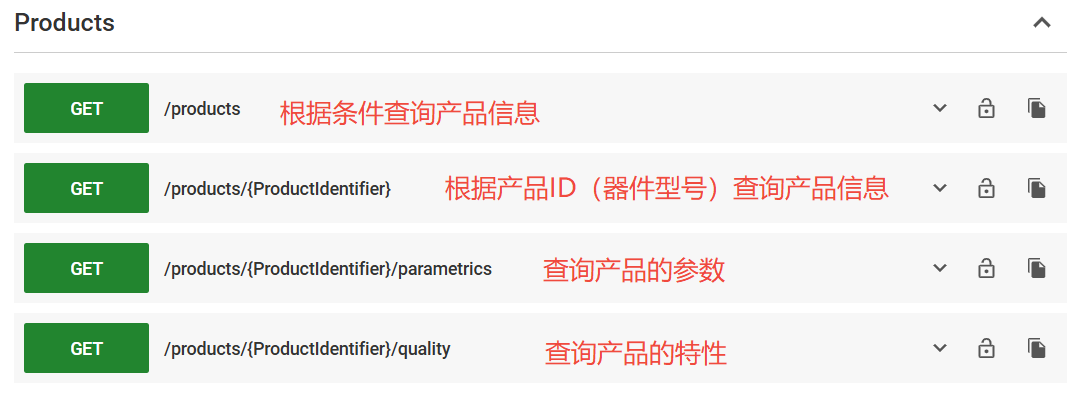
The TI Product Information API includes main content such as product details, product parameters, and quality characteristics. We can choose different methods to query based on our needs:
1. Query Product Information by Conditions
Input product ID, package type, pin count, product group, and other filtering criteria to query information for one or more products.
2. Query Product Information by Product ID (Device Model)
Query the corresponding product information based on the specified device model.
3. Query Product Parameters
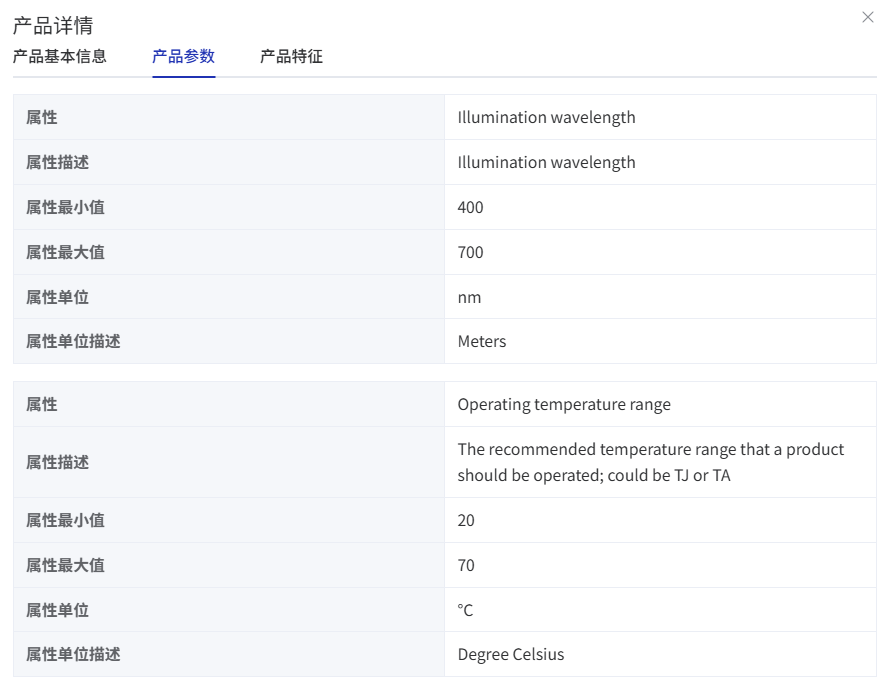
Query the corresponding product parameters based on the specified device model. For example: operating temperature range, illumination wavelength, array diagonal, and other detailed technical parameters related to the product.
4. Query Product Characteristics (Quality and Reliability Information)
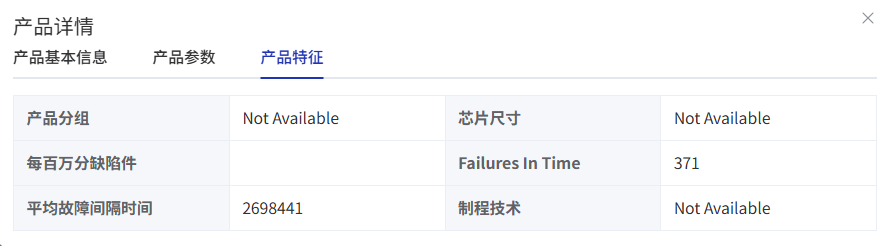
Query the corresponding product characteristics based on the specified device model. For example, chip size, process technology, and failure interval time.
2
How to Call the Product Information API
01
Preparation Work
Before calling the Product Information API, we need to do some preparatory work:
Step 1: Create a myTI Company Account
TI customers need to visit the TI official website (https://www.ti.com.cn/zh-cn/) to create their company account and set up contact address, tax information, and other related information.
Step 2: Create Settlement Information
Log in with the myTI account created in Step 1, fill in payment methods, payment cycles, and other relevant settlement information based on the business agreement with TI.
Step 3: Apply for API Key
Log in to myTI with the company account, fill in the key application information on the corresponding page, and TI will review the application. Once approved, the key will usually be sent via email.
Note: Please be sure to copy your password before closing the dialog box. If you forget your password, you must regenerate a new one. The API key and password can only be regenerated once every 24 hours.
02
Authentication
TI uses OAuth 2.0 technology to protect API access, so we must pass the access token when sending requests.
Note:
OAuth 2.0 is currently the most popular authorization framework that allows third-party applications to access user resources with limited permissions based on user authorization, without sharing user credentials (such as username and password).
OAuth 2.0 considers various security mechanisms, such as short-term token mechanisms, credential non-sharing, secure authorization processes, scope restrictions, and anti-attack mechanisms, making it the cornerstone of modern application authentication and authorization, adopted by most major tech companies.
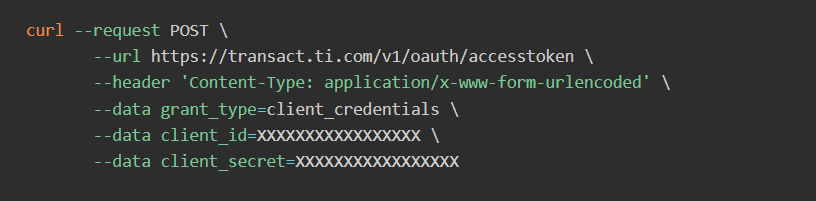
To obtain an access token, you need to call the TI OAuth API:
https://transact.ti.com/v1/oauth/accesstoken
Please note the following when calling the TI OAuth API:
• TI requires the use of client credentials.
• “Content-Type” must be “application/x-www-form-urlencoded”.
• The request should be sent to the above URL without any additional query parameters.
• Request parameters (grant_type, client_id, client_secret) must be in the request body as a string, separated by “&”, without any further encoding.
For example:
“grant_type=client_credentials&client_id=[CLIENT_ID]&client_secret=[CLIENT_SECRET].”
• The access token is valid for 60 minutes. Before using the token in other APIs, please check if the access token has expired.
Example of Request Parameters:
Example of Response Parameters:
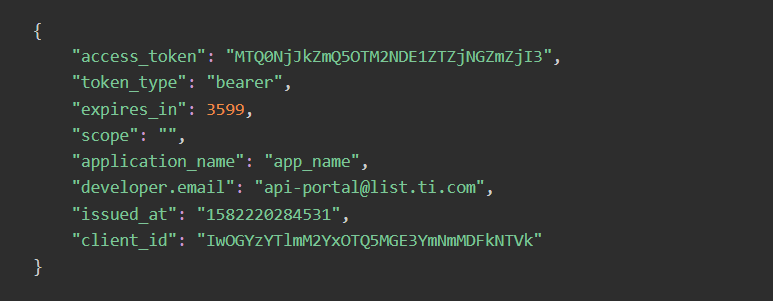
Where access_token is the access token.
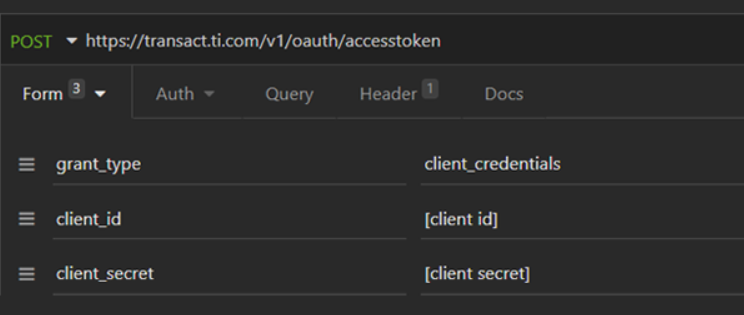
Example of Calling Method in Client:
03
Calling the Product Information API
The server address for querying the TI Product Information API is: https://transact.ti.com/v1
We can choose from the following four methods to query the corresponding product information, parameters, or characteristics as needed.
Access Restrictions
To prevent network attacks or overload calls, TI has set access restrictions for each account, including daily access quotas and concurrent limits during peak periods.
• Daily Access Quota
Sandbox Environment: 3000 calls per day.
Production Environment: 3000 calls per day.
• Peak Concurrent Limit
Five API calls per second.
Example of Product Information Return Value:
{ “ChangeOrderWindow”: “STD”, “DatasheetUrl”: “http://ti.com/lit/gpn/AFE7799”, “Description”: “Quad-channel RF transceiver with dual feedback paths”, “ExportControlClassificationNumber”: “EAR99”, “ExtendedShelfLife”: false, “FullBoxQty”: 126, “GenericProductIdentifier”: “AFE7799”, “HtsCode”: “8542390001”, “Identifier”: “AFE7799IABJ”, “IndustryPackageType”: “NFBGA”, “InventoryStatus”: “Supported by TI store inventory and pricing API”, “JedecCode”: “S-PBGA-N”, “LeadTimeWeeks”: “8”, “Length”: 15, “LifeCycleStatus”: “ACTIVE”, “LifetimeBuy”: false, “MaterialContentUrl”: “http://www.ti.com/materialcontent/en/search?partNumber=AFE7799IABJ&partType=tiPartNumber”, “MaxHeight”: 1.8, “MilitaryGoods”: true, “MinOrderQty”: 630, “NextIncrementQty”: 126, “Obsolete”: false, “OkayToOrder”: true, “PackageCarrier”: “JEDEC TRAY (10+1)”, “PackageGroup”: “QFN”, “PackageType”: “ZBV”, “Pin”: 289, “Pitch”: 0.8, “Price”: { “Quantity”: 1000, “Value”: 1 }, “ProductFamilyDescription”: “RF-sampling transceivers”, “QualityEstimatorUrl”: “http://www.ti.com/quality/docs/estimator.tsp?OPN=AFE7799IABJ&partNumber=AFE7799IABJ&partType=tiPartNumber”, “StandardPackQty”: 126, “StopShip”: false, “Thickness”: 1.25, “Url”: “http://www.ti.com/product/AFE7799”, “Width”: 15}
3
StarLink: Helping You Quickly Achieve Direct Connection with TI API
TI provides a feature-rich API suite, but for electronic manufacturers procuring TI chips, how to use these APIs to establish connections with TI and efficiently carry out procurement operations is an unavoidable topic. YiSquare has meticulously crafted the StarLink supply chain collaboration platform to assist you in easily achieving direct connections with the TI API.
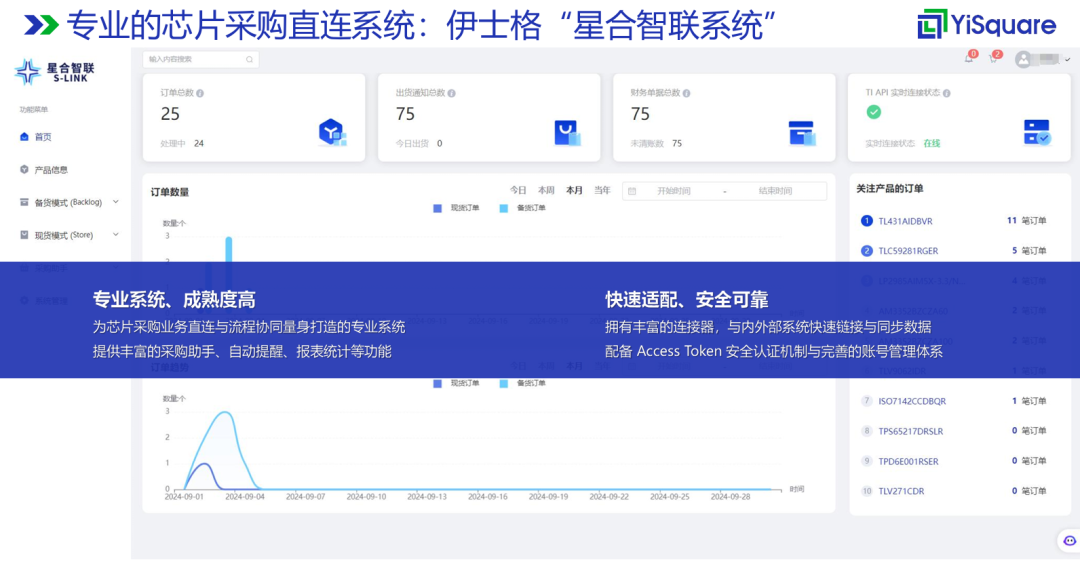
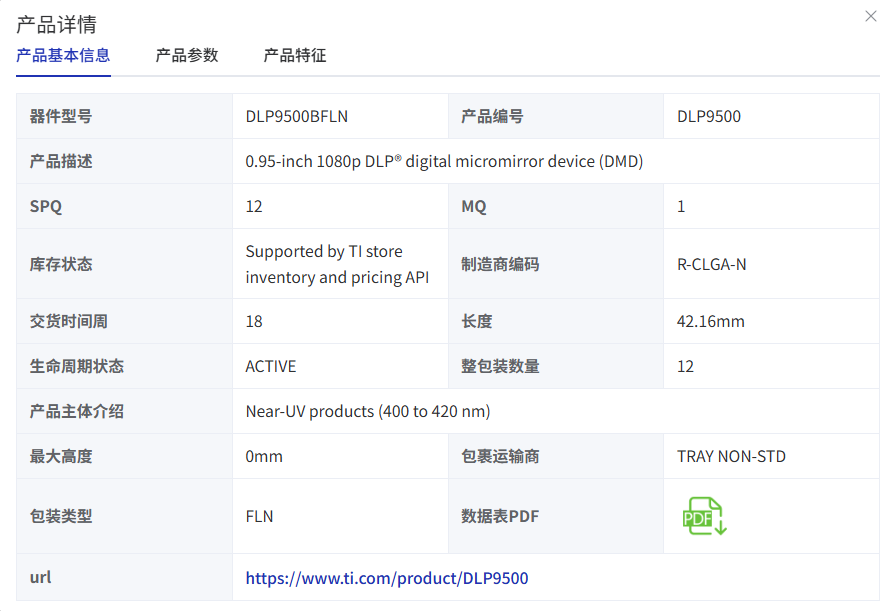
With StarLink, no complex technical operations are required; after rapid installation and configuration, you can directly query detailed information on TI chip products through the API using a browser.
Basic Product Information
Product Parameters
Product Characteristics (Quality and Reliability Information)

WeChat ID YiSquare Technology
Contact Number 400 105 6865
Contact Email [email protected]