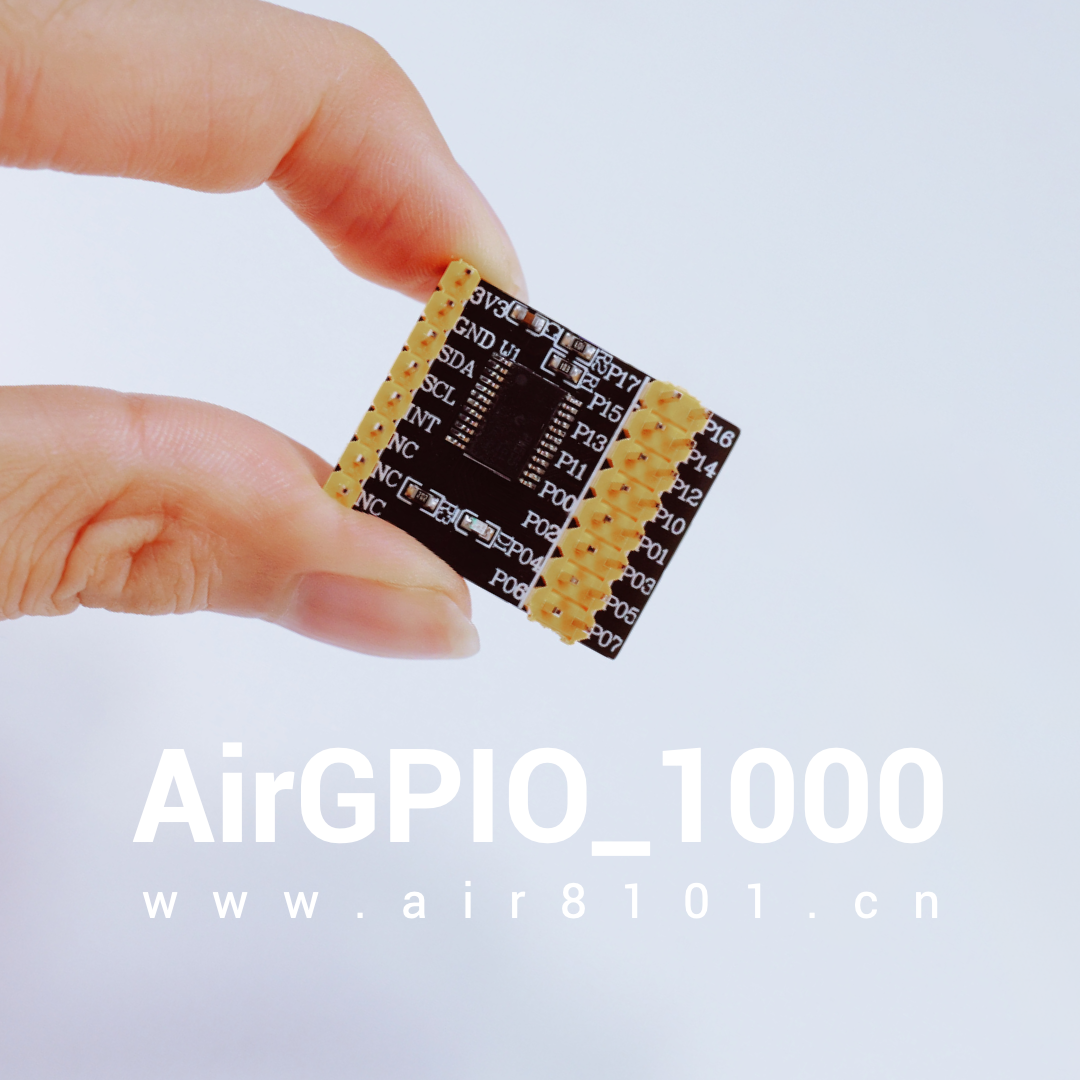
AirGPIO_1000——A GPIO expansion accessory board designed and produced by Hezhao, converting I2C to 16 channels, comes with 8 female-to-female DuPont wires.
AirGPIO_1000 is used with the Air8101 core board, requiring no modification to the demo code; simply burn and run it to perform tests for GPIO output, input, and interrupt functionalities.
▼ Click to view video demonstration ▼
1. Main Hardware Preparation
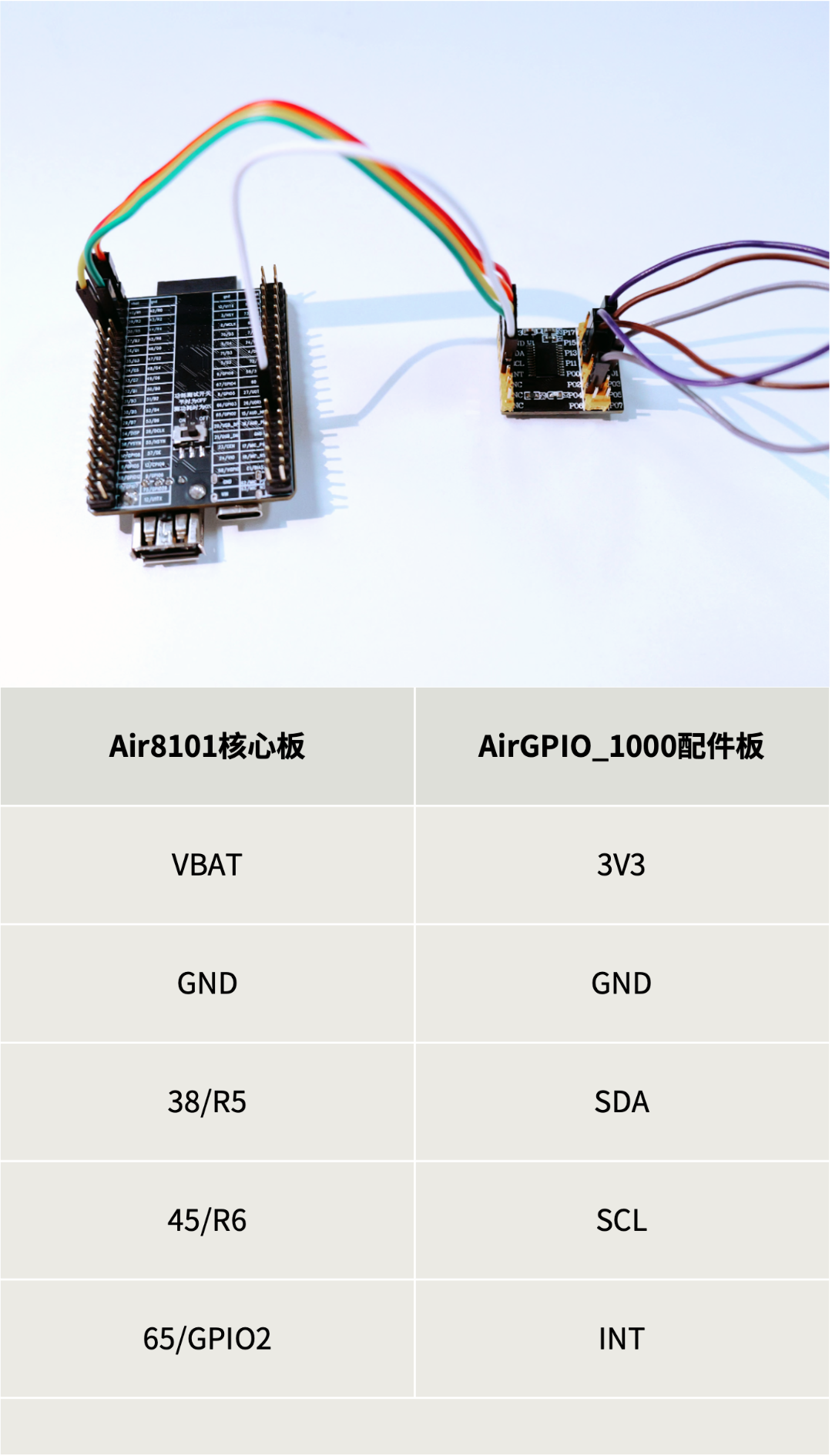
The AirGPIO_1000 accessory board can be connected to the Air8101 core board via DuPont wires, adjusting the wiring method according to different functional tests.
1
– Wiring Instructions for Functional Testing –
The current example functional tests are divided into three methods: GPIO output expansion, input, and interrupt.
1) During the GPIO output expansion demonstration:
No wiring is required; simply use a multimeter or oscilloscope to detect the P00 level on the AirGPIO_1000 accessory board.
2) During the GPIO input expansion demonstration:
Short-circuit the P10 and P11 pins on the AirGPIO_1000 accessory board using DuPont wires;
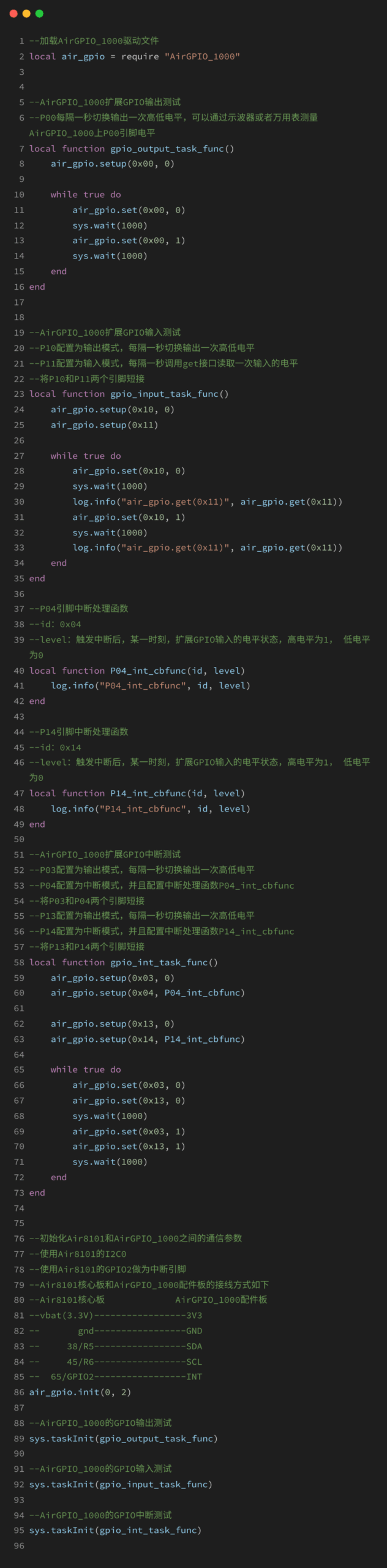
In software, P10 will be configured as output (outputting low for the first second, high for the second second, and so on), and P11 will be configured as input, demonstrating by detecting the input level state of the P11 pin.
3) During the GPIO interrupt demonstration:
Short-circuit the P03 and P04 pins on the AirGPIO_1000 accessory board, and short-circuit the P13 and P14 pins on the AirGPIO_1000 accessory board;
In software, P03 and P13 will be configured as output (outputting low for the first second, high for the second second, and so on), while P04 and P14 will be configured for interrupts, demonstrating by detecting the trigger state of the interrupt function.
2
– Power Supply Instructions –
The Air8101 core board is powered via the Type-C USB port (the power consumption test switch on the back of the core board should be set to the OFF side).Under this power supply method, the VBAT pin provides 3.3V, which can directly power the AirGPIO_1000 accessory board.
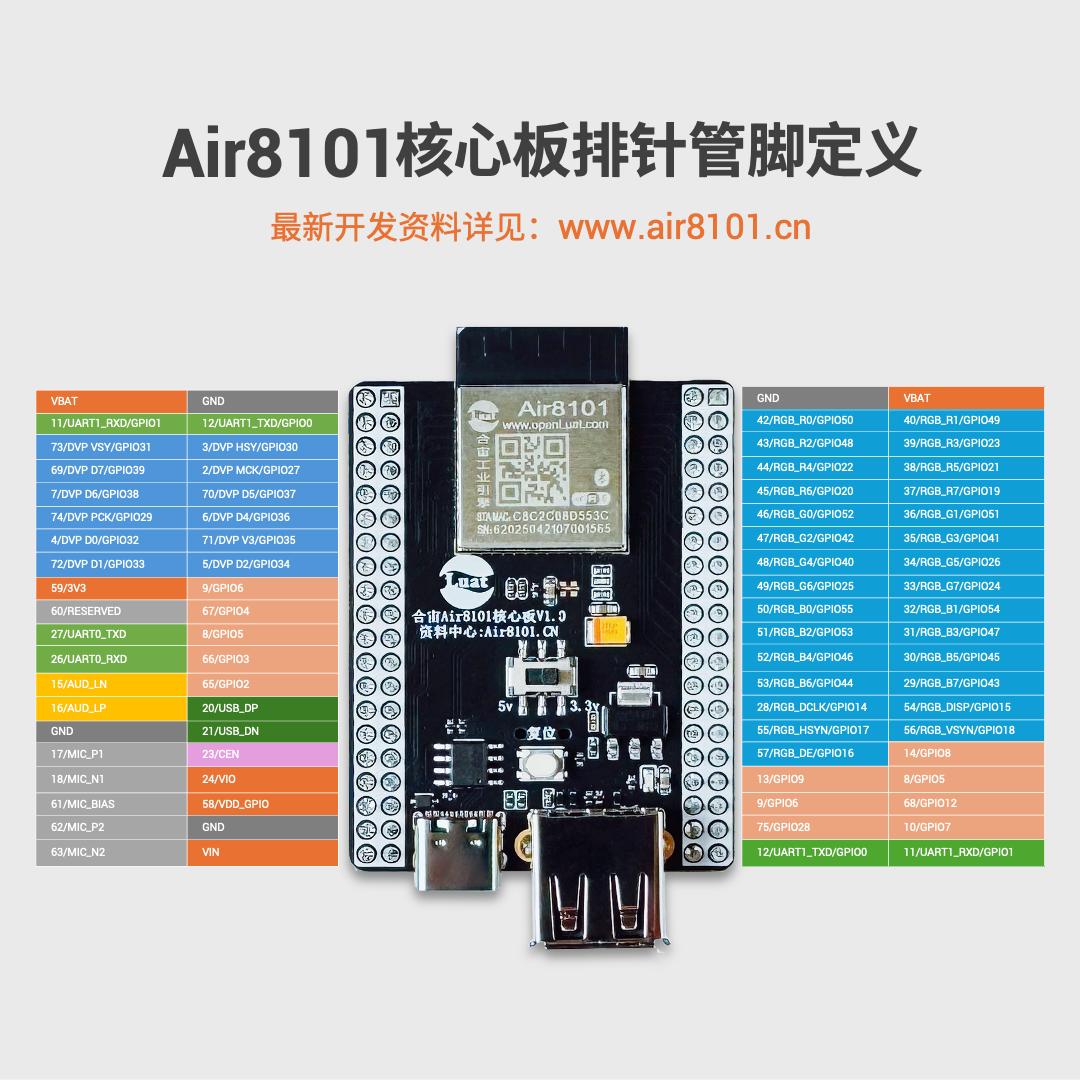
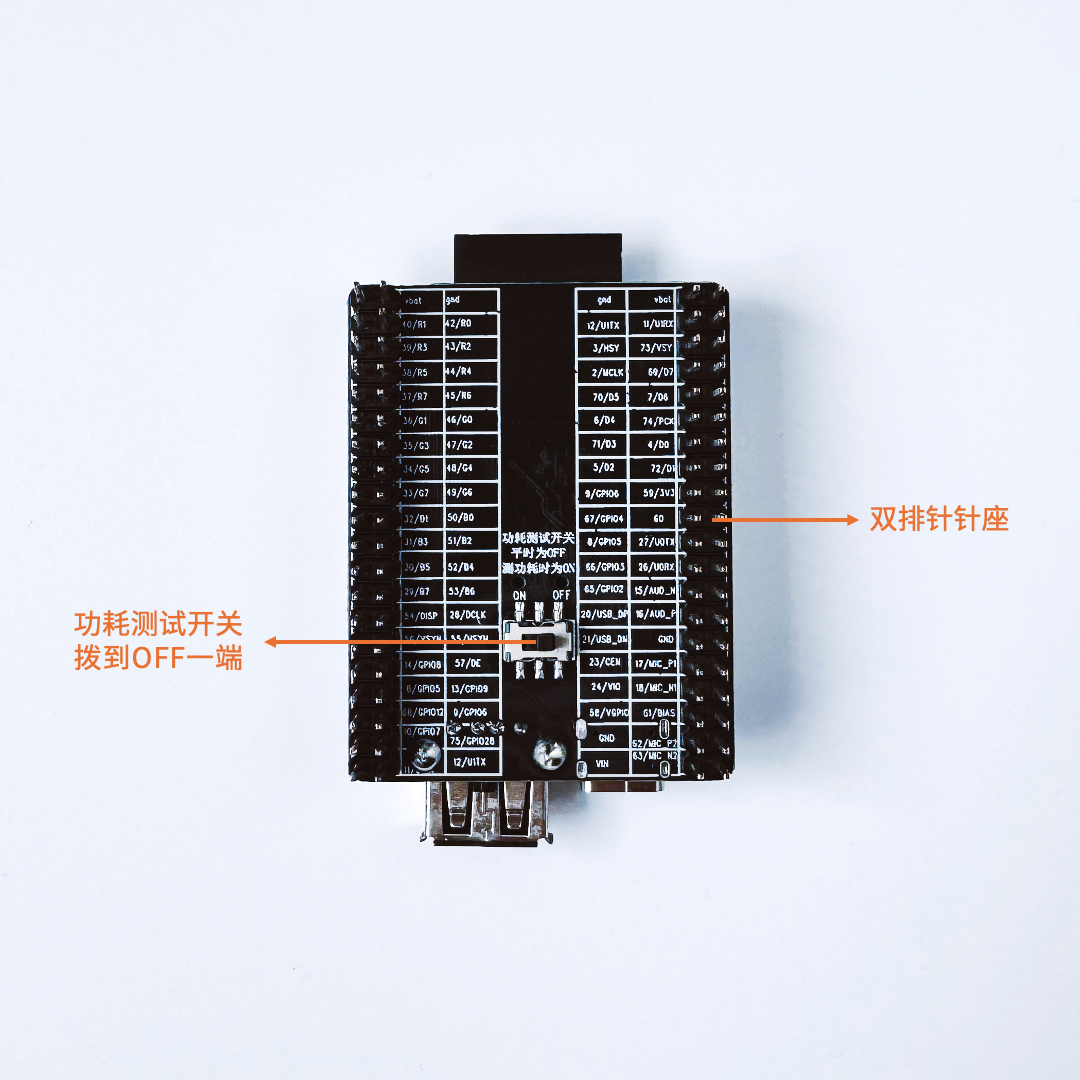
For demonstration convenience, after powering on the Air8101 core board, it directly provides 3.3V power to the AirGPIO_1000 accessory board through the VBAT pin.
When designing actual projects:Generally, a GPIO is needed to control the LDO to power the accessory board, allowing flexible control of the accessory board’s power supply, minimizing the overall power consumption of the project.
2. Software Demo Download
https://gitee.com/openLuat/LuatOS/tree/master/module/Air8101/project/core_accessory_board/AirGPIO_1000
The core functionality of this demo is:
Air8101 core board + AirGPIO_1000 accessory board, achieving tests for GPIO output, input, interrupts, and more.
Some example code is as follows; see the latest files in the source code repository:

If you have any questions regarding IoT development selection, feel free to join the technical discussion group or contact the person in charge for further discussion.
-
One to Four, USB Multi-Camera Data Collection and Processing
-
Two HMI Development Frameworks for Air8101: LVGL and AirUI
-
How to Design and Place Antennas? Key Points for Three Common Layouts
For more development materials, visit: www.air8101.cn

▼ Learn More About Hezhao ▼
4G + Positioning + WiFi + Bluetooth, Air8000 Industrial EngineNew Hezhao Air8101 Development Board Now Available
Low Power Open Development New Solution Air780EPM