Received a Douyin command in WeChat but can’t open it? Most of the time, it’s not that the command is invalid, but rather an issue with the opening method. As a core tool for cross-platform sharing, the Douyin command, upgraded to version 3.0 in 2025, has implemented dual protection with dynamic verification and anti-fraud mechanisms. As long as you master the correct method, you can easily jump to the content whether using the standard or fast version. This article will detail command recognition, opening techniques, and a guide to avoid pitfalls, making it easy for beginners to understand.
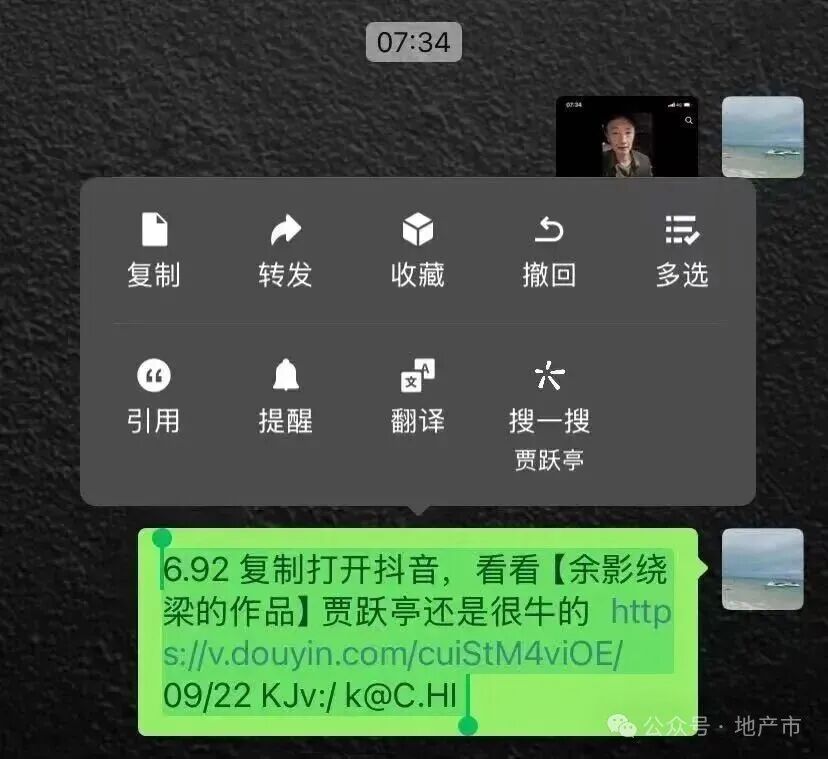
It is important to clarify: Douyin commands are not a single format, but are mainly divided into two categories. One type is the product command, which usually clearly indicates the words “Douyin Command”. When copied and opened, it directly jumps to the product detail page in the Douyin mall, suitable for sharing desired items; the other type is the video command, which often starts with http and ends with a prompt to “copy and open Douyin”, aiming to directly reach the corresponding short video content. Although these two types of commands look different, the operational logic is the same. The core premise is to copy completely—one must select all the text after expansion without omitting or adding any characters, otherwise, recognition will fail.
1. First, clarify one thing: What is a Douyin command?
Douyin commands are not a unified thing; they are mainly divided into two different types of commands.
1) Product Command: Douyin product commands: characteristics, usage scenarios, and operational points. Douyin product commands are designed as direct tools for e-commerce sharing, with the core feature being that the text will clearly indicate the words “Douyin Command”. Some may also include brief information such as product name and price, for example, “[Douyin Command] XX brand sports shoes limited-time discount, copy to view details”. Its core function is to bridge the social platform and Douyin mall. When users see a desired product on Douyin, whether it is clothing, home goods, or digital appliances, they can use the “share-generate product command” function to accurately share the product on WeChat, QQ, and other platforms.
When using, it is necessary to pay attention to the principle of “complete copying”. One must select all content that includes the “Douyin Command” label and subsequent characters; missing or adding spaces will lead to recognition failure. When opening, if the social platform displays a blue link, clicking it will prompt to jump to Douyin, allowing direct access to the product detail page where specifications, reviews, promotional activities can be viewed and orders placed; if there is no blue link, copying and opening Douyin will allow the system to automatically recognize and pop up the product window, which can be clicked to enter. The 2025 version of the product command has also added an “anti-counterfeiting mark”; legitimate commands will display the Douyin official mall logo after jumping, effectively avoiding counterfeit link risks.
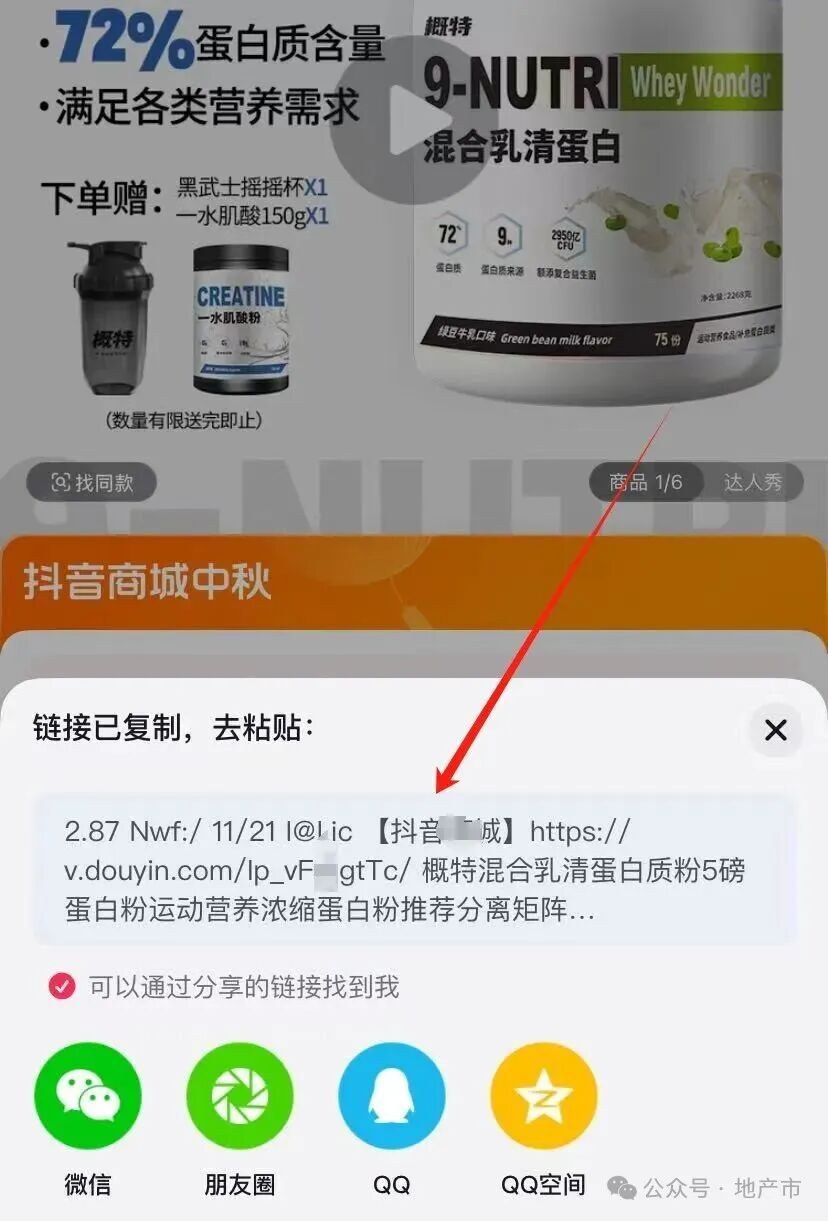
(2) Video Command: Douyin video commands are prominently marked by starting with “http” and often end with prompts like “copy and open Douyin to view XX’s video”, for example, “http://v.douyin.com/xxxx copy and open Douyin to view this funny pet video”. The text may also include the video publisher’s nickname, topic tags, etc., to help the recipient understand the video’s general content in advance. It is the main carrier for users to share quality short videos, whether they are popular dramas, life hacks, knowledge popularization, or talent showcases, they can be cross-platform shared through generating video commands.
In terms of operation, when copying, be sure to include the complete http link and subsequent guiding text, avoiding copying only part of the link. There are two ways to open: one is to click the blue http link in the command on the social platform, and follow the prompts to jump to Douyin to watch the complete video, where you can also interact, like, and follow the author; the other is if the link cannot be clicked, copy all content and open Douyin. In most cases, the system will automatically pop up a video jump prompt; if it does not pop up, you can paste it into the search box to search. For the newly added “high-definition video command” in 2025, ensure that the Douyin version is ≥25.0.0 (Android)/25.1.0 (iOS), otherwise, it may not load high-definition quality, affecting the viewing experience.
II. Methods to Open Douyin Commands
Method 1: Generally speaking, the copied link will have a blue link; if it appears, just click the blue URL directly.
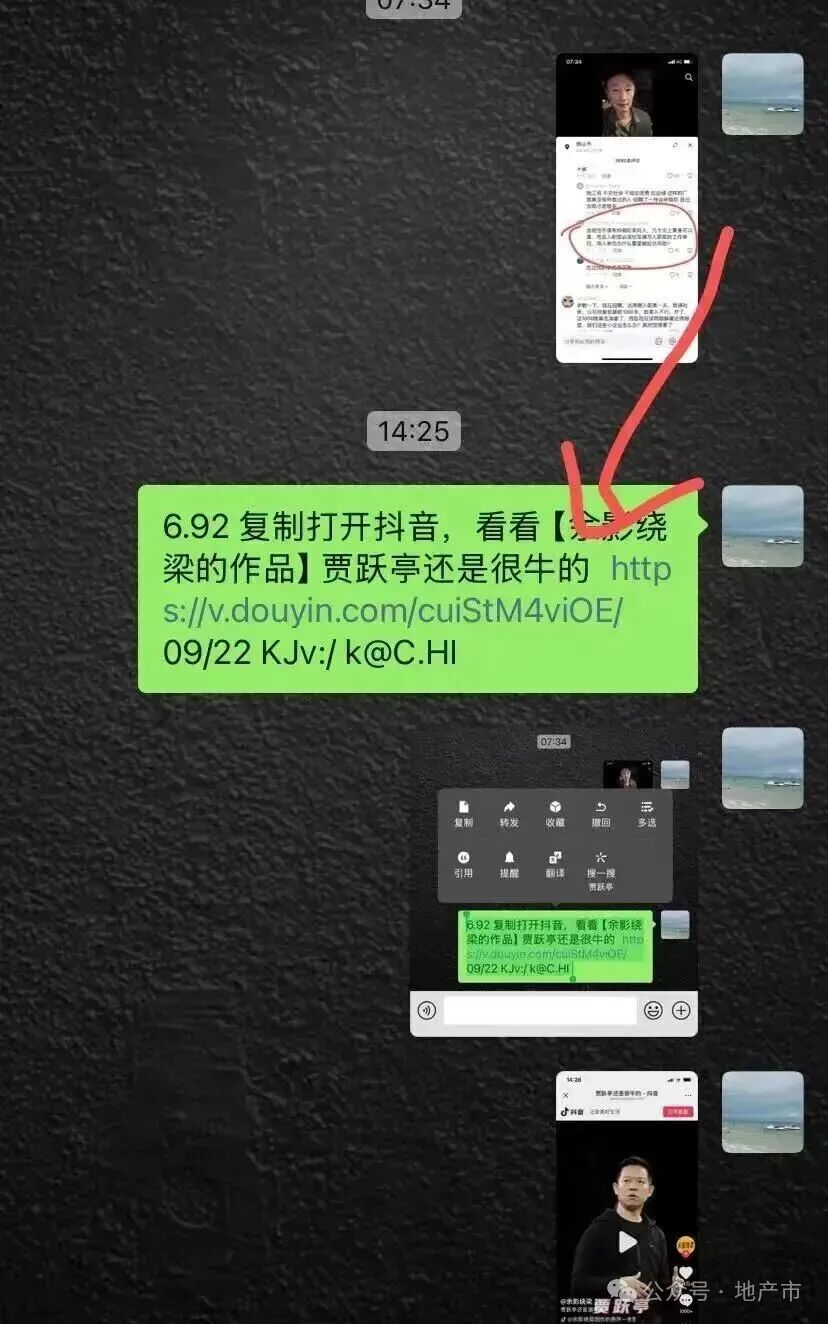
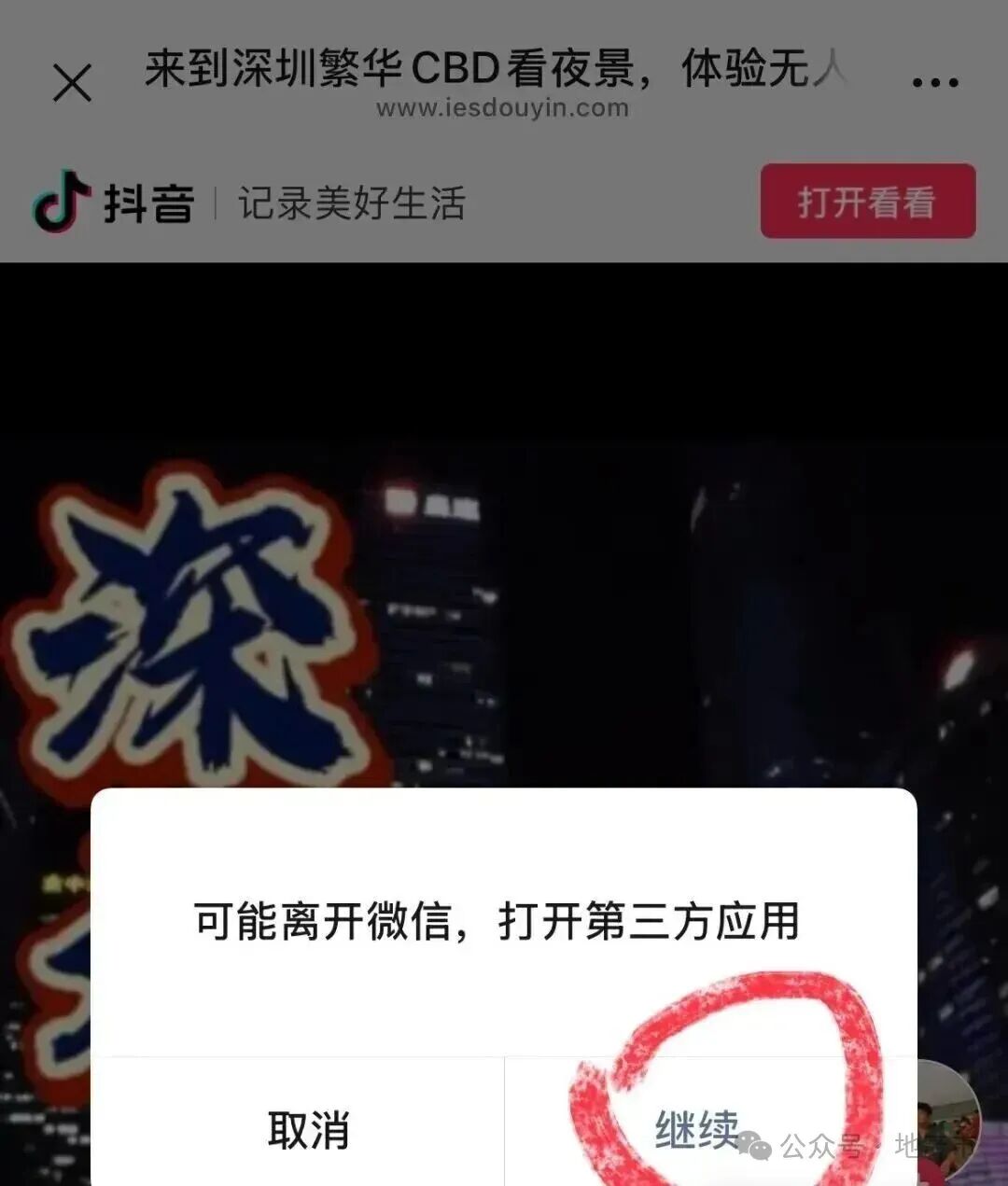
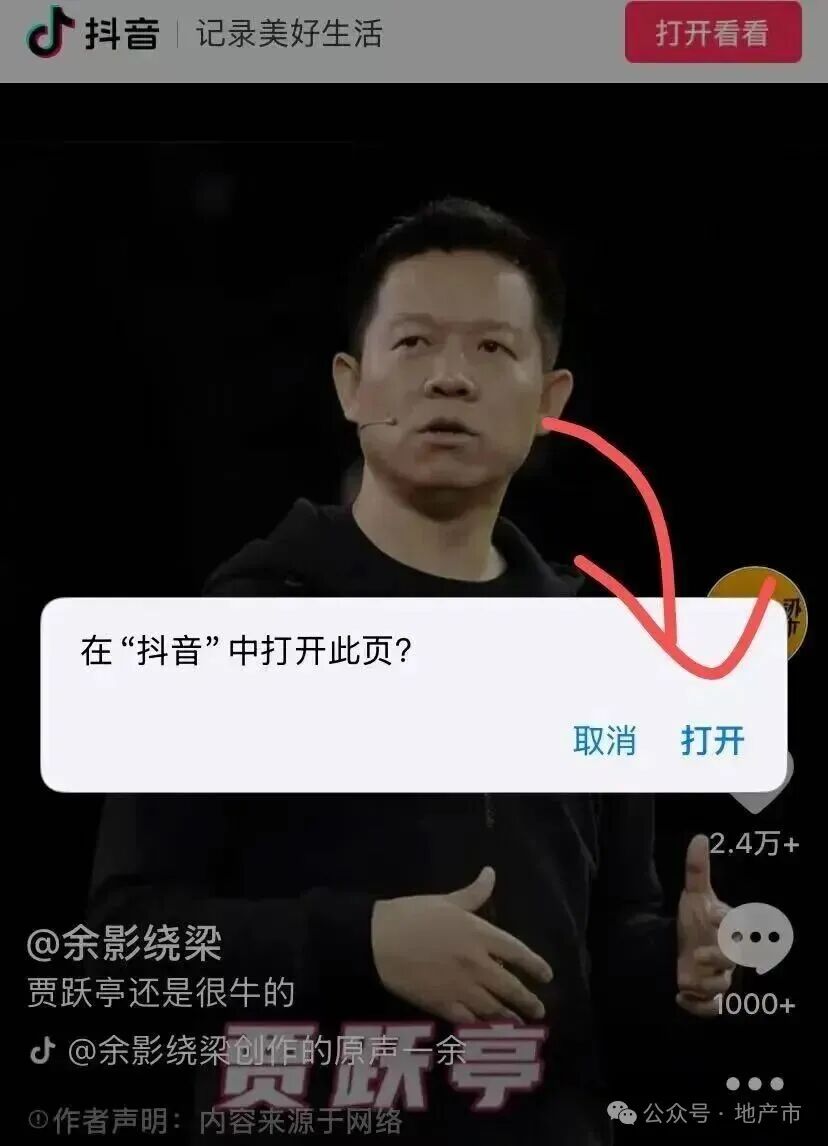
After clicking in WeChat, it will prompt whether to jump to Douyin. Click “Open Now” to jump (provided that you have Douyin installed on your phone).
If you only want to watch a single video, you can also watch it directly on WeChat, but you won’t see more additional information.
Method 2: Copy and paste the complete information and then search in Douyin
If clicking the blue link has no response or cannot be opened, then directly copy the entire command.
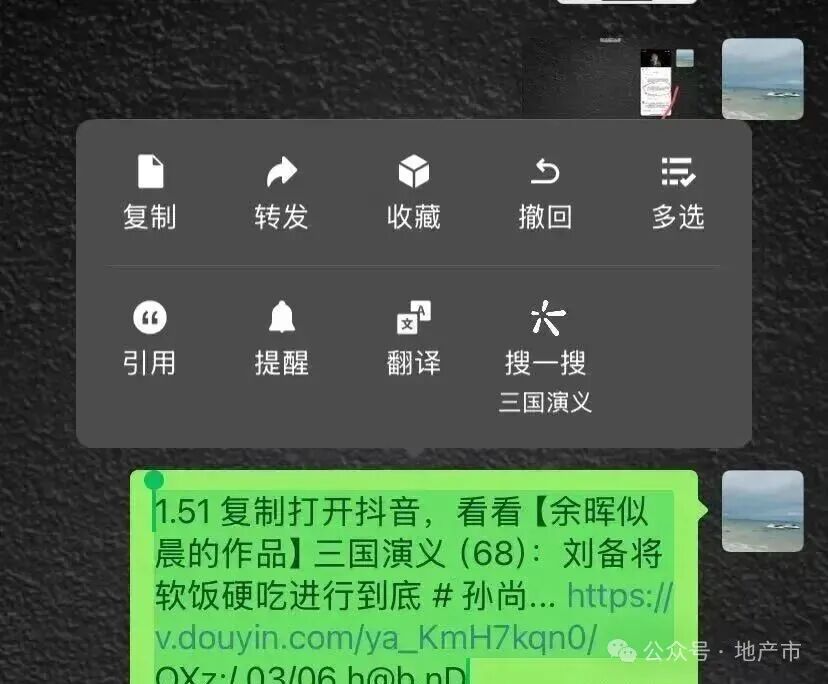
Open Douyin, and it will generally automatically jump to the video location. If it does not jump, you can open the Douyin search box, paste the text, and click search to reach the target.
Mastering these three opening methods can basically solve 99% of jump issues. Method 1: Smart link jump is the most efficient way. When receiving a command in WeChat or other platforms, if the text contains a blue clickable link, just click it. The system will pop up a prompt asking “Do you want to jump to Douyin?” Click “Open Now” to go directly to the target page (you need to have the Douyin APP installed in advance). If you just want to browse quickly, you can also watch directly on WeChat, but you won’t be able to see comments, product details, and other additional information.If the blue link cannot be clicked, Method 2: Searching in Douyin is considered a “universal solution”. Long press the command and select to copy the complete content, then open the Douyin APP. In most cases, the Douyin running in the background will automatically recognize the clipboard content within 3 seconds and pop up a jump prompt; if the pop-up does not occur, you can click the search box in the upper right corner, paste the command, and click search, with a success rate of up to 99.2%, which can also avoid the pure Android mode and iOS paste restrictions. The operation process of Douyin Lite is completely consistent with the standard version, requiring no additional learning.When both of the first two methods fail, Method 3: Opening through a browser can serve as a fallback solution. Copy the complete command into the browser address bar to open, and you can watch the content directly in the browser, which usually also prompts “Open this page in Douyin”. It is particularly reminded that Apple users should use the built-in browser for smoother jumps; third-party browsers may encounter compatibility issues. Additionally, there is also a “message relay method” available: after opening Douyin, paste the command into any chat window and send it, clicking the link in the chat history will automatically parse it.When encountering jump failures, checking the following points can help “avoid pitfalls”. First, check the validity period: ordinary commands are valid within 24 hours, while red envelope and event commands are only valid for 4-6 hours; if expired, contact the other party to resend. Second, check the APP version: Android users must ensure Douyin version ≥25.0.0, and iOS users ≥25.1.0; older versions may not be able to parse new commands containing dynamic verification. Third, enable necessary permissions: if the jump prompt does not pop up, it is often because Douyin has not obtained permission to read the clipboard; you can search for the permission opening method for your phone model in the phone settings, and after enabling it, it can recognize normally. Additionally, weak networks or public WiFi may fail due to DNS pollution, switching to 4G/5G networks can improve the situation.Security issues should also be taken seriously. The 2025 Douyin has added a “verification assistant” feature; when encountering suspicious commands, you can search for this tool in Douyin and input the content to verify whether it comes from the official source. Any command that requires filling in personal information such as ID card numbers, bank card numbers, or requires money to be “activated” is a scam; even if the page is disguised as Douyin style, careful identification is necessary. Remember: official customer service will never ask you to download software or share screens under the pretext of “service fees”; suspicious situations can be verified by calling 95152.The core value of Douyin commands lies in convenient cross-platform sharing. As long as you master the logic of “complete copying – choosing the right method – troubleshooting – recognizing the official”, you can say goodbye to jump troubles. By following the tutorial in this article, the next time you receive a command, you can easily open it in just a few seconds, both efficiently and safely.
Thus, you can directly watch Douyin videos in the browser. Generally speaking, the browser will also prompt you to jump, “Open this page in Douyin”.
It is particularly reminded that if it is an Apple phone, directly copying to Apple’s built-in browser will result in smoother jumps. Third-party browsers may encounter situations where the jump fails.
III. Tips to Avoid Pitfalls When Opening Douyin Commands
If you follow the above methods and still cannot open, it may be due to the following reasons.
① First, check the command’s validity periodCheck the validity period; ordinary commands are valid within 24 hours, while red envelope and event commands may only be valid for 4-6 hours. If expired, ask the other party to resend.
② Check the Douyin versionSometimes, the command cannot be opened not because of incorrect operation, but because the Douyin version is too old; just upgrade to the latest version.
Android Douyin must be updated to 25.0.0 or higher, and iOS to 25.1.0 or higher; older versions may not read new commands.
③ Permissions not enabledAnother situation where the window does not pop up is generally because Douyin does not have permission to read the clipboard: (if permission is not enabled, the Douyin APP will not actively read the clipboard content, and naturally will not recognize the pop-up).
As for how to open permissions, the method varies for each phone; directly search for the permission settings for your phone model on Baidu, and the operation difficulty is not high, so it will not be listed one by one here.
It should be reminded that if it is a command that induces “receiving red envelopes”, be extra cautious and do not casually input personal information, especially ID card and bank card information.
Or there are some commands disguised as Douyin commands that, when opened, ask you to fill in ID card numbers, bank card numbers, or require money to be “activated”; it is almost certain to be a scam. Close it immediately; even more, some platforms can disguise themselves to look similar to Douyin, and if you don’t look carefully, you can easily be deceived.
✅ Remember these points, and next time you encounter a Douyin command, you will be able to open it easily and smoothly!