Have you ever encountered a situation where a friend sends you a Douyin command while chatting on WeChat? This command could lead to a particularly interesting short video, a product you like, or even an entry to a live stream. However, sometimes clicking on the Douyin command results in no response at all, leaving some people confused about what went wrong. Today, I will explain several methods to correctly open Douyin commands. After reading this article, I believe you will be able to smoothly open any Douyin command you receive in the future.  1. What is a Douyin Command? A Douyin command is a type of sharing code generated by the Douyin app itself. There are mainly two types of these codes: 1. Product sharing command: This type of command usually includes the words “Douyin Express Version Command.” It is primarily used to share various products sold on Douyin, such as daily necessities or tasty snacks. 2. Video content sharing command: This type of command typically includes the words “Douyin Command” followed by a long string of numbers and letters, along with a web address. A crucial detail here is that you must copy all of this content exactly, without missing any symbols. 2. Three Simple Methods to Open Douyin Commands First Method: Directly Click the Link (Most Convenient) If the URL shared by your friend appears in blue on WeChat, it means WeChat has recognized it as a clickable link, and you can simply tap it to open:
 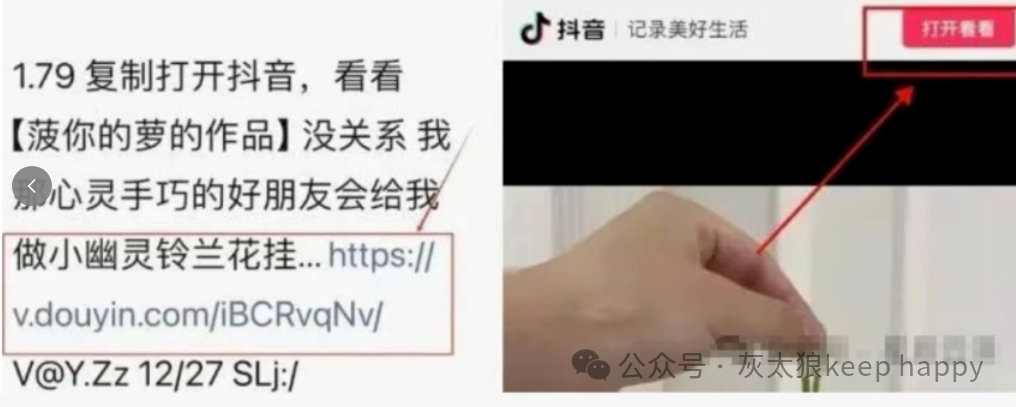 Specific Steps: 1. Find the complete blue link in the chat message. 2. Gently tap the blue link with your finger. 3. Your phone will directly jump to the Douyin app. If you are using an iPhone, you may need to tap the “Allow Jump” button. Second Method: Directly Copy the Entire Message If clicking the link still doesn’t work, try this method:
 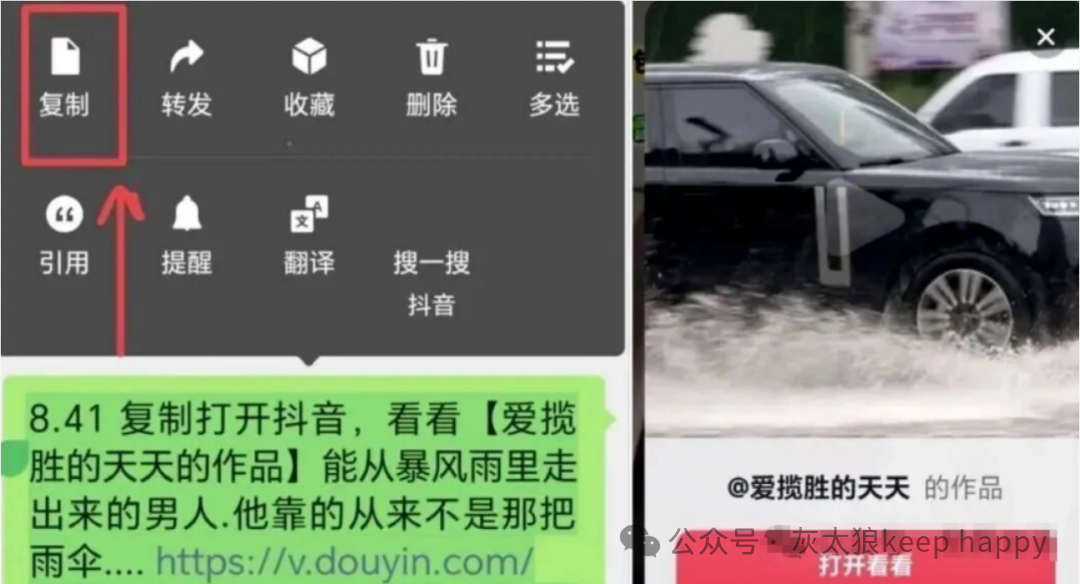 Specific Steps: 1. Press and hold the message until the first option “Copy” appears, then select it. 2. Open the Douyin or Douyin Express app on your phone. 3. At this point, there are generally two scenarios: A. The phone will immediately detect the copied link and pop up a small box; just tap “Open.” B. If nothing happens, manually tap the search icon and paste the copied content into the search box, then press the search key. Important Notes: 1. You must copy the text and link from the message completely. 2. It is best to ensure your Douyin app is updated to the latest version, as older versions may not recognize the new command. 3. Be careful when copying to avoid including unnecessary spaces. Third Method: Open with Mobile Browser (Most Reliable) If the previous two methods did not work, use this most error-proof method:
 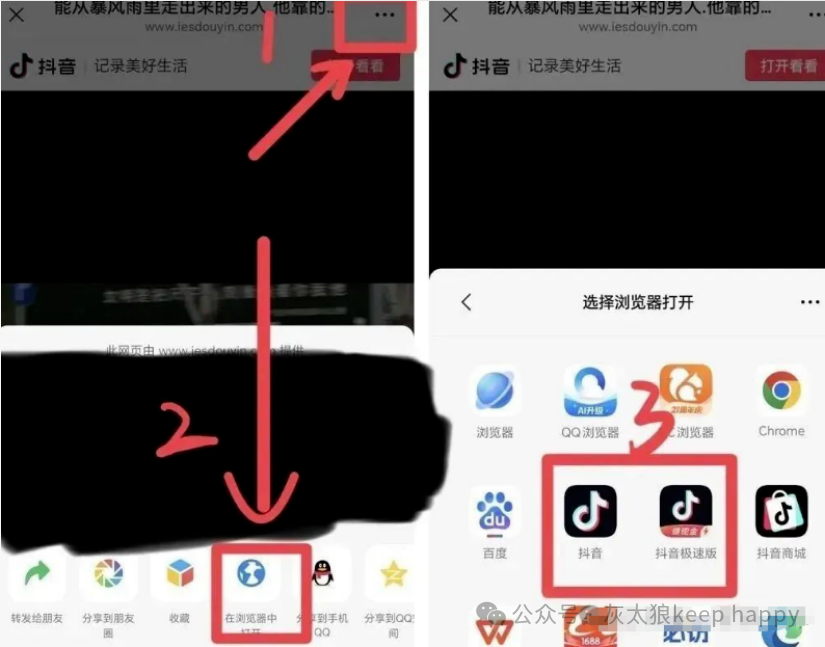 Specific Steps: 1. Select all the text in the message and copy it completely. 2. Open the built-in browser on your phone, such as Safari on iPhone or the default browser on Android. 3. Paste the copied text into the address bar at the top of the browser. 4. Follow the prompts that appear to jump to the Douyin app. Important Notes: 1. If you are using an Android phone, you may need to select the option “Open in Douyin App” in the browser. 2. If you are using an iPhone, you need to allow app-to-app jumping permissions in the settings. Some Tips for Using Douyin Commands: If you have tried the three methods above and still cannot open the link, check if your phone is connected to the internet, clear some old data in the Douyin app, or simply restart your phone. If the screen displays “The command is no longer valid,” it may mean that the video or product linked has been deleted by the author; you can ask your friend to resend it. If you are an iPhone user, remember to enable the “jump permission” for Douyin in the settings. Additionally, your phone’s operating system version should not be too old. If all else fails, restarting your phone can also be a useful solution. When using Douyin commands, you can save frequently used commands in your phone’s notes for easy access later. If you are using an Android phone, you can also create a shortcut icon for Douyin on your home screen. However, be cautious if the command contains phrases like “Claim Large Red Packet” or “Win a Prize”; be vigilant and protect your personal information and account security, do not enter your password casually. Having read this, I believe you have learned these three methods to open Douyin commands. In the future, you will be able to see the coupons and interesting videos sent by friends immediately. I hope this content is helpful to you.