TrueSTUDIO for STM32 is an integrated development environment for STM32 based on the Eclipse architecture. Now, let me introduce the plugins I am currently using.
Plugin 1: STM32CubeMX
STM32CubeMX can be embedded as a plugin in TrueSTUDIO for STM32. The specific operations are shown in the figures (1) and (2). Help (H) > Install New Software (S) > Add (A)…
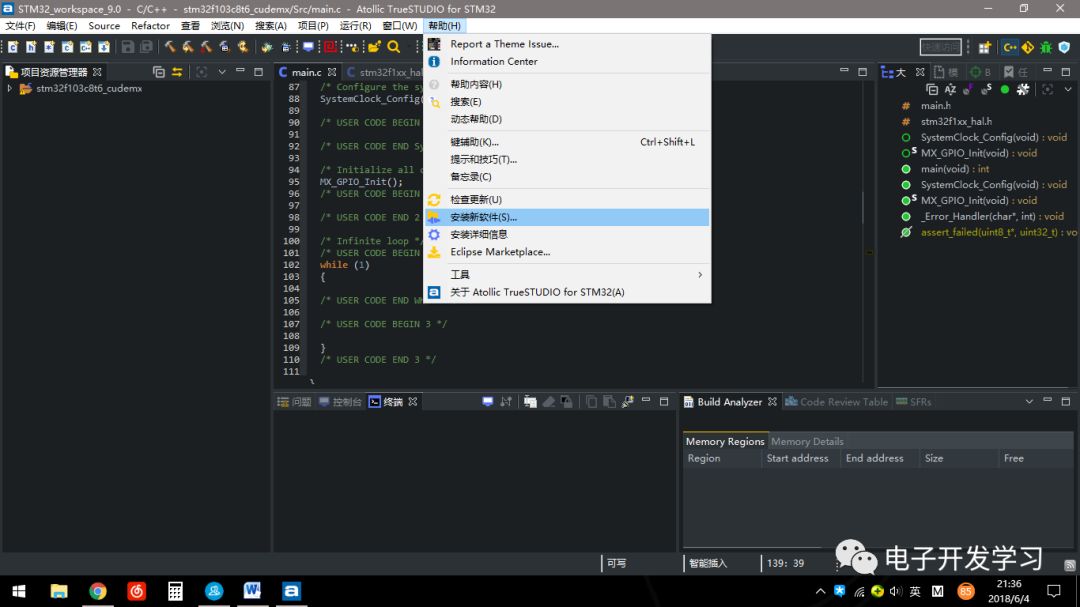
Figure (1)
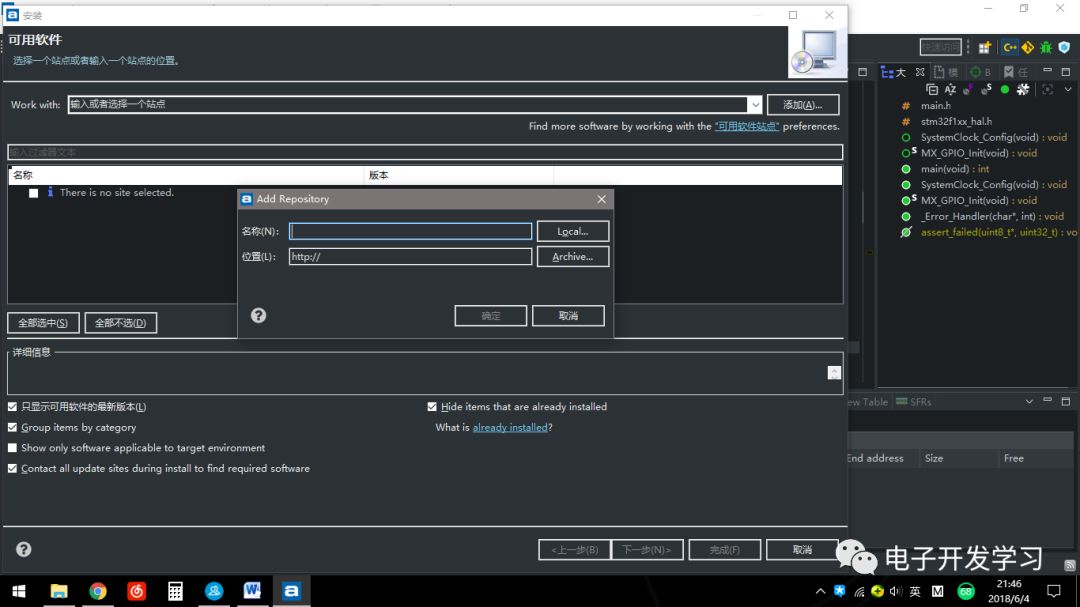
Figure (2)
Next, go to the STM32 Chinese community to download the STM32CubeMX plugin as shown in figure (3)

Figure (3)
Then, enter cubemx in the name as shown in figure (4), click Archive… to find the downloaded cubemx plugin, select it and click open as shown in figure (5)
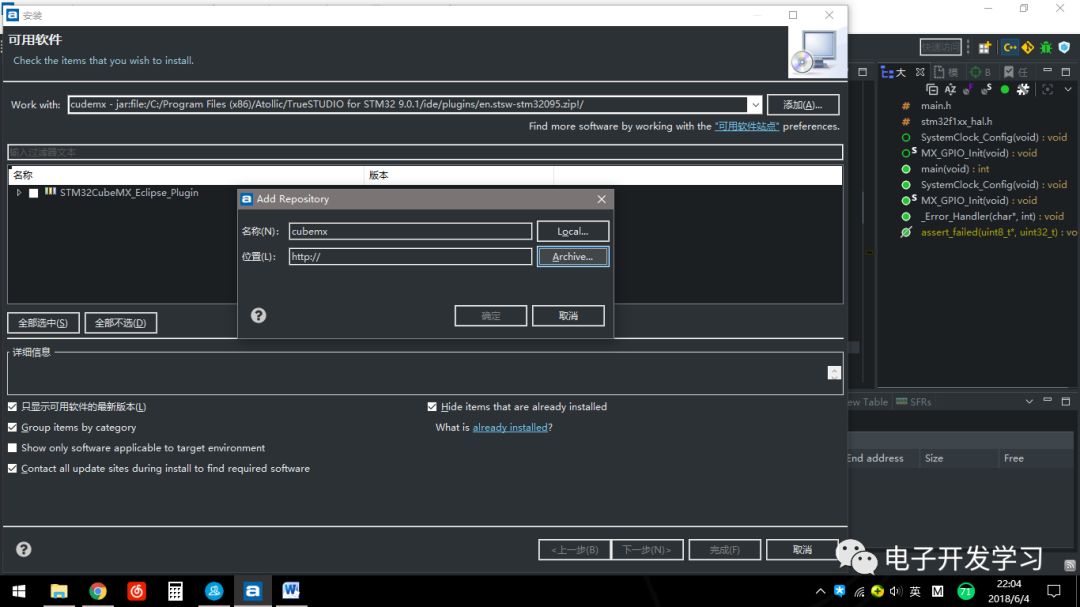
Figure (4)
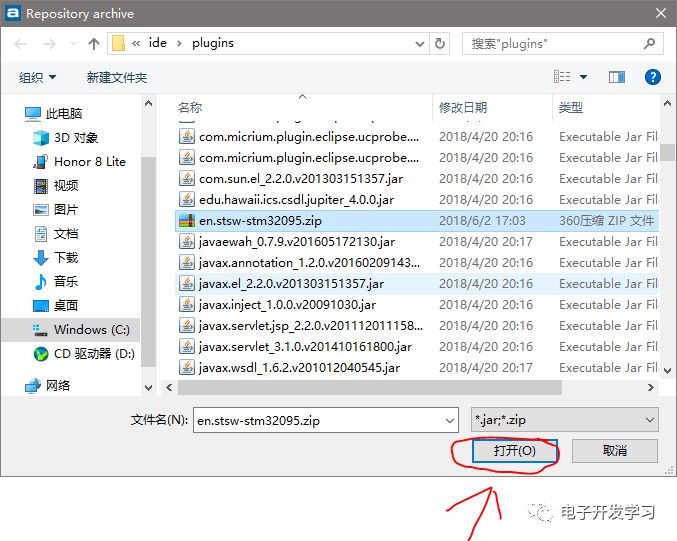
Figure (5)
Click OK as shown in figure (6)
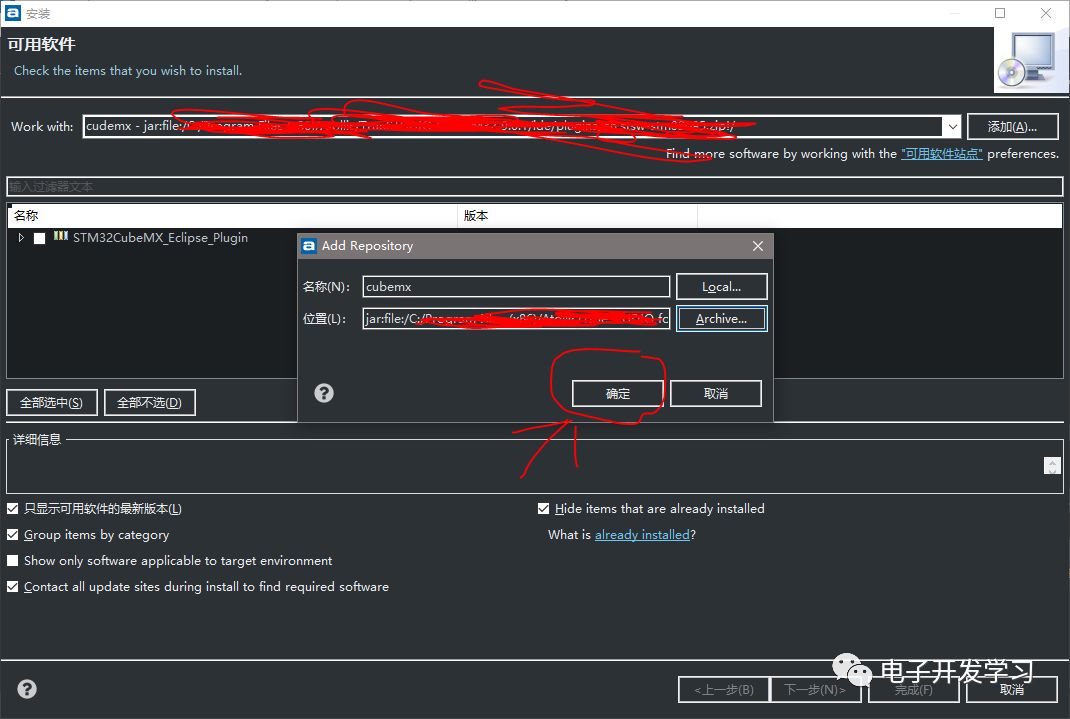
Figure (6)
Check the box in the name as shown in figure (7)
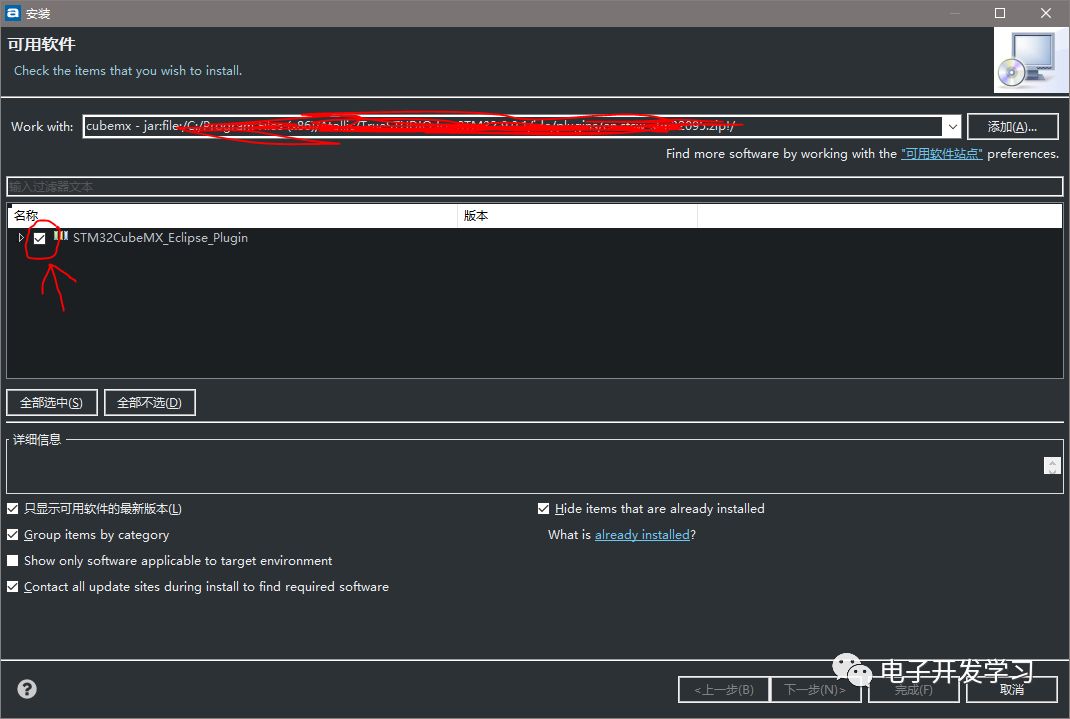
Figure (7)
Then click Next. Follow the default settings, and the final effect is shown in figure (8)
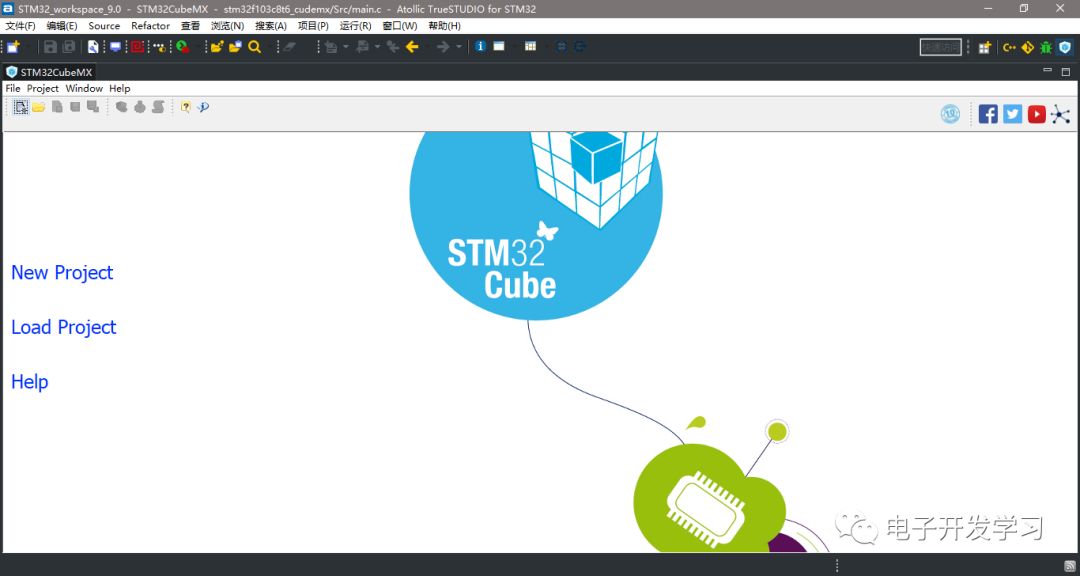
Figure (8)
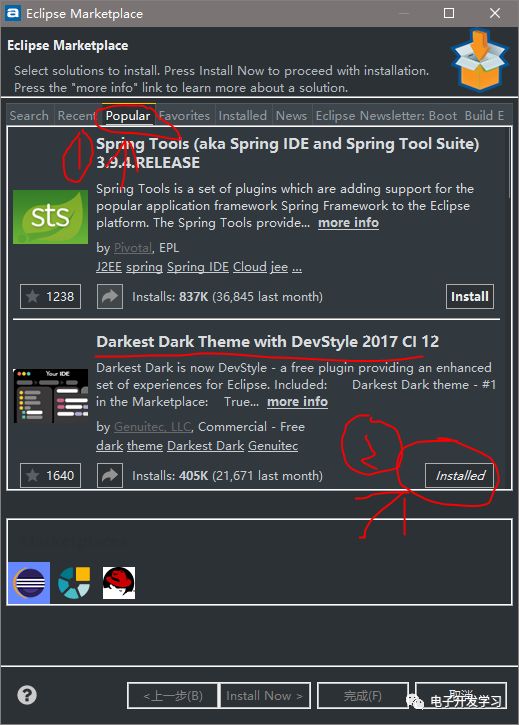
Plugin 2: Dark Theme
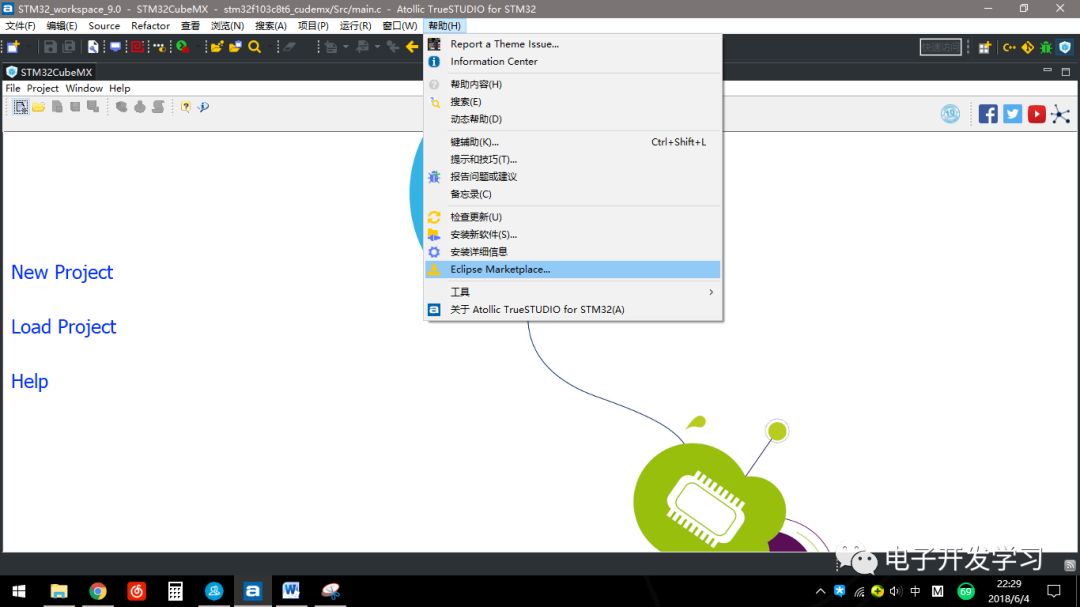
Operation as indicated by the arrow in the figure
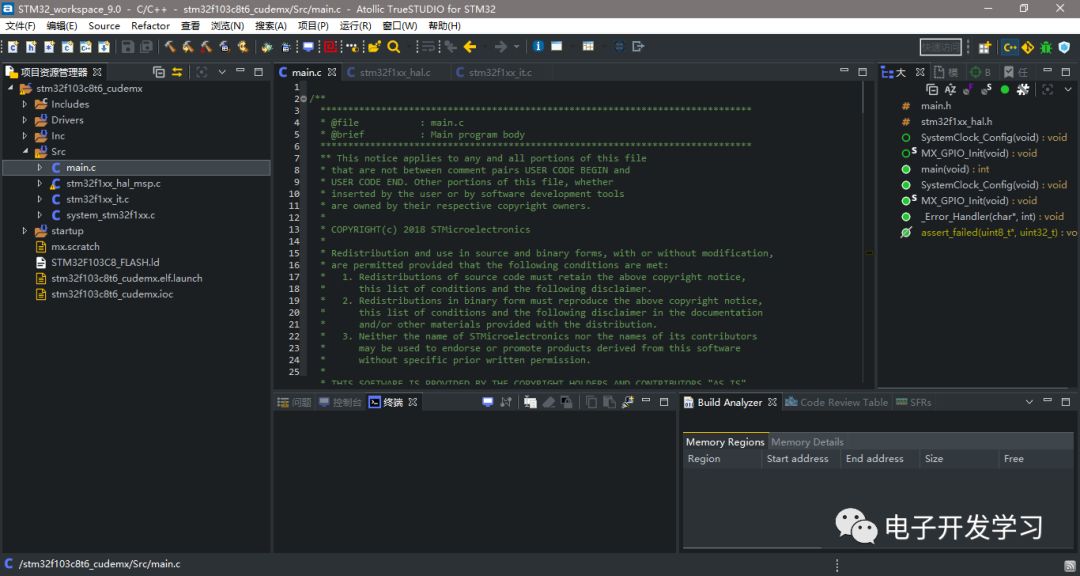
Follow the default settings, and the final effect is shown in the figure
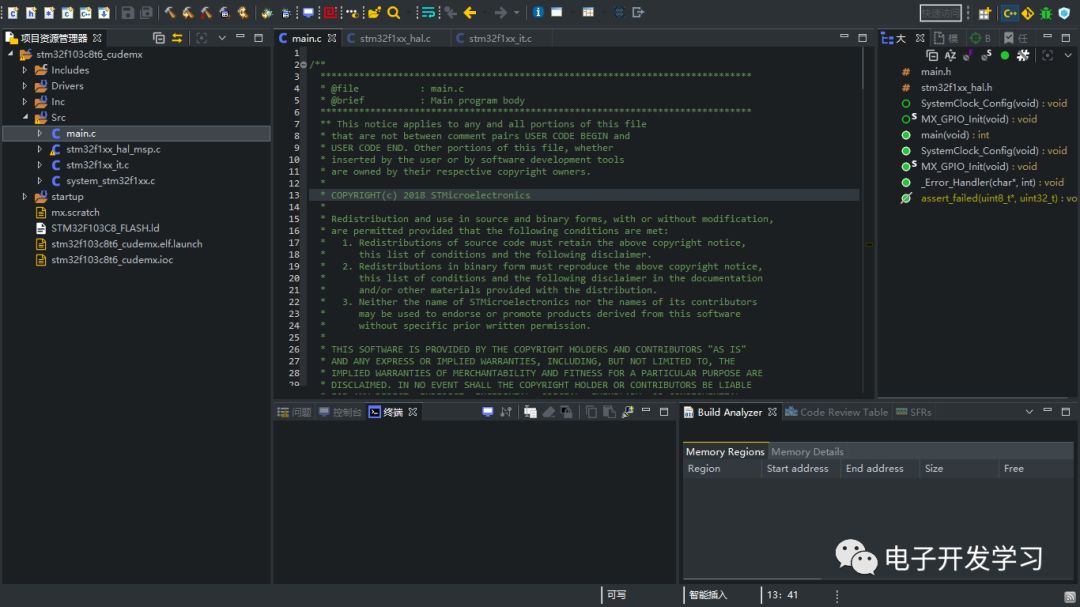
Remove menu bar effect as shown in the figure
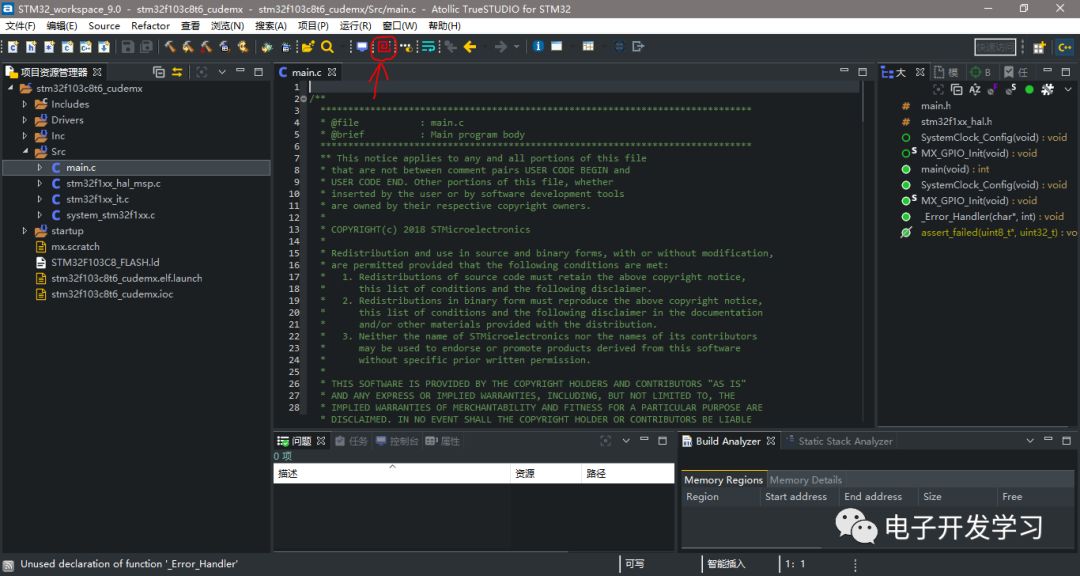
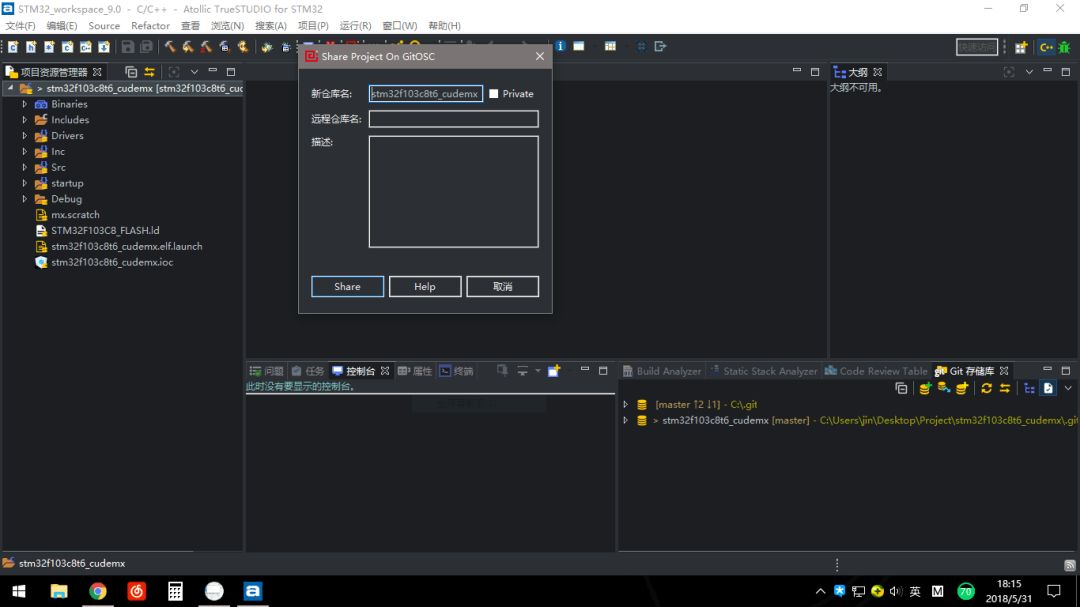
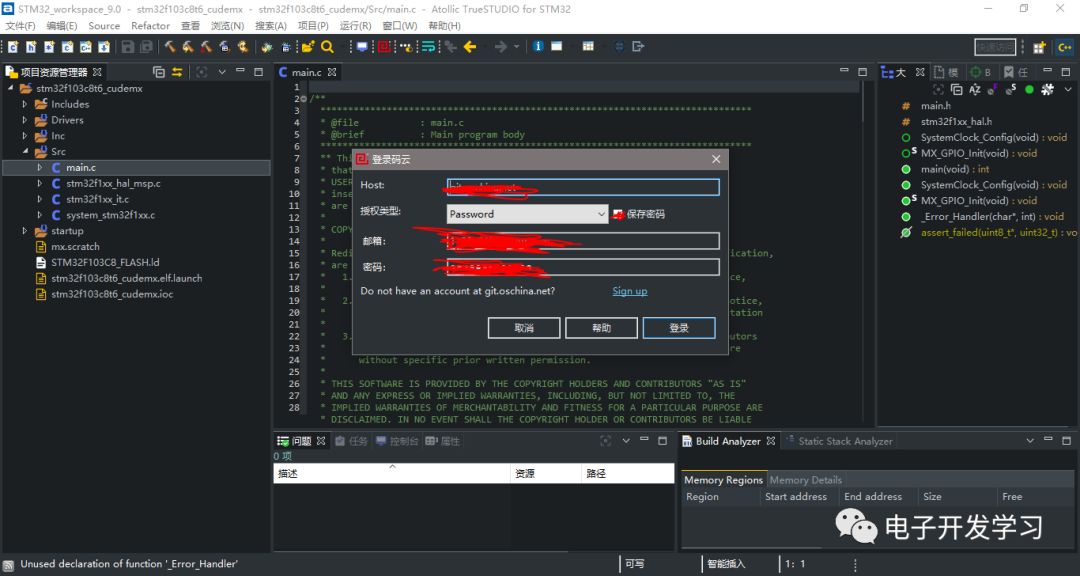
Plugin 3: Gitee
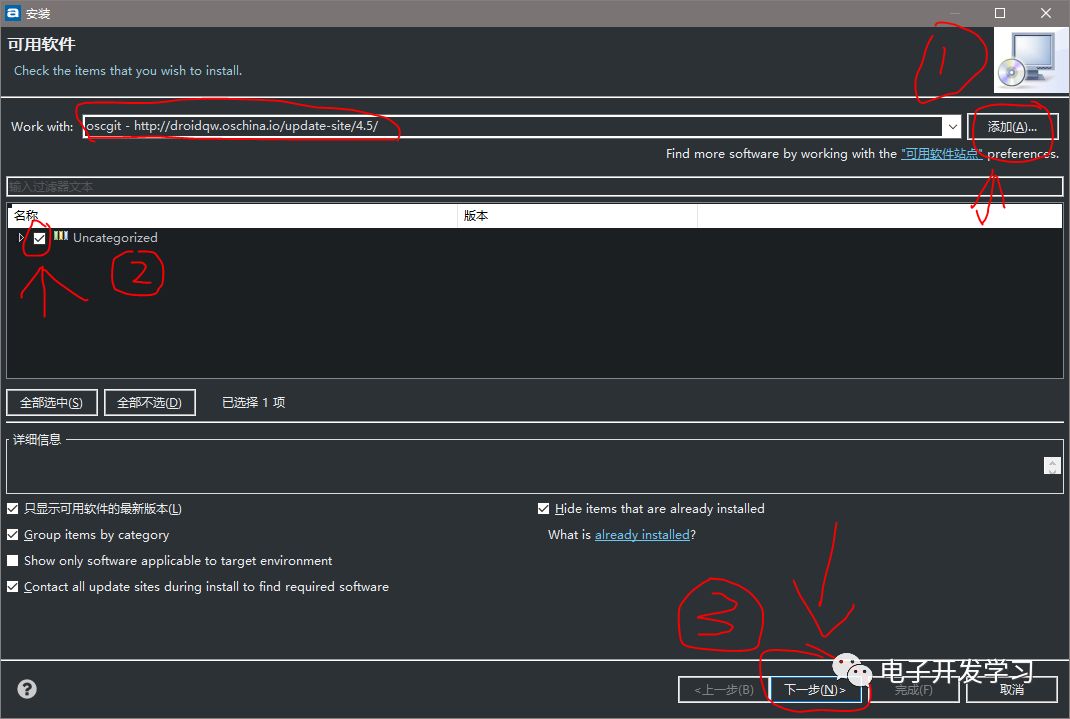
The final effect is shown in the figure
This article is from the user Mo Di, thanks to Mo Di for sharing.
Everyone is welcome to contribute and share knowledge related to electronic development on the WeChat public account “Electronic Development Learning”, especially welcome experiences in microcontroller development, usage of software tools, theoretical knowledge expansion, and introductions to new technologies.
Thank you for reading the article from “Electronic Development Learning”. If you find the images and text helpful for your learning, please follow us. Click the button in the upper right corner, select “View Public Account”, and then click Follow. You can also search for the public account: electricstudy. You can scan the QR code below to follow us. If you want to read past articles, click “View Historical Messages”.