As one of the main contributors to the Matter standard, Silicon Labs is committed to advancing the implementation of Matter applications. We have created an application guide in our online community that walks through how to set up and run Matter projects on a Wi-Fi network, assisting developers in quickly enabling Matter over Wi-Fi designs. Click the Read Original button at the end of the article or visit the link for the full content: https://community.silabs.com/s/article/Getting-started-with-Matter-over-Wi-Fi?language=en_USEnable Matter over Wi-Fi for Development. This guide aims to help developers get started with Wi-Fi for Matter development. Since the Matter standard is still under continuous development and updates, this guide differs from the general approach of the Simplicity Studio IoT development environment. Silicon Labs‘ goal is to integrate Matter into the Gecko SDK suite. This guide is only applicable in the following cases:
- You want to start preliminary development of Matter.
- You are looking for ways to build Matter projects through Wi-Fi.
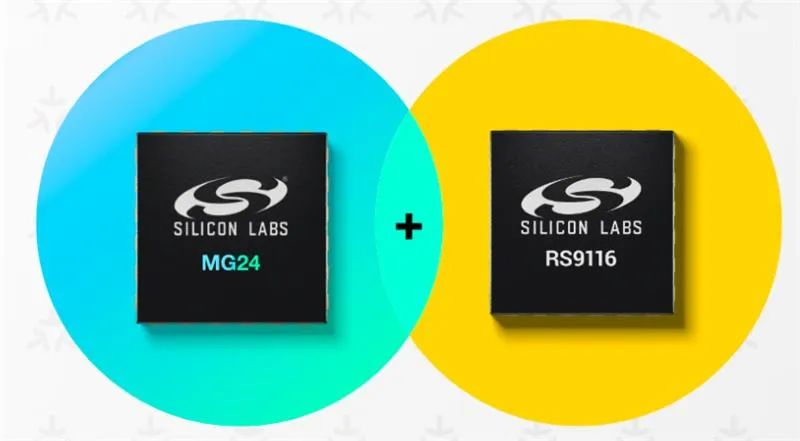
Silicon Labs also provides a developer-friendly Simplicity Studio development environment, along with corresponding reference designs that are closer to the standard development methods. This guide includes basic introductions: hardware requirements, software requirements, setup reference architecture diagrams, and operation demonstration documents.Hardware Requirements. For this introductory guide, we will use the EFR32MG Zigbee and Thread Starter Kit (SLWSTK6000B) wireless starter kit mainboard + BRD4161A (or BRD4162A) sub-board + RS9116 Wi-Fi EVK. You can visit the product page on the official website for more information:
- EFR32MG Zigbee and Thread Starter Kit:https://cn.silabs.com/development-tools/wireless/zigbee/efr32mg-zigbee-thread-starter-kit?tab=overview
- RS9116 Wi-Fi EVK:https://cn.silabs.com/wireless/wi-fi/rs9116-wi-fi-ncp-modules
- Linux PC/Laptop (Ubuntu 20.04 LTS), providing Wi-Fi/Bluetooth capabilities, chip tools also run on Linux.
- SLWSTK6000B wireless development kit mainboard + BRD4161A (or BRD4162A) sub-board (low-power Bluetooth and Matter code runs here) + RS9116 EVK (RS9116X-SB-EVK1) + interconnection board + SPI cable + jumper cable.
- Raspberry Pi 4 and 64GB SD card (if the user does not have a Linux PC, they can use the Raspberry Pi 4 board to build and execute lighting demos).
- Access point with internet access.
Software Requirements
- Install Ozone to refresh the generated images.
- Windows: Download link – search for Ozone – The J-Link Debugger, download the Windows installer for 32-bit or 64-bit (download the latest version) and install: https://www.segger.com/downloads/jlink/
- Linux: Download Ozone from the link (and install it): https://www.segger.com/downloads/jlink/Ozone_Linux_x86_64.de
2. Raspberry Pi Imager tool, can be downloaded from the link: https://www.raspberrypi.com/software/3. J-Link RTT Viewer can be downloaded from this link: https://www.segger.com/downloads/jlink/4. SSH client (Putty or similar tools) can be downloaded from the link: https://www.putty.org/5. Upgrade the firmware on the RS9116 EVK, this demo was tested with the firmware, please refer to the link: http://draft-docs.suds.silabs.net/rs9116-wiseconnect/2.5/wifibt-wc-getting-started-with-pc/update-evk-firmwareThe following is a schematic diagram of the Matter over Wi-Fi network architecture set up based on the hardware and software outlined in this application guide:More Knowledge Base Documents on Matter over Wi-Fi. Refer to and follow the knowledge base documents below to help you accelerate the setup of Matter projects through Wi-Fi and test sending commands to terminal devices. The initial setup time may vary based on your network speed.
- Dev Environment Setup with Linux Machine:https://community.silabs.com/s/article/Matter-over-Wi-Fi-Prerequisites-to-setup-on-Linux-Machine
- Dev Environment Setup with Raspberry Pi 4:https://community.silabs.com/s/article/Matter-over-Wi-Fi-dev-setup-RPi-4
You can also scan the following QR code to follow Silicon Labs‘ social media platforms.