Background
CMake
CMake is a cross-platform open-source build tool used to manage and automate the generation of software project build processes.
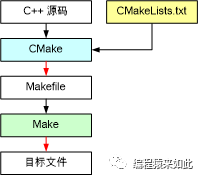
CMake automatically generates build system files suitable for different compilers and operating systems, such as Makefile and Visual Studio solutions, based on the descriptions in the CMakeLists.txt file.
CMake Scripts
Although CMake itself is not a programming language, it has its own declarative syntax that can be learned as a language. CMake also provides a script: xxx.cmake, which can be executed directly to see the effects of CMake statements without providing a CMakeLists.txt file.
Flow Control Statements
Overview
When learning a new programming language, after understanding its data types and variable definitions, learning its flow control statements allows you to implement most functionalities.
Conditional Statements
Overview
In CMake, the if statement is used for
Constant Evaluation
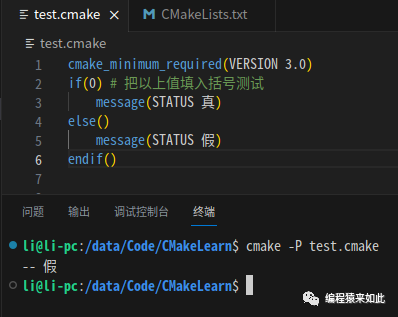
Constants that evaluate to true in CMake are case-insensitive:
- 1
- ON
- YES
- TRUE
- Y
Constants that evaluate to false in CMake are case-insensitive:
- 0
- OFF
- NO
- FALSE
- N
- IGNORE
- NOTFOUND
Example:
if(yes)
    message( True)
else()
    message( False)
endif()
Result:
Variable Evaluation
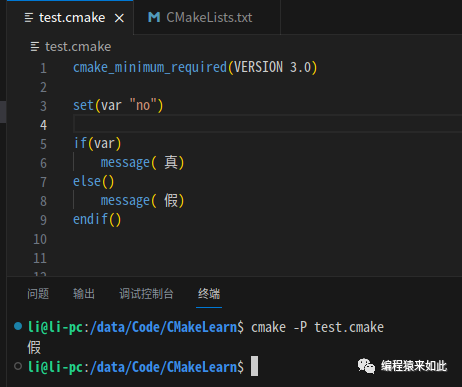
When using a variable for evaluation, do not add ${}. If the variable value is not a false constant, it is true; if it is one of the aforementioned false values or undefined, it is false.
set(var "yes")

if(var)
    message( True)
else()
    message( False)
endif()
Result:
Logical Operations
CMake supports logical operations using AND, OR, NOT:
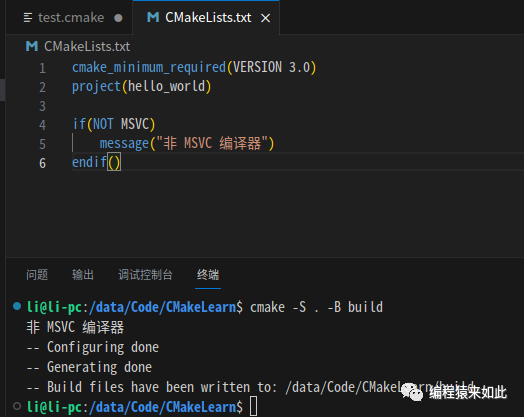
cmake_minimum_required(VERSION 3.0)
project(hello_world)

if(NOT MSVC)
    message("Non-MSVC Compiler")
endif()
Result:
Special Operators
CMake also defines some special operators for specific evaluation functionalities.
String Comparison
cmake_minimum_required(VERSION 3.0)
project(hello_world)

if(CMAKE_SYSTEM_NAME STREQUAL "Linux")
    message("Current running system: ${CMAKE_SYSTEM_NAME}")
endif()
Result: 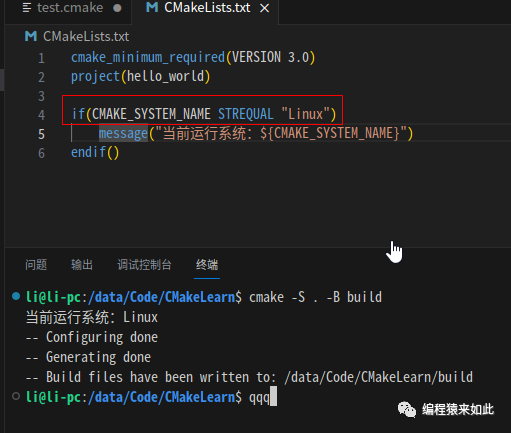
Numeric Comparison
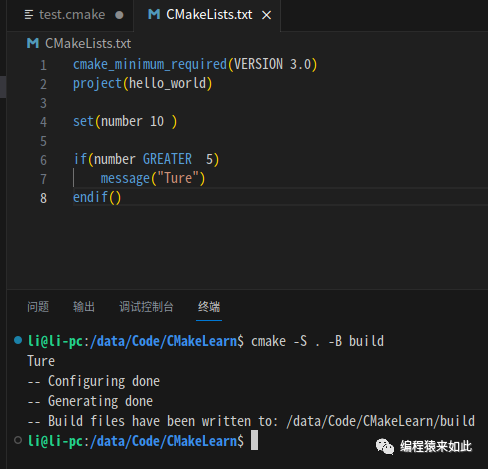
cmake_minimum_required(VERSION 3.0)
project(hello_world)

set(number 10 )

if(number GREATER  5)
    message("True")
endif()
Result:
Loops
foreach Loop
Iterating Over List Elements
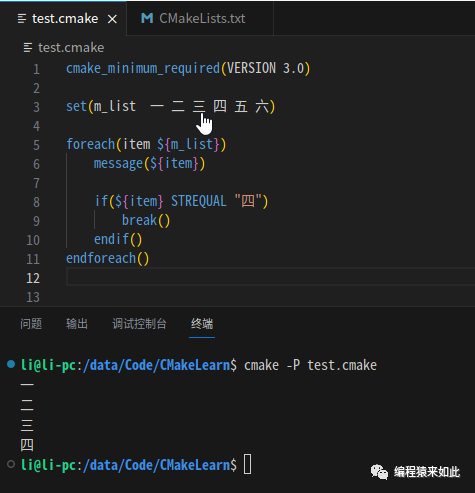
set(m_list  一 二 三 四 五 六)

foreach(item ${m_list})
    message(${item})

    if(${item} STREQUAL "四")
        break()
    endif()
endforeach()
Result:
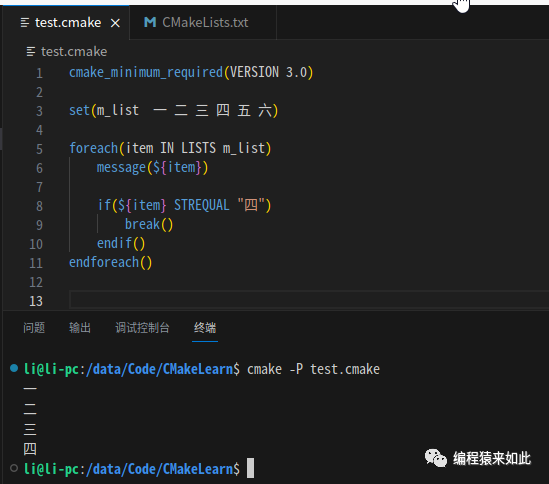
You can also use IN LISTS to iterate:
set(m_list  一 二 三 四 五 六)

foreach(item IN LISTS m_list)
    message(${item})

    if(${item} STREQUAL "四")
        break()
    endif()
endforeach()
Result:
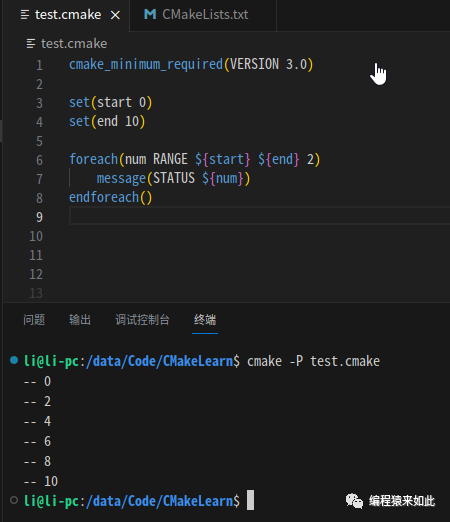
Iterating Over a Range
set(start 0)
set(end 10)

foreach(num RANGE ${start} ${end} 2)
    message(STATUS ${num})
endforeach()
Result:
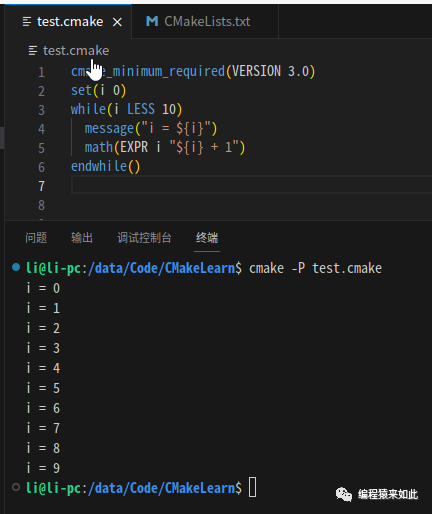
while Loop
cmake_minimum_required(VERSION 3.0)
set(i 0)
while(i LESS 10)
  message("i = ${i}")
  math(EXPR i "${i} + 1")
endwhile()
Result:
Functions
Overview
Functions in CMake are essentially a series of commands that are executed in order. Custom functions are generally used to organize and reuse code blocks.
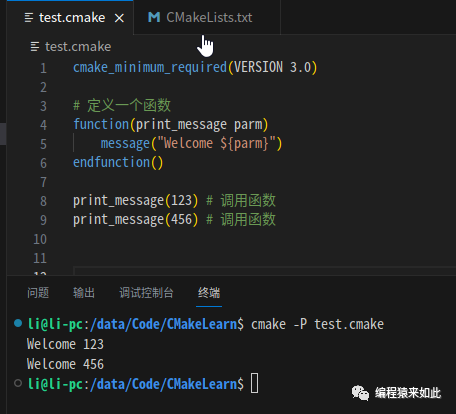
Function Example
# Define a function
function(print_message parm)
    message("Welcome ${parm}")
endfunction()

print_message(123) # Call the function
print_message(456) # Call the function
Result:
Macros
Overview
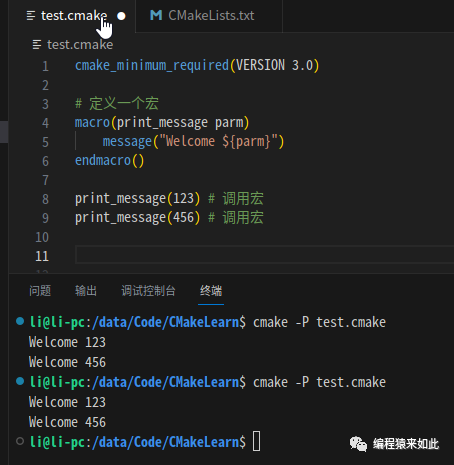
CMake also supports macros, where the invocation is similar to copying the macro’s content directly to the invocation site.
Macro Definition Example
# Define a macro
macro(print_message parm)
    message("Welcome ${parm}")
endmacro()

print_message(123) # Call the macro
print_message(456) # Call the macro
Result: