Source: Frontend Dissuader | ID: quantuishiAuthor: Frontend Dissuader
Introduction
Programmer: “I’m out of here, be careful with the person who told me the command line is rm -rf /*.”
“rm -rf” has caused disasters among novice programmers, as those new to the field often lack a solid foundation.
It’s easy to feel helpless without a graphical user interface (GUI), leading to embarrassing situations where one doesn’t even know how to deploy an application.
I believe that mastering Vim and common commands in Linux is a compulsory course for every programmer.
Moreover, even Microsoft has embraced Linux terminal by launching Windows Terminal. What other reasons do you have not to learn?
1. grep: Find Keywords in Files
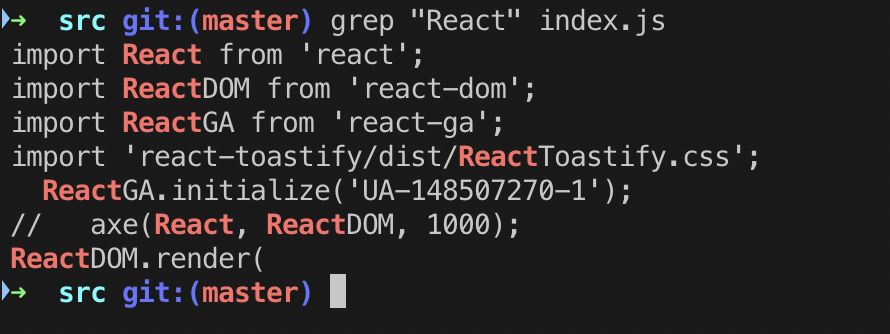
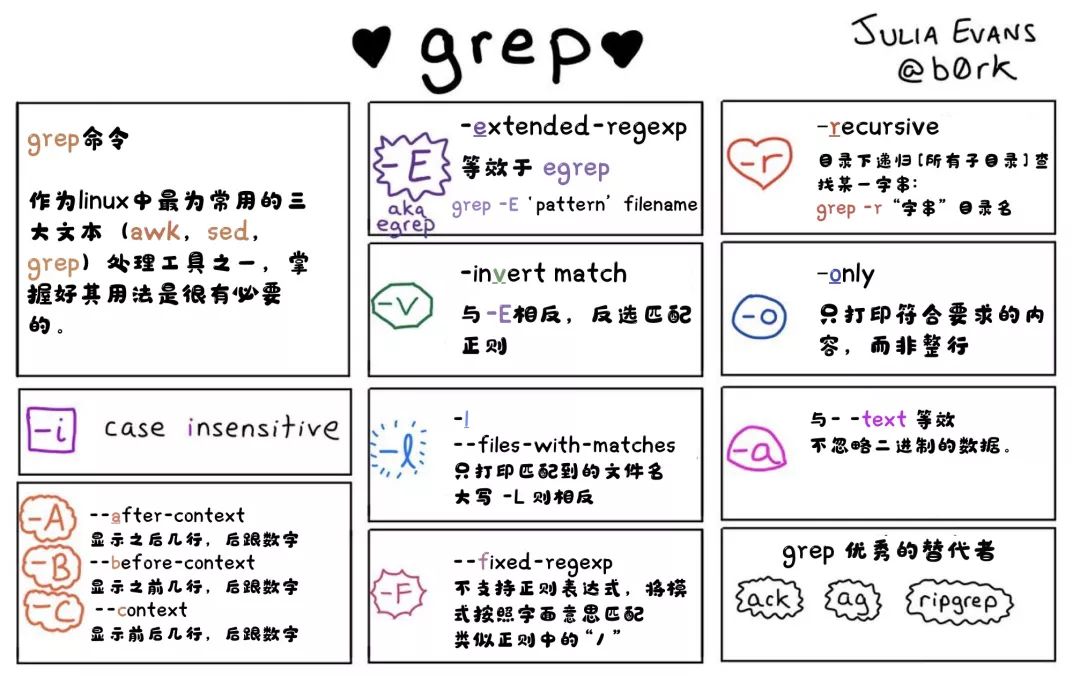
$ grep "string" [options] fileUse the grep command to find all React keywords in a file:
- The
-ioption allows case-insensitive searching in the file. It matches words like “REACT“, “REact“, and “react“.$ grep -i "REact" file - The
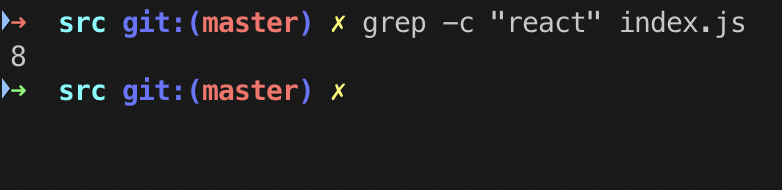
-c (count)option finds the number of lines matching a given string/pattern.$ grep -c "react" index.js
For more options, see the image below:
2. ls: List Files and Directories in Current Path
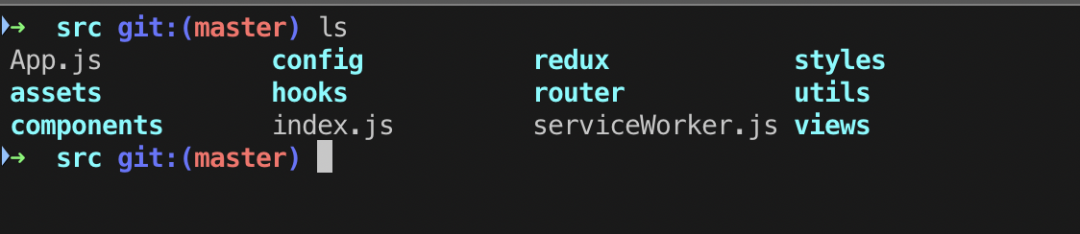
$ lsls lists files and directories in the current path.
- If it’s a folder, it appears in blue.
- If it’s a file, it appears in gray.
3. pwd: Display Current Working Directory
$ pwd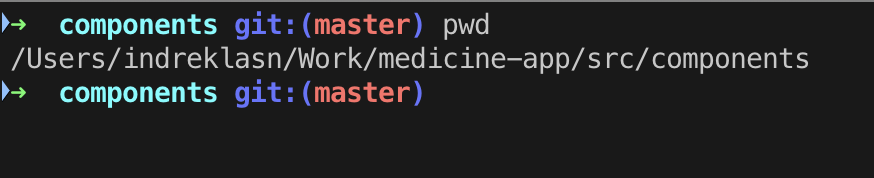
4. cat: View File Contents
$ cat somefile.js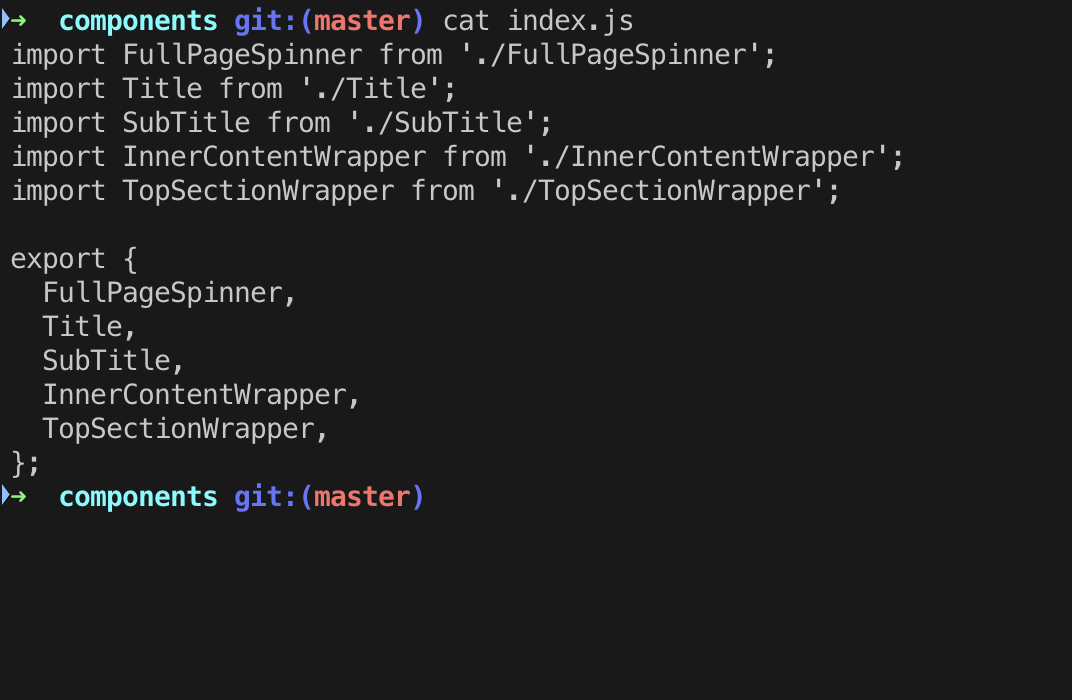 The
The cat command primarily has three functions:
- Display the entire file at once.
$ cat filename- Create a file and fill it with the output of the previous command.
$ cat > filenamebrCan only create new files, cannot edit existing ones.
-
Combine several files into one file.
$ cat file1 file2 > file
The following example copies index.js to index2.js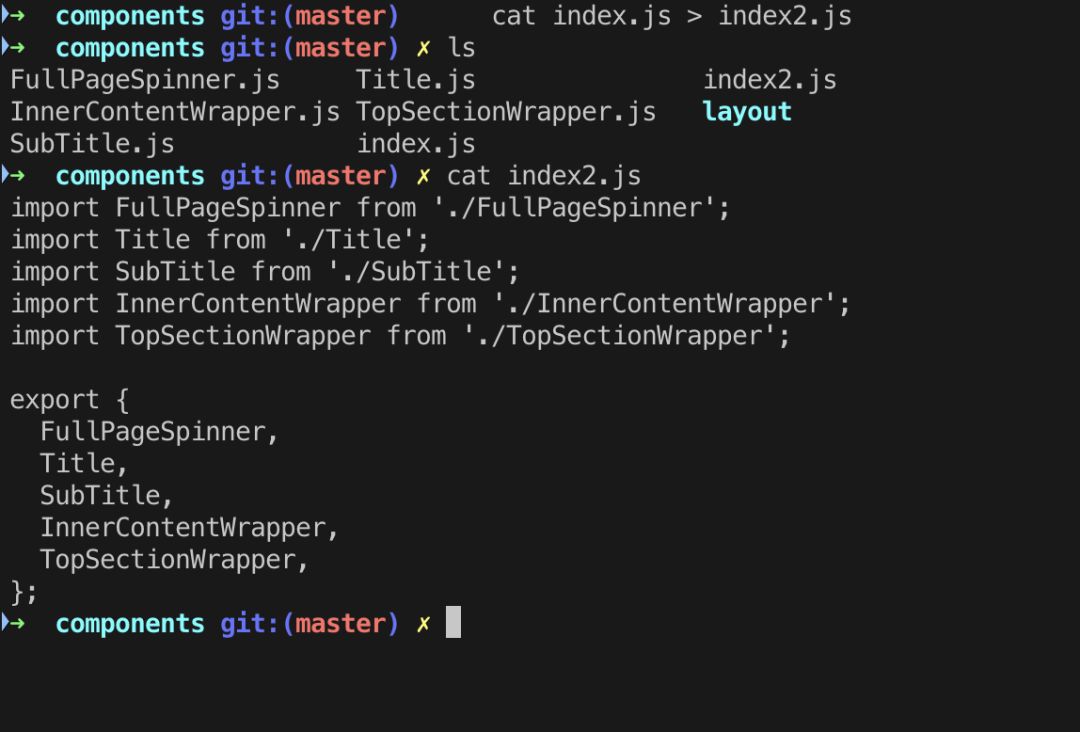
5. echo: Output a String
$ echo "some text"This is a built-in command mainly used in Shell scripts and batch files to output status text to the screen or a file.

6. touch: Create a File
$ touch somefileThe touch command is used to create an empty file.
Note that in the image above, we used touch to create a file and cat to view its contents. Since the newly created index2.js file is empty, cat returns no output.
Here are the main differences between cat and touch:
catis used to create files with content.touchcreates an empty file with no content.
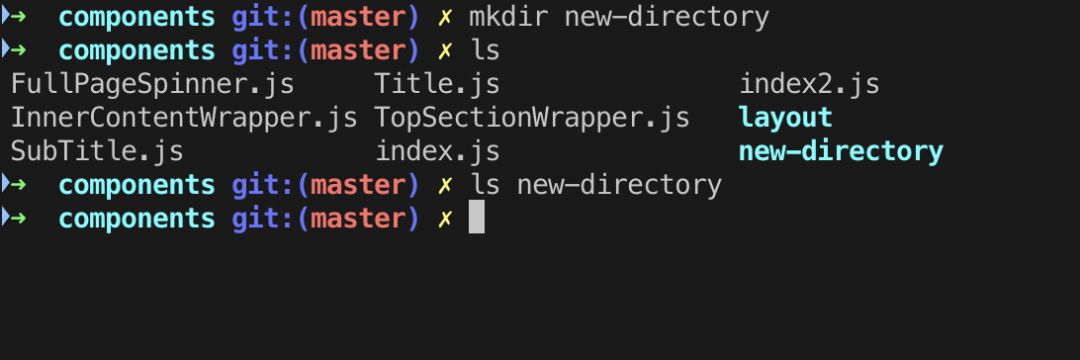
7. mkdir: Create a New Empty Directory
$ mkdir some-directoryThe mkdir command creates a new empty directory in the current path.
8.rm: Delete Files/Directories
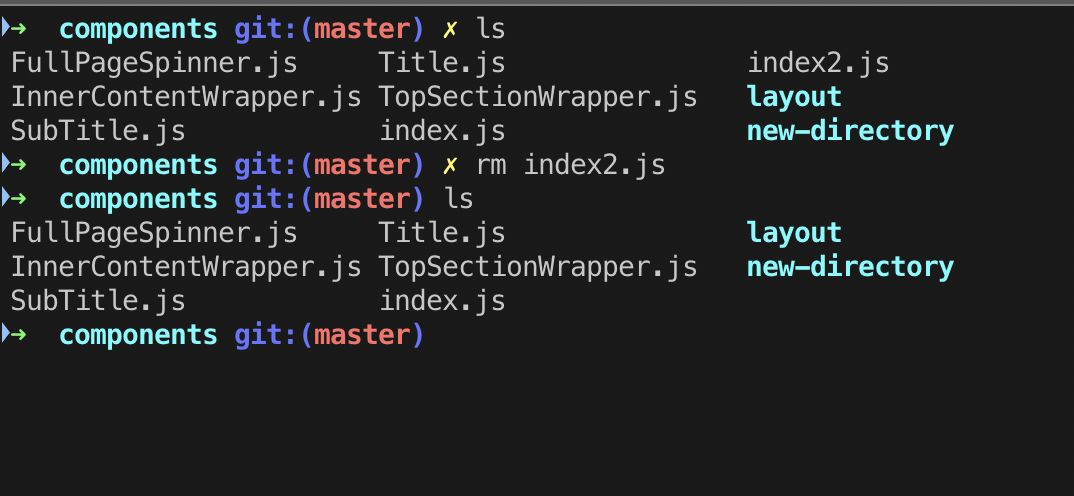
$ rm [options] someFileThe rm command is used to delete a file or directory.
Options:
-iprompts for confirmation before deleting each file.-fforces deletion without prompting for confirmation, even if the file is read-only.-rrecursively deletes directories and their contents.
8.1 rmdir: Delete Empty Directories
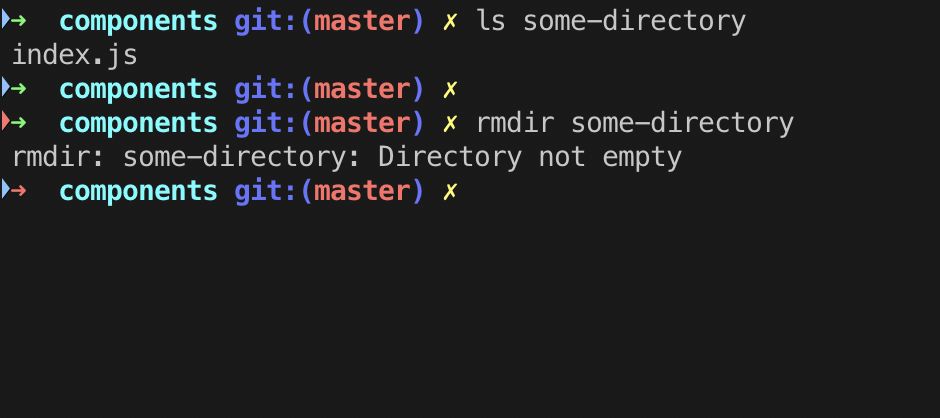
$ rmdir some-directoryIf the directory is empty, this command will delete the directory. Otherwise, it will return a prompt xxx not empty:
9. tail: View Contents of a Document
$ tail [options] somefileBy default, it displays the last 10 lines of the document.
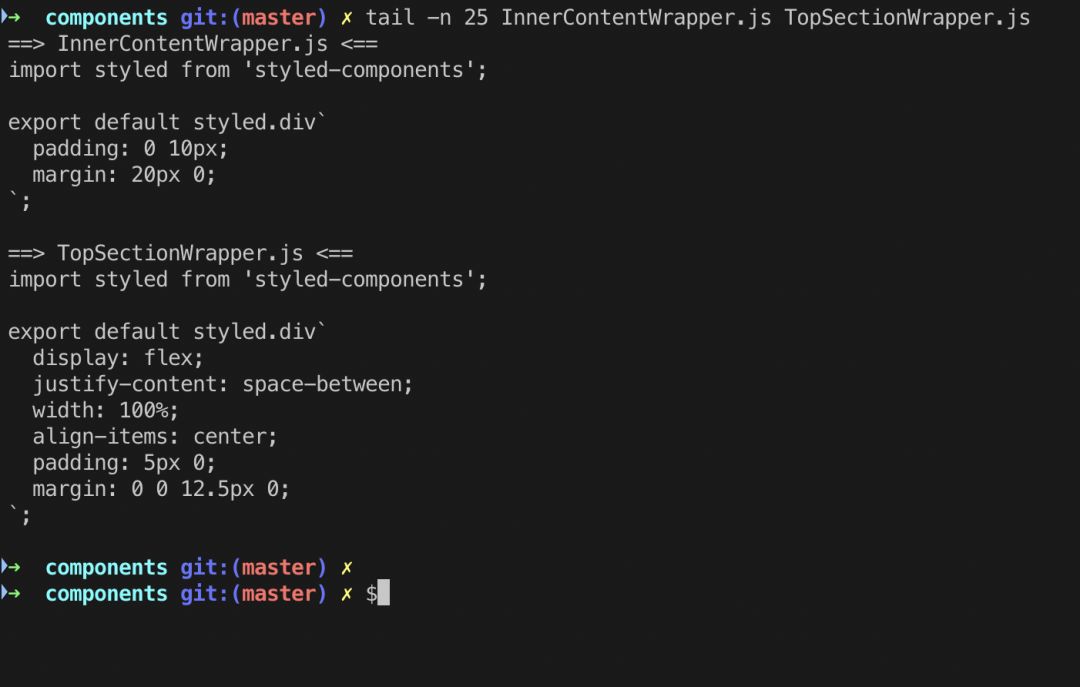
Common parameters include:
-f, which reads continuously.tail -f notes.logThis command displays the last 10 lines of the
notes.logfile. As lines are added tonotes.log,tailwill continue to display them. The display continues until you press (Ctrl-C) to stop.+, shows from a specific line to the end.tail +20 notes.logDisplays the contents of
notes.logfrom line 20 to the end of the file.-c, shows the last xx lines.tail -c 10 notes.logDisplays the last 10 characters of the
notes.logfile:
The tail command is useful for viewing crash reports or historical logs:
# tail /var/log/messagesMar 20 12:42:22 hameda1d1c dhclient[4334]: DHCPREQUEST on eth0 to 255.255.255.255 port 67 (xid=0x280436dd)Mar 20 12:42:24 hameda1d1c avahi-daemon[2027]: Registering new address record for fe80::4639:c4ff:fe53:4908 on eth0.*.Mar 20 12:42:28 hameda1d1c dhclient[4334]: DHCPREQUEST on eth0 to 255.255.255.255 port 67 (xid=0x280436dd)Mar 20 12:42:28 hameda1d1c dhclient[4334]: DHCPACK from 10.76.198.1 (xid=0x280436dd)Mar 20 12:42:30 hameda1d1c avahi-daemon[2027]: Joining mDNS multicast group on interface eth0.IPv4 with address 10.76.199.87.Mar 20 12:42:30 hameda1d1c avahi-daemon[2027]: New relevant interface eth0.IPv4 for mDNS.Mar 20 12:42:30 hameda1d1c avahi-daemon[2027]: Registering new address record for 10.76.199.87 on eth0.IPv4.Mar 20 12:42:30 hameda1d1c NET[4385]: /sbin/dhclient-script : updated /etc/resolv.confMar 20 12:42:30 hameda1d1c dhclient[4334]: bound to 10.76.199.87 -- renewal in 74685 seconds.Mar 20 12:45:39 hameda1d1c kernel: usb 3-7: USB disconnect, device number 210. find: Search for Files
$ find path -name filenameThe find command can quickly locate files or directories. This feature is useful when you are working on large projects with hundreds of files and multiple directories.
To find all files named index.js: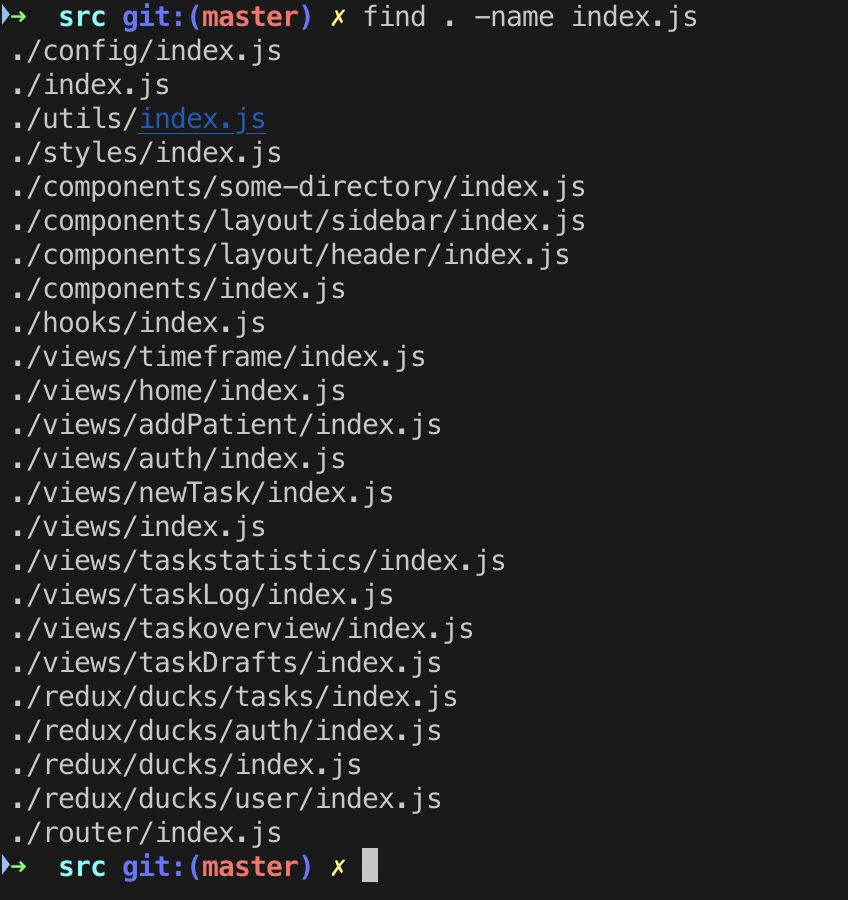
To find files of a specific type:
$ find . -name "*.js"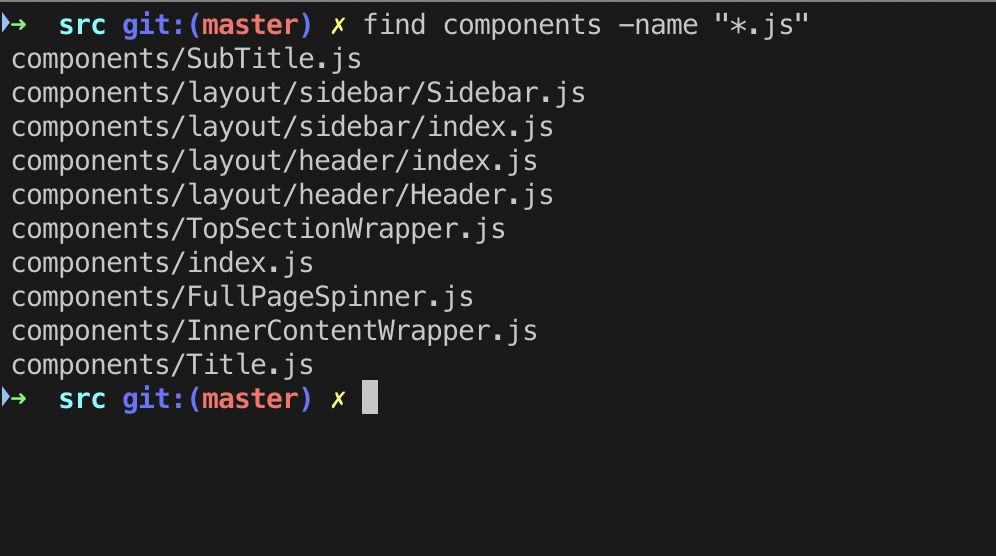
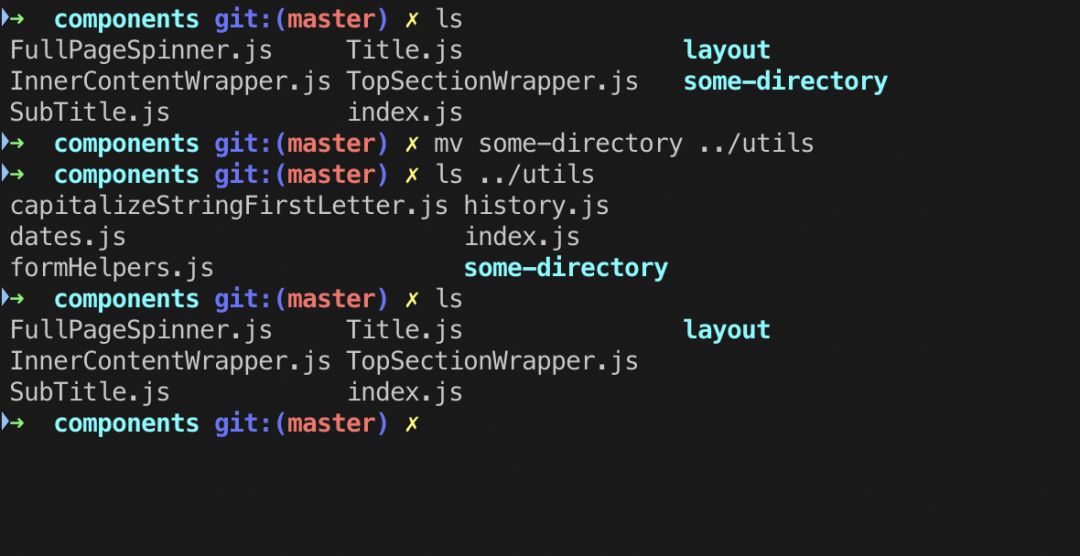
11. mv: Move Files
$ mv somefile /to/some/other/pathThe mv command moves a file or directory from one location to another.
It supports moving single files, multiple files, and directories.
12. wget: File Downloading Tool
$ wget someurlwget is a free software package for retrieving files using HTTP, HTTPS, FTP, and FTPS (the most widely used Internet protocols).
It is a non-interactive command-line tool, making it easy to call from scripts, CRON jobs, and terminals that do not support X-Windows.
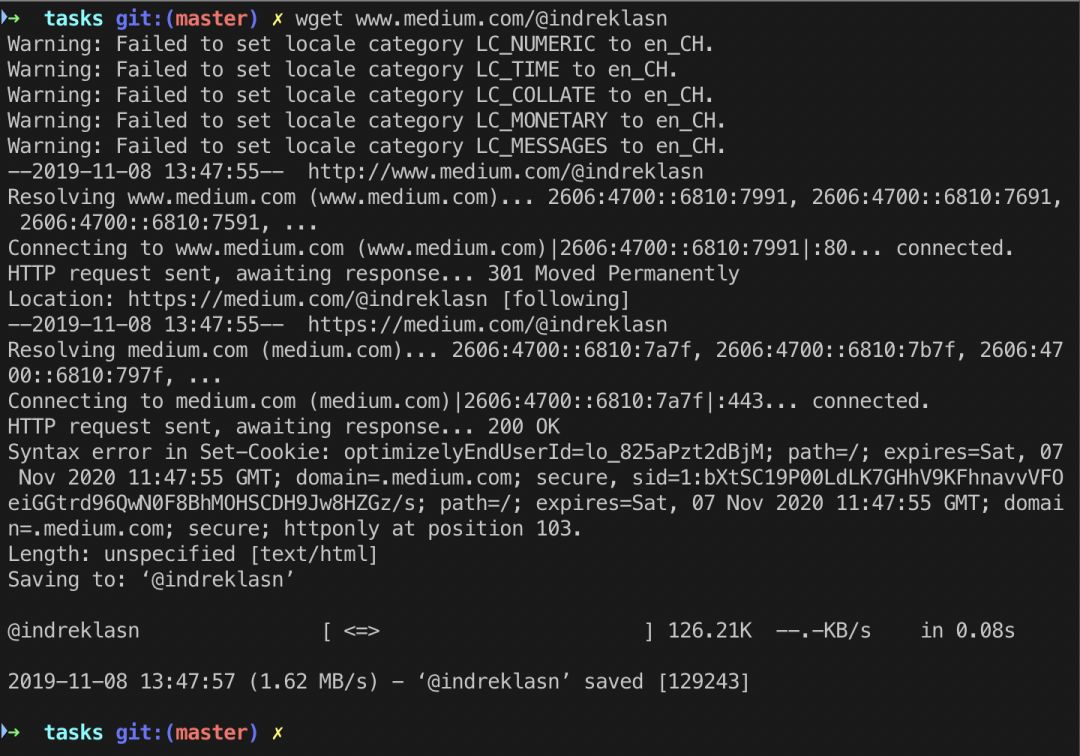
wget has many features that make it easy to retrieve large files or mirror entire Web or FTP sites, including:
- Can resume aborted downloads using
RESTandRANGE. - Can use filename wildcards and recursively mirror directories.
- NLS-based message files for multiple languages.
- Can convert absolute links in downloaded documents to relative links so that downloaded documents can link locally.
- Runs on most
UNIX-like operating systems as well asMicrosoft Windows. - Supports
HTTPproxies,cookies, and persistentHTTPconnections. - Unattended/background operation.
13. tree: List Directory Contents in Tree Format
When writing documentation, you often need to list the file directory structure, and the tree command can help with that. The tree command may not be available on some Linux and macOS systems, and you need to install it:
- First, ensure that
Homebrewis installed; if not, run:/usr/bin/ruby -e "$(curl -fsSL https://raw.githubusercontent.com/Homebrew/install/master/install)" - Install the
treecommand
brew install treeResults:
(base) xxx$ tree.├── djangoStudy│   ├── __init__.py│   ├── settings.py│   ├── urls.py│   └── wsgi.py└── manage.py
1 directory, 5 files
14. “|“: Pipe Command
Usually, we can only execute one command in the terminal and press enter to execute it. So how do we execute multiple commands?
- To execute multiple commands in sequence:
command1;command2;command3;simple sequential instructions can be achieved using;. - To conditionally execute multiple commands:
which command1 && command2 || command3 &&: If the previous command succeeds, execute the next command, consistent with usage inJavaScript.||: Opposite to&&, executes the next command if the previous one fails.$?: Stores the return result of the last command.
// Example: $ which git>/dev/null && git --help // If the git command exists, execute git --help command$ echo $?The pipe command can link the output of various commands as input for the next, making chained operations simple.
A pipe is a communication mechanism, usually used for inter-process communication (it can also be done via sockets for network communication). It manifests as the output (stdout) of each preceding process directly as the input (stdin) for the next process.
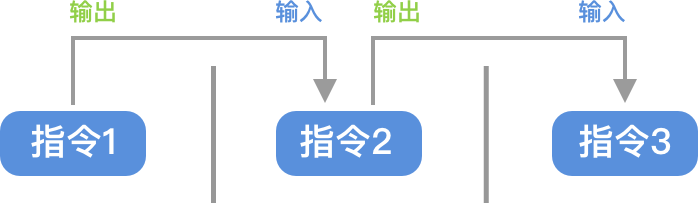
$ command1 | command2 | …Considerations for pipe commands:
- Can only handle the correct output of the previous command, cannot handle error output;
- The last command must be able to receive standard input stream commands to execute.
Examples: 1. Display detailed information about the contents of the /etc directory:
$ ls -l /etc | more2. Input a string into a file:
$ echo "Hello World" | cat > hello.txtConclusion & References
- Here Are 11 Console Commands Every Developer Should Know[1]
- Linux Pipe Command[2]
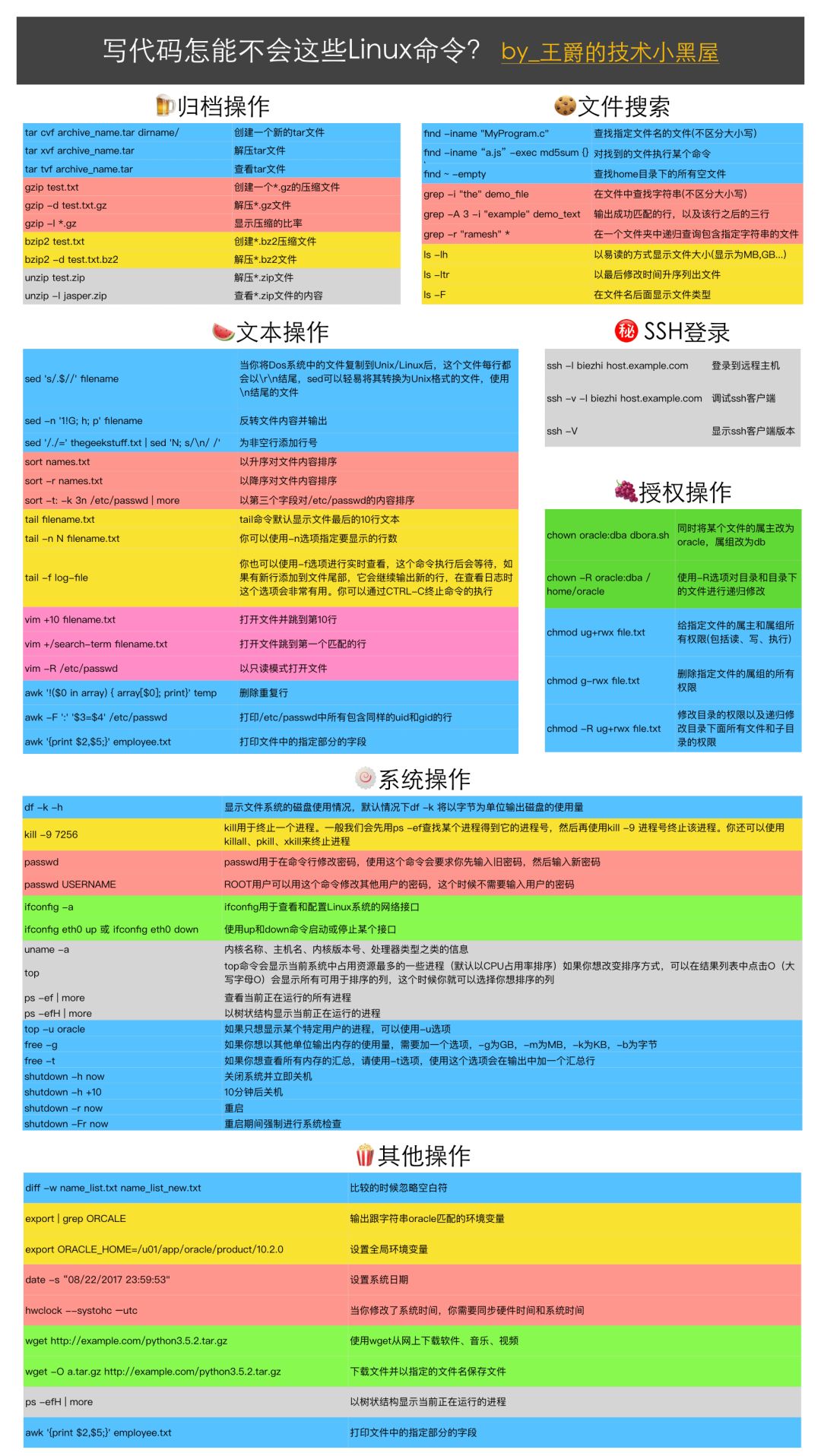
- Using the Tree Command on macOS[3] Here’s a powerful
Linuxcommand table
References
[1]
Here Are 11 Console Commands Every Developer Should Know: https://medium.com/better-programming/here-are-11-console-commands-every-developer-should-know-54e348ef22fa
[2]
Linux Pipe Command: https://www.jianshu.com/p/9c0c2b57cb73
[3]
Using the Tree Command on macOS: https://www.jianshu.com/p/f540e8b6e53f

Author: Frontend Dissuader, Full Stack Developer, focused on sharing knowledge in frontend & Python domains, with a blog accumulating over 1 million views. Gold Digger Community, Zhihu Column, WeChat Official Account 【Frontend Dissuader】
# Today’s Book Recommendation #
《Bird Brother’s Linux Private Kitchen: Basic Learning Edition》
▲ Click the cover to enter the book details page ▲




Workplace Research Community WeChat Official Account
If you want to learn more workplace black technology, scan the QR code on the left to enter the “Workplace Research Community”