In recent years, artificial intelligence technology has developed rapidly, but its applications are often limited to large servers and high-performance devices. However, with the rise of TinyML technology, embedded devices can now possess an ‘AI brain’. The ESP32, as a cost-effective microcontroller, has become an ideal platform for TinyML. This article will introduce ESP32-TinyML in a straightforward manner, allowing you to experience this exciting technology!
1. What is ESP32-TinyML?
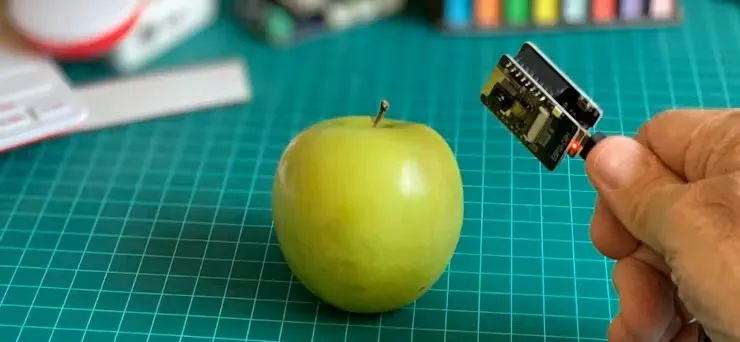
ESP32-TinyML refers to the technology and project instances of running machine learning models on the ESP32 chip. The ESP32 is a powerful low-power microcontroller that integrates Wi-Fi and Bluetooth capabilities and has a rich set of GPIO interfaces, making it very suitable for various IoT applications. Combined with TinyML, the ESP32 can achieve AI functionalities such as image classification, sound recognition, and motion detection without relying on cloud servers, enabling localized and real-time AI processing.
2. Application Scenarios of ESP32-TinyML
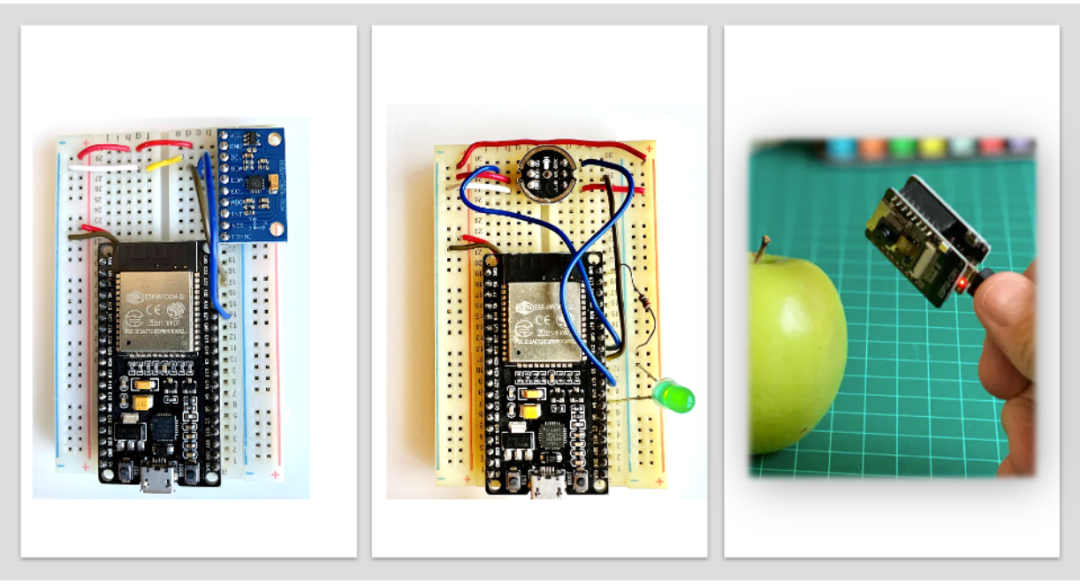
The application scenarios of ESP32-TinyML are very broad, for example:
- Smart Home: Recognizing family members, detecting abnormal sounds, and controlling appliances.
- Environmental Monitoring: Identifying different types of plants, detecting air quality, and measuring temperature and humidity.
- Industrial Automation: Identifying defective products, detecting equipment failures, and predicting maintenance times.
- Wearable Devices: Recognizing gestures, monitoring heart rates, and detecting falls.
- Agriculture: Identifying pests and diseases, monitoring crop growth, and optimizing irrigation and fertilization.
3. How to Set Up the ESP32-TinyML Development Environment
Setting up the ESP32-TinyML development environment is relatively simple, with the main steps as follows:
-
Hardware Preparation: ESP32 development board (e.g., ESP32-CAM, which has a built-in camera for image recognition applications), necessary sensors (e.g., microphones, accelerometers), and power supply, data cables, etc.
-
Software Preparation: Install Arduino IDE and add support for the ESP32 development board; choose a suitable machine learning platform (e.g., Edge Impulse), which provides a user-friendly graphical interface to simplify model training and deployment processes.
-
Model Training: Using platforms like Edge Impulse, upload the collected data (e.g., images, sounds, acceleration data), choose suitable model architecture and training parameters, and conduct model training. The platform will automatically generate an optimized model and provide Arduino library files.
-
Code Writing and Deployment: Add the generated Arduino library files to your ESP32 project, write code to implement data collection, preprocessing, model inference, and result output functions. Finally, upload the code to the ESP32 development board.
4. A Specific Case: Image Classification Based on ESP32-CAM
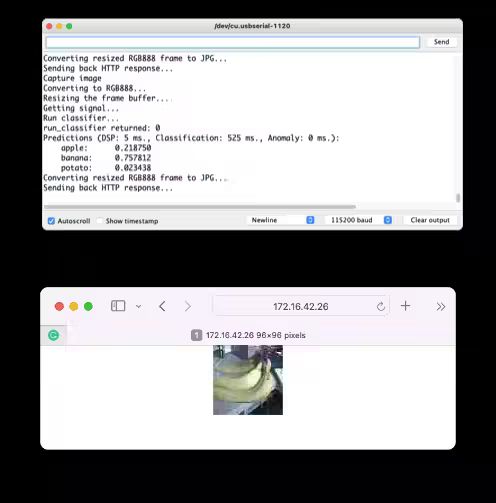
Suppose we need to train a model to distinguish between fruits and vegetables. We can use the built-in camera of the ESP32-CAM to collect image data and then utilize the Edge Impulse platform for model training. In Edge Impulse, we can choose lightweight convolutional neural networks such as MobileNetV1 or MobileNetV2 as the model architecture and enhance the model’s generalization ability through data augmentation techniques. After training, Edge Impulse will generate an optimized model for ESP32 and the corresponding Arduino library files. We will import these library files into Arduino IDE, write code to feed the image data collected by the ESP32-CAM into the model for inference, and finally output the classification results.
Conclusion
The ESP32-TinyML technology brings artificial intelligence capabilities to embedded devices, greatly expanding the possibilities for IoT applications. Despite facing some challenges, its advantages of low power consumption, low cost, and ease of deployment give it a broad application prospect in various fields. With the continuous development of technology, it is believed that ESP32-TinyML will play an important role in more areas.
Project Address: https://github.com/Mjrovai/ESP32-TinyML