STM32CubeMX 6.15.0: Easily Porting the ThreadX Ecosystem, Development Has Never Been So Smooth!
1. The version of STM32CubeMX used is 6.15.0
2. Declaration: This article takes STM32F407 as an example
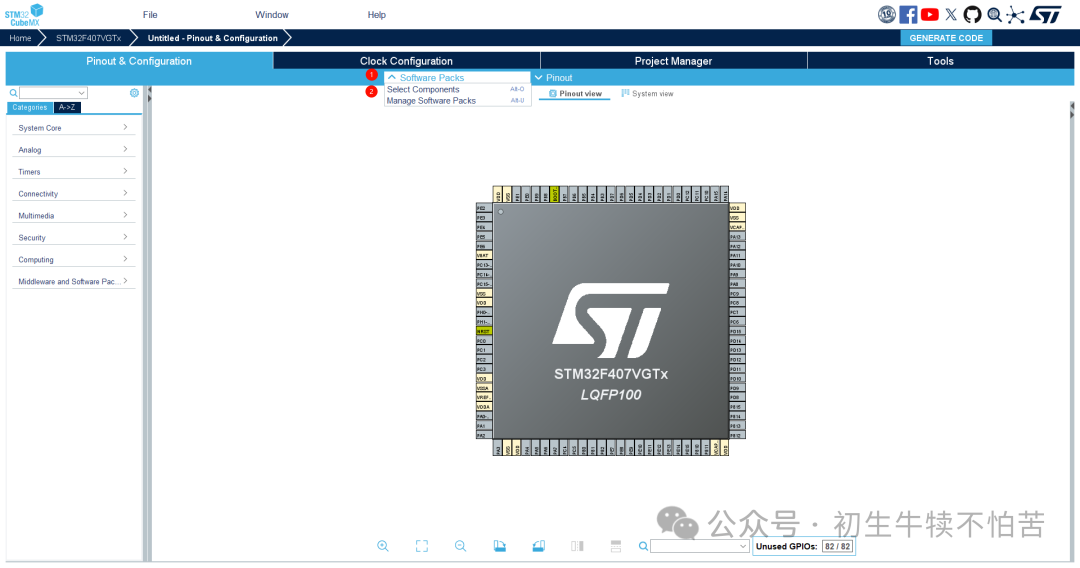
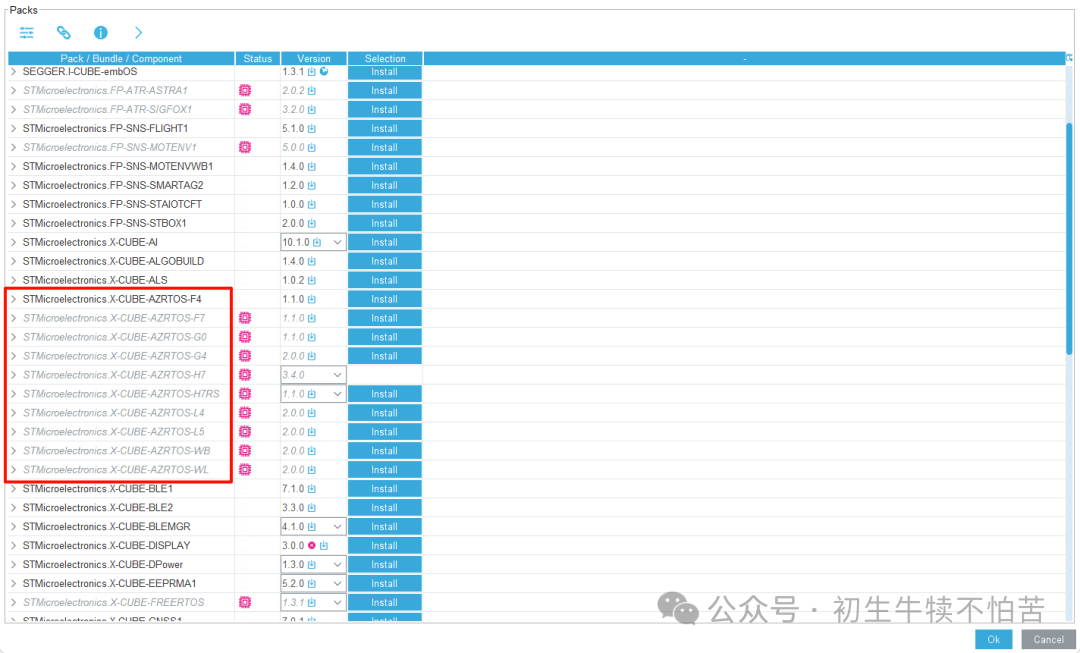
First, let’s take a look at which series are currently supported. We can see that the F series only supports F4 at a minimum, while the F1 series is not yet supported. It is uncertain whether it will be supported in the future.
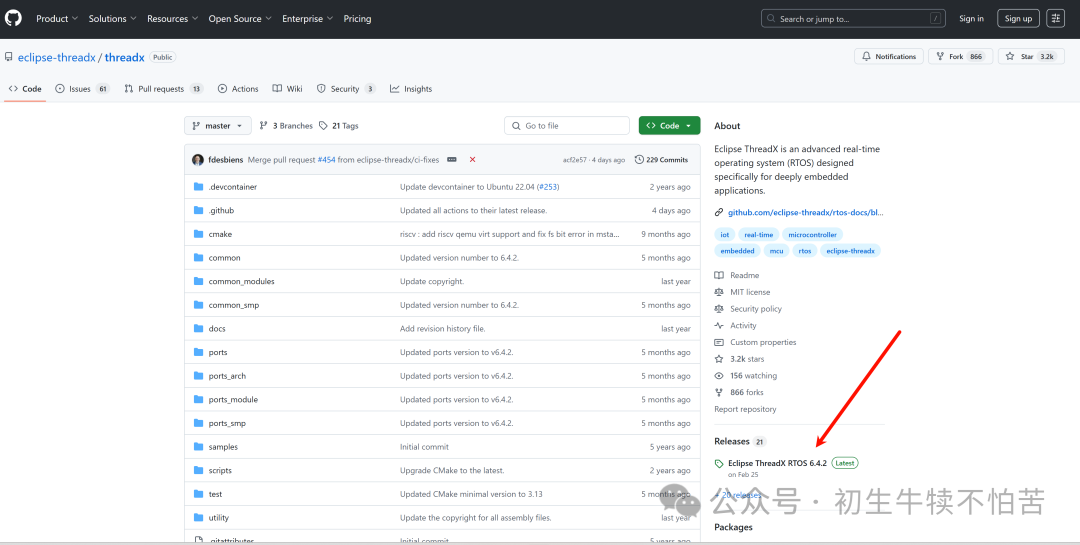
As of July 23, 2025, the latest version on GitHub is 6.4.2
 The version supported on CubeMX is slightly lower at 6.1.10
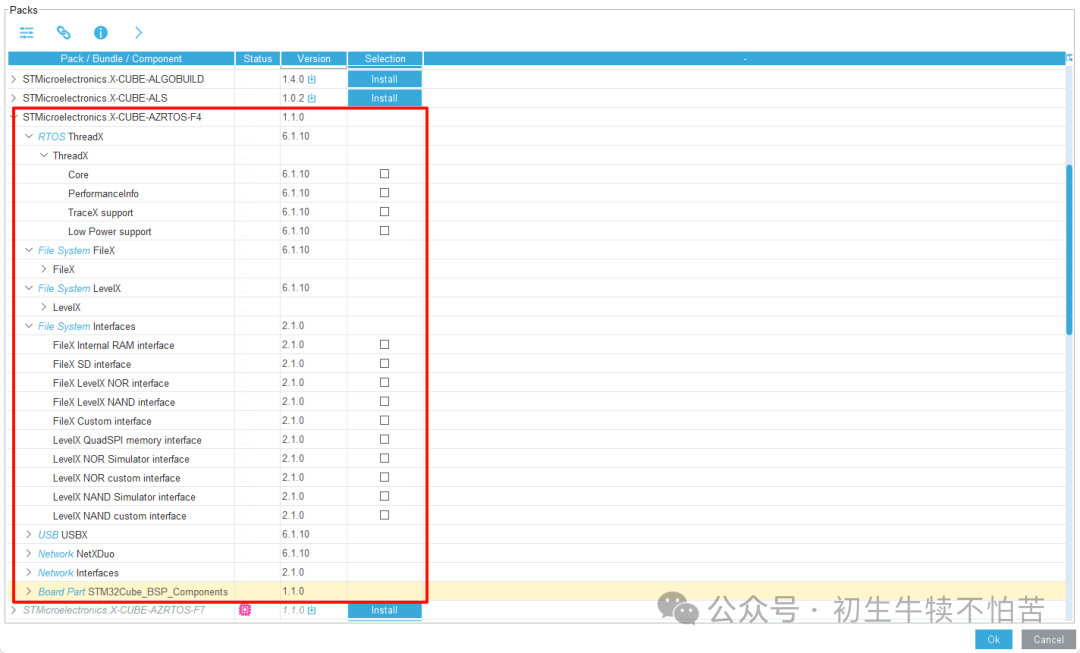
From the above image, it is clear that CubeMX is compatible with the ThreadX system
- RTOS ThreadX is the kernel
- File System FileX is the file system
- File System LevelX is a component for flash storage wear leveling
- File System Interfaces are selected as needed
- USB USBX is the USB protocol stack
- Network NetXDuo is the network protocol stack
The above components meet the vast majority of daily development needs, and the integration is seamless; just check the boxes, and porting has never been so smooth.
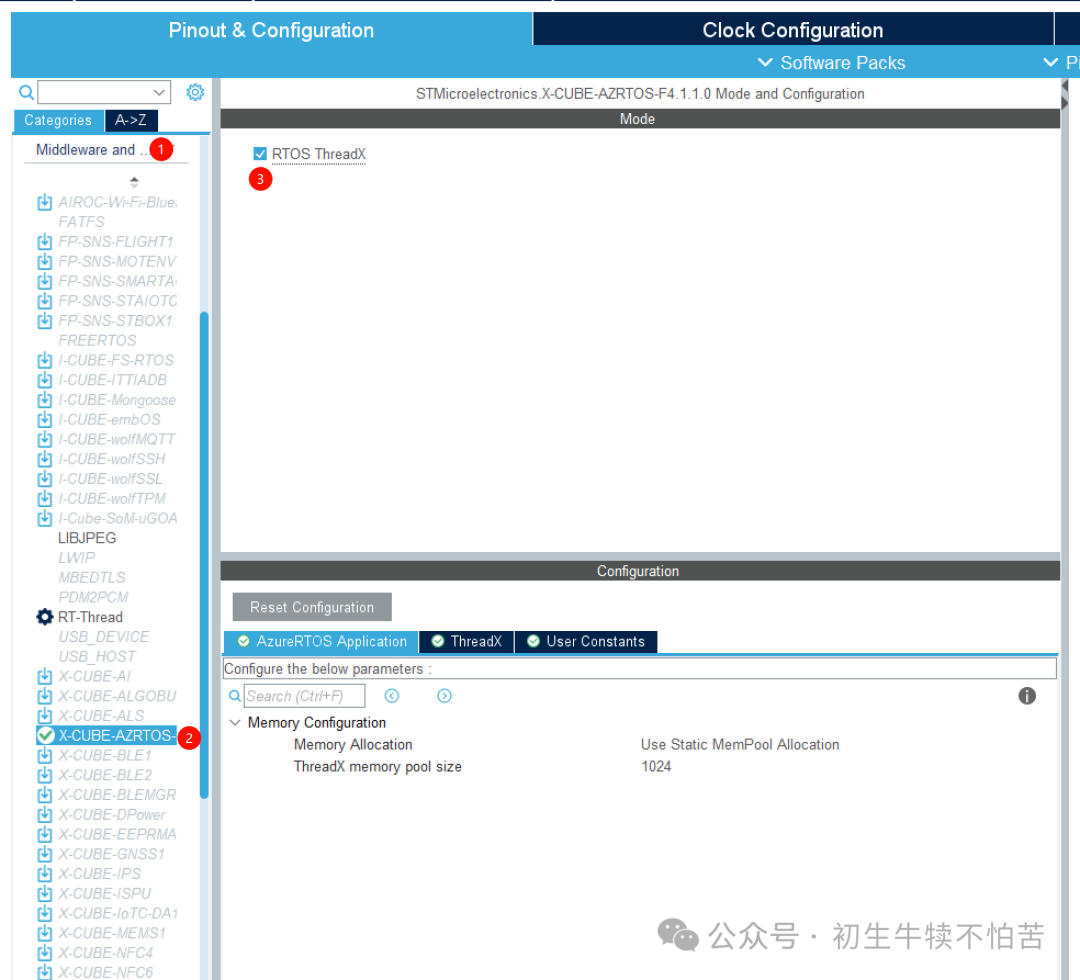
3. Kernel Selection
 Simply check the boxes to complete the porting work; it’s so easy that it can be considered a no-brainer operation.
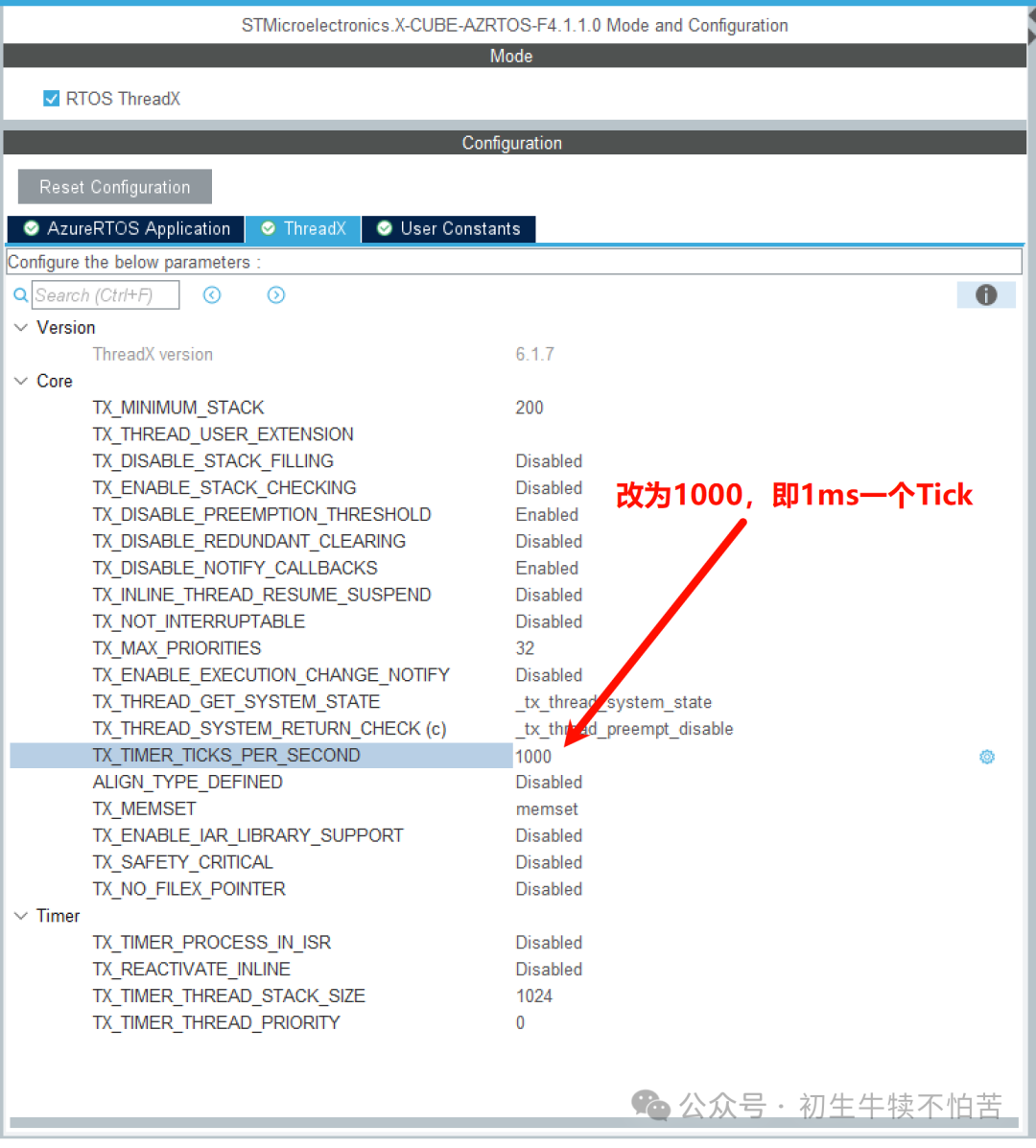
4. Modify the clock base to 1000, which means an interrupt every 1ms
5. Modify the HAL library’s base clock to TIM14
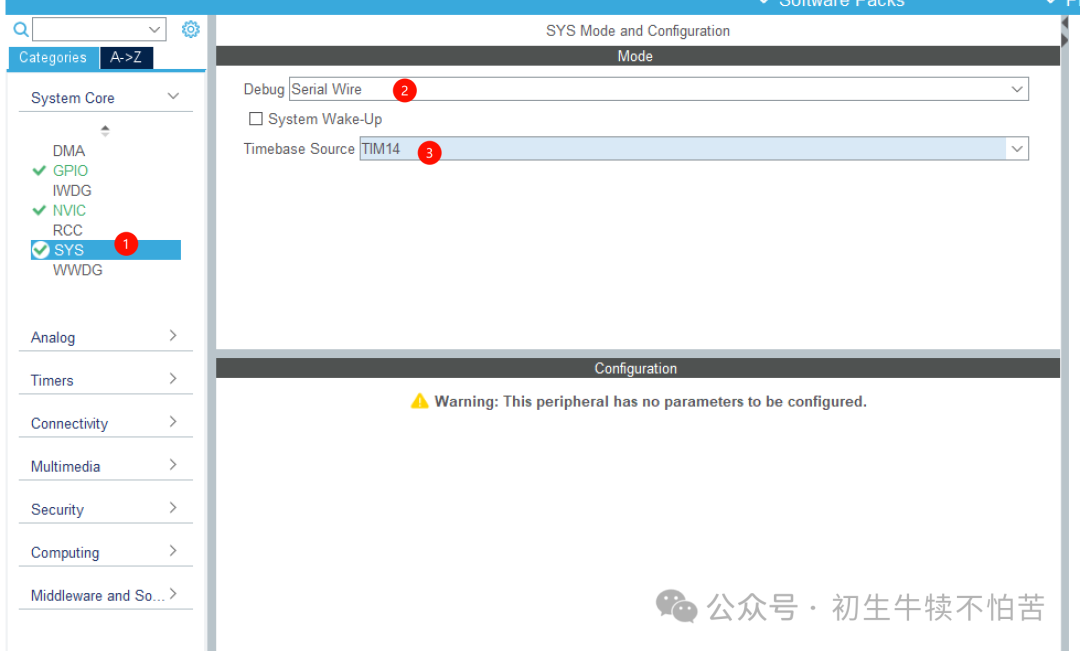 It is important to note that the Timebase Source here needs to be changed because the RTOS requires SysTick as the operating system’s time base.
6. Change to external crystal oscillator
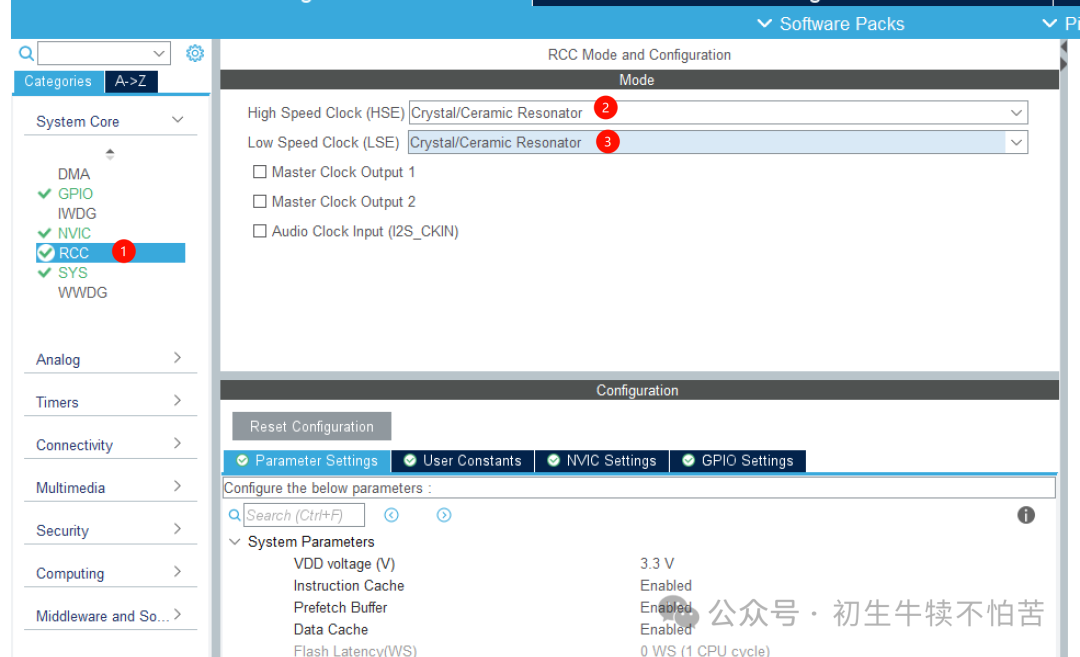
Check this based on whether your board uses an external crystal oscillator.
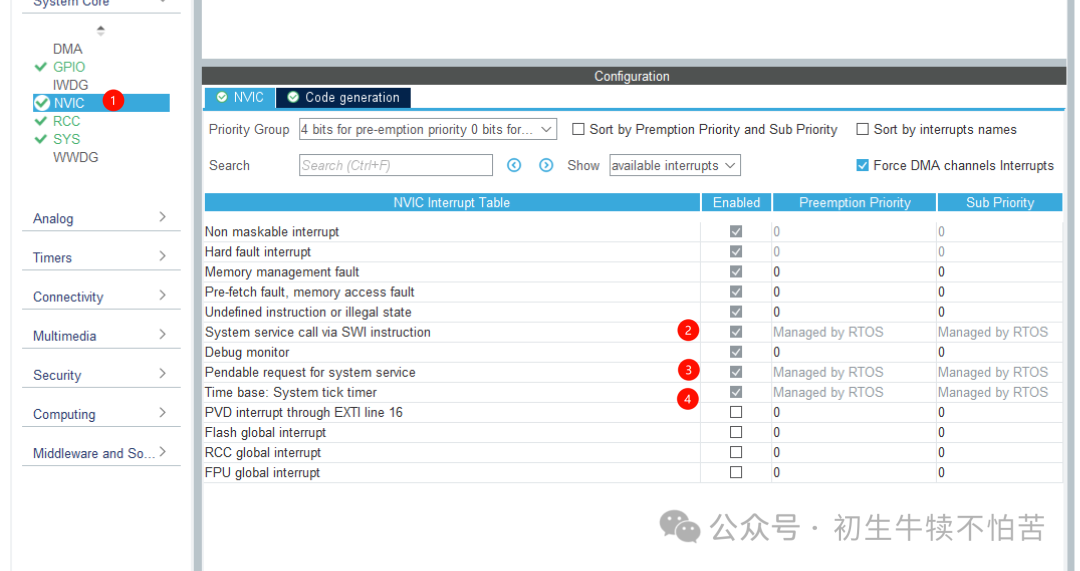
From the interrupts, we can see that the RTOS uses three system interrupt sources.
7. Update the system clock
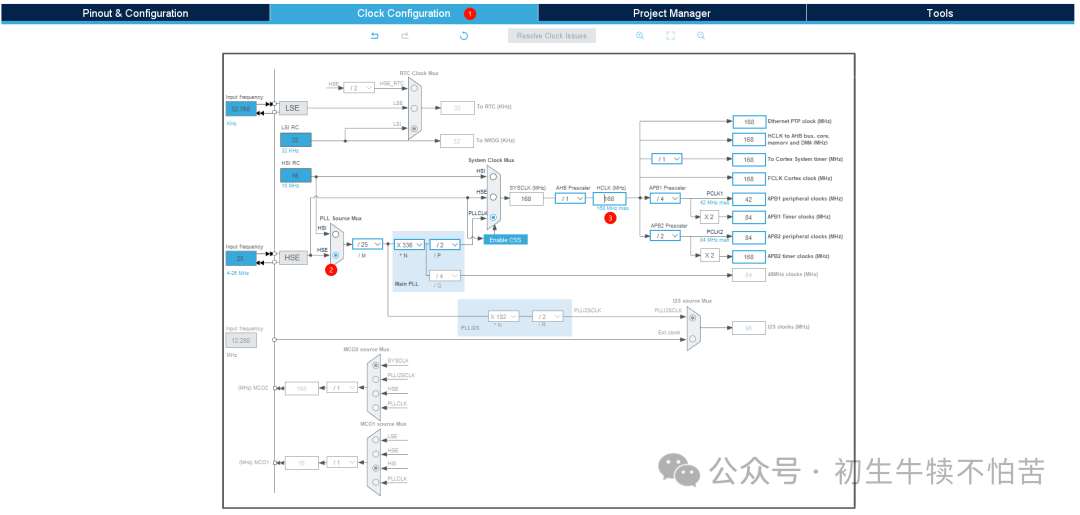 For clock settings, after checking the external crystal oscillator, input the maximum supported frequency of 168 and press enter to automatically calculate the parameters.
8. Change the compilation IDE to MDK-ARM
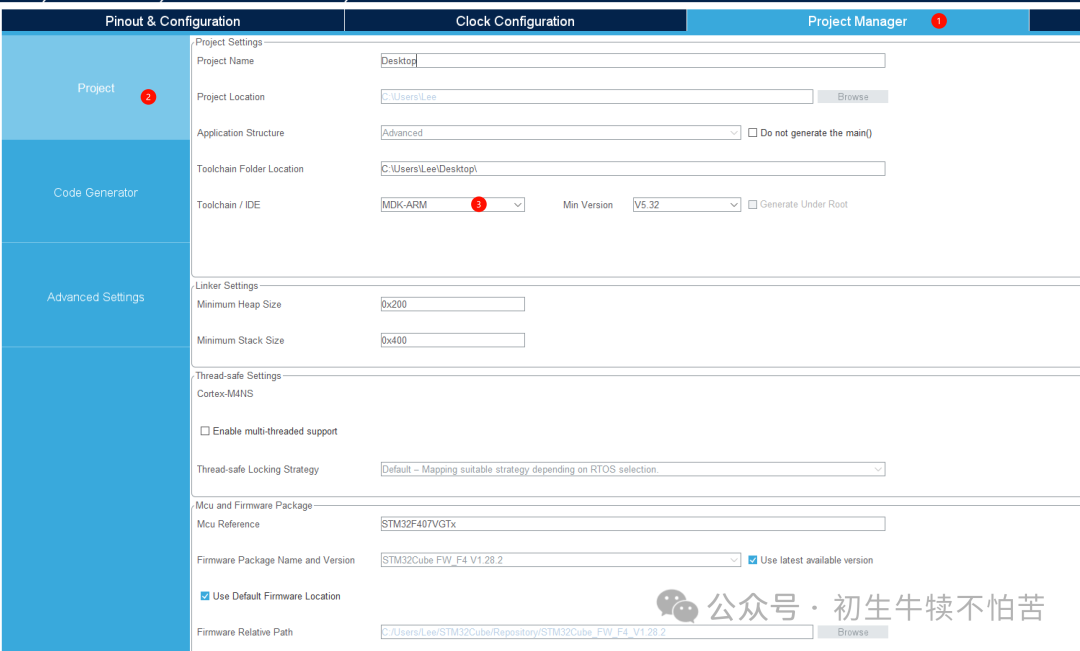
9. Configure the project
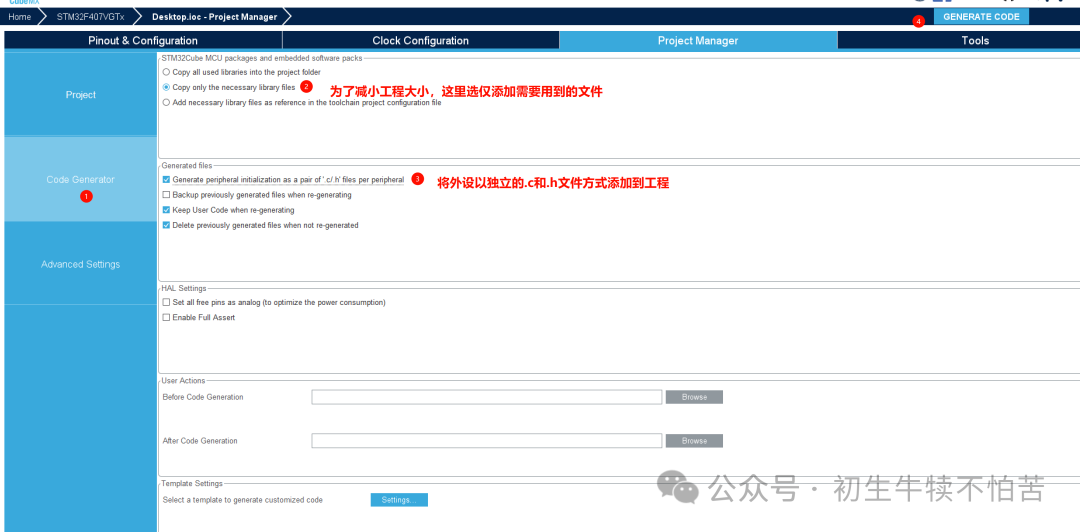
10. Compile
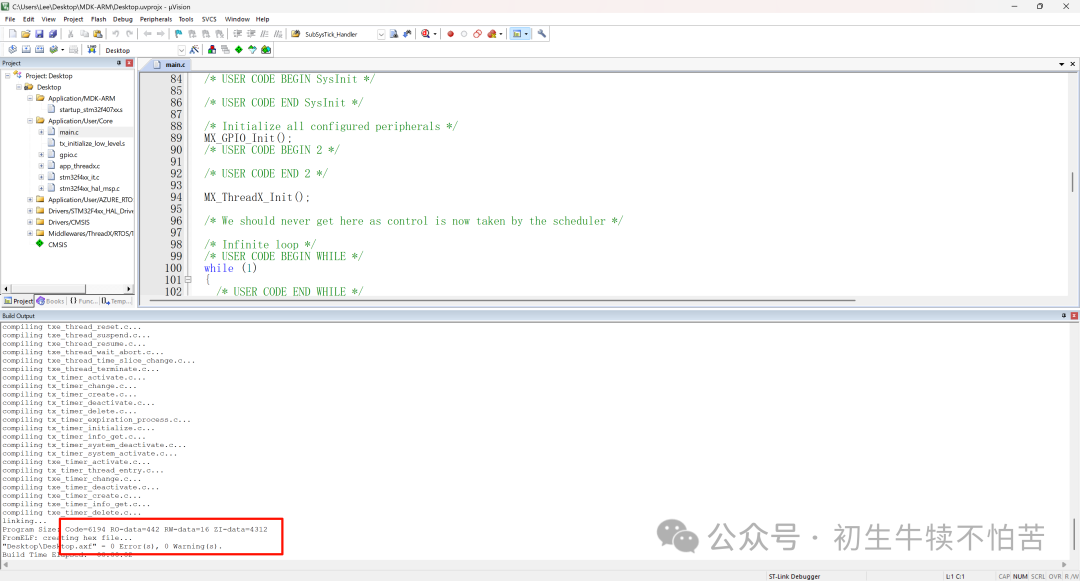 After compilation, we see the desired double zeros.