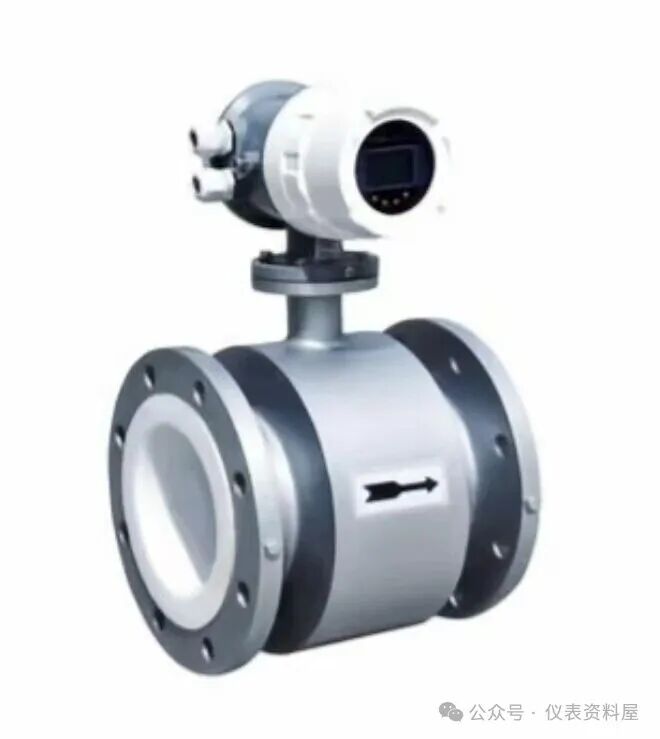
 1. Sensor Identification
1. The sensor has five leads, which are:
Red with shielding (Signal Line A), Black with shielding (Signal Line B), Yellow and Green striped (Ground Line C), White (Excitation Line X), Black (Excitation Line Y).
2. Measure the resistance values using a multimeter in ohm mode:
In the empty pipe state, the resistance between A/B and C should be ≥200 megaohms, X/Y and C should be ≥200 megaohms, and the resistance between X and Y should be ≤40 to 100 ohms for the sensor to function normally.
In the filled medium state: the resistance between A and C should be close to that of B and C, X/Y and C should be ≥200 megaohms, and the resistance between X and Y should be ≤40 to 100 ohms for the sensor to function normally.
3. Check the sensor after the mainboard has been damp:
1️⃣ By measuring the excitation and signal lines, ensure safety: operate after power off!
(1) Measure the resistance between the two excitation lines with a multimeter; a value between 10-120 ohms is good.
(2) Use a megohmmeter to measure the insulation value of excitation M1 (X) and 3, M2 (Y) and 3 to ground; generally, a value around 500 megaohms or higher is normal.
(3) Under the condition of the pipeline filled with medium, use a multimeter set to 200 megaohms to measure signal 1 (A) and 3 (C) to ground, which should be around 12 megaohms, and signal 2 (B) and 3 (C) should also measure around 12 megaohms; the measurements of the signal lines should be close and equal for normal operation.
2️⃣ If the insulation of the excitation line has decreased, the sensor needs to be replaced.
3️⃣ If the above checks show that the sensor and converter are fine, it can be concluded that the sensor is not the issue. Replacing the mainboard should restore normal operation.
4️⃣ For integrated electromagnetic flow meters, after power off, disconnect the excitation terminals; the excitation consists of two wires located at the upper left of the mainboard, with red for M1 (X) and black for M2 (Y). The signal consists of three wires located at the lower right side of the mainboard, with the middle one being 3 (C) and the two sides being signal 1 (A) and 2 (B). Insert a slightly thicker metal wire into the excitation or signal plug to measure whether the actual state of excitation and signal is correct.
2. Converter Identification
1️⃣ If there is no display, check if the fuse is blown; if it is, replace the fuse.
2️⃣ If the display is abnormal, check if the parameters are correct; if they are correct, replace the converter.
3. Calibration of Empty and Full Pipe for Electromagnetic Flow Meters and System Zero Adjustment
In the flow display interface, press the CE key to enter the menu;
Set Prog protection to OFF;
Scroll through the menu to input code number 4000 and confirm to enter the engineer menu;
Scroll through the menu to find submenu detector e.pipe (empty pipe detection submenu) and confirm to enter; it will display detector e.pipe -off.
1️⃣ Empty pipe calibration; the pipeline must be in an empty state at this time;
1. Press the confirm key to change detectore.pipe-off to on;
2. Scroll through the menu to find empty threshold-1800Hz and press the confirm key to enter, which will show Empty Threshold–manual? (manual). Press data or step to change to automatic? (automatic) and then press the confirm key to enter the automatic detection of the empty pipe. After detection, a fixed value will appear below. This completes the empty pipe calibration. (Note: It is recommended to use automatic calibration, provided that previous data is recorded.)
2️⃣ Full pipe detection; the pipeline must be filled with medium, and the medium can be flowing or not;
The full threshold method is the same as above; (Note: It is recommended to use automatic calibration, provided that previous data is recorded.)
3️⃣ System zero adjustment; the pipeline must be filled with medium and not flowing;
The system zero adj menu —0.00000mV method is the same as above. (Note: It is recommended to use automatic calibration, provided that previous data is recorded.)
4️⃣ If replacing the converter, you need to enter:
1. Input code number 4000
2. Find submenu primary to set Meter size (instrument diameter)
3. Modify Spancs 33 HZ to match the nameplate input. This item also includes 25HZ, 12.5HZ, 6.25HZ, 3.125HZ. First, check the Exicitation item to see which frequency it is, and then input the CS value for that frequency (CS values are all on the instrument nameplate).
4. Range (range setting)
5. Submenu Unit (engineering flow unit setting)
5️⃣ Common faults and solutions for electromagnetic flow meters:
1: Flow is present but no display:① Check the flow mode and change it to bidirectional; if it is set to reverse measurement, change it back:② If the flow display shows Empty, enter the empty pipe detection and perform full pipe calibration.
2: No flow but display is present:When the pipeline reaches the empty pipe condition, enter the empty pipe detection and perform empty pipe calibration.
3: Large flow fluctuations:Poor grounding; strengthen the grounding. It may be related to the medium (e.g., the medium has bubbles).
Error 0: Empty pipe alarm. Normal display when empty pipe.
Error 1: A/D converter error. Check the wiring.
Error 3: Exceeds range. Adjust the outlet valve to regulate flow.
Error 9: Excitation error. Excitation alarm. Check if the excitation line is short-circuited or open; check if moisture or water ingress has damaged the excitation line. (Refer to the sensor identification for specific inspection methods).
Error 93/94: Poor contact in memory. Reconnect and re-download.
#ElectromagneticFlowMeter #FISCHER #FISCHER