Problem Overview
- An example of a network issue where a computer client, after connecting to a wireless network AP, cannot log in to the application process.
Problem Phenomenon
After entering the username and password, the following error is returned: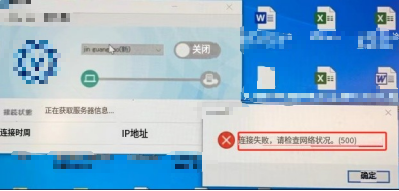
Problem Localization
-
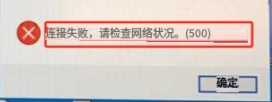
From the error message, it can be seen that the login failed (connection failed. Please confirm the communication status. (500))
-
Locating the issue from the error code:HTTP status code 500 indicates “Internal Server Error”, which means the server encountered an unhandled exception or error while trying to process the client request.
-
Try using another network to obtain a sniffer log of a normal connection to the server for localization purposes.
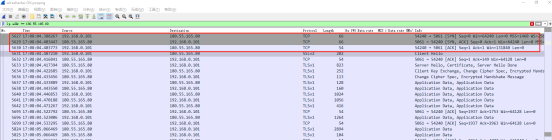 By filtering, we found the server’s IP address, and after filtering, a normal TCP connection was established.
 -
Attempt to capture the air packets of the problematic AP.
 From the above sniffer log, it can be seen that after the client attempts to establish a TCP connection, it does not receive an ACK from the server, leading to continuous TCP connection retries. The destination port number for the TCP connection request is 5061, and multiple connection establishment requests were sent, ultimately resulting in failure.
 -
Capture tcpdump packets to see if it is related to the network firewall netfilter.
 From the filtered logs, it can be seen that the TCP packets did not pass through the firewall rules, resulting in HTTP connection failure.
 -
Compare firewall rules.Locate through local firewall comparison.
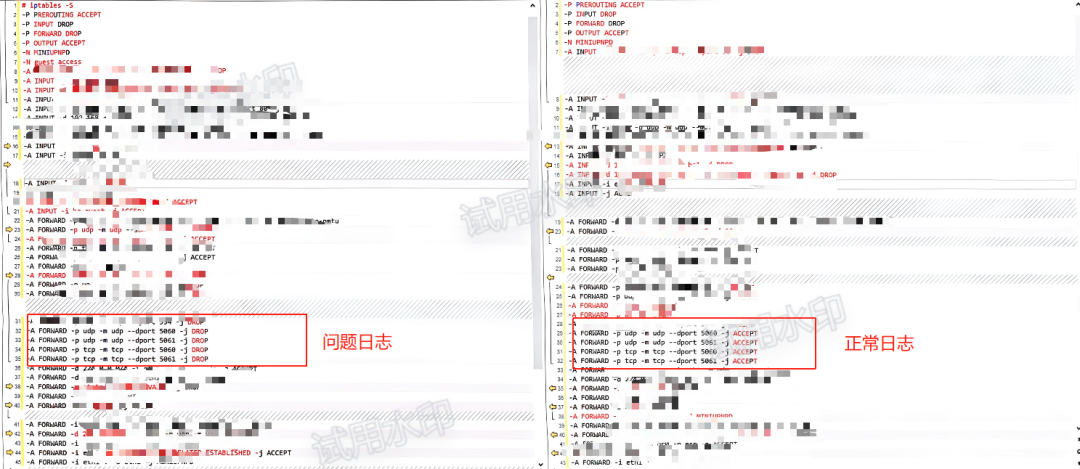 It was found that there were differences in port (protocol) filtering.The difference is:
-
Set this firewall rule to allow by default, and the problem is resolved.