Click the card aboveFollow us👆
For all the friends who love tinkering with ‘3D printers’, what do you usually print with it?
Is it delicate anime figures, practical and interesting home gadgets, phone stands, small tools, or creative toys for kids?
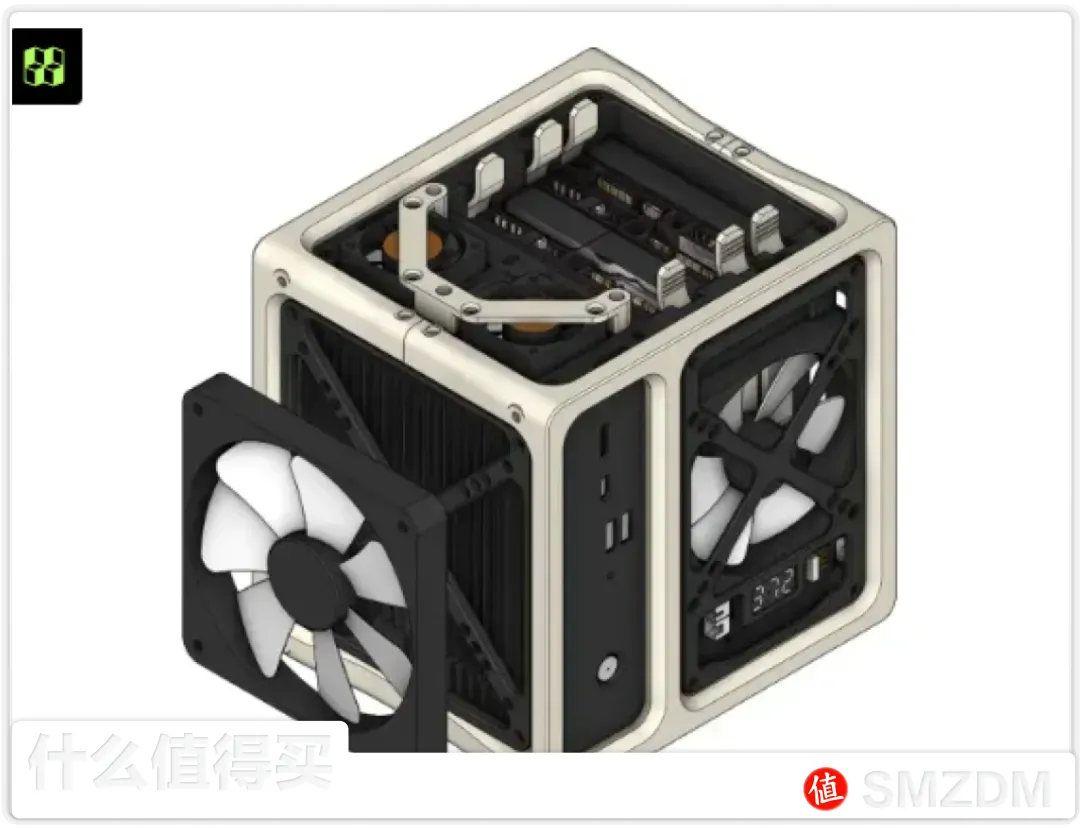
But you would never guess that on the ‘What Worth Buying App’, hardcore players have developed a new way to use it—our chief lifestyle expert ‘Cute Cherry’ has used a 3D printer to create a NAS case, with costs astonishingly low, it can be done for just a few dozen yuan!
From the exterior design to the internal structure, it can be freely customized and assembled step by step. It not only satisfies the fun of DIY but also truly realizes “data freedom”, with an incredible cost-performance ratio!
If you also love DIY and enjoy tinkering with NAS and 3D printers, be sure to bookmark this article!
The content of this article is narrated in the first person by the author.

8 Recommended ‘Open Source NAS Cases’
First, let me report on the recent usage of my 3D printer, which has cost nearly 1000 yuan in total. I have bought a lot of PLA, which is relatively expensive, including regular, silk, and colored materials. Just for black and white filaments, I have used seven or eight rolls.
What I have printed are somedecorative items, toys, labubu, etc., mainly focusing on being unproductive. 
Recently, the initial excitement of 3D printing toys has faded, and I feel like there’s nothing interesting left to print.
Suddenly I thought, since I bought a 3D printer, why not use it to print a few NAS cases? After all, PETG material costs only about 20 yuan, which is very cost-effective!
So I searched through the TuoZhu online model library and found some NAS case designs that looked pretty good, ready to print one by one!
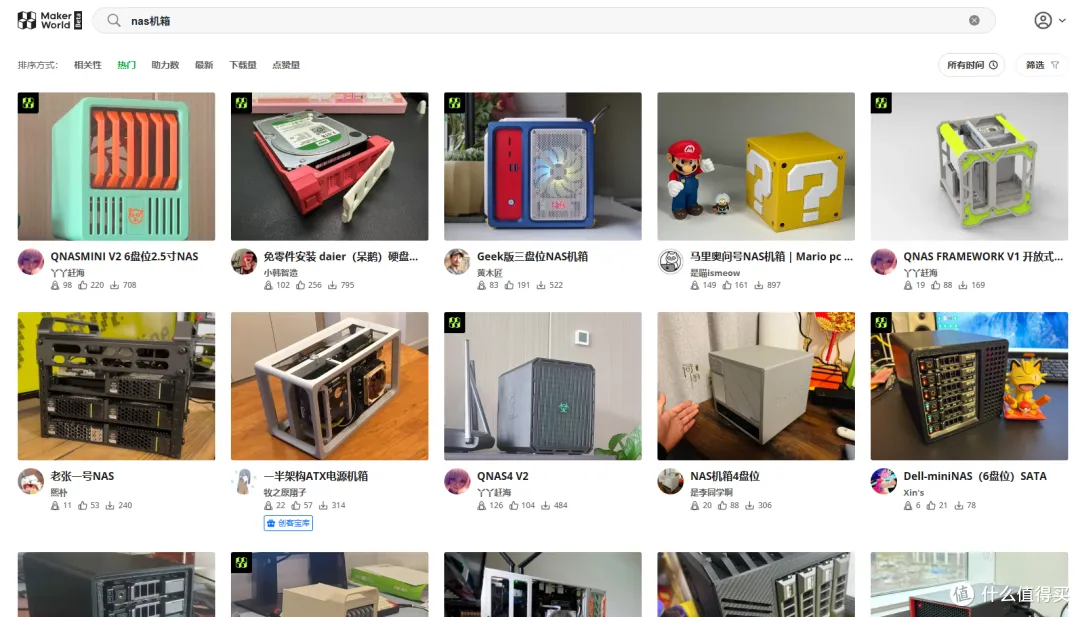
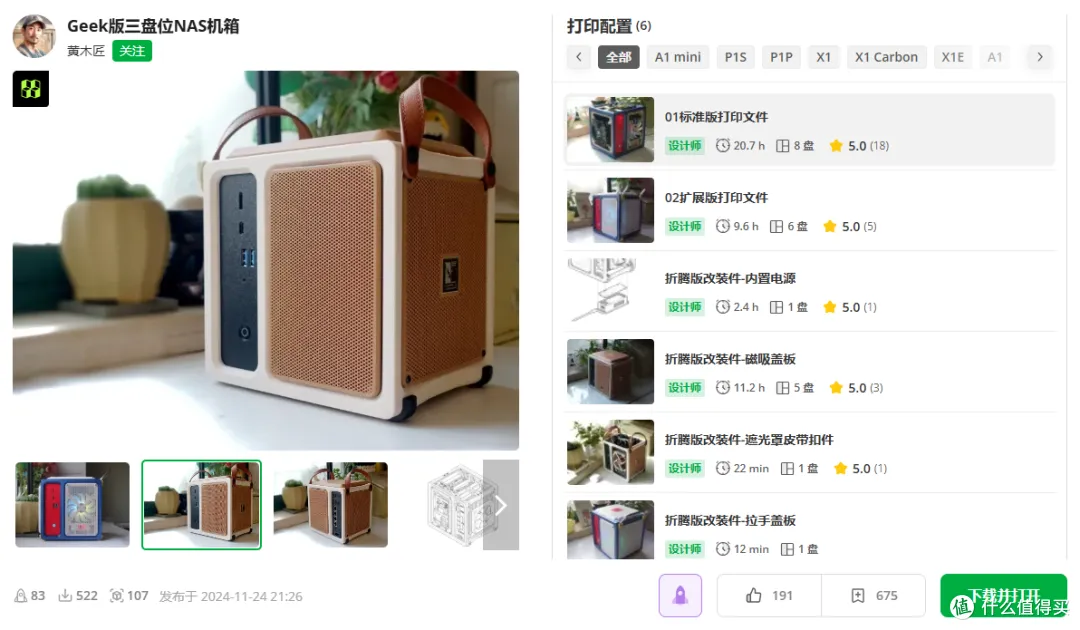
1️⃣ Geek Version 3-Bay NAS Case
First is the Geek version of the 3-bay, 4-port N5105 soft router compatible version, with a total weight of 475g. Based on the price of PETG, the cost is about 10 yuan.
This model has a dust filter and other expansion packs that can be printed separately, with a material weight of about 300g, supporting magnetic suction, portability, etc., and adopts a vertical airflow design.
🔻 Internal Structure Overview
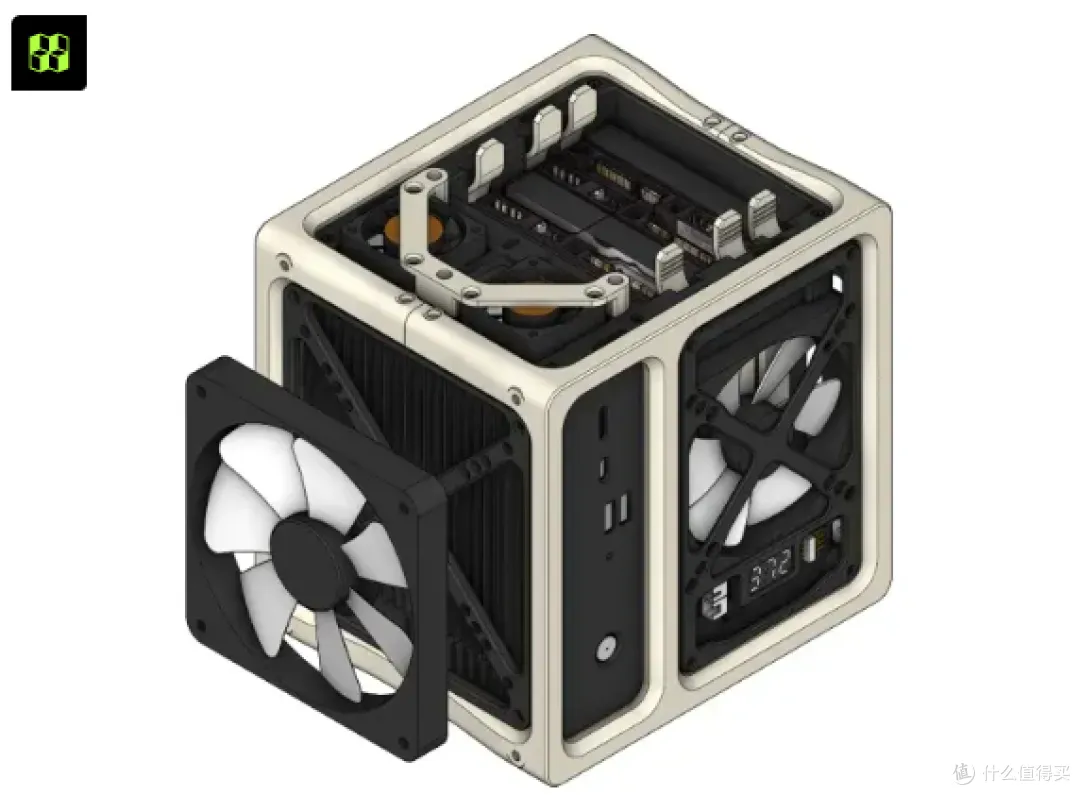
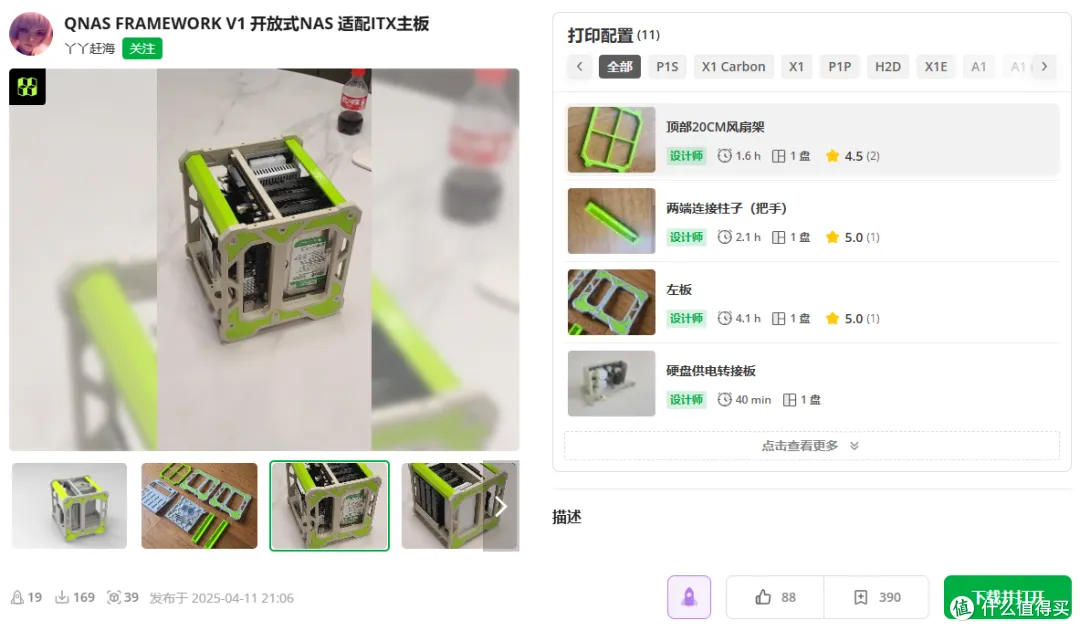
2️⃣ Q NAS Open Case
I really like this color scheme. The open frame has better heat dissipation than traditional QNAS. However, the material is not cheap, requiring about 1000g of PETG, costing around 20 yuan.
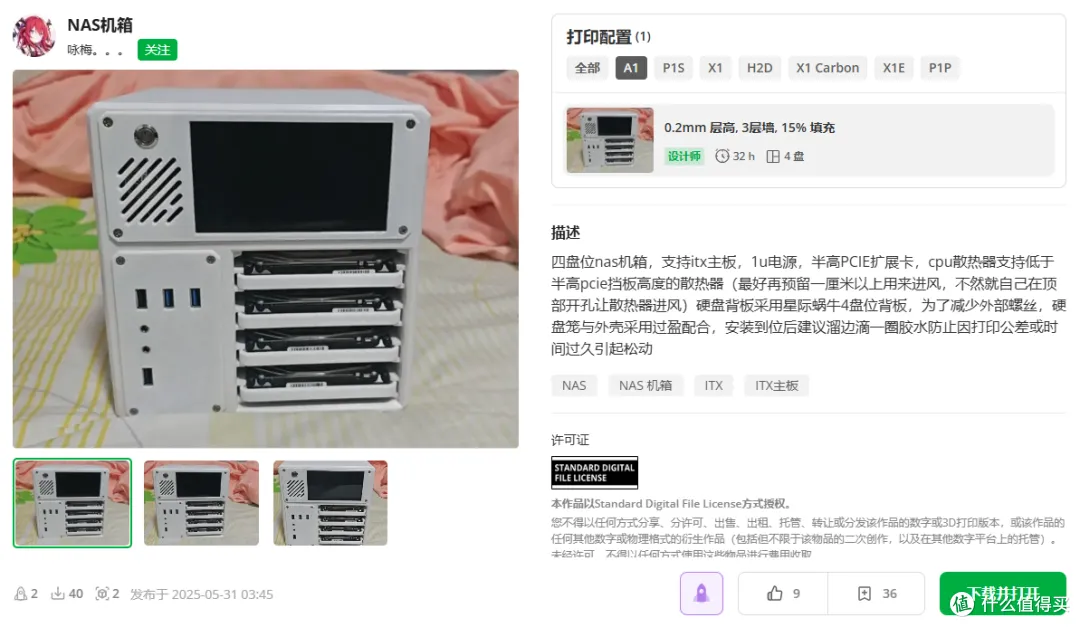
3️⃣ Interstellar Snail Case
A case resembling an interstellar snail, with a total weight of 826g, costing about 16 yuan. It is compatible with the snail backplane and has a screen extension? Overall, the appearance is quite nice.
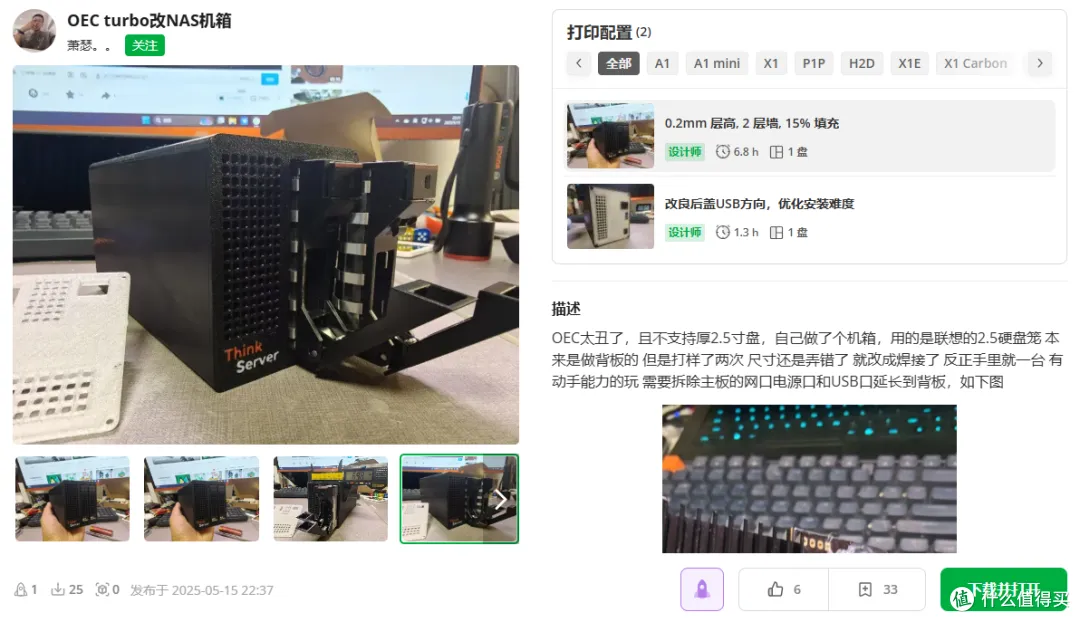
4️⃣ OEC Turbo Modified NAS Case
The OEC Turbo modified NAS shell requires soldering for the USB and power ports. It is suitable for those who do not like the OEC appearance.
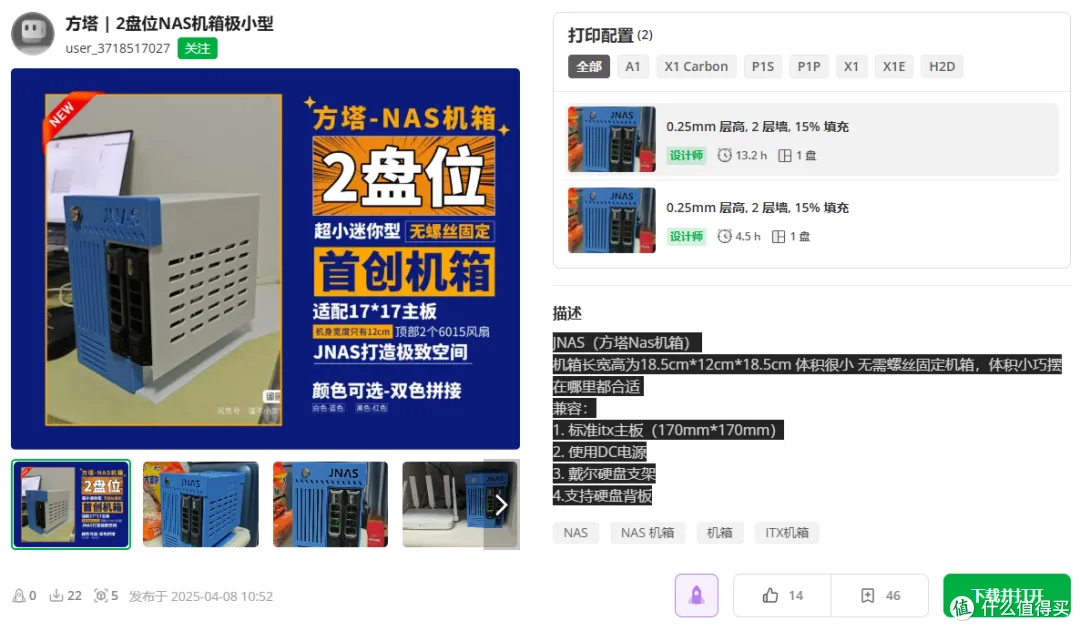
5️⃣ ITX Color Block 2-Bay Case
The ITX color block 2-bay case looks quite good if the color design is done well. However, the usage scenario for 2 bays is somewhat limited. It might be suitable for home use.
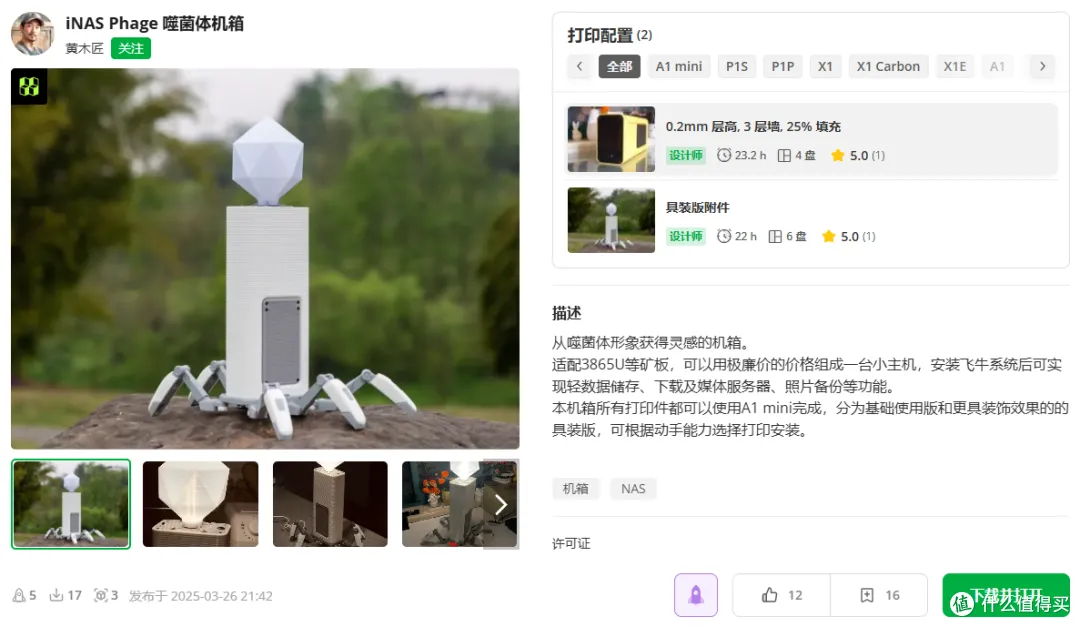
6️⃣ iNAS Phage CaseVery interesting single-bay case designed in the shape of a phage. I must say, the design ability of this UP is really impressive, as this is also the first design. The total weight is about 1000g, costing 20 yuan. However, it is only compatible with specific boards.
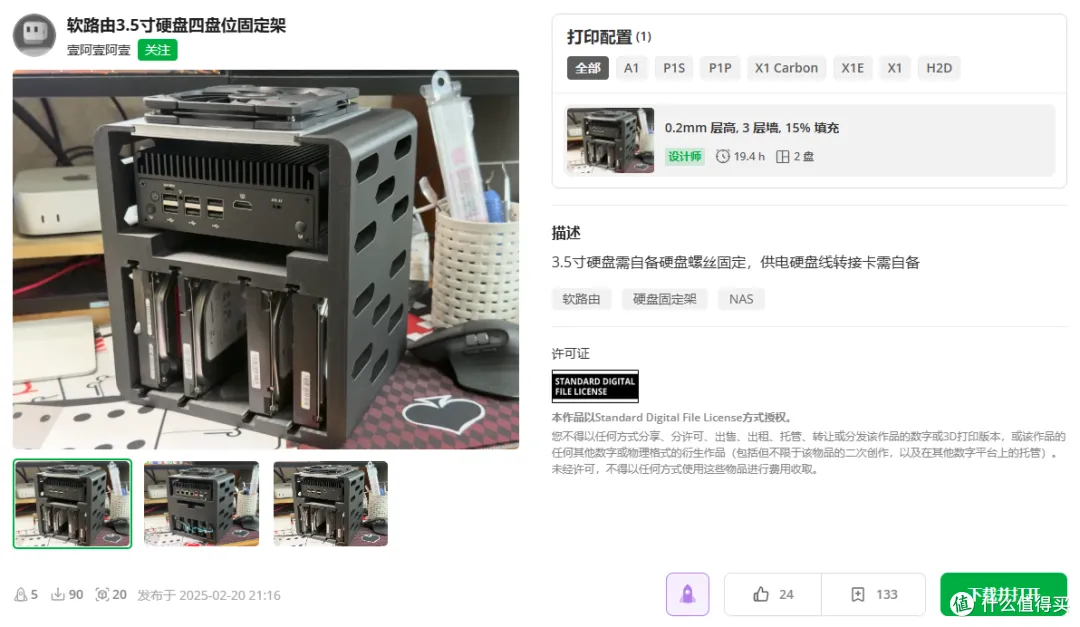
7️⃣ Soft Router Modified NAS Open Case
A very practical soft router modified NAS open case, with a total weight of 700g, costing about 14 yuan. However, you need to solve the DC power supply issue for the hard drive yourself.
8️⃣ 4-Bay NAS Case
A standard 4-bay case. However, because it is standard, it looks aesthetically pleasing. The total weight is 1.5kg, costing about 30 yuan. The side panels are quite standard, and I feel this model could also be made with aluminum panels.
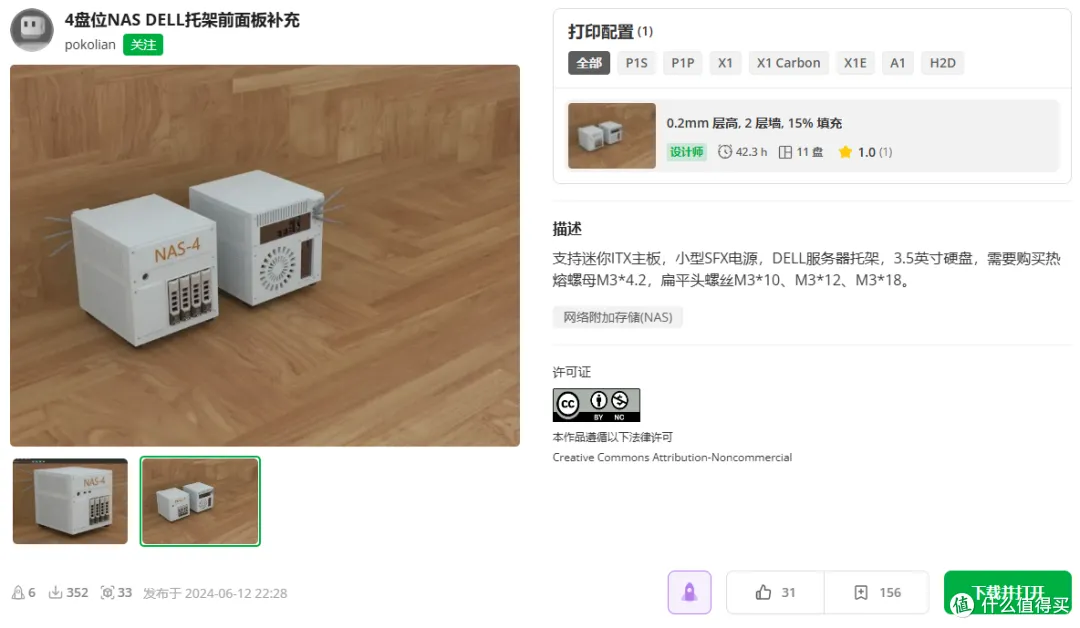
Of course, the rendered images are definitely not as convenient as the actual printed objects. Since I no longer have a soft router host, only a N4125 Changwang X86-P2 left, the printed case will only be an empty shell. I will definitely do a review later~

My GitHub Projects
1️⃣: Chinese Docker Project Integration:
github.com/coracoo/awesome_docker_cn
2️⃣: Docker to Compose (New Web Service):
github.com/coracoo/docker2compose
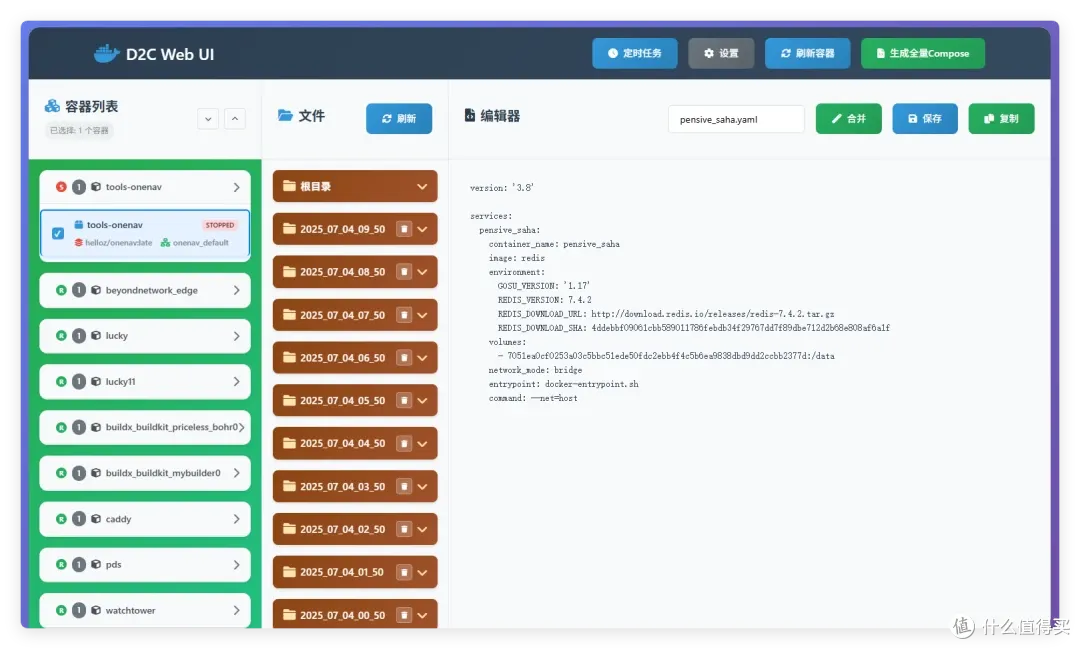
3️⃣: Container Deployment iSCSI, supports Ugreen Extreme Space Flying Cow:
github.com/coracoo/d-tgtadm/
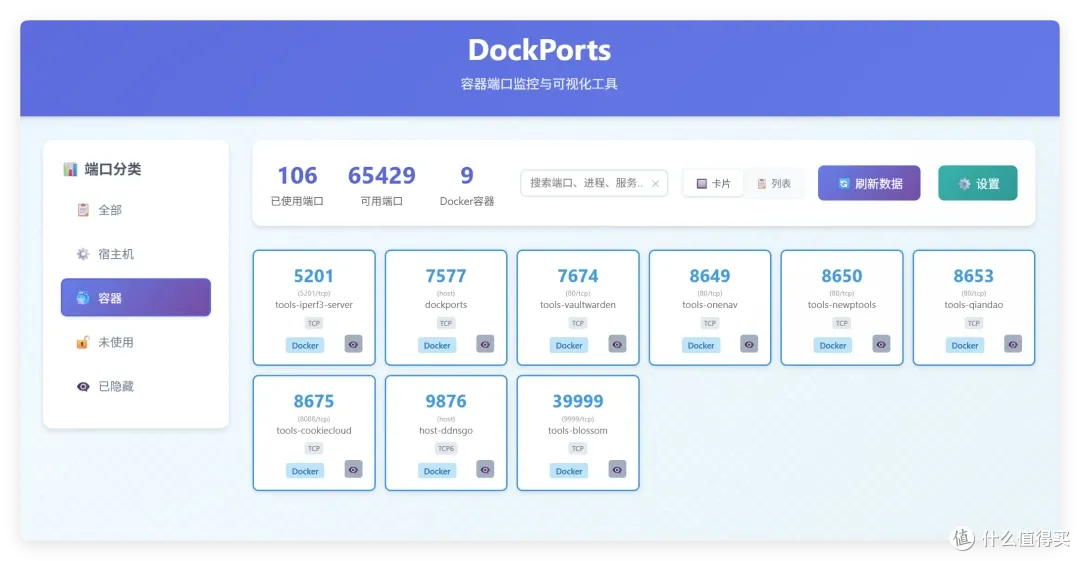
4️⃣: Container Port Management Master:
github.com/coracoo/DockPorts/
 In Conclusion
Don’t let your printer gather dust anymore, pick a case model you like, and start printing your own private cloud!
What interesting things have you printed with your 3D printer? Feel free to share in the ‘comments section’! Or click ‘Read the original text’ at the end to see more content~