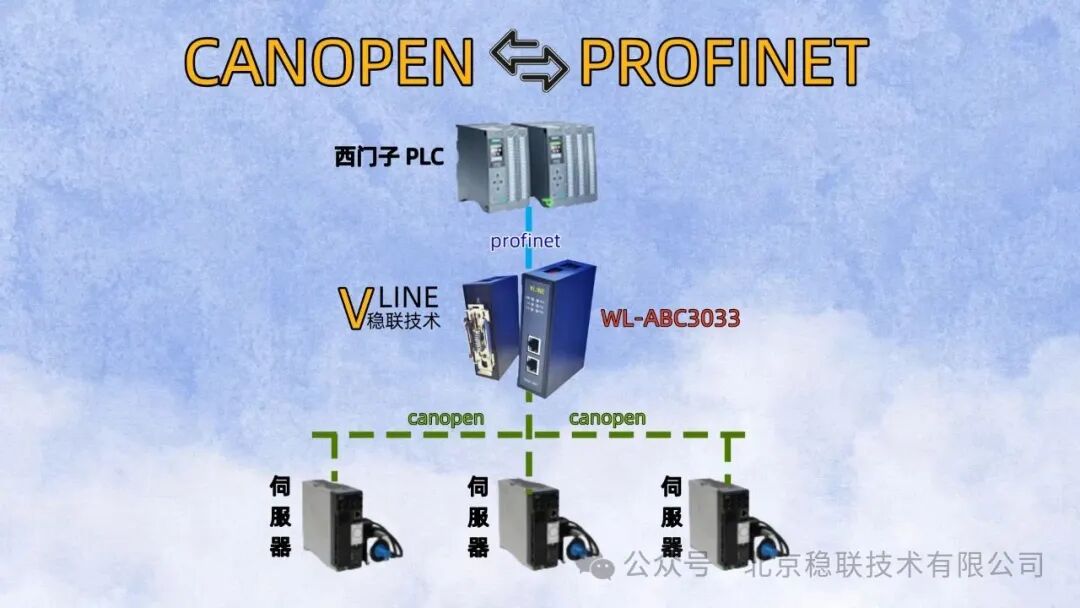
SiemensS7 – 1200 series PLC (Programmable Logic Controller) needs to connect with servo drive devices that have CANOPEN communication capabilities. Siemens’ PLC uses the PROFINET real-time Ethernet communication protocol, and to connect to CANOPEN devices, a communication protocol conversion is necessary. The series of gateways for PROFINET to CANOPEN provides an efficient and feasible solution.
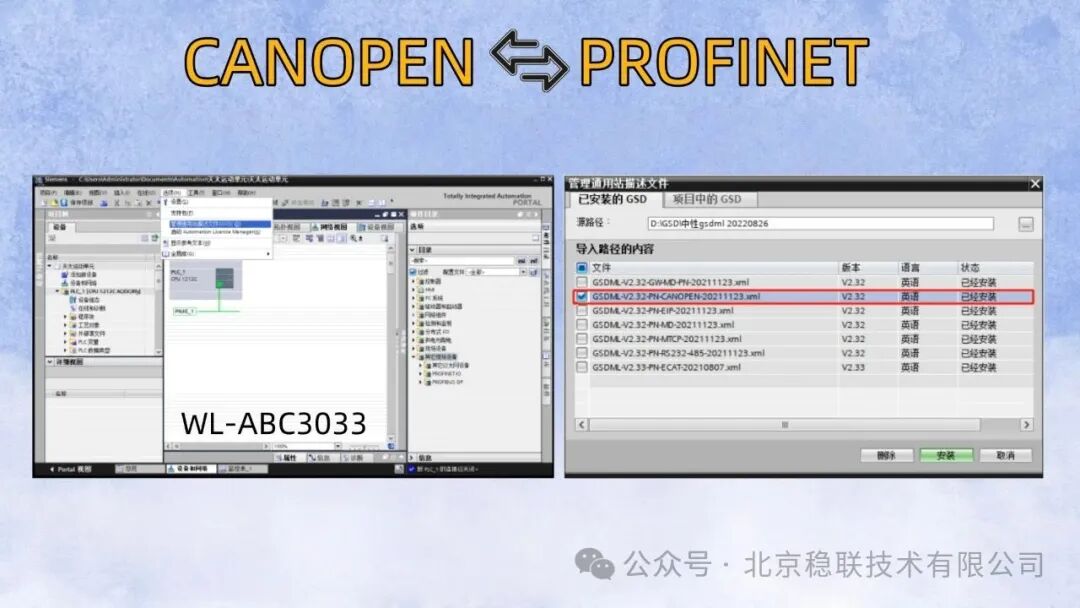
First, start the installation of the GSD file from the Siemens configuration tool. The specific operation is as follows: select the folder where the GSD file is located, check the corresponding files, and execute the installation operation. Then, configure the type of device, assign the PLC and the Profinet to CANopen gateway, and connect to the IO controller PLC_1‘s PROFINET port _1.
Once the PLC is connected to the Profinet to CANopen gateway, the IP address and PROFINET name of the Profinet to CANopen gateway need to be changed. After modifying the device name and IP address, the required byte count must be added. Double-click the Profinet to Canopen gateway module, and use the right side to add input (Input) and output (Output), and finally download it to the device.
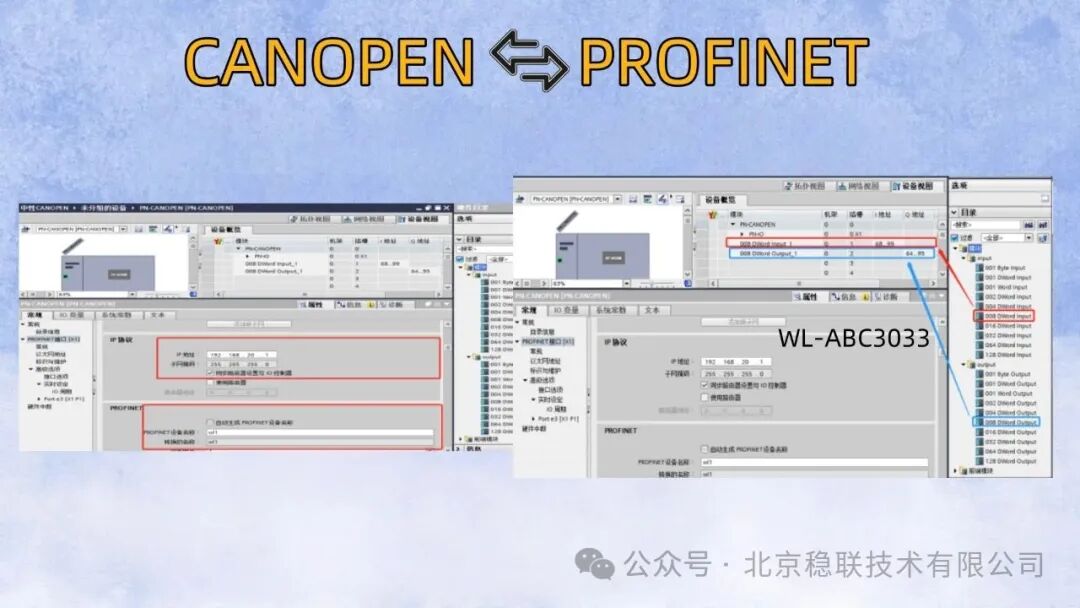
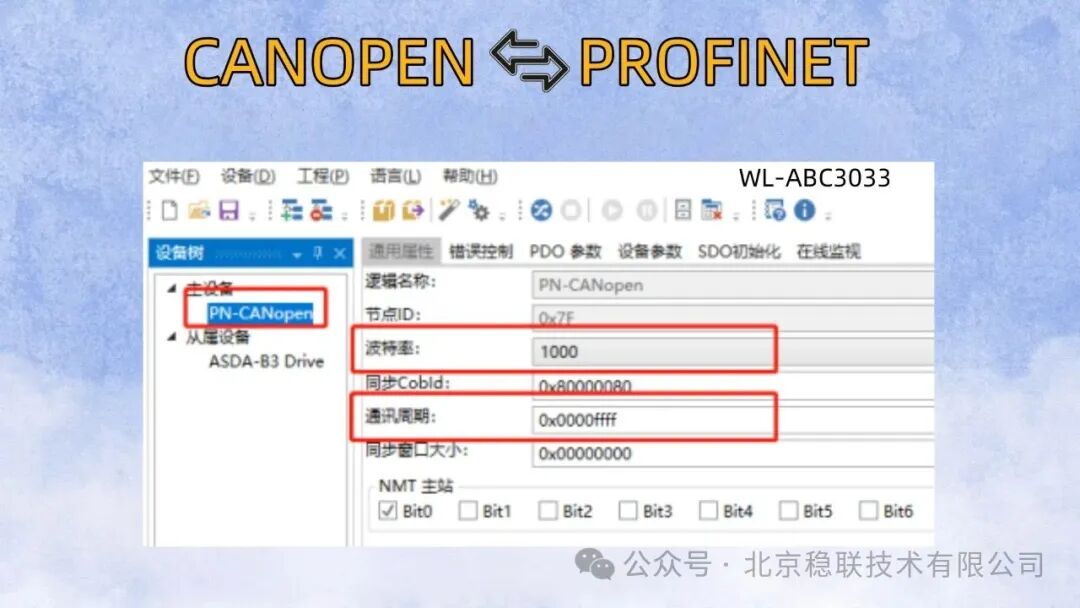
The configuration operations in the Siemens configuration tool have been completed, and the content to be noted has been marked in red font. Next, the parameter configuration of the gateway’s configuration software will be performed. Open the CanOpen Configuration Tools to set the general attribute parameters of the master device. The baud rate must be consistent with the slave device, and the communication cycle should be adjusted from 0x00000000 to 0x0000ffff.
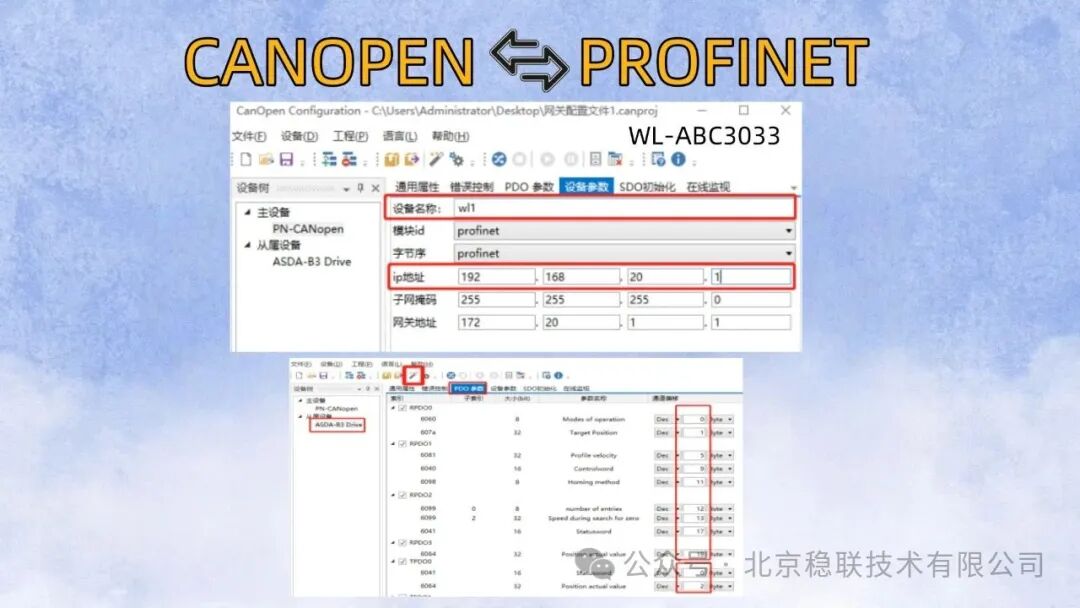
This interface is used to set the device name and IP address of the Profinet to CANopen gateway in the Profinet network, and it must ensure consistency with the settings in the PLC configuration software. (Note: If the device name contains special symbols or Chinese characters, it should be consistent with the converted name). Regarding the parameters of the slave device, necessary parameters should be added in the PDO parameters. Select RPDO and TPDO, and change the transmission type to Event – driven(manufacturer) (event-triggered).
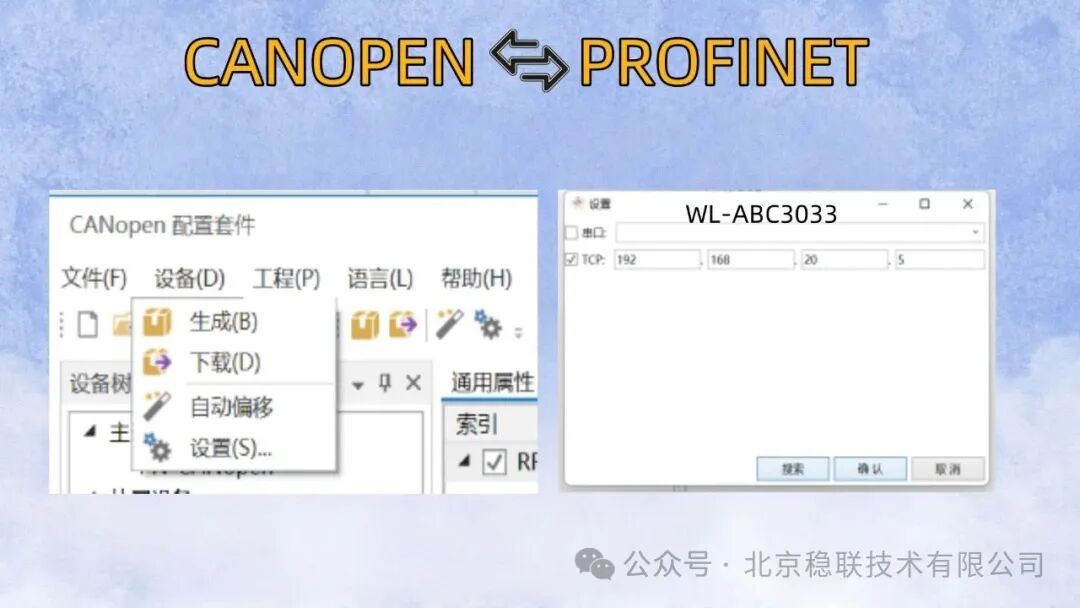
After completing the configuration operations, download the configuration data to the PROFINET to CANopen gateway. First, click on the settings interface, search for the default IP address of the gateway (ensure that the computer and the PROFINET to CANopen gateway are in the same network segment, otherwise the download process cannot proceed). If the download process is completed successfully, a success message will be displayed in the lower left corner of the software.
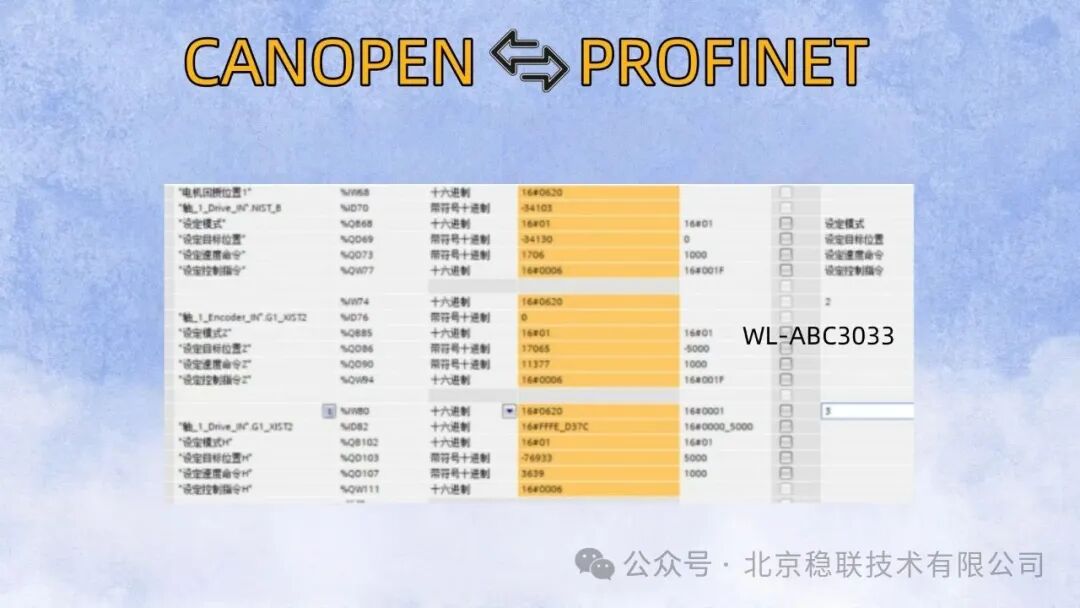
After setting the parameters of the slave device via the configuration software, enter the PLC monitoring interface to control the servo.