Based on the ZYNQ platform, an embedded Linux operating system can be deployed. If you need to configure a static IP address, you can use the following methods.
Method 1: Configure via Petalinux
- If the Linux system is created using Petalinux, you can configure the static IP address through Petalinux. Navigate to the Petalinux project directory and set up the Vivado and Petalinux environment variables.
source /opt/pkg/petalinux/settings.sh
source /opt/Xilinx/Vivado/2017.4/settings64.sh
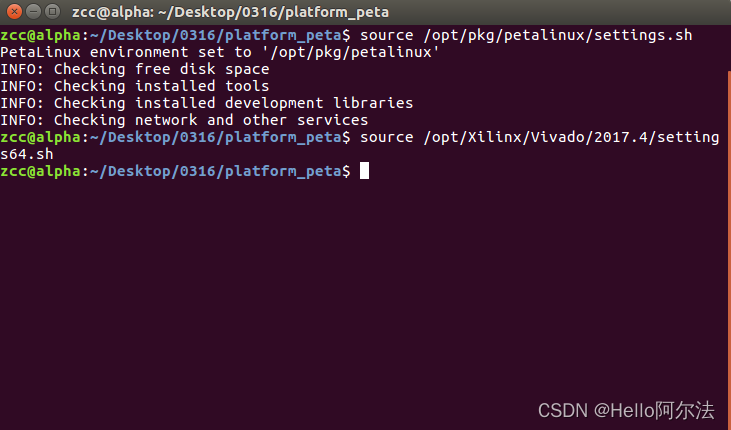
- Run the
petalinux-configconfiguration command.
petalinux-config
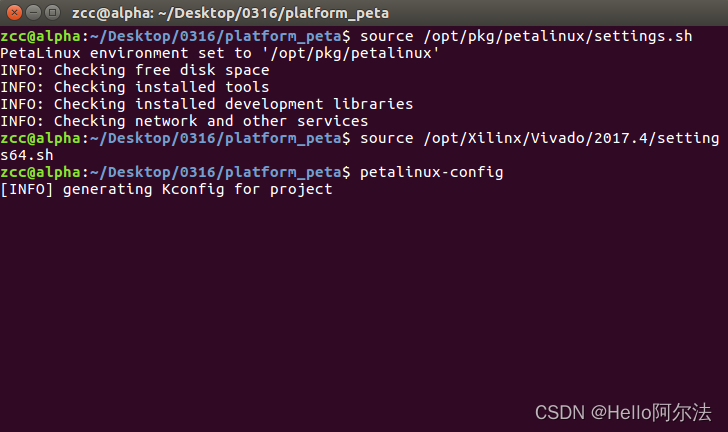
- Enter the Petalinux configuration interface.
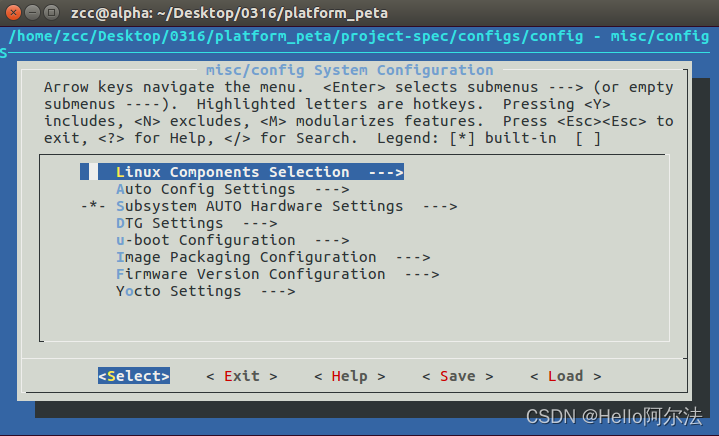
- Select
Subsystem AUTO Hardware Settings -> Ethernet Settings -> Obtain IP address automatically, inputNto deselect it, which will display configurable network options.
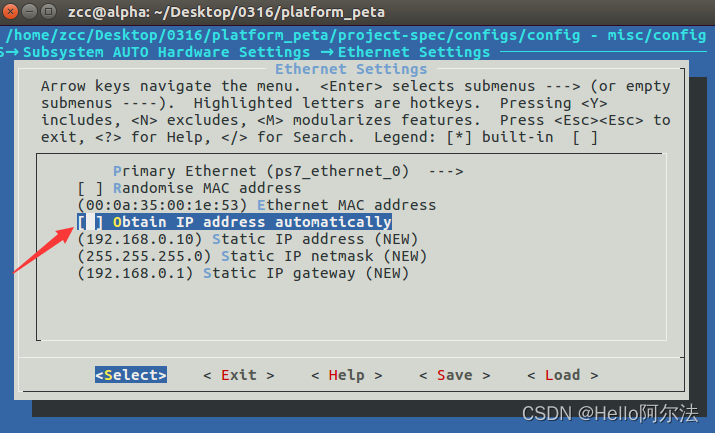
- Select the static IP address, subnet mask, gateway, and other related options, then press
enterto configure.
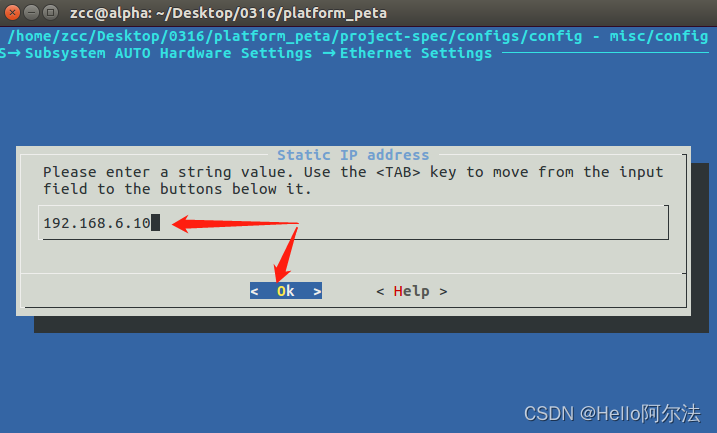
- After configuration, save and exit.
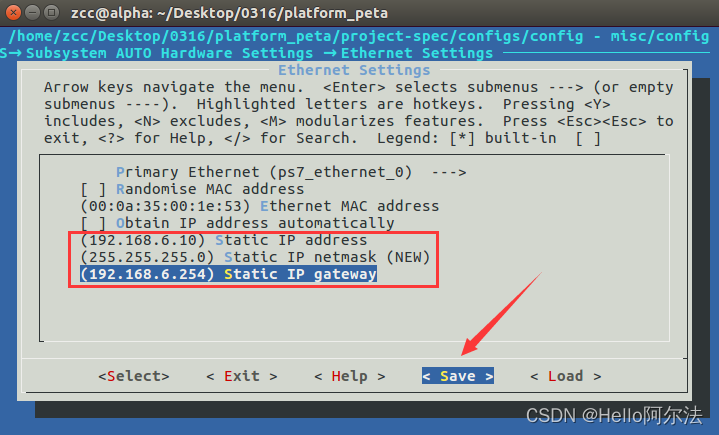
- Run the build command
petalinux-buildto recompile the project.
Method 2: Set Up Autostart Script
- Create an autostart script file and configure the IP address and other related information within the script. When the Linux system starts, this script will automatically run to modify the network configuration.
ifconfig eth0 down
ifconfig eth0 192.168.6.10
ifconfig eth0 netmask 255.255.255.0
ifconfig eth0 up
route add default gw 192.168.6.254
Method 3: Modify Network Configuration File
- In the Linux system, directly use the
Vi/Vimeditor to modify the/etc/network/interfacesconfiguration file, setting the network interface to a static IP address.
# /etc/network/interfaces

# eth0
auto eth0
iface usb0 inet static # Set to static IP
 address 192.168.6.10
 netmask 255.255.255.0
gateway 192.168.6.254
The End

Share, bookmark, like, and follow!