SoftwareIntroduction
|
Keil is a professional embedded system development toolchain widely used in the field of microcontroller (MCU) and ARM processor development. Below is its related introduction: Features・Integrated Development Environment: Provides a unified workflow for code editing, compilation, and debugging, supporting C/C++ and assembly language development.・Hardware Simulation Debugging: Built-in μVision debugger supports real-time simulation via JTAG/SWD interfaces, allowing monitoring of registers/memory data.・Rich Device Support: Includes a chip database of over 3000 MCUs such as STM32 and NXP, automatically generating initialization code. Application Scenarios・Industrial Control Development: Used for programming and testing embedded systems such as PLCs and motor controllers.・IoT Device Development: Supports firmware development for low-power wireless devices (e.g., Bluetooth/WiFi modules).・Educational Experiment Applications: Widely used in university microcontroller course experiments, paired with development boards for practical teaching. |
|
| Software Name:Keil5 MDK542 | |
|
Software Language:Chinese/English |
Software Size:782.6M |
|
System Requirements: Windows 7 or higher, 64-bit operating system |
|
| Hardware Requirements: CPU @ 2+ GHz, RAM @ 4G or higher | |
| Download Channels①Thunder Cloud Disk丨Download Link:
https://pan.xunlei.com/s/VOYV5QQoTst6XWzYArTIjx5jA1?pwd=qugd# |
|
|
Download Channels②Baidu Cloud Disk丨Download Link: https://pan.baidu.com/s/155VEXK9yFFZ7A7dnqP4LSg?pwd=8888 |
|
|
Download Channels③Quark Cloud Disk丨Download Link: https://pan.quark.cn/s/f9fbcf83cdf7 |
|
| Download Help: ▷ Click to see how to “download software”? Frequently Asked Questions: ▷ Click to view the manager “Help Center”!More Resources: ▷ Click to view the latest “Software Directory”! |
InstallationSteps
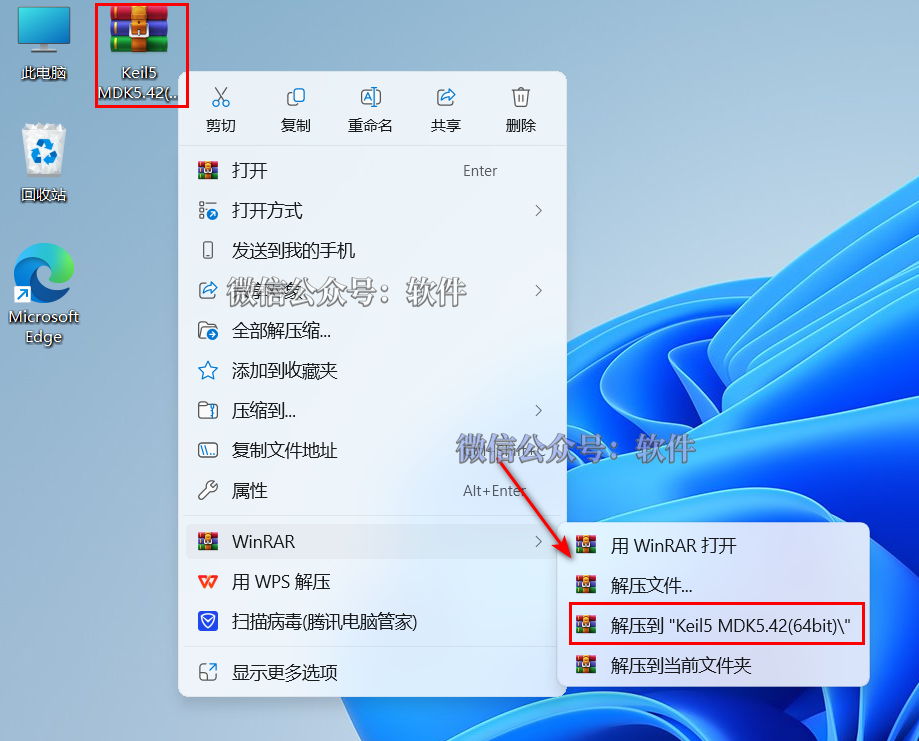
1. Right-click on the 【Keil5 MDK542(64bit)】 compressed package and select 【Extract to Keil5 MDK542(64bit)】.
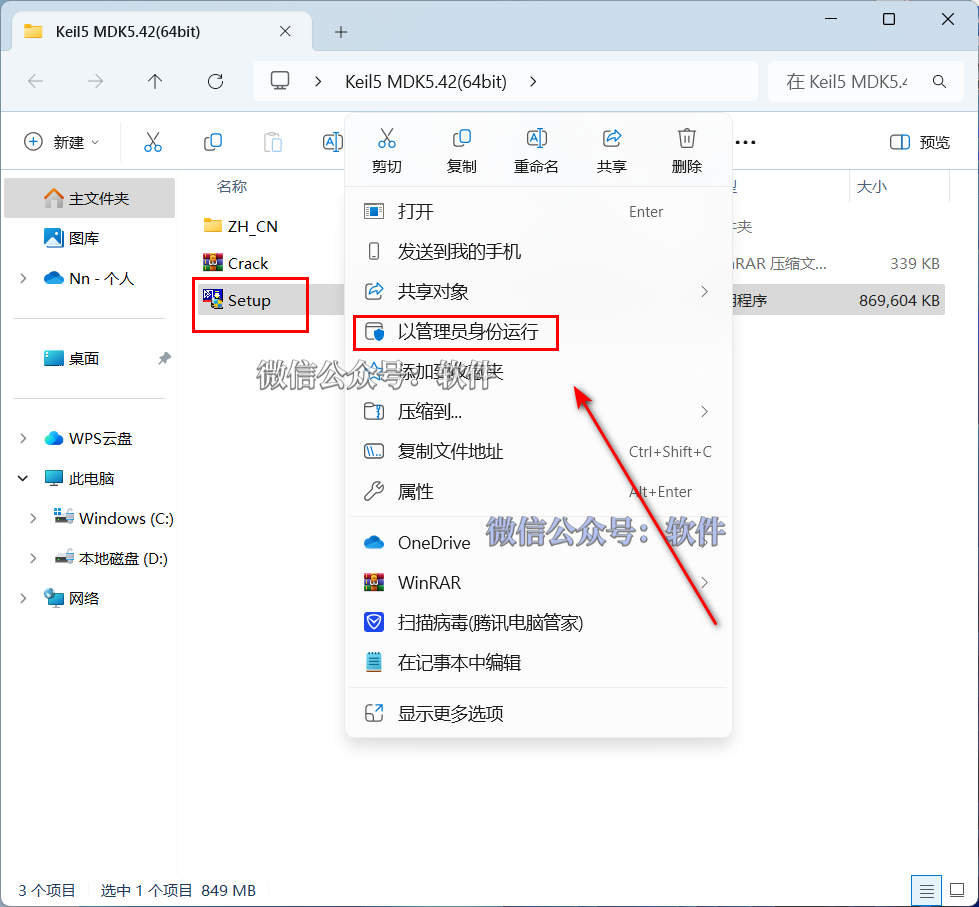
2. Open the extracted folder, right-click on 【Setup】 and select 【Run as administrator】.
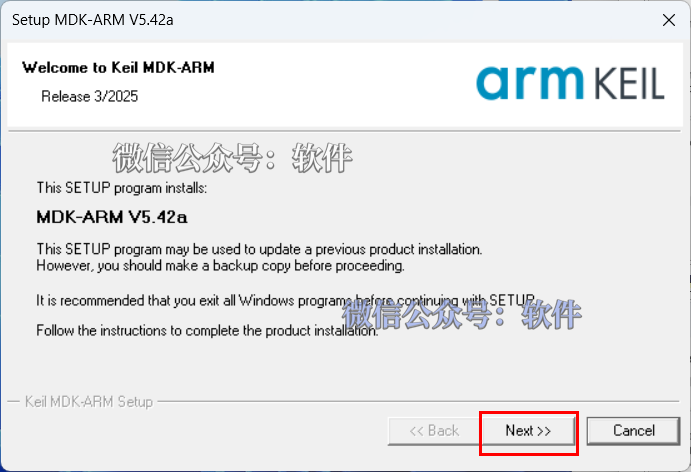
3. Click 【Next】.
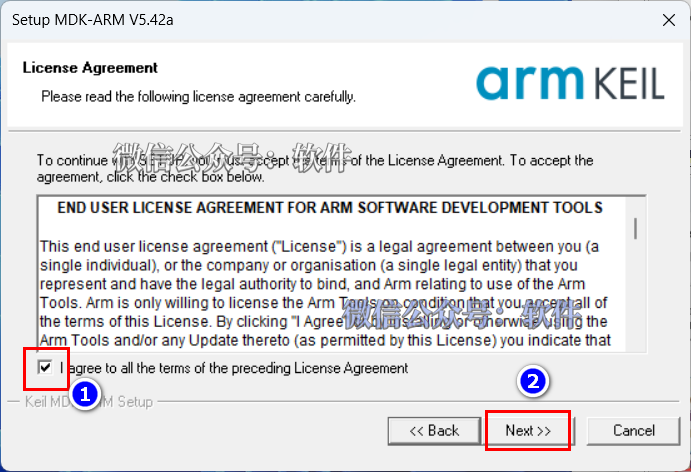
4. Check 【I agree to …】, then click 【Next>>】.
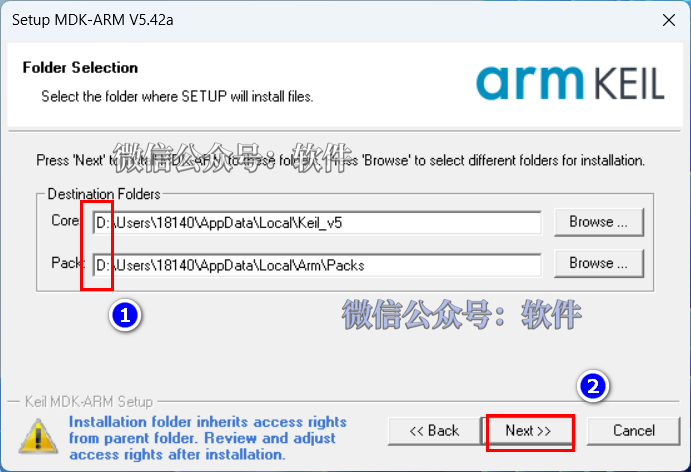
5. Modify the first character of the path address from “C” to change the software installation location (for example, changing C to D will install the software on drive D); click 【Next>>】.
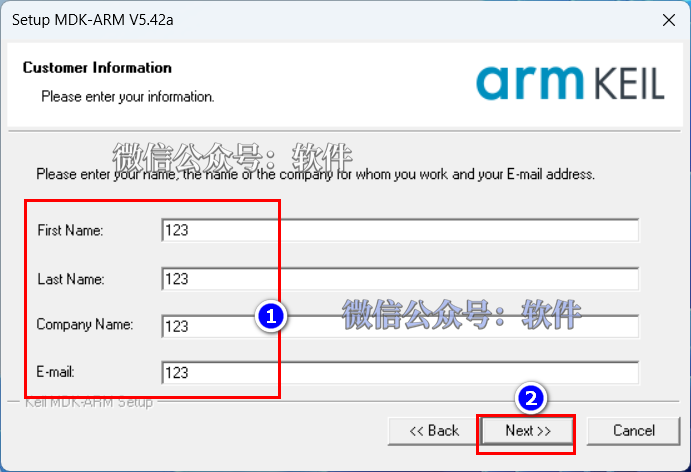
6. Enter 【First Name, Last Name, Company, Email】, then click 【Next>>】.
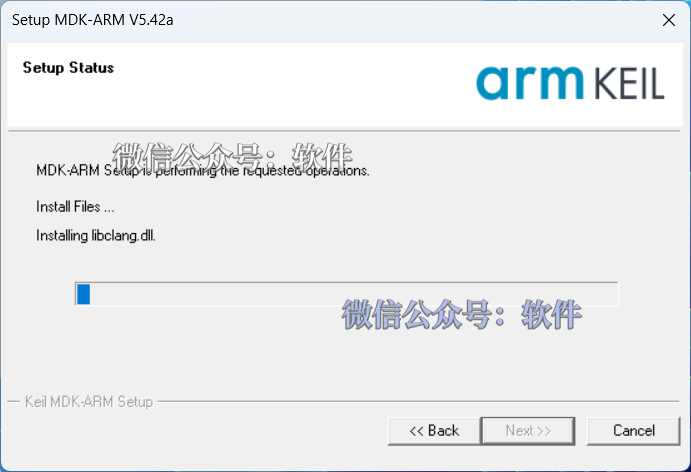
7. Installing…
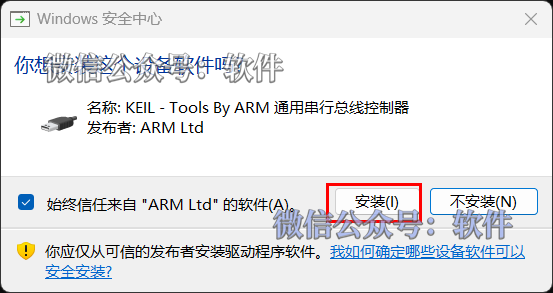
8. Click 【Install】.
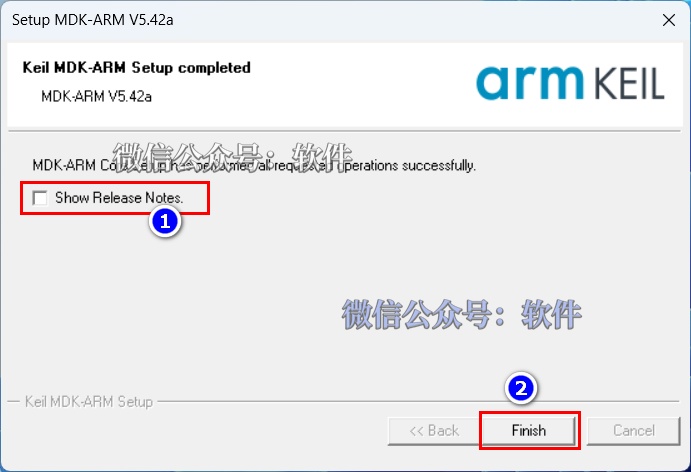
9. Uncheck 【Show Release Notes】, then click 【Finish】.
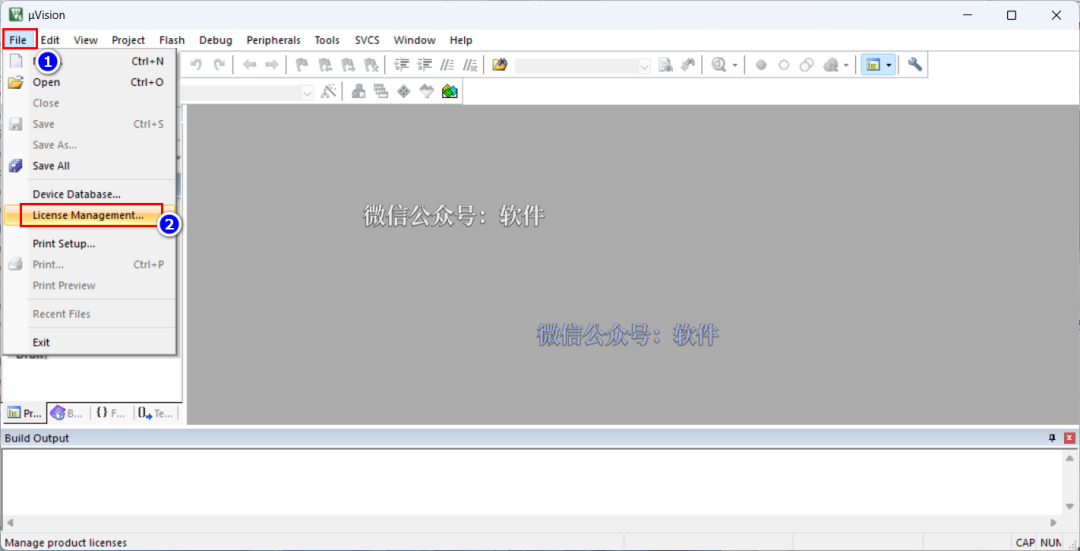
10. Click 【File】 and select 【License Management】 (do not close this window).
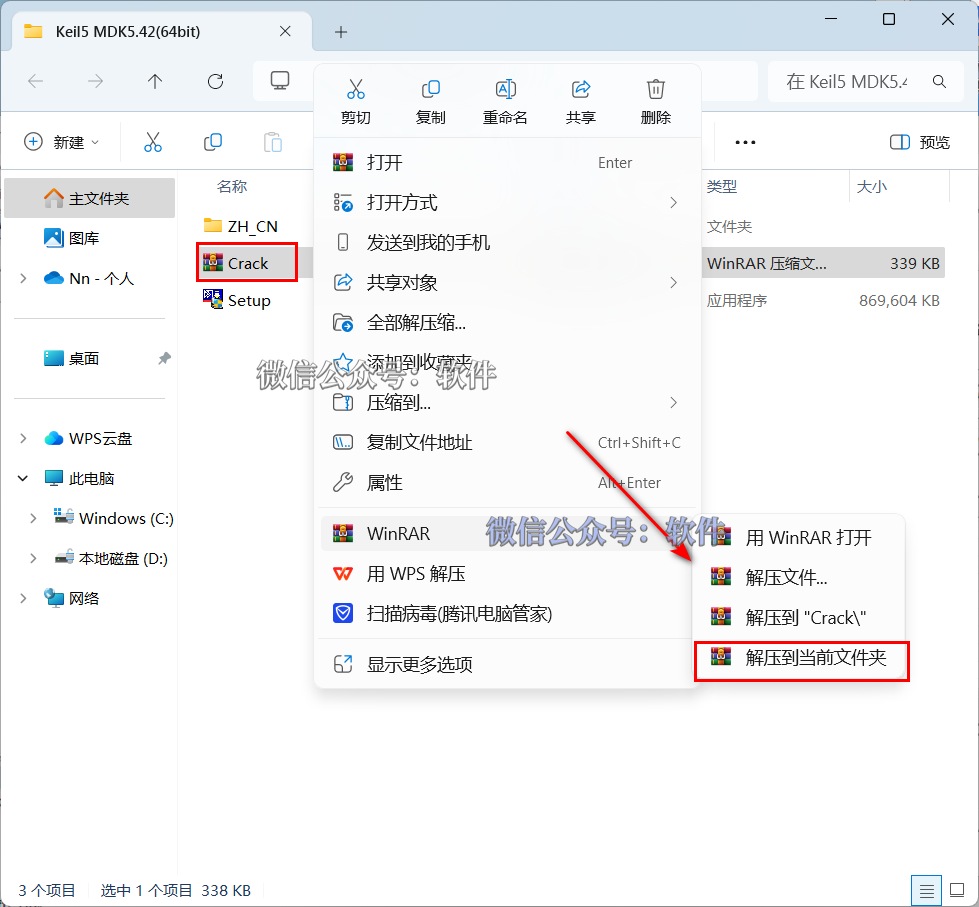
11. Open the extracted 【Keil5 MDK5.39(64bit)】 folder, right-click on 【Crack】 compressed package and select 【Extract to current folder】.
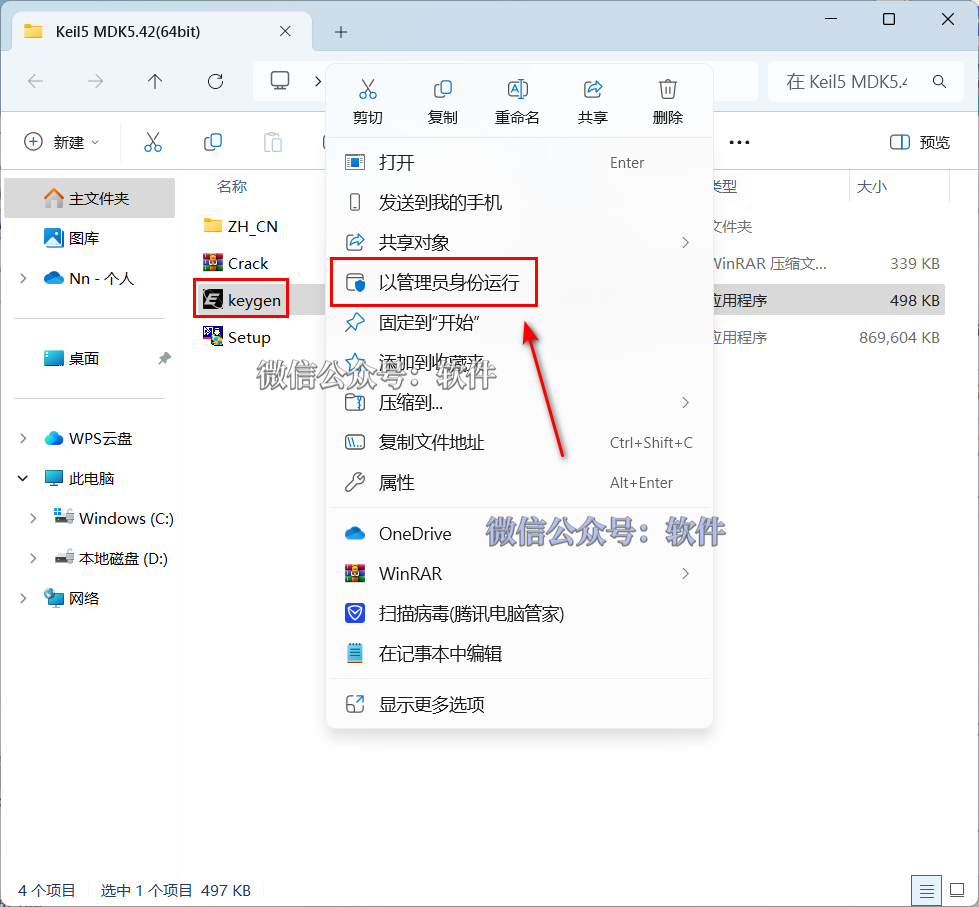
12. In the extracted 【Keil5 MDK5.39(64bit)】 folder, right-click on 【Keygen】 and select 【Run as administrator】.
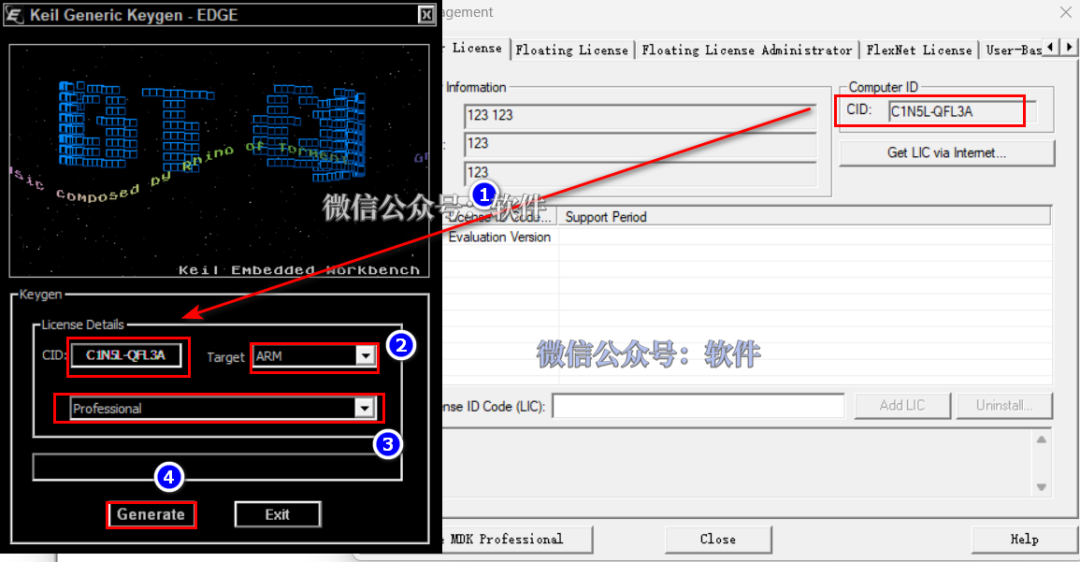
13. Generate Activation Code: ① Use the shortcut “Ctrl+C” to copy the code after 【CID】; use the shortcut “Ctrl+V” to paste the code into the box after 【CID】; ② Click the expand symbol to select 【ARM】; ③ Click the expand symbol to select 【professional】; ④ Click 【Generate】 to create the activation code.
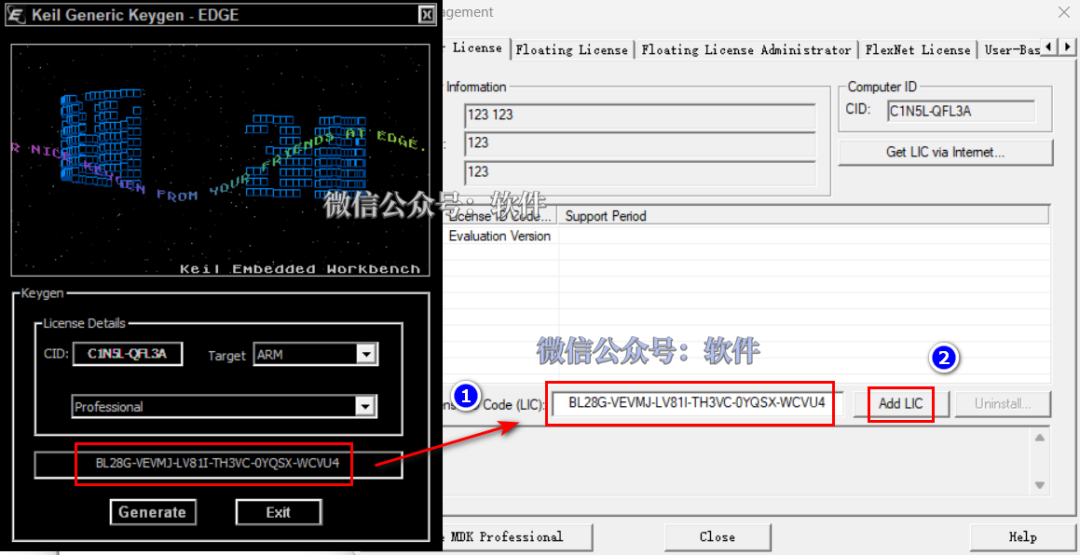
14. Input Activation Code: Use the shortcut “Ctrl+C” to copy the activation code; use the shortcut “Ctrl+V” to paste the activation code into 【New License ID】, then click 【Add LIC】.
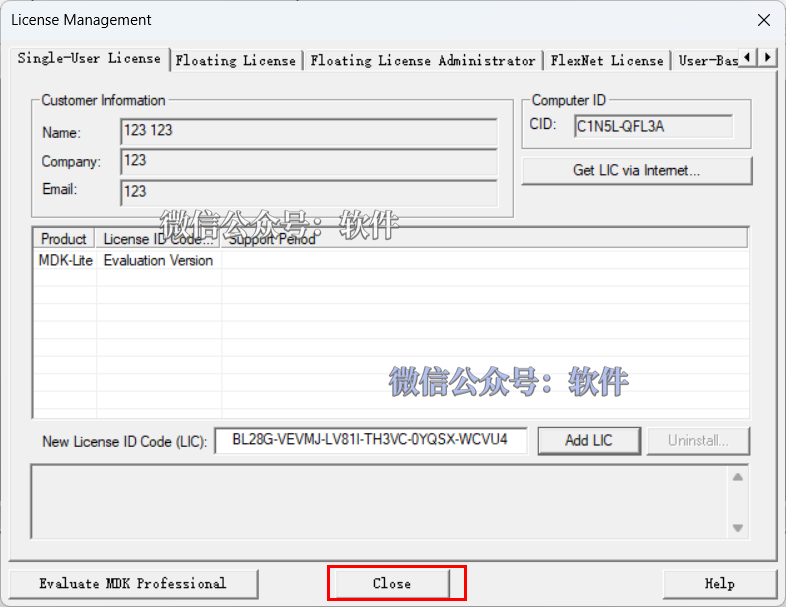
15. Click 【close】.
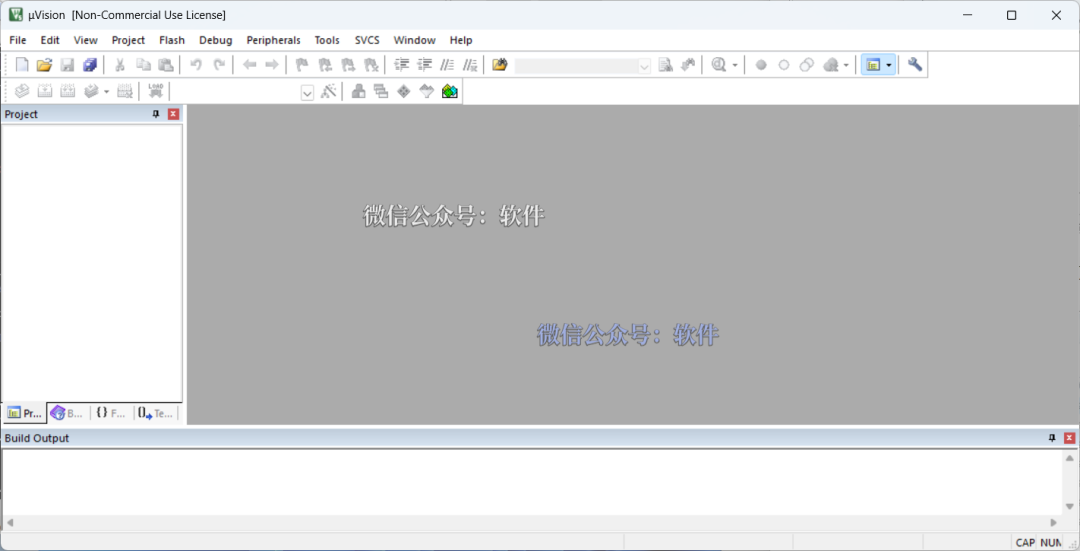
16. Installation successful.
Attached Chinese Localization Tutorial;
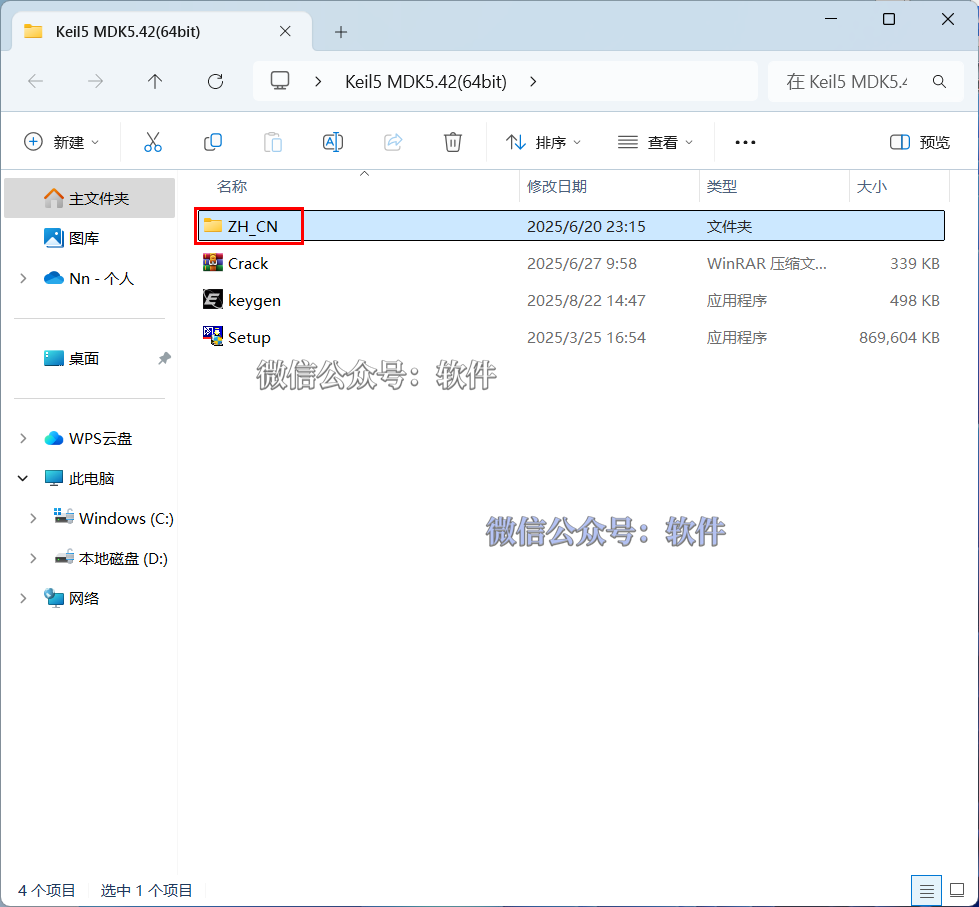
1. Open the extracted 【Keil5 MDK5.39(64bit)】 folder, double-click to open the 【ZH_CN】 folder.
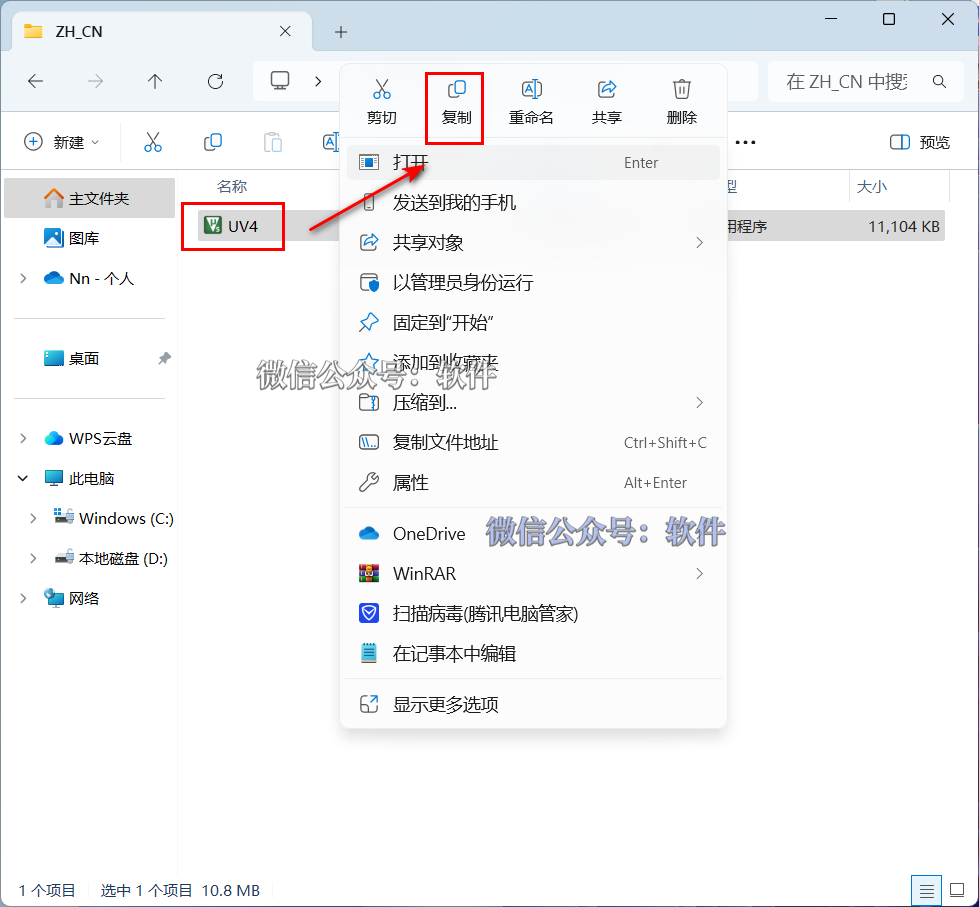
2. Right-click on 【Uv4】 and select 【Copy】.
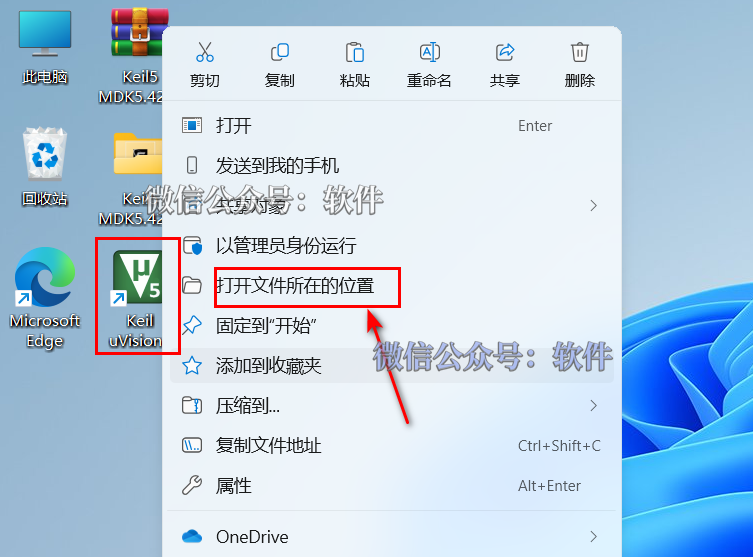
3. Right-click on the 【KeiluVision5】 icon on the desktop and select 【Open file location】.
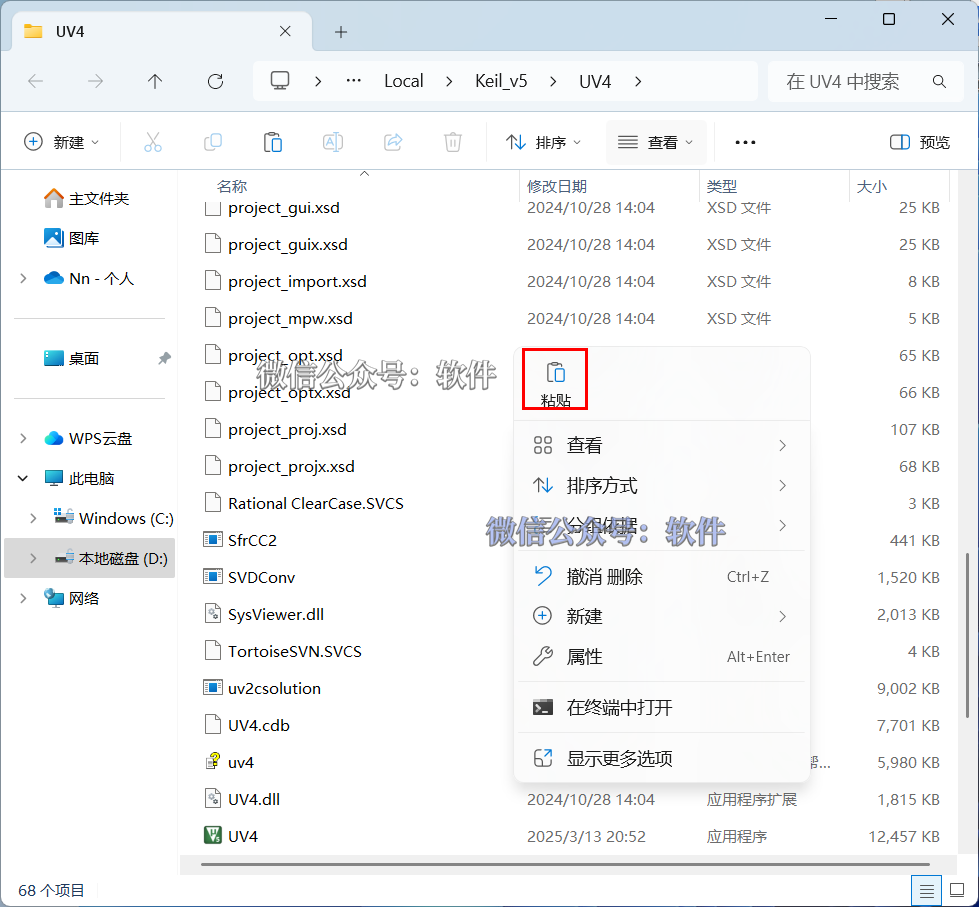
4. Right-click in the blank space and select 【Paste】.
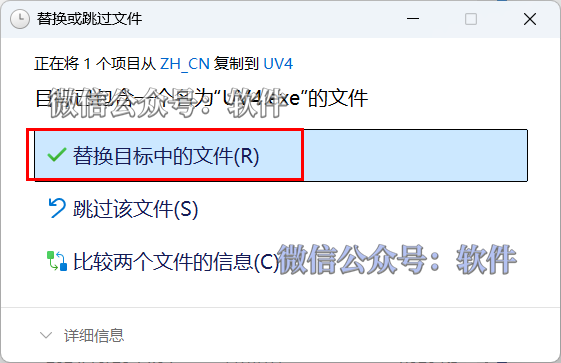
5. Click 【Replace the files in the destination】.
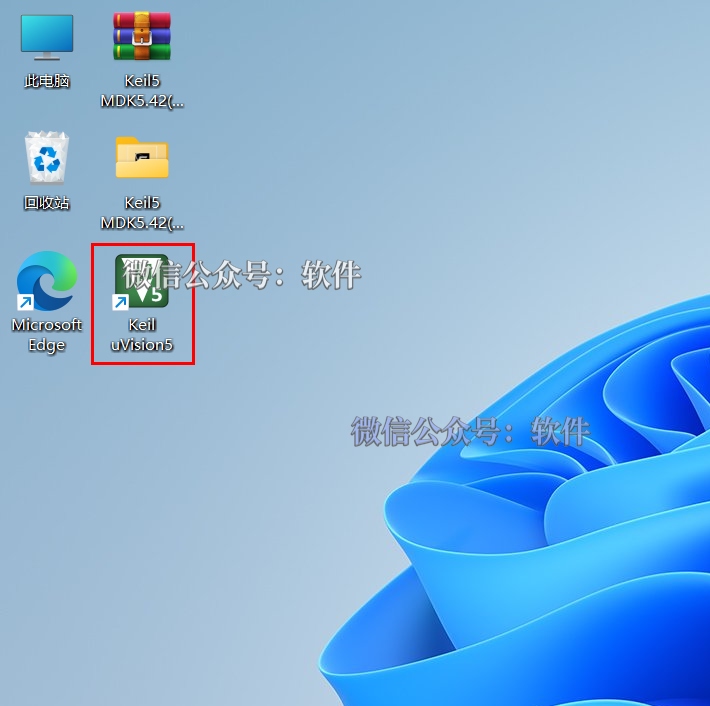
6. Double-click the 【Keiluvision5】 icon on the desktop to open the software.
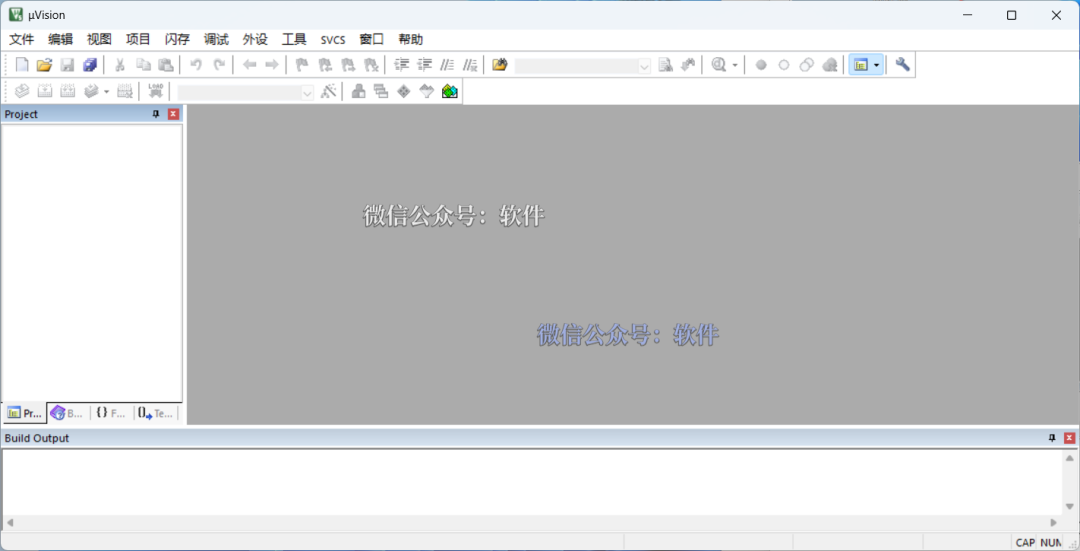
7. Localization successful!

Click below “Read the original text” to view the latest 【Software Directory】