Hi, long time no see!

The main content begins——
1. Introduction to C++ Basics
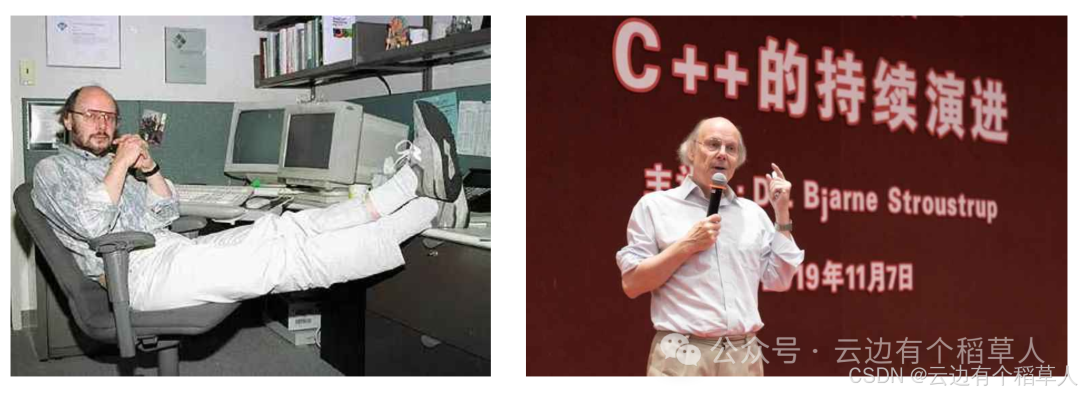
1.1 The Father of C++ – Bjarne Stroustrup
1.2 C++ References
Reference Material – C++ Reference (cplusplus.com)
C++ Reference Manual – cppreference.com
cppreference.com
Note:The first link is not the official C++ documentation, and the standard is only updated to C++11. However, it is presented in a header file format, making it easier to read. The latter two links are the official C++ documentation in both Chinese and English, which are comprehensive and updated to the latest C++ standards, though not as easy to read as the first one. Each has its advantages, and they can be used in combination.
1.3 Recommended Books
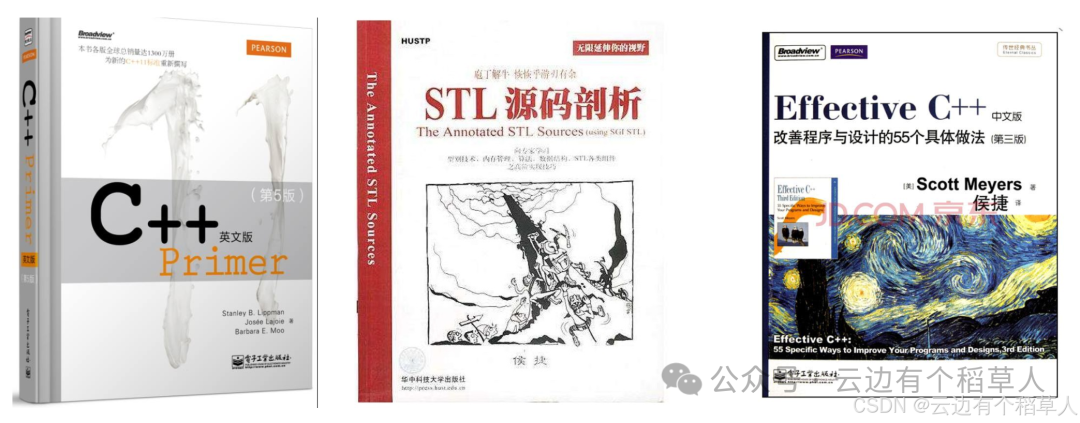
“C++ Primer”: This book mainly explains the syntax and is a classic syntax book that can be read at any stage.
“STL Source Analysis”: This book analyzes the implementation of STL from a low-level perspective, helping us learn how others use syntax to implement concise and efficient data structures and algorithm codes, and how to use generic encapsulation. It prevents us from being narrow-minded and reinventing the wheel. It is recommended to read in the later stages.
“Effective C++”: This book mainly discusses 55 rules for using C++ correctly and efficiently. It is recommended to read it once in the later stages and again after working for a year or two for different insights.
2. The First C++ Program
C++ is compatible with most of the syntax of C, so the hello world program implemented in C can still run. In C++, the definition file extension should be changed to .cpp. The VS compiler will call the C++ compiler when it sees .cpp, while on Linux, g++ should be used for compilation instead of gcc.
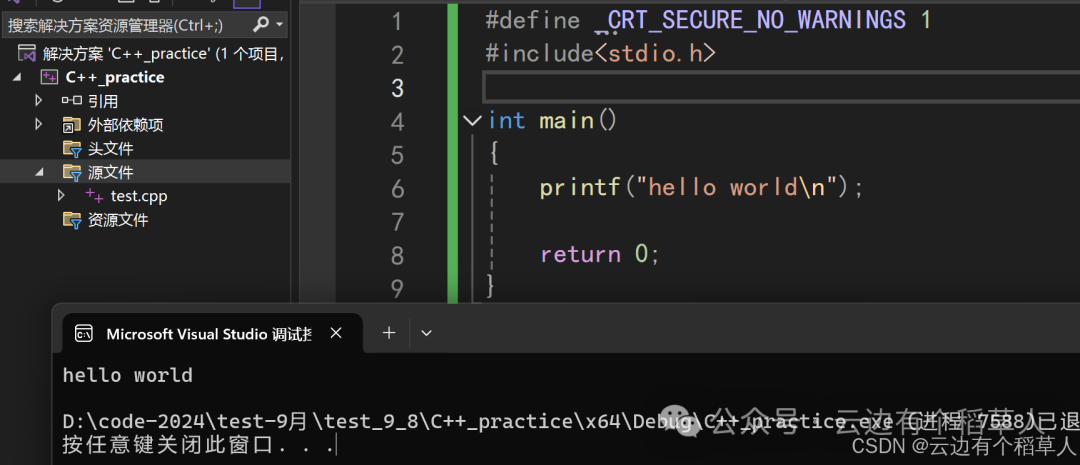
C++ also has its own input and output system. Strictly speaking, the C++ version of hello world should be written as follows:
#include <iostream>
using namespace std;
int main() {
	cout << "hello world" << endl;
	return 0;
}
3. Namespaces
3.1 The Value of Namespaces
In C/C++, variables, functions, and classes that will be learned later are abundant. The names of these variables, functions, and classes will exist in the global scope, which may lead to many conflicts. The purpose of using namespaces is to localize the names of identifiers to avoid naming conflicts or name pollution. The introduction of the namespace keyword addresses this issue.
In C language projects, naming conflicts like the following program are common. C++ introduced namespaces to better solve such problems.
#include <stdio.h>
#include <stdlib.h>
// The file will expand <stdlib.h> during preprocessing, which contains a function named rand, causing a conflict with our defined rand.
int rand = 100;
int main() {
	printf("%d\n", rand);
	return 0;
}
3.2 Defining a Namespace
(1) To define a namespace, use the namespace keyword followed by the name of the namespace, then a pair of {}, where the members of the namespace are defined. You can define variables/functions/types in the namespace.(2) A namespace essentially defines a domain that is independent of the global domain. Different domains can define variables with the same name, but the same domain cannot define variables with the same name. Therefore, the following rand no longer conflicts.(3) In C++, there are local domains, global domains, namespace domains, and class domains; domains affect the logic of compiling and searching for the source (declaration and definition) of a variable/function/type. Thus, with domain isolation, naming conflicts are resolved. Local and global domains affect the compilation search logic and also influence the lifecycle of variables, while namespace and class domains do not affect the lifecycle of variables.(4) Namespaces can only be defined globally and cannot be defined locally (e.g., you cannot define them inside the main function). However, they can be nested and even defined in multiple layers.(5) In project engineering, namespaces defined in multiple files with the same name will be considered as one namespace and will not conflict.(6) The C++ standard library is placed in a namespace called std (standard).
#include <stdio.h>
#include <stdlib.h>
// 1. Normal namespace definition
// lrq is the name of the namespace (an abbreviation I chose), generally developers use the project name as the namespace name
namespace lrq {
	// You can define variables/functions/types in the namespace
	int rand = 100;
	int Add(int left, int right) {
		return left + right;
	}
	struct Node {
		struct Node* next;
		int val;
	};
}
int main() {
	// Here, the default access is the global rand function pointer
	printf("%p\n", rand);
	// Here, it refers to the rand in the lrq namespace, :: is the domain scope resolution operator, specifying the rand in the lrq space
	printf("%d\n", lrq::rand);
	lrq::Add(1, 2);
	// Note the position of ::
	struct lrq::Node node;
	return 0;
}
// 2. Namespaces can be nested
namespace lrq {
	// Namespace one
	namespace one {
		int rand = 99;
		int Add(int left, int right) {
			return left + right;
		}
	}
	// Namespace two
	namespace two {
		int rand = 88;
		int Add(int left, int right) {
			return left * right;
		}
	}
}
int main() {
	printf("%d\n", lrq::one::rand); // 99
	printf("%d\n", lrq::two::rand); // 88
	printf("%d\n", lrq::one::Add(1, 2)); // addition
	printf("%d\n", lrq::two::Add(1, 2)); // multiplication
	return 0;
}
// In multiple files, you can define the same namespace, and they will be merged as if they are in the same namespace
// Different domains can define variables with the same name, but the same domain cannot define variables with the same name
int x = 1;
namespace lrq {
	int x = 2;
}
void func() {
	int x = 3;
}
int main() {
	int x = 4;
	printf("%d\n", x); // x = 4
	printf("%d\n", lrq::x); // x = 2
	printf("%d\n", ::x); // Here, the default access is global
	// Cannot access the local variable in func; local variables can only be accessed locally
	return 0;
}
// Here, there will be no conflict. In the main function, it defaults to look for local first, then global, and the namespace must be specified to find x
3.3 Using Namespaces
When compiling and searching for a variable’s declaration/definition, it will only look in the local or global scope by default, and will not search within namespaces. Therefore, the following program will result in a compilation error. To use variables/functions defined in a namespace, there are three methods:
(1) Specify the namespace for access, which is recommended in projects;(2) Use using to expand a member from the namespace, which is recommended for frequently accessed non-conflicting members in projects;(3) Expand all members of the namespace, which is not recommended in projects due to high conflict risk, but is convenient for small practice programs.
#include <stdio.h>
namespace lrq {
	int a = 0;
	int b = 2;
}
int main() {
	// Compilation error: "a": undeclared identifier
	printf("%d\n", a);
	// Specify namespace access
	printf("%d\n", lrq::a);
	return 0;
}
// Using to expand a member from the namespace
using lrq::b;
int main() {
	printf("%d\n", b);
	return 0;
}
// Expand all members of the namespace
using namespace lrq;
int main() {
	printf("%d\n", a);
	printf("%d\n", b);
	return 0;
}
4. C++ Input and Output
- <iostream> is short for Input Output Stream, which is the standard input/output stream library that defines standard input and output objects.
- std::cin is an object of the istream class, primarily aimed at the standard input stream for narrow characters (of type char).
- std::cout is an object of the ostream class, primarily aimed at the standard output stream for narrow characters (input/output, string -> integer, etc. -> character stream output to the terminal).
- std::endl is a function that, when inserted into the output stream, acts like inserting a newline character and flushing the buffer.
- << is the stream insertion operator, while >> is the stream extraction operator. (In C, these two characters are also used for bitwise left/right shift operations).
- Using C++ input and output is more convenient, as it does not require manually specifying formats like printf/scanf. C++ input and output can automatically recognize variable types (this is essentially achieved through function overloading, which will be explained later). The most important aspect is that C++ streams better support input and output of custom type objects.
- IO streams involve classes and objects, operator overloading, inheritance, and many object-oriented concepts, which will be introduced in detail later.
- cout/cin/endl, etc., belong to the C++ standard library, which is placed in a namespace called std (standard), so they must be accessed through the namespace.
- In daily practice, we can use using namespace std, but it is not recommended in actual project development.
- Here, we can use printf and scanf without including <stdio.h> because including <iostream> indirectly includes <stdio.h>. This is the case with VS series compilers; other compilers may report errors.
#define _CRT_SECURE_NO_WARNINGS 1
#include <iostream>
using namespace std;
int main() {
	int a = 0;
	double b = 100.0;
	char c = 'a';
	cout << "hello world\n"; // Add \n after the string to directly newline
	// Supports continuous stream insertion, even with different types
	cout << a << " " << b << " " << c << " " << endl; // Newline, recommended to use endl
	std::cout << a << " " << b << " " << c << " " << std::endl; // Even if std is expanded, std:: can still be used
	scanf("%d%lf", &a, &b);
	printf("%d %lf\n", a, b); // If precision is required, printf is recommended
	// Can automatically recognize variable types
	cin >> a;
	cin >> b >> c;
	cout << a << endl;
	cout << b << " " << c << endl;
	return 0;
}
Stay tuned for the next section
Thus ends——
I am a Scarecrow by the Cloud’s Edge
Looking forward to our next meeting——