Click the blue text above to follow us
High-quality Linux Practical Course Explanation
↓ Scan the code for video tutorials ↓
For better user experience and performance, passthrough the graphics card, network card, USB, and hard disk.
-
I installed ESXi using UEFI, but after successfully passing through the integrated graphics, the monitor shows a black screen with no output. It is recommended to use BIOS to boot and install the ESXi system.
### Internal Configuration Reference:
Edit the file vi /etc/vmware/passthru.map and add the following information, then save it
[root@localhost:~] lspci -v | grep "Class 0106" -B 10000:00:17.0 SATA controller Mass storage controller: Intel Corporation Sunrise Point-H AHCI Controller [vmhba0] Class 0106: 8086:a102
# Intel Corporation Sunrise Point-H AHCI Controller
# where a102 is the SATA device ID found above, the other three items do not need to be modified
# To passthrough all Intel devices, add the following information and save
0000:00:14.0 Serial bus controller USB controller: Intel Corporation Cannon Lake PCH USB 3.1 xHCI Host Controller
0000:00:17.0 Mass storage controller SATA controller: Intel Corporation Cannon Lake PCH-H AHCI Controller
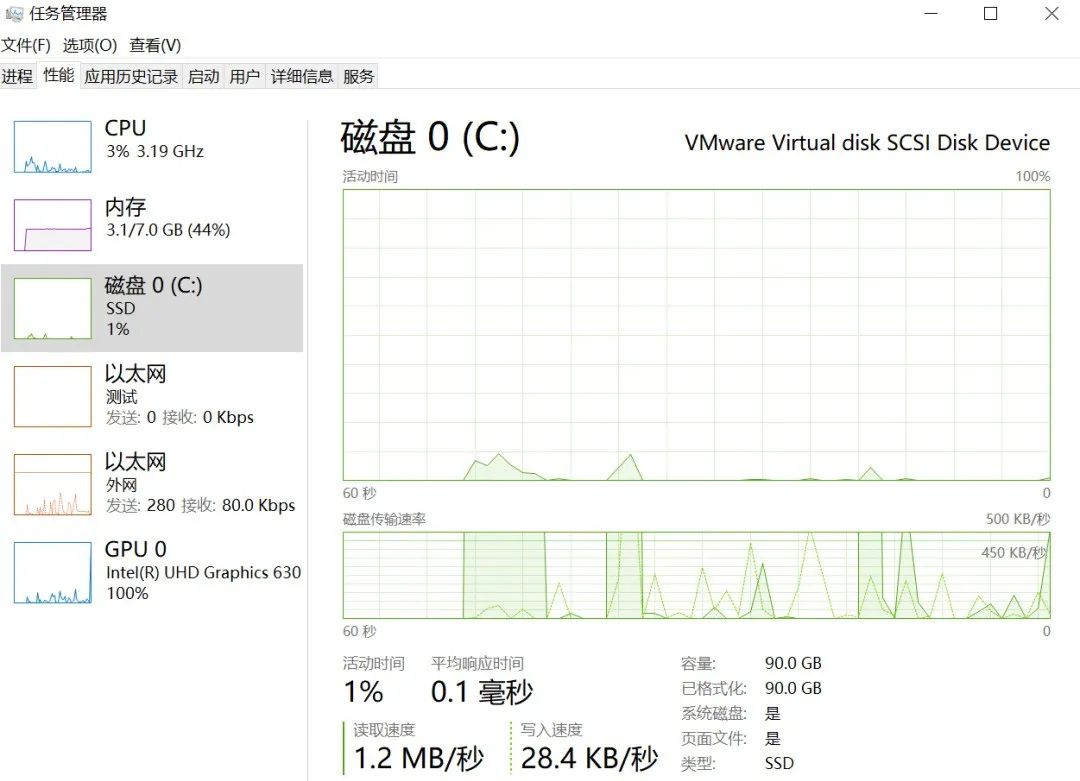
0000:00:02.0 Display controller VGA compatible controller: Intel Corporation CoffeeLake-S GT2 [UHD Graphics 630]
4、Disable Integrated Graphics Output on Host:
esxcli system settings kernel set -s vga -v FALSE
5、Passthrough Integrated Graphics:
1、Increase Virtual Machine Configuration:
hypervisor.cpuid.v0=FALSE
6、Passthrough USB Drives:
USB hard drives, flash drives, keyboards, and mice can be connected to the virtual machine.
7、Passthrough Hard Disk Drives:
The premise for passthrough hard disk drives is that the device has two hard drives, NVME and SATA. After installing ESXi on the NVME drive, the SATA drive can be passed through to the virtual machine, and vice versa.
-
Note: To passthrough hard drives on Windows 10, BIOS boot installation of the virtual machine is required. After EFI boot installation, the passthrough hard drive cannot boot.
Source: Internet. Please delete if infringing.


Course inquiries add: HCIE666CCIE
↑ Or scan the QR code above ↑


What technical points and content do you want to see?
You can leave a message below to tell us!