Know what cannot be done, yet do it; know what cannot be done, yet accept it as fate.—— In this era, everyone faces challenges. Sometimes the complexity and helplessness in front of us can be confusing. However, no matter what, taking action and moving forward will always accumulate experience and strength.Do not seek perfection in everything, but seek to have a clear conscience.This article combines the previous Ansible series (Parts 1 and 2), which can be referenced mutually to help you understand the practical approach of Ansible more comprehensively.1️⃣ Control Node Preparation
Old routine:
-
Switch to
<span>root</span> -
Update the system
-
Install Ansible
-
Generate SSH keys
-
Distribute keys to the controlled hosts
Core: The control node must communicate with the controlled hosts without a password. If this step is not done correctly, subsequent operations cannot be executed.
💡 Tip: You can use a
<span>for in</span>loop to batch distribute keys to each host.
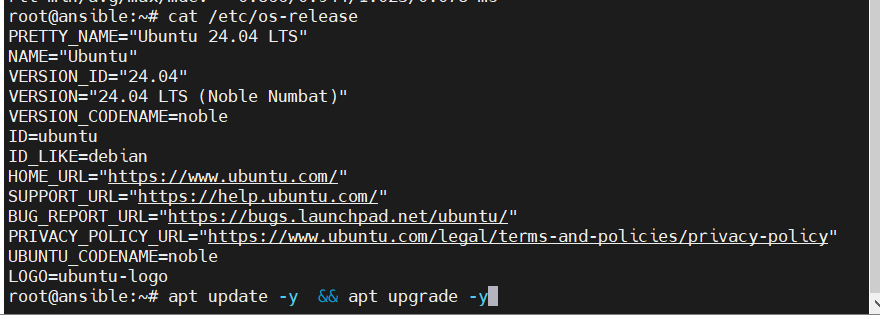
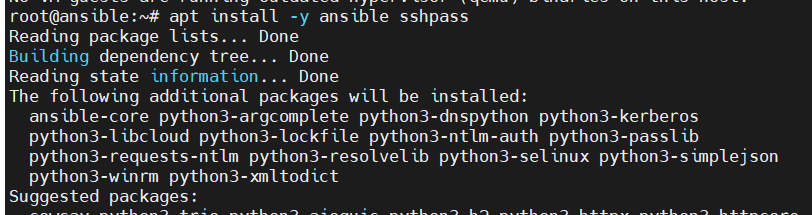
Distributing keys to the control host using a for in loop

2️⃣ Host Environment Setup
-
Username:
<span>ansible</span>(for demonstration, please use a proper username in production environments, haha) -
Environment directory:
<span>/home/ansible/</span> -
Create a new
<span>hosts.ini</span>file in the<span>ansible</span>directory, specifying all the server IPs to be inspected. -
Inspection Playbook:
<span>audit.yml</span>, placed in the<span>playbooks/</span>directory.

<span>Create hosts.ini in the ansible directory, clearly listing all the server IPs to be inspected</span>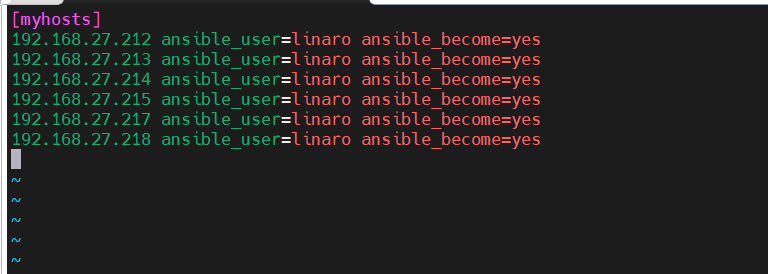
-
Inspection Playbook:
<span>audit.yml</span>, placed in the<span>playbooks/</span>directory.

3️⃣ Playbook (audit.yml)
Features:
-
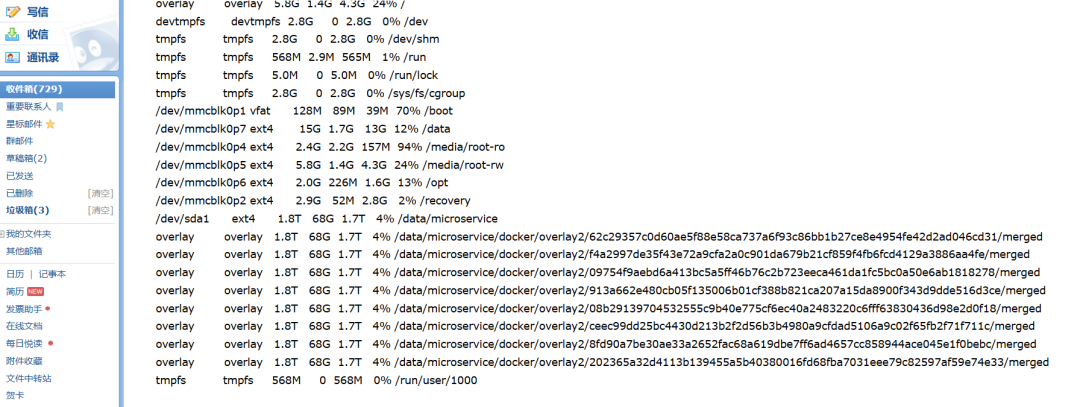
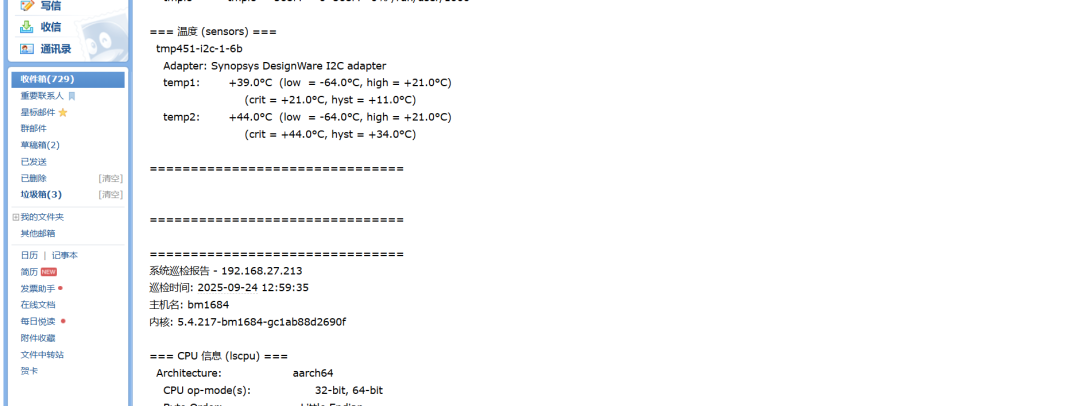
Collect common metrics such as CPU, memory, disk, temperature.
-
If the target machine lacks commands, they will be automatically installed; if installation fails or is unsupported, it will be skipped.
-
Ensure the process does not break; even if one machine reports an error, it does not affect the overall execution.
⚡ Tip: Logic is hardcoded for intuitive demonstration; prioritize getting results in the introductory phase, and add fault tolerance and compatibility in production environments.
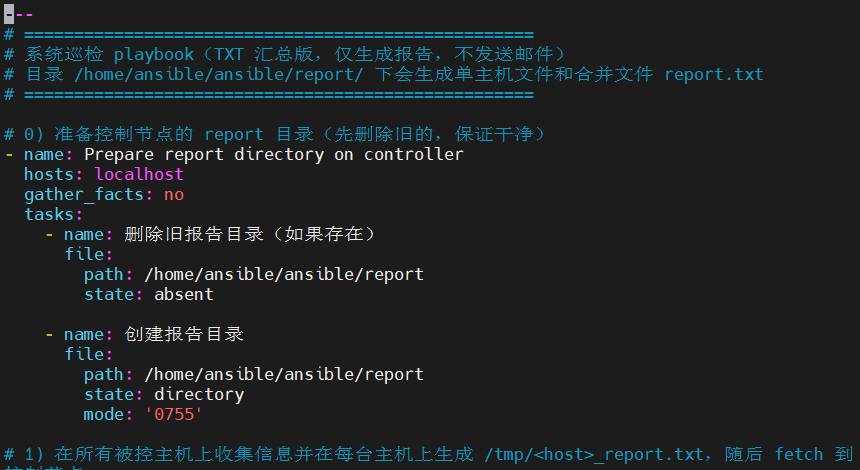 Links to cloud storage or GitHub will be at the end of the article; the entire ansible folder is included.
4️⃣ One-Click Execution Script
-
Script:
<span>audit_full.sh</span> -
Function: Calls
<span>audit.yml</span>, saves results to<span>report/</span>, and automatically sends email notifications. -
Results:
<span>report/</span>will generate inspection results for each host, and an email will be received upon completion of the inspection.
💡 Tip: If the system does not have an email service installed, the script will automatically install it.
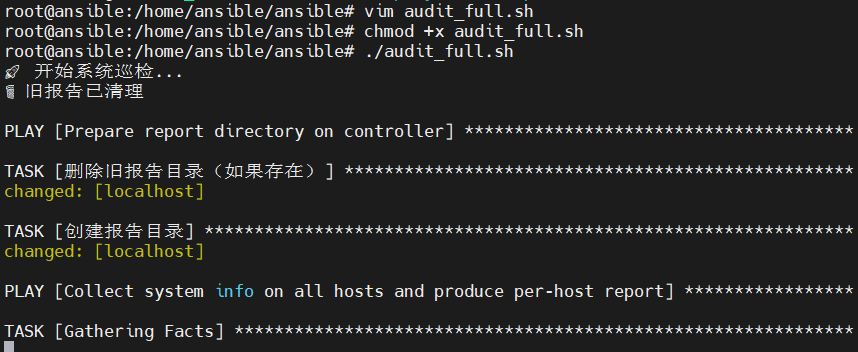
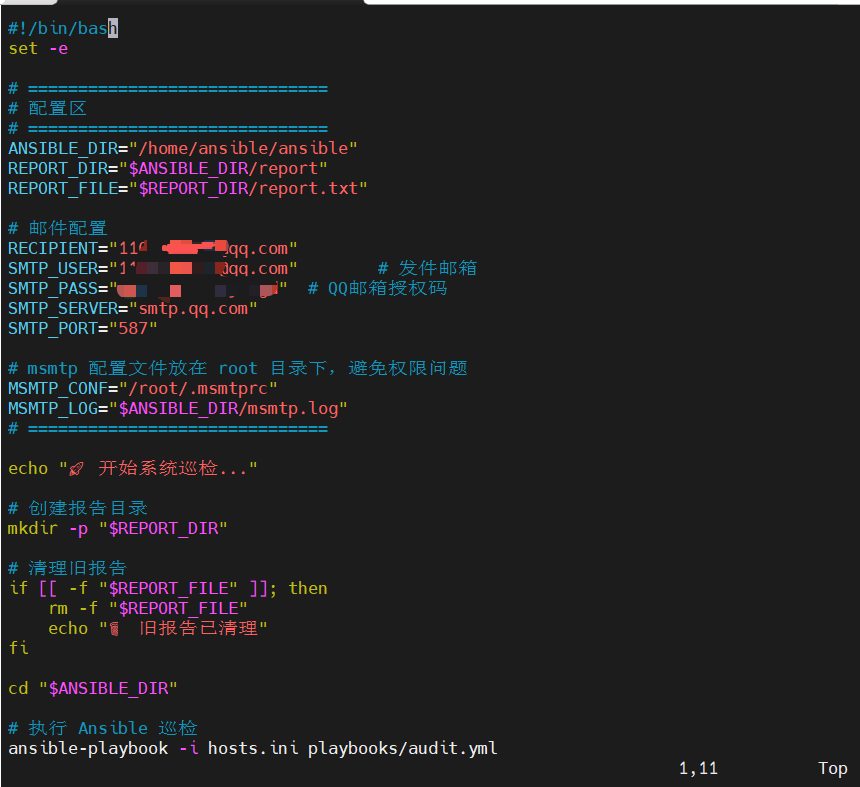
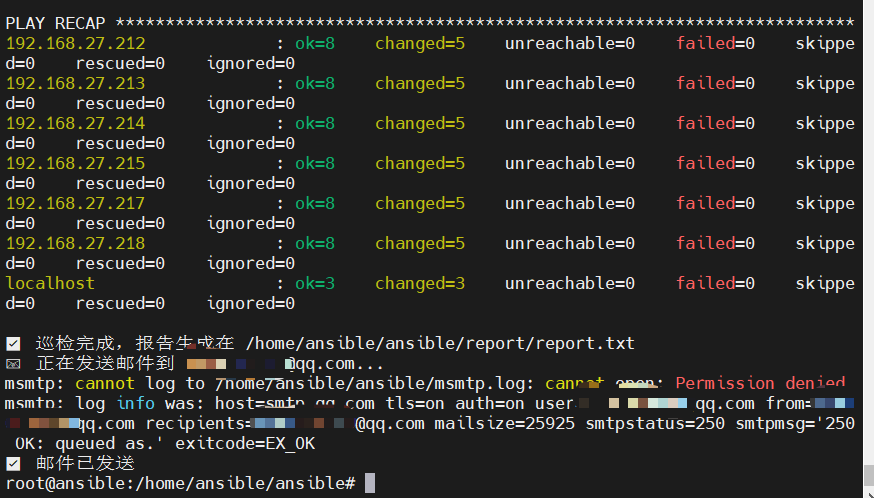 After running, the
 <span>report/</span> directory will contain the inspection results for each host, and a completion notification email will be received.This is the current file structure;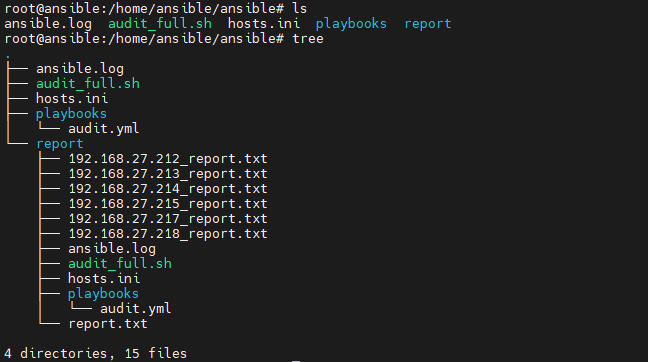 Receive email notifications immediately after successful execution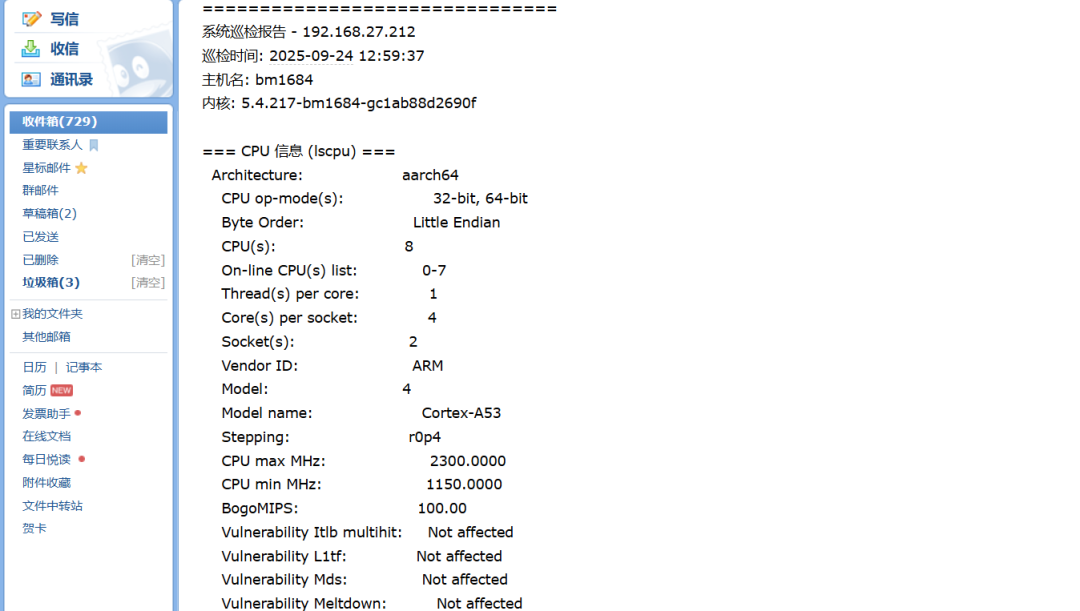
5️⃣ Scheduled Execution
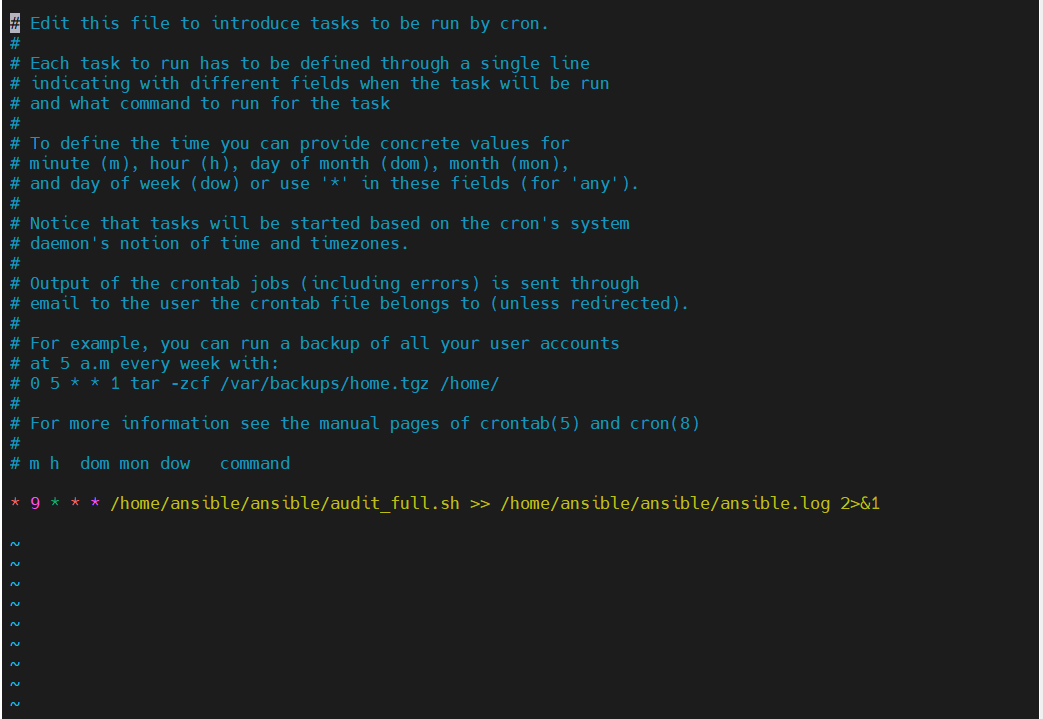
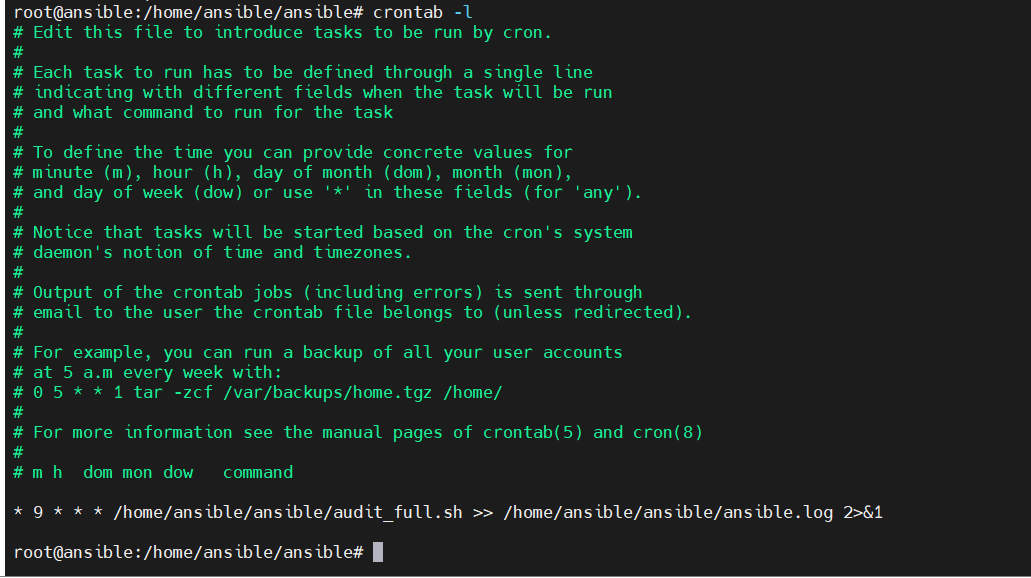
Use <span>crontab -e</span> to set up scheduled tasks for automatic periodic inspections.
6️⃣ Pitfall Summary
-
Permission Issues: If passwordless access is not configured correctly, Ansible will report
<span>Permission denied</span> -
Missing Commands: New systems may not have
<span>sensors</span>installed, requiring<span>apt-get install lm-sensors</span> -
Version Differences: Different systems may have inconsistent command output formats, which can lead to parsing issues.
-
Process Continuity: In the Playbook, use
<span>ignore_errors: yes</span>to ensure that even if one machine does not support it, the overall execution is not affected.
Core Objective: Even if some machines report errors, the overall process should still be executable.
7️⃣ Division of Labor between K8s and Ansible
-
Kubernetes: Manages container applications, responsible for Pod scheduling, Service exposure, and Deployment rolling upgrades.
-
Ansible: Manages the host machines, performs kernel parameter tuning, hardware inspections, system dependency installations, and node initialization.
-
Helm/Operator/ArgoCD: Executes declarative, continuous delivery within the cluster.
Analogous understanding:
-
Helm’s chart ≈ Ansible’s role (templated, reusable configuration).
-
Operator automation ≈ Playbook (both are automation, but Operator runs continuously in containers, while Playbooks are often executed once externally on the host machine).
Summary: Mastering Ansible allows you to bridge the entire technology stack from the host machine to containers, controlling the entire process from the basic environment to cloud-native applications.
🎯 Final Thoughts
The core message of this article:
-
Do not pursue complex architectures right from the start.
-
First, establish a minimal closed loop, then optimize and accommodate more platforms.
-
I have packaged the code and directory structure; just follow along, and you will definitely succeed.
As the famous philosopher Bruce Lee said: “Knowing is not as good as doing.” Learning Ansible is the same: don’t just read the documentation; take action, troubleshoot, and resolve errors to truly master it.
By mastering Ansible, you can manage the host machines and set up the environment; then learn Helm or Operator, and the concepts will naturally transfer. From hardware to containers, from single machines to clusters, the moment you successfully run the closed loop, you will truly embark on the path of cloud-native automation.
📂 Get Playbook & Scripts
Preferably from GitHub; if the cloud storage files encounter line break errors after being transferred from Windows, refer to the sed command in the second part of the Ansible series;
-
GitHub:
git clone https://github.com/PangXiaoWei/ansible_shell.git
-
Quark Cloud Storage:https://pan.quark.cn/s/b2ce543c5a72
The directory structure is clear; just follow along to see the results directly.
🔜 Next Series Preview
Next series: Zabbix Rapid Installation, Automated Inspection and Alerts Additionally, I will occasionally share uncommon but very useful tools; for example, the previous regeneration dragon.