Recently, there has been a project underway to migrate a lightweight cluster previously running on K3s to a K8s private cluster. The advantage of K3s is its lightweight nature and quick deployment, making it suitable for edge scenarios and small to medium-sized environments. However, as the complexity of the business increased, we ultimately chose the more standard and complete ecosystem of K8s.During this process, I encountered a practical issue: ordinary servers outside the cluster also require health checks, and they need to be efficient and reliable. So, I took the time to write a robust Shell script and combined it with Ansible to implement batch checks of server online status and automatically send the results via email. This way, the routine “roll call” work for operations can be completed in just one minute, making it both simple and intuitive. Haha, enough chit-chat, let’s get to the main content; first, the script has been uploaded to my personal cloud storage, here is the link;
I shared “setup_health_monitor.sh” via Quark Cloud Disk, click the link to save it. Open the “Quark APP” to view online, supporting various document format conversions.
Link: https://pan.quark.cn/s/cce74a33752a
I personally prefer to place the script in the user’s home directory; note that if you upload the script via Windows’s scp, you may encounter line ending issues, which can be resolved using dos2unix, or you can directly replace it using sed as shown in the image; You only need to change two places, your QQ email and your authorization code; the authorization code can be found in your QQ email settings, account, and then scroll down to findPOP3/IMAP/SMTP/Exchange/CardDAV/CalDAV services and follow the prompts, I added an if statement that will automatically detect your system using either apt or yum package managers; I also included some common high-frequency checks;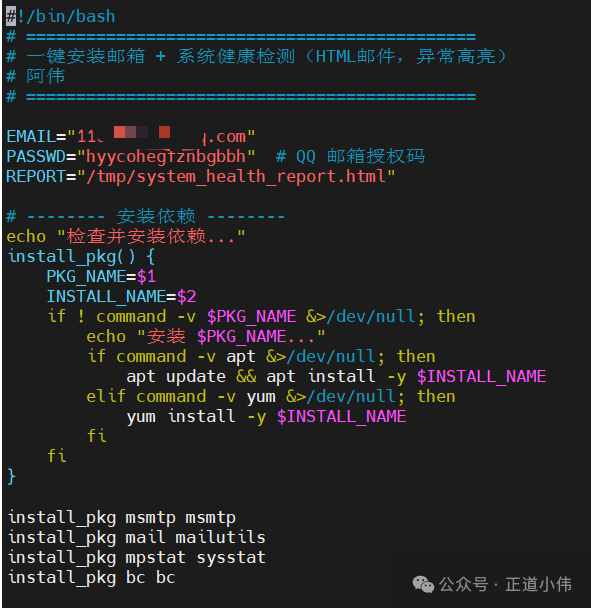
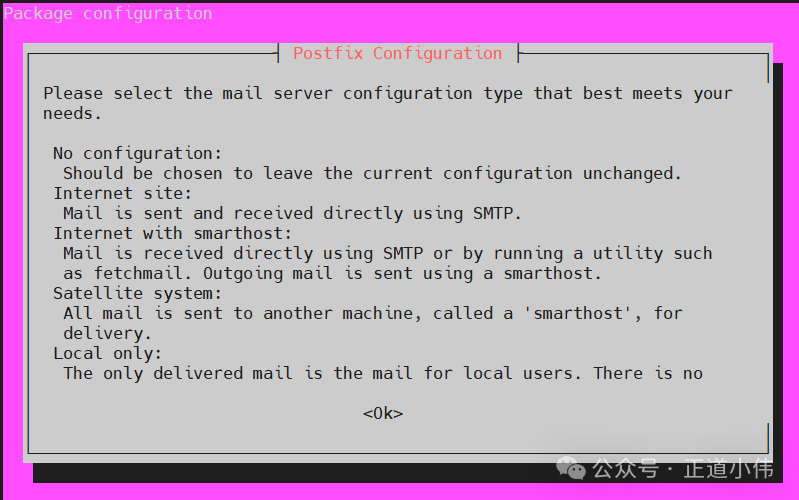
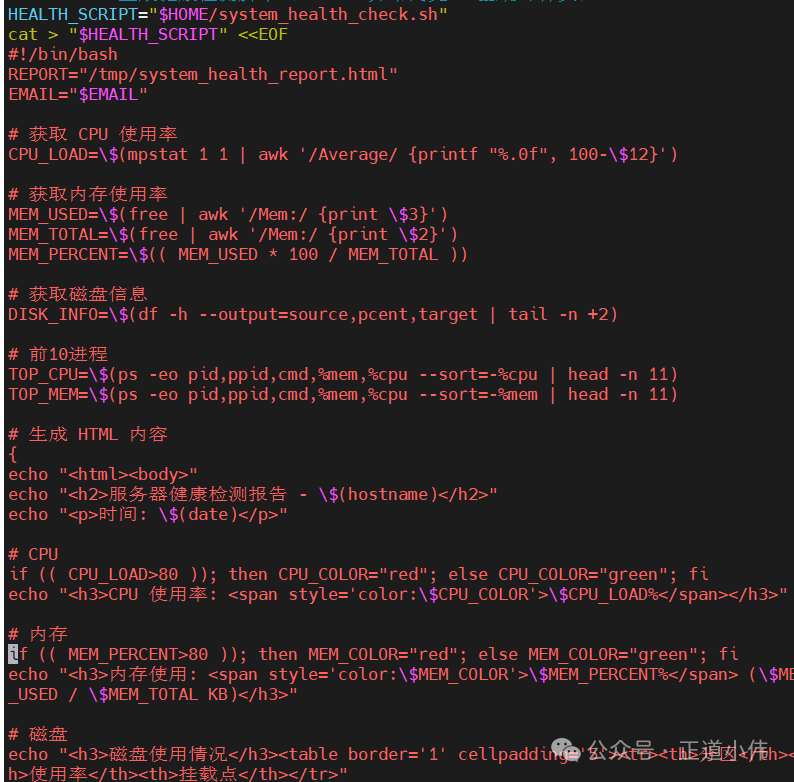 Then grant execution permissions; when you encounter these screens, just keep pressing the tab key and hit enter;
 After the script execution is complete, you will receive an email directly in your inbox;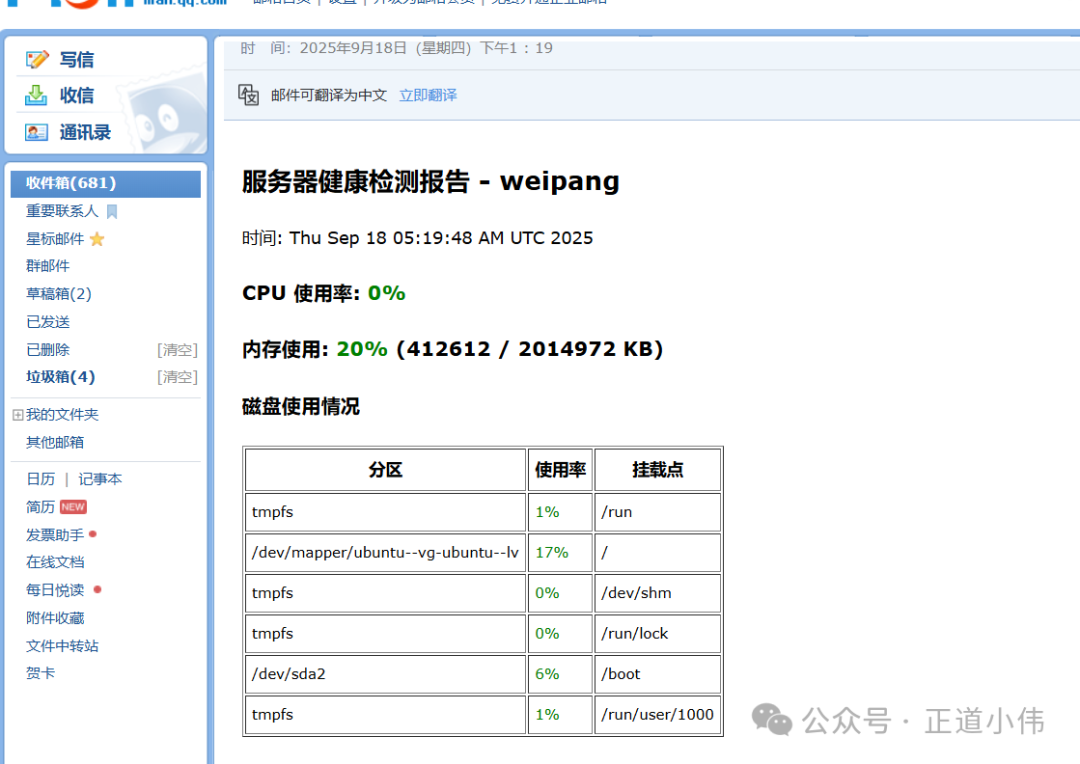
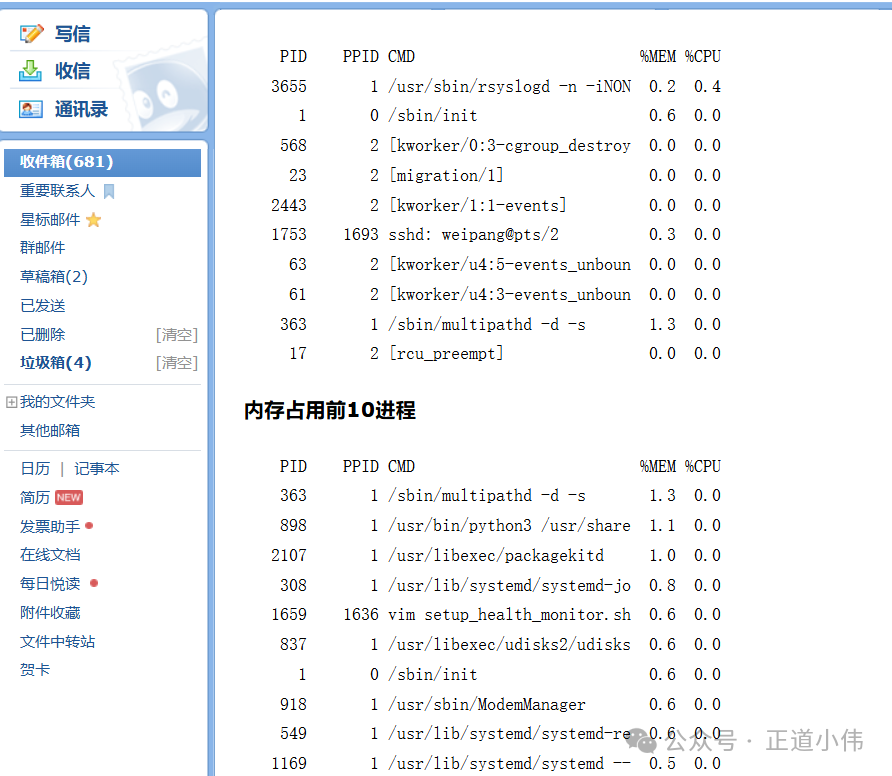 If you want to execute it regularly, add this timing statement in crontab -e, the five asterisks mean it will execute every 60 seconds, which corresponds to minute, hour, day, month, and week. If you want it to run every day at 9 AM, just use 0 9 * * *;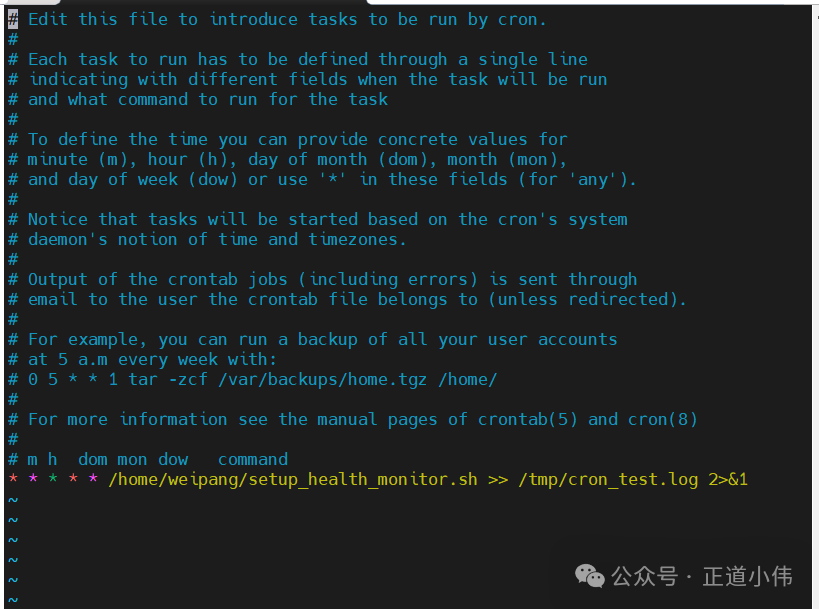
Many people may ask: since there are monitoring systems like Zabbix and Prometheus, why write scripts and use Ansible for batch inspections? The answer is quite simple—there is no absolute right or wrong with tools; the key is whether they fit the scenario. For lightweight tasks and temporary needs, Ansible can be more efficient than a complete monitoring platform. The famous philosopher Bruce Lee once said: “use the formless to create form, and the infinite to create the finite. In my view, this saying can also describe technology: do not be constrained by tool frameworks; flexibly combine the most suitable means to solve real problems.
I have been too tired lately, my head is all foggy. In the next issue, I will share how to use Ansible to batch pull server statuses and send emails uniformly from the control node.