
Click the above Computer Enthusiasts to follow us
Do you experience eye fatigue and dryness when using your phone for extended periods? Do you also suffer from migraines triggered by long gaming sessions? If your phone screen happens to be OLED (including AMOLED), it is likely due to a dimming scheme called “PWM”.

The New “Hidden Disease” of OLED
Compared to traditional LCD screens, OLED screens have many advantages, such as not requiring a separate backlight, allowing for thinner designs, enabling flexible forms like curved and foldable screens, having a wider color gamut and contrast, consuming almost no power when displaying pure black backgrounds, and being essential for screen fingerprint recognition technology.
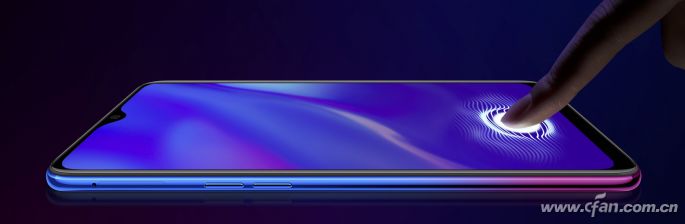
However, OLED screens are not 100% perfect. For example, when the resolution is below 2K, the subpixel Pentile arrangement may lead to a decrease in delicacy, and displaying the same image for a long time can easily cause “burn-in”. As more phones adopt OLED screens, another “hidden disease” has surfaced: the eye strain caused by low-frequency PWM dimming technology.
Two Dimming Methods for Screens
The brightness of a phone screen is a variable that adjusts based on the strength of ambient light collected by a light sensor (automatic brightness mode). Users can also manually adjust the brightness slider. Currently, the common dimming methods for smartphones can be divided into two schemes: “DC Dimming” and “PWM Dimming”.

DC Dimming Scheme
The principle of DC direct current dimming comes from the formula “Power = Voltage × Current”, which means that by increasing or decreasing the power of the phone (adjusted by current or voltage), the brightness of the phone screen can be changed.
Advantages:No flickering
Disadvantages:Color unevenness at low brightness
PWM Dimming Scheme
PWM (Pulse Width Modulation) dimming does not rely on changing the power but rather alternates between “on” and “off” states at a certain frequency in a very short time, achieving brightness adjustment from 0% to 100% by adjusting the time ratio of “on” and “off”.
During this process, the screen does not actually become darker or brighter. For example, extending the duration of the “off” state (shortening the “on” time) can create the illusion that the screen has darkened due to the human eye’s persistence of vision.
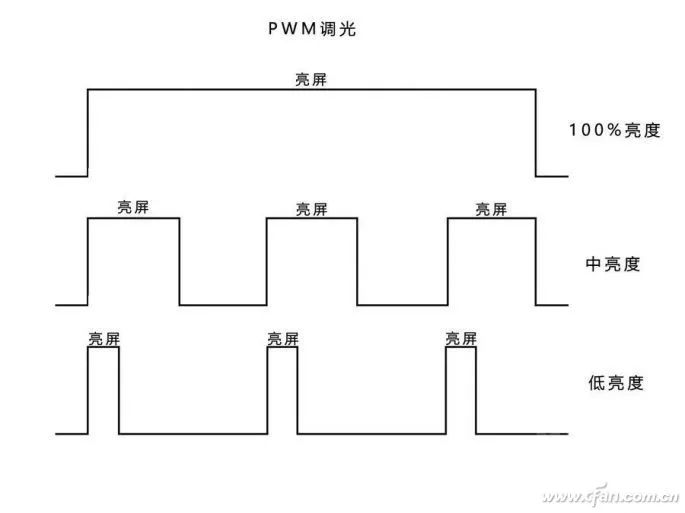
Conversely, if the time in the “on” state is extended (shortening the “off” time), the screen will feel brighter.
Advantages:Simple structure, no color cast issues, energy-saving, and low heat generation
Disadvantages:Flickering phenomenon exists
PWM Dimming Causes Trouble
The most criticized aspect of PWM dimming is flickering. In the PWM dimming process, if the screen flashes 500 times per second, the PWM flickering frequency is 500Hz. Generally, as long as the frequency exceeds 80Hz, it is difficult for the naked eye to perceive it; it requires using a phone camera to capture the screen to see the flickering phenomenon.
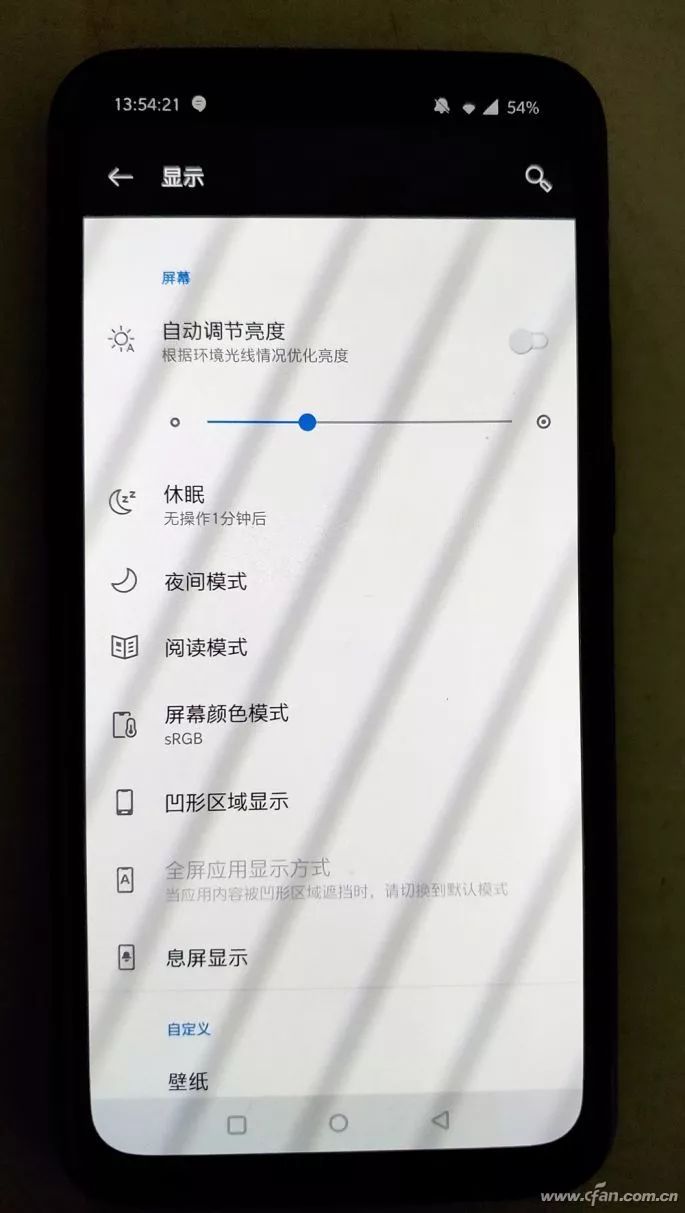
The problem arises: everyone has different sensitivity to flickering, so there is no clear conclusion in the electrical and medical fields about what flickering frequency is considered safe.
It is widely believed in the industry that a low health risk flickering range should be above 1250Hz, but some people may not feel anything as long as the flickering frequency exceeds 200Hz, while others can detect and react even to flickering at 1500Hz, manifesting as eye fatigue and migraines.
If the flickering frequency of the phone screen is always below your body’s tolerance line, can you avoid discomfort from prolonged focus?
Indeed, when you play games or read on your phone for a long time and suddenly feel eye strain and headaches, perhaps this is the “bloodbath” caused by the PWM dimming scheme.
Many users may still have misunderstandings about PWM dimming, such as lower brightness = lower PWM dimming frequency = more eye strain. In reality, this understanding is completely wrong. For screens using PWM dimming, the only factor affecting brightness is the “duration ratio of the on and off states within a flicker cycle”. As long as the ratio of on and off states within a flicker cycle remains unchanged, the screen brightness remains unchanged. A higher on-state ratio means increased brightness, while a higher off-state ratio means decreased brightness.
It is evident that the health issues arise from the flicker cycle frequency being too slow (below 1250Hz).
Why OLED Is Most Affected
Unlike LCD screens with integrated backlighting, each pixel of an OLED screen can emit light independently. If brightness is lowered by reducing current/voltage as in DC dimming, it means lowering the current/voltage for each pixel. Due to the different response of each RGB subpixel to current, it is easy to show uneven colors at low brightness, resulting in a “mop screen” phenomenon, where dynamic range is lost at low brightness and color uniformity deteriorates.
Early Samsung AMOLED screens attempted full DC dimming (during the Galaxy S2 era, and the Xiaomi Note 2’s OLED screen also used full DC dimming), but their poor performance at low brightness forced more screen and phone manufacturers to firmly support the combination of OLED screens and low-frequency PWM dimming schemes.

Under the PWM dimming scheme, regardless of the current screen brightness and color temperature, the brightness of the pixels remains constant; only the time the pixels are lit changes, greatly avoiding color accuracy issues caused by algorithm matching, completely eliminating the “mop screen” problem under DC dimming.
Unfortunately, OLED screens under PWM dimming generally have a flickering frequency below 250Hz, which poses a significant health risk for users sensitive to flickering—while others may use the same phone without issue at night, you may feel eye strain and dizziness after prolonged use.
By the way, OLED screens can also mix PWM dimming with DC dimming.
Many phones with OLED screens choose DC dimming at high brightness, switching to PWM dimming only when the brightness falls below a certain threshold. For example, Meizu system engineer Hong Hansheng previously exposed on Weibo that Samsung AMOLED screens have already been programmed at the driver level: DC dimming is used above 110 nits, and PWM is used below. Of course, there are also OLED screen phones that use PWM dimming throughout, such as the Apple iPhone X.
LCD Also Has PWM Dimming
It is important to note that PWM dimming is not exclusive to OLED screens; LCD screens (using LED backlighting) can also be clients of this scheme.
Although DC dimming is a perfect match for LCD screens, over 2/3 of new LCD screen phones have also introduced PWM dimming mode, but they similarly switch from DC to PWM only when brightness falls below a certain threshold (e.g., 20%).
The good news is that LCD screens typically use high-frequency PWM dimming, with flickering frequencies generally above 2000Hz, about ten times that of OLED screens, theoretically causing no significant harm to health.
A few low-end phones using LCD screens may opt for low-frequency PWM dimming mode, with flickering frequencies of only 100Hz to 250Hz, which is essentially the same as OLED screens, and prolonged use can also easily lead to eye fatigue and migraines, which is why many users feel that low-end phone screens are more harmful to their eyes.
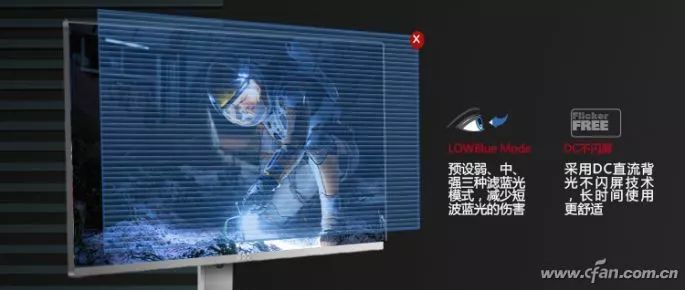
In fact, we often see PWM dimming in the PC field as well. To this day, many monitor manufacturers still promote the “flicker-free” selling point, which is based on using full DC dimming or DC + high-frequency PWM dimming (above 2000Hz). In the laptop field, PWM dimming is a major issue, with many mid-to-high-end laptops still using low-frequency PWM dimming (around 250Hz), making users who often work late (with low brightness) more prone to migraines.
OLED Meets Full DC Dimming
When the Black Shark 2 phone was released, its feature called “full DC dimming” sparked widespread controversy, as this selling point seemed to solve the eye strain issue caused by OLED screen flickering and also improved the “mop screen” phenomenon of OLED screens at low brightness.

In fact, this functionality was already implemented during the Black Shark Helo era, with the same principle as the Black Shark 2. Both contain an independent display chip that supports DCI-P3 and sRGB color modes and smart motion compensation technology, which can prevent motion blur in gaming visuals. The key point is that this display chip also includes a function to “lower the white point value”, significantly reducing the flicker index, making it one of the few OLED screen phones in recent years to achieve full DC dimming while maintaining image display quality, effectively alleviating users’ eye fatigue during prolonged use at low brightness.
However, even with the support of an independent display chip, the Black Shark Helo and Black Shark 2 cannot guarantee 100% perfect image quality with DC dimming at low brightness, which is why they make it an optional feature that users need to manually enable in the display settings.
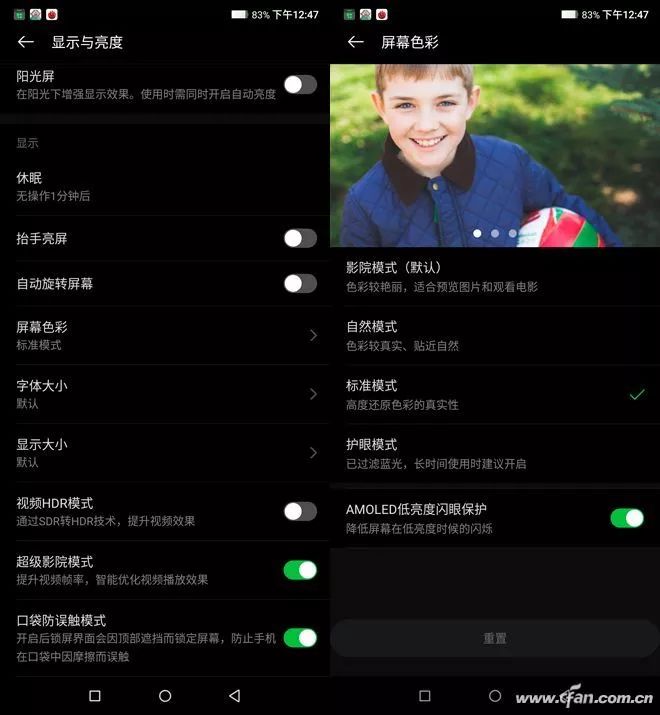
According to some actual user feedback, enabling the DC dimming option on the Black Shark 2 does result in some acceptable image quality loss, which is the price we must pay to enjoy eye protection at low brightness.
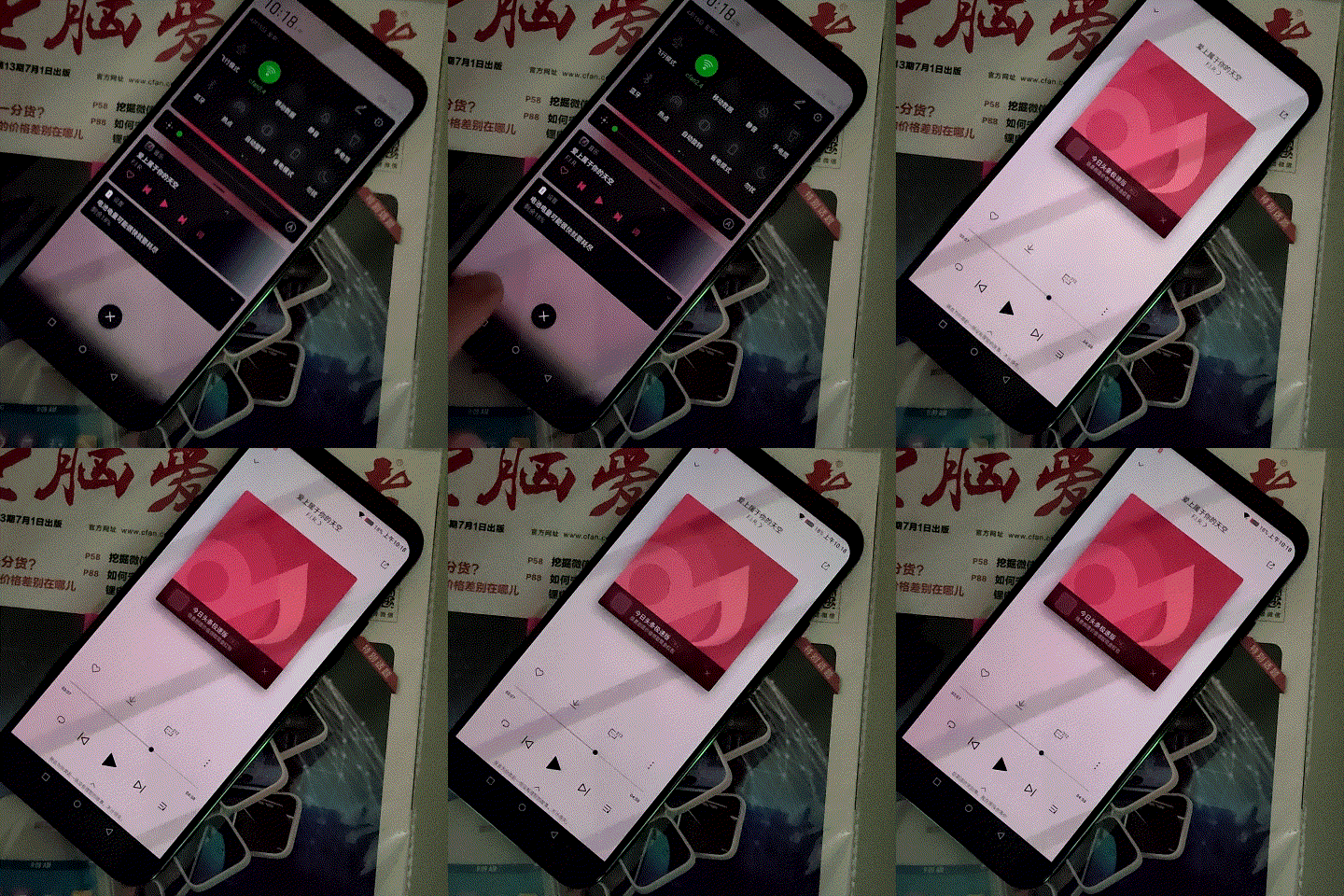
PWM Dimming
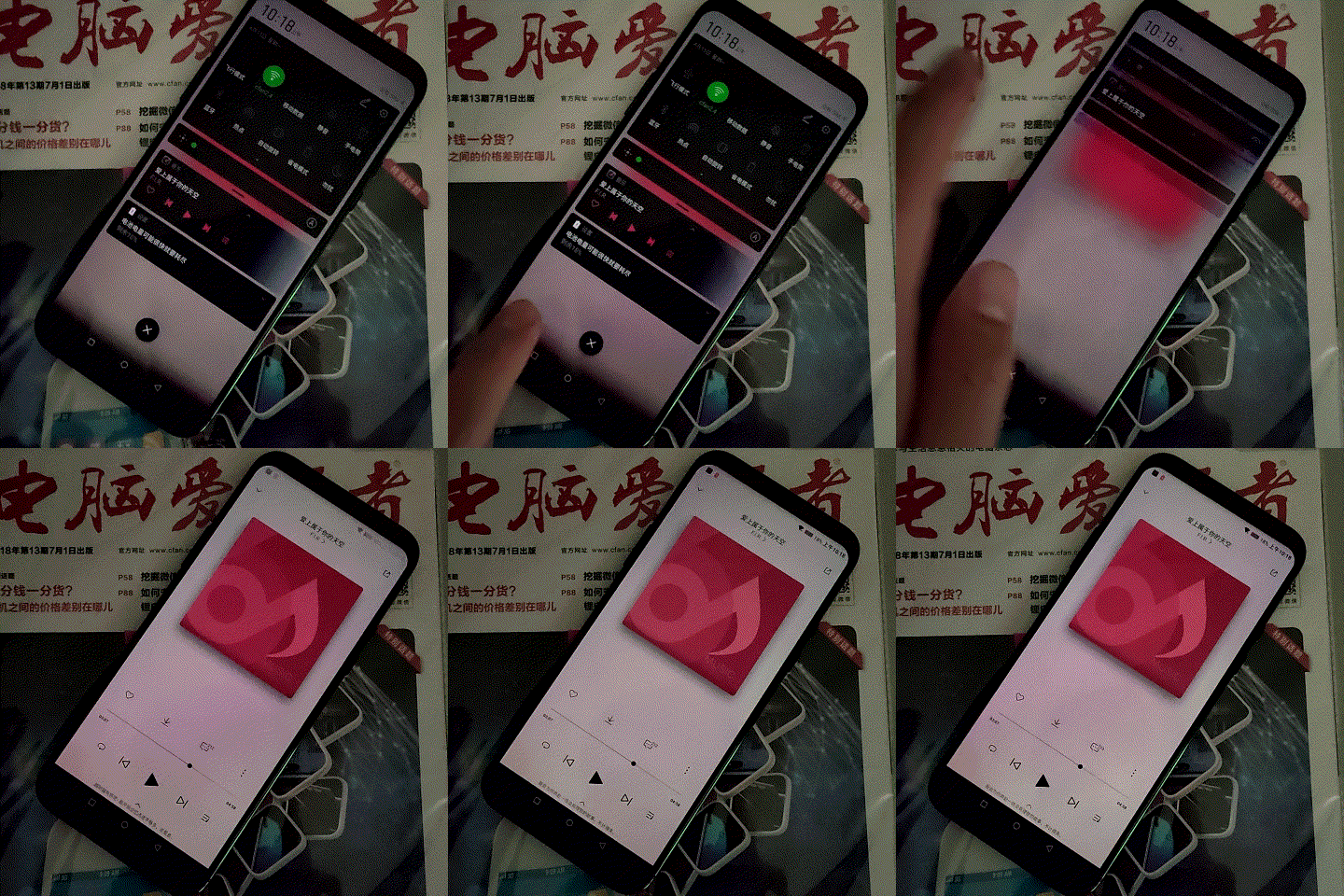
Enabling DC Dimming
DC Dimming Popularization in Progress
From the perspective of health and eye protection, after recognizing the hazards of low-frequency PWM dimming, I believe more users would rather sacrifice some image quality than suffer from headaches when lying in bed at night playing on their phones. It is precisely because of these demands that almost all manufacturers producing OLED screen phones (Huawei, Xiaomi, OPPO, vivo, iQOO, Meizu, etc.) have launched firmware updates for full DC dimming, adding a new selling point for both new and old OLED screen phones. However, as mentioned by Meizu system engineer Hong Hansheng and OPPO vice president Shen Yiren, whether OLED screens (at low brightness) use DC or PWM dimming is determined by the hardware of the panel itself, making it difficult for phone manufacturers to intervene at the hardware level.
Some phones have bypassed this hardware limitation through independent display chips, while other brands can only reduce flickering issues at low brightness from a software level for now. Those using Snapdragon 855 can achieve “semi-hardware decoding” through a specific unit in the SoC, while other processors’ so-called DC is actually achieved through “software decoding” to meet established goals.
Regardless, the damage caused by low-frequency PWM dimming to the eyes is absolute, and it is difficult for users sensitive to flickering to escape this hidden danger (all phones supporting screen fingerprint recognition must use OLED screens, leaving no choice). As more and more phone manufacturers achieve “global DC dimming” through soft and hard means, this historical problem is expected to be completely resolved, even if this feature still incurs some loss of image quality.
After reading this article, will you click:


Click “Read Original” for more exciting content